HTB Linux Easy: Busqueda
Busqueda is an Easy rated Linux machine on HTB.
Nmap
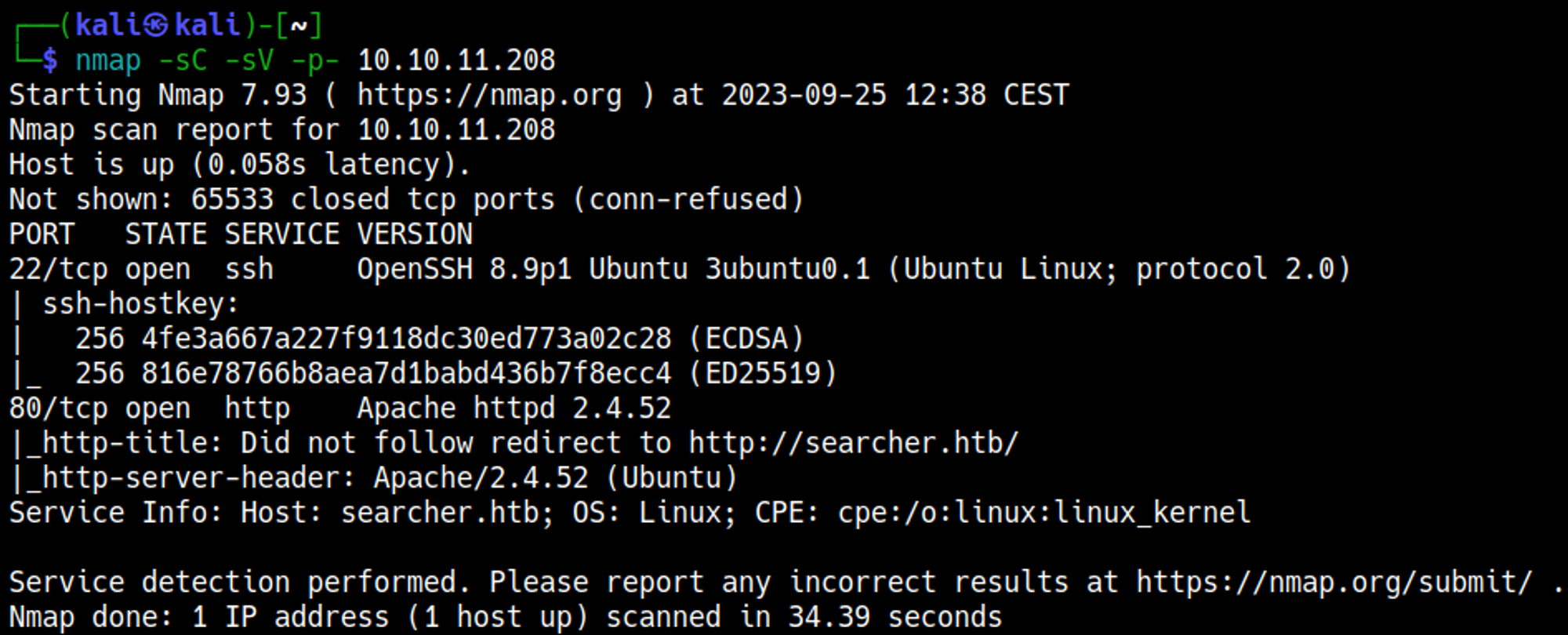
Initial Foothold
Enumerating HTTP (Port 80)
Add the searcher.htb domain to the hosts file to resolve the domain. 
On the main webpage we find the flask and searchor version of 2.4.0. 
Establish shell
We can establish a shell using the searchor 2.4.0 vulnerability. 
Our nc listener should have turned into a shell now. 
File exploration
Looking through the files in the app folder we find a hidden .git folder that contains a config file. In this file we find credentials and a new subdomain: cody:jh1usoih2bkjaspwe92 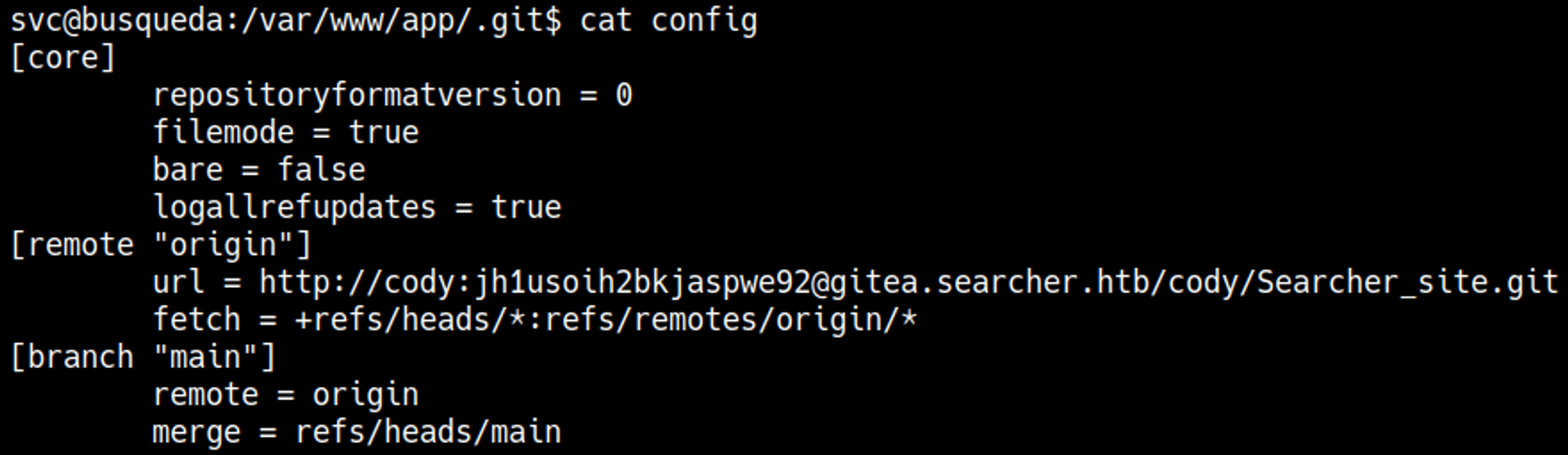
Edit the hosts file and add the newly found subdomain: gitea.searcher.htb. 
Priv Esc
The Cody user doesn’t exist in /etc/passwd. Instead, we can use the password to run sudo -l as the svc user. 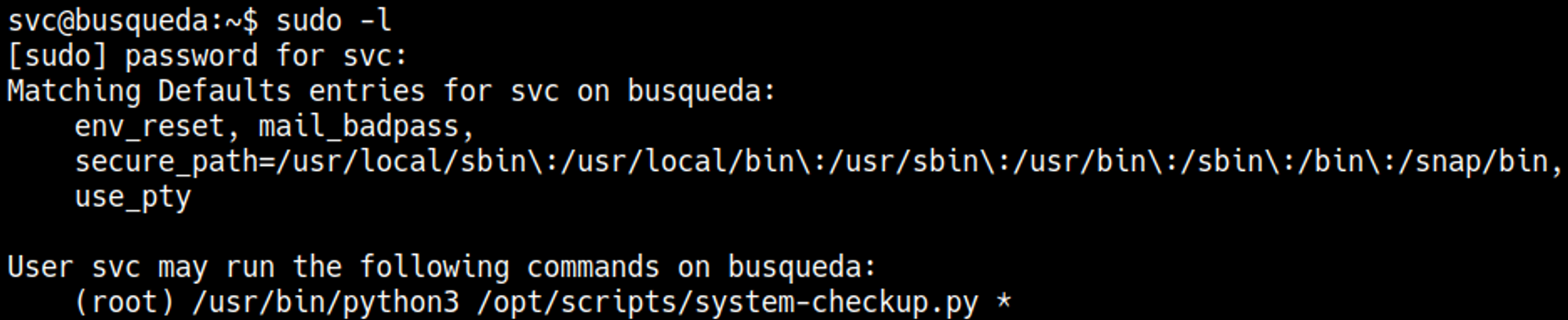
Running the command to trigger a help menu. 
The full-checkup script only seems to work when we are in the /opt/scripts directory. 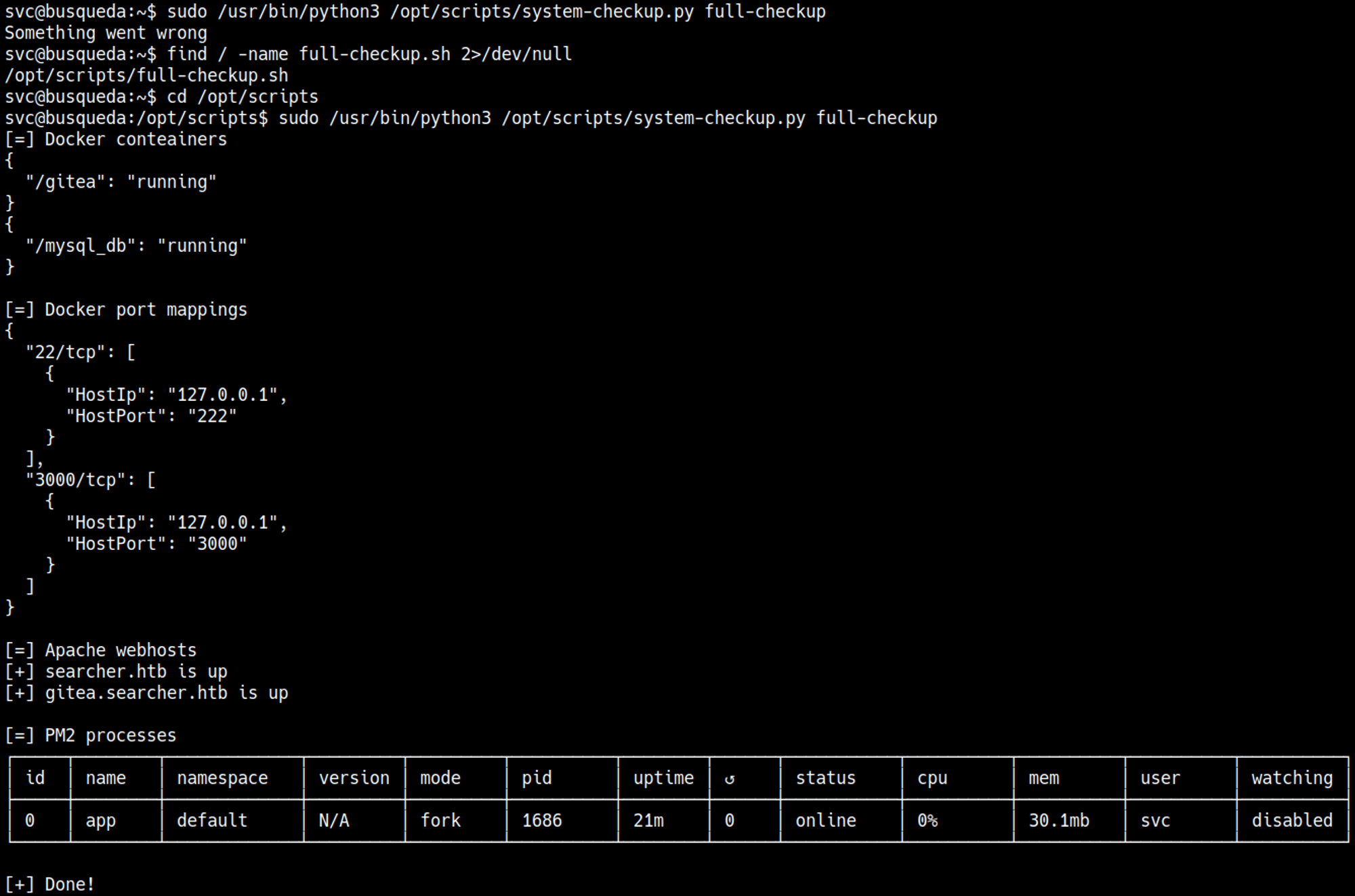
Since we can run this script as sudo we can make a full-checkup file with a reverse shell payload which will be executed as root. 
We obtained a shell as the root user. 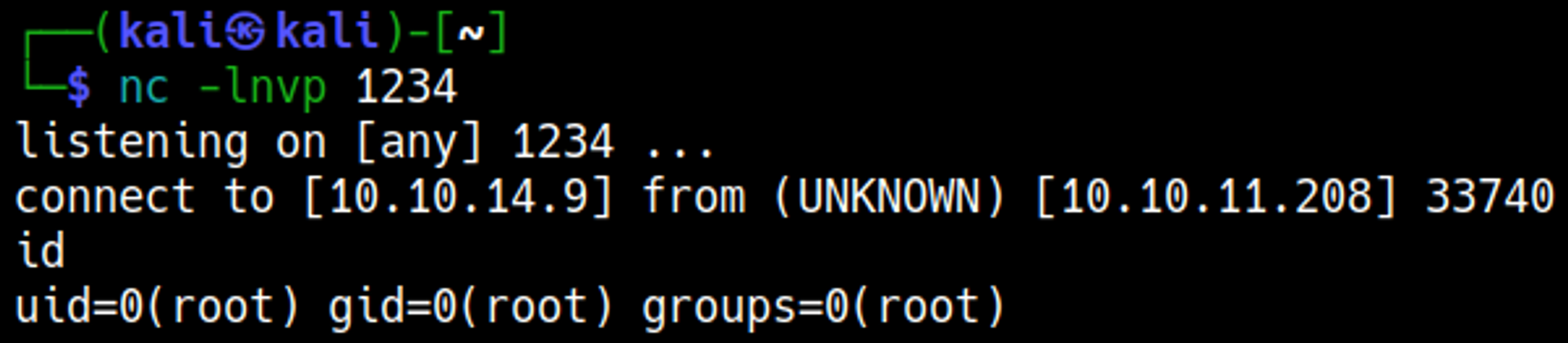
User.txt

Root.txt

You have PWNED