CVE-2025-13456: Wordpress - Shopbuilder Reflected XSS
Technical breakdown of CVE-2025-13456.
Overview
This post provides a technical breakdown of CVE-2025-13456, a reflected cross-site scripting (XSS) vulnerability discovered in the WordPress Shopbuilder plugin.
For more information on the methodology and infrastructure used to discover this vulnerability, see my blog post: CVE Hunting Setup.
Affected Plugin: Shopbuilder
Vulnerability Type: Reflected XSS
CVE ID: CVE-2025-13456
Affected Versions: <= 3.2.0
Severity: 7.1/High
Status: Patched
Plugin Information
Shopbuilder is a WordPress plugin with over 7,000 active installations. It is a Elementor WooCommerce Builder that lets users create fully custom shop, product, cart, checkout, and account pages using a drag-and-drop interface.
Vulnerability Details
Root Cause
The plugin does not properly sanitize and escape user input before outputting it back on the page, leading to reflected XSS.
Affected Parameter/Endpoint
Endpoint: product-category/<category>/
Vulnerable Parameter: orderby
An attacker can craft a payload that closes the JS string context (e.g. a'onclick='alert(1)'a) to execute arbitrary JS code in the victim’s browser.
Proof of Concept
Prerequisites
- WordPress installation
- Shopbuilder plugin version <= 3.2.0 installed
Installing the plugin
1
2
3
4
5
# Plugin dependencies
ddev wp plugin install elementor --activate-network
ddev wp plugin install woocommerce --activate-network

ddev wp plugin install shopbuilder --activate-network
Exploitation Steps
Configure plugin dependencies:
During the configuration and setup of the Elementor plugin, the “Skip setup” option is fine.
Use the guided setup for WooCommerce and complete the required fields. The default options are sufficient. After the installation, add a product but don’t select a theme. Next, press on “Launch your store”. 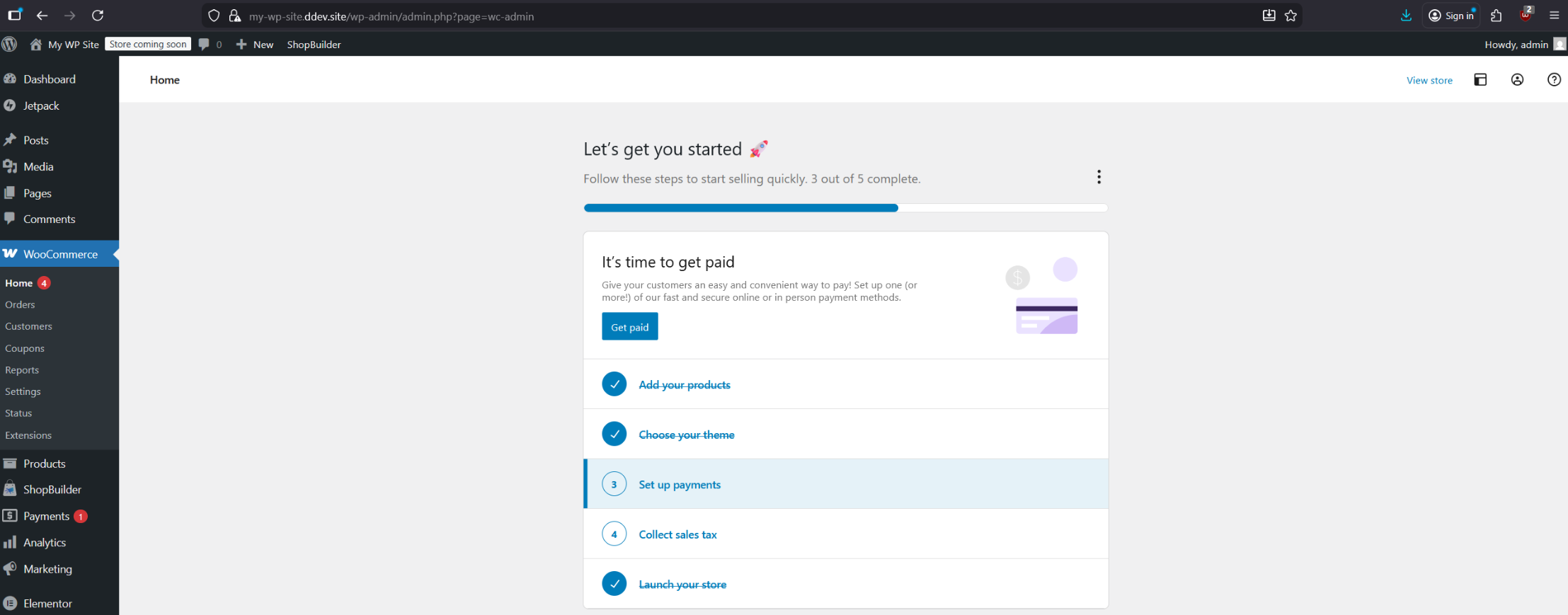
Exploitation:
Add a new page using the “Shop” template in the Shopbuilder plugin settings, and configure the theme to use the default template. 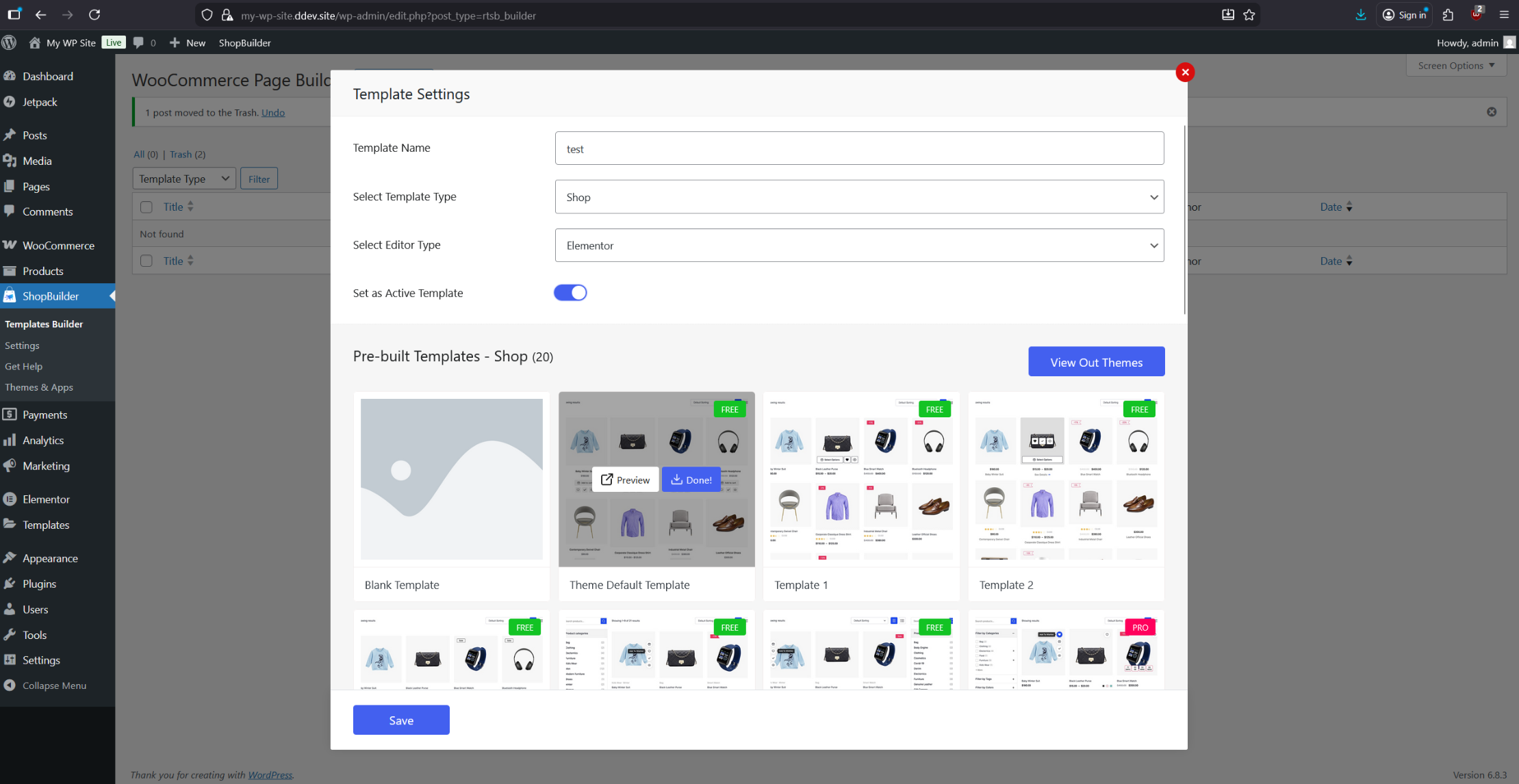
Next, configure the “Category Archive” to use the same theme as the “Shop” template. This will later expose the vulnerable orderby parameter. 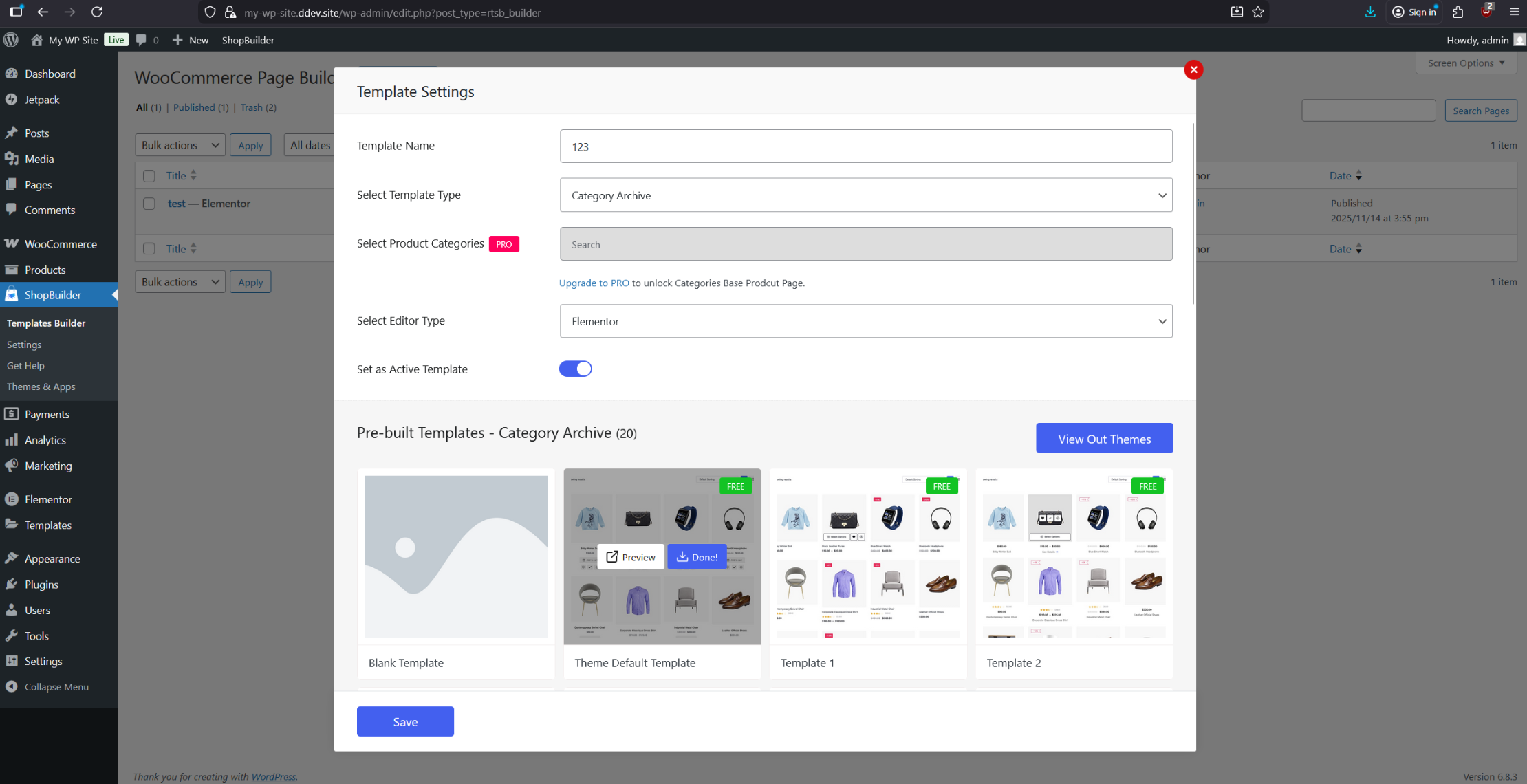
Make sure “Shop” and “Category Archive” use the same template!
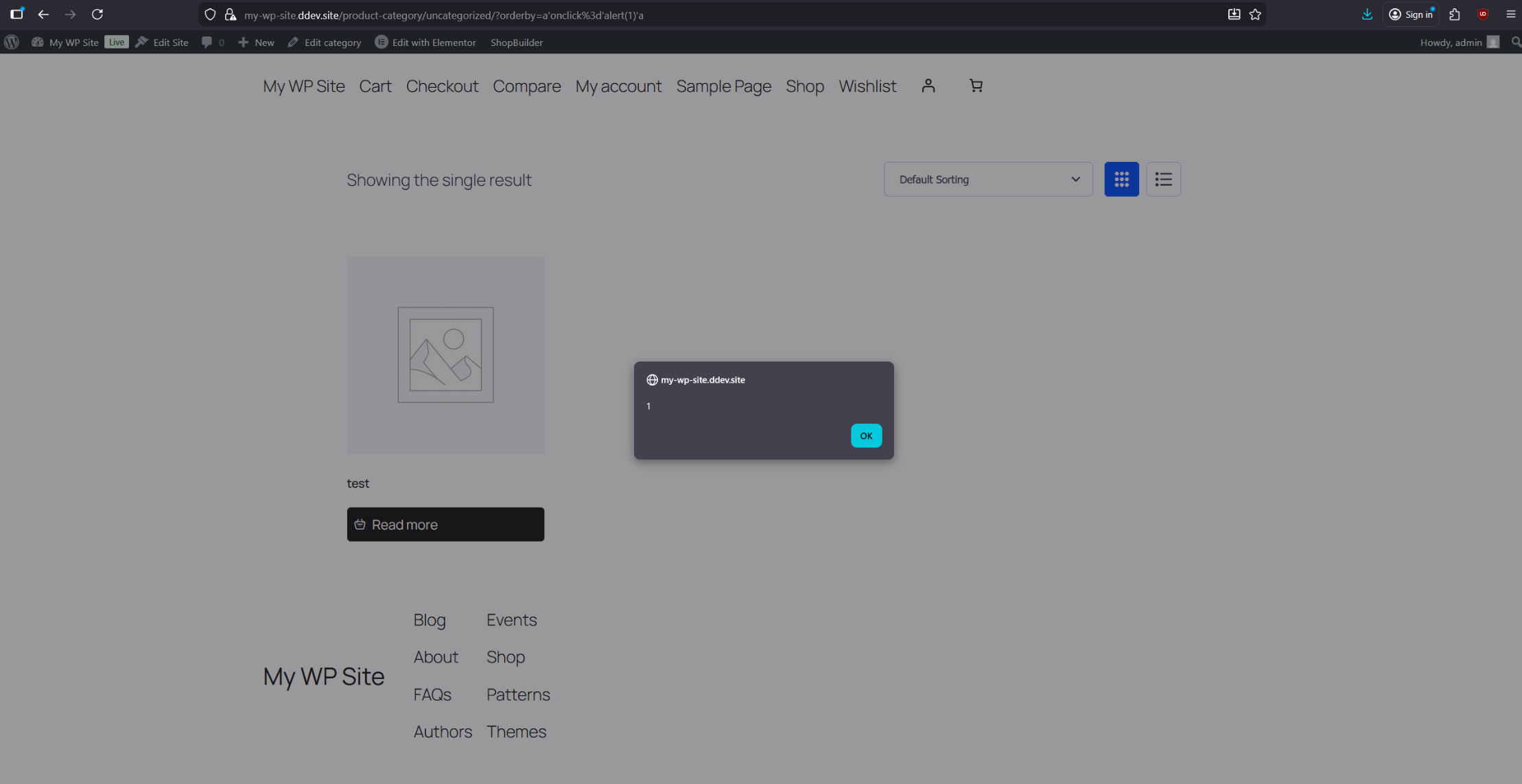
The XSS can now be triggered through the previously exposed orderby parameter. Navigate to the /product-category/uncategorized page and adjust the sorting options so the parameter becomes visible. Once it appears, use the following URL-encoded XSS payload. Clicking anywhere on the page should then trigger an alert:
1
a%27onclick%3d%27alert(1)%27a
Impact
What an attacker can achieve by exploiting this vulnerability:
- Session hijacking
- Cookie theft
- Phishing attacks
- etc.
Mitigation
- Update to version 3.2.2 or higher.
Timeline
[16/11/2025]- Vulnerability discovered[17/11/2025]- Vendor notified[19/11/2025]- CVE assigned[11/12/2025]- Patch released[12/12/2025]- Public disclosure
References
Disclosure: This analysis is for educational purposes only. Always test vulnerabilities in controlled environments with proper authorization.